
In the ever-evolving realm of gaming, where every pixel counts and split-second decisions make the difference between victory and defeat, having the right gaming monitor is paramount. If you’re a passionate gamer on a budget, the quest for the best gaming monitor under $300 becomes a thrilling adventure.
Fortunately, the gaming industry has witnessed a surge in affordable yet high-performance monitors that cater to the demands of modern gamers without breaking the bank. These monitors seamlessly blend affordability with cutting-edge technology, providing an immersive gaming experience that doesn’t compromise on quality.
AT A GLANCE:
Best Value Gaming Monitors Under 300

ViewSonic OMNI XG2431
- High 240Hz refresh rate for smooth gaming.
- Rapid 0.5ms response time reduces motion blur.
- AMD FreeSync Premium for tear-free gameplay.
- Ergonomic stand with tilt, swivel, rotate, and height adjustments.
- Thin bezels enhance the immersive viewing experience.
- Pre-set customizable visual modes for different game genres.
Best High End Gaming Monitors Under 300
Sceptre IPS 34
- Ultrawide Display: Enhanced field of view for immersive gaming and improved multitasking.
- IPS Panel: Consistent color performance and sharp visibility from multiple viewing angles.
- 144Hz Refresh Rate: Smooth and responsive gameplay with no blurred images.
- 1ms MPRT: Eliminates motion blur, providing crisp imagery during fast-paced gaming.
- HDR400: Improved dynamic contrast ratio and vibrant colors for a visually appealing experience.
Best Budget Gaming Monitors Under 300
Acer XF243Y Pbmiiprx
- Budget-friendly: Offers a competitive feature set at an affordable price.
- IPS Panel: Provides vibrant colors and wide viewing angles.
- High Refresh Rate: 165Hz refresh rate for smoother gaming performance.
- Quick Response Time: 2ms response time minimizes motion blur.
- HDR Support: Enhances visual experience with improved contrast and color range.
- Integrated Speakers: Basic built-in speakers for convenience.
Join us on a journey to explore the top contenders in the realm of gaming monitors under $300, where exceptional visuals, rapid refresh rates, and responsive performance await every gaming enthusiast.
Short Buying Guide:
Resolution Matters: Opt for a monitor with at least Full HD (1920×1080) resolution for crisp visuals. If possible, consider QHD (2560×1440) for a sharper gaming experience.
Refresh Rate for Fluid Gameplay: Look for a higher refresh rate (e.g., 144Hz or more) to ensure smooth and fluid gameplay. A higher refresh rate reduces motion blur, crucial for fast-paced games.
Response Time: A lower response time, preferably 5ms or less, is essential for minimizing motion blur and ghosting in action-packed games.
Adaptive Sync Technology: Choose monitors with Adaptive Sync technologies like AMD FreeSync or NVIDIA G-Sync to eliminate screen tearing and stuttering, enhancing overall gaming visuals.
Panel Type: Decide between IPS for vibrant colors and wide viewing angles, TN for fast response times, or VA for a balance between the two. Your choice depends on gaming preferences.
Connectivity and Features: Check for ample connectivity options, including HDMI and DisplayPort. Additional features like built-in speakers, customizable RGB lighting, and ergonomic stands add value.
Size and Immersion: Consider monitor size based on your preferences and available space. Larger monitors provide a more immersive gaming experience but ensure it fits your desk setup.
Brand Reputation and Reviews: Explore reviews and consider reputable brands known for quality gaming monitors. Prioritize features that align with your gaming needs while staying within your budget.
With these considerations in mind, dive into the world of gaming monitors under $300, where affordability meets top-tier gaming performance.
Here are our recommended Top 10 Best Gaming Monitor Under 300 Dollars Budget which you can purchase today
| Award | Design | Retailer | |
|---|---|---|---|
| Best Value Gaming Monitors Under 300 | Best Pick | VIEW ON AMAZON | |
| Best High End Gaming Monitors Under 300 | Staff Pick | VIEW ON AMAZON | |
| Best Budget Gaming Monitors Under 300 | Budget Pick | VIEW ON AMAZON | |
| Best Runner Up Gaming Monitors Under 300 | 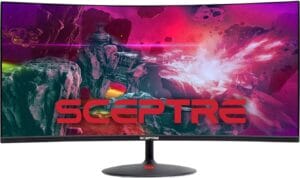 | VIEW ON AMAZON | |
| Best Smooth Gaming Monitors Under 300 |  | VIEW ON AMAZON | |
| Best Affordable Gaming Monitors Under 300 | 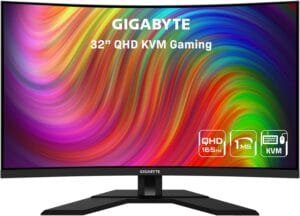 | VIEW ON AMAZON | |
| Best Mid-Level Gaming Monitors Under 300 |  | VIEW ON AMAZON | |
| Best All Rounder Gaming Monitors Under 300 | 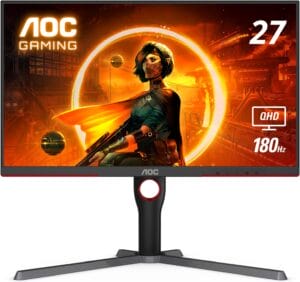 | VIEW ON AMAZON | |
| Best Cheap Gaming Monitors Under 300 | 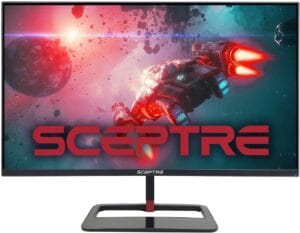 | VIEW ON AMAZON | |
| Best Overall Gaming Monitors Under 300 |  | VIEW ON AMAZON |
ViewSonic OMNI XG2431
Best Value Gaming Monitors Under 300
SPECIFICATIONS
Screen Size: 24 Inches | Display Resolution Maximum: 1080 Pixels | Brand: ViewSonic | Special Feature: Adaptive Sync, Pivot Adjustment, Blue Light Filter, Swivel Adjustment, Frameless, Tilt Adjustment, USB Hub | Refresh Rate: 240 Hz
REASONS TO BUY
✓High 240Hz refresh rate for smooth gaming.
✓Rapid 0.5ms response time reduces motion blur.
✓AMD FreeSync Premium for tear-free gameplay.
✓Ergonomic stand with tilt, swivel, rotate, and height adjustments.
✓Thin bezels enhance the immersive viewing experience.
✓Pre-set customizable visual modes for different game genres.
REASONS TO AVOID
✗Limited to Full HD resolution.
✗Not equipped with HDR technology.
The ViewSonic OMNI XG2431 stands out as a beacon of exceptional value in the competitive realm of gaming monitors under $300. Packed with features that cater to the demands of avid gamers, this monitor delivers an immersive gaming experience without breaking the bank.
At the heart of the OMNI XG2431’s appeal is its 24-inch Full HD IPS display with thin bezels, providing vibrant colors and wide viewing angles. The monitor’s 240Hz refresh rate and lightning-fast 0.5ms (MPRT) response time redefine smooth gameplay, ensuring that every frame renders with precision. Whether you’re navigating through a virtual battlefield or engaging in fast-paced racing games, the OMNI XG2431’s fluid and tear-free experience, courtesy of AMD FreeSync Premium technology, sets a new standard for gaming monitors in this price range.
Elevating comfort to a new level, the OMNI XG2431 boasts an ergonomic stand that allows you to tilt, swivel, rotate, and adjust the height according to your preferences. This thoughtful design ensures that marathon gaming sessions remain comfortable, even as the intensity of the gameplay increases.
One of the standout features of the OMNI XG2431 is its arsenal of pre-set customizable visual modes. Tailored for FPS, RTS, or MOBA games, these modes optimize the monitor’s settings to enhance your gaming experience based on the genre you’re playing. This versatility ensures that the OMNI XG2431 adapts to your gaming preferences, delivering optimal visuals for any title in your library.
As a ViewSonic product, the OMNI XG2431 benefits from the brand’s reputation for quality monitors. ViewSonic is known for producing displays that balance performance, durability, and affordability, and the OMNI XG2431 is no exception.
Conclusion
In conclusion, the ViewSonic OMNI XG2431 stands as a testament to the possibilities within the realm of affordable gaming monitors. Its 240Hz refresh rate, 0.5ms response time, ergonomic design, and customizable visual modes make it a compelling choice for gamers seeking outstanding value without compromising on performance. Immerse yourself in the world of gaming with the OMNI XG2431, where every frame is a testament to the monitor’s commitment to delivering a top-notch gaming experience.
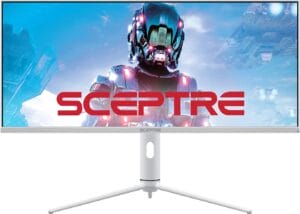
Sceptre IPS 34
Best High End Gaming Monitors Under 300
SPECIFICATIONS
Screen Size: 32 Inches | Display Resolution Maximum: 3440 x 1440 Pixels | Brand: Sceptre | Special Feature: High Dynamic Range | Refresh Rate: 144 Hz
REASONS TO BUY
✓Ultrawide Display: Enhanced field of view for immersive gaming and improved multitasking.
✓IPS Panel: Consistent color performance and sharp visibility from multiple viewing angles.
✓144Hz Refresh Rate: Smooth and responsive gameplay with no blurred images.
✓1ms MPRT: Eliminates motion blur, providing crisp imagery during fast-paced gaming.
✓HDR400: Improved dynamic contrast ratio and vibrant colors for a visually appealing experience.
REASONS TO AVOID
✗No specific cons provided in the information.
The Sceptre IPS 34 stands out as one of the best high-end gaming monitors under 300, offering a captivating ultrawide display that takes your gaming experience to new heights. The ultrawide design not only enhances your field of view for immersive gaming but also provides valuable extra space for multitasking, making it an excellent choice for both gaming and productivity.
Equipped with an IPS panel, this monitor ensures superior color performance and sharp visibility from various viewing angles. The inclusion of a high 144Hz refresh rate is a game-changer, providing a significant advantage in visibility. Gamers will appreciate the seamless transition between frames, leaving no room for blurred images and contributing to an overall smoother gaming experience.
The impressive 1ms Moving Picture Response Time (MPRT) is a standout feature, eliminating motion blur and delivering exceptionally crisp imagery, even in the midst of intense and fast-paced combat scenarios. This responsiveness enhances the monitor’s suitability for competitive gaming where every millisecond counts.
HDR400 technology further elevates the visual experience, enhancing the dynamic contrast ratio and illuminating colors up to 50% brighter than standard displays (SDR). The result is a display that not only captures the nuances of bright colors but also provides clear and detailed dark colors, adding depth to your gaming visuals.
For gamers who demand fluidity in their gameplay, the AMD FreeSync Premium technology is a valuable addition. By synchronizing the graphic card and monitor refresh rates, FreeSync Premium eliminates tearing and stuttering, ensuring that the visuals are smooth and seamless, especially in fast-paced games.
The Sceptre IPS 34 is a testament to the manufacturer’s commitment to delivering high-quality gaming monitors with premium features, all while keeping the price under the 300-dollar mark. Whether you’re a serious gamer seeking a competitive edge or a multitasker in need of a versatile display, this monitor is a top-tier choice without breaking the bank.
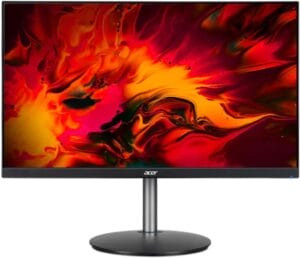
Acer XF243Y Pbmiiprx
Best Budget Gaming Monitors Under 300
SPECIFICATIONS
Screen Size: 23.8-Inch | Display Resolution Maximum: 1920 x 1080 | Brand: acer | Special Feature: Wide screen, High Dynamic Range | Refresh Rate: 165 Hz
REASONS TO BUY
✓Budget-friendly: Offers a competitive feature set at an affordable price.
✓IPS Panel: Provides vibrant colors and wide viewing angles.
✓High Refresh Rate: 165Hz refresh rate for smoother gaming performance.
✓Quick Response Time: 2ms response time minimizes motion blur.
✓HDR Support: Enhances visual experience with improved contrast and color range.
✓Integrated Speakers: Basic built-in speakers for convenience.
REASONS TO AVOID
✗Limited Resolution: 1920 x 1080 resolution may not satisfy users seeking higher pixel density.
✗Basic Audio: Integrated speakers may not meet the audio demands of serious gamers or audiophiles.
The Acer XF243Y Pbmiiprx is a budget-friendly gaming monitor that doesn’t compromise on performance. With its 23.8-inch widescreen LCD display, this monitor offers a 1920 x 1080 resolution and a 16:9 aspect ratio, providing a crisp and clear visual experience for gaming, multimedia, and everyday computing.
One of the standout features of the Acer XF243Y is its IPS (In-Plane Switching) panel technology. IPS panels are known for their superior color accuracy and wide viewing angles, ensuring that you get vibrant and lifelike colors even when viewing the screen from different perspectives. This makes the monitor suitable for both gaming and content creation, where color accuracy is crucial.
The high refresh rate of 165Hz is a significant advantage for gamers. A higher refresh rate results in smoother motion and reduces motion blur, providing a competitive edge in fast-paced games. Combined with a quick 2ms response time, the Acer XF243Y excels in delivering a responsive and lag-free gaming experience, allowing you to react swiftly to in-game actions.
The monitor also features a brightness of 250 cd/m2, ensuring that the visuals are well-defined and visible even in well-lit environments. Additionally, the inclusion of High Dynamic Range (HDR) support enhances the overall visual experience by delivering more extensive contrast ratios and a broader range of colors.
Integrated speakers with a 2 x 2.0W power output provide basic audio capabilities, eliminating the need for external speakers in casual use scenarios. While serious gamers might prefer dedicated audio solutions, these built-in speakers are a convenient addition for general multimedia consumption.
The design of the Acer XF243Y is sleek and modern, with thin bezels that enhance the immersive gaming experience. The monitor’s stand allows for adjustable tilt, ensuring that you can find the most comfortable viewing angle for your gaming or work setup.
Conclusion
In conclusion, the Acer XF243Y Pbmiiprx stands out as a budget-friendly gaming monitor that delivers excellent performance and a feature set that caters to gamers and general users alike. If you’re looking for a versatile monitor that won’t break the bank, the Acer XF243Y is a compelling option in the under $300 price range.
Sceptre 34-Inch Curved
Best Runner Up Gaming Monitors Under 300
SPECIFICATIONS
Screen Size: 34 Inches | Display Resolution Maximum: 3440 x 1440 Pixels | Brand: Sceptre | Special Feature: Ultrawide Screen, Blue Light Filter, Frameless, Tilt Adjustment, Curved | Refresh Rate: 165 Hz
REASONS TO BUY
✓Ultrawide 21:9 aspect ratio for immersive gaming.
✓Rapid 1ms MPRT response time minimizes motion blur.
✓Luminous backcover lights for modern aesthetics.
✓WQHD resolution (3440 x 1440) for detailed visuals.
✓Ample screen space for multitasking.
REASONS TO AVOID
✗No HDR support.
Sceptre’s 34-Inch Curved Gaming Monitor is a compelling option for those seeking an immersive gaming experience without breaking the bank. With a range of features designed for both gamers and productivity enthusiasts, this monitor strikes a balance between performance and affordability.
The standout feature of this monitor is its 34-inch curved display, which provides an ultrawide 21:9 aspect ratio. This ultrawide format not only enhances gaming immersion but also offers 30% more screen space compared to traditional monitors. The WQHD resolution of 3440 x 1440 ensures crisp and detailed visuals, elevating your gaming and multimedia experience to the next level.
One of the key advantages for gamers is the 1ms MPRT (Motion Picture Response Time) technology. This ensures that colors transition smoothly and instantaneously, eliminating ghosting and motion blur during fast-paced gaming sequences. Whether you’re engaged in intense action scenes or navigating through complex environments, the 1ms response time keeps visuals sharp and responsive.
The addition of luminous backcover lights adds a touch of modern aesthetics to the monitor. The colorful LED lights on the back cover not only contribute to the overall design but also create a visually striking atmosphere. It’s a feature that enhances the monitor’s appearance and distinguishes it from more standard designs.
For users looking to elevate their multitasking and productivity, the ultrawide format is a significant advantage. The increased screen real estate allows for more efficient multitasking, letting you open multiple windows side by side without sacrificing clarity.
While this Sceptre monitor doesn’t include advanced features like adaptive sync technologies (FreeSync or G-Sync), its 165Hz refresh rate ensures smooth and fluid visuals, making it suitable for various gaming genres.
Conclusion
In summary, the Sceptre 34-Inch Curved Gaming Monitor offers a compelling blend of ultrawide immersion, high resolution, and quick response times at an attractive price point. Whether you’re a gamer or someone who values a spacious and vibrant display for work or entertainment, this monitor delivers a feature-rich experience.
GIGABYTE M27Q PRO
Best Smooth Gaming Monitors Under 300
SPECIFICATIONS
Screen Size: 27 Inches | Display Resolution Maximum: 2560 x 1440 | Brand: GIGABYTE | Special Feature: Height Adjustment, Adaptive Sync, Blue Light Filter, USB Hub, Flicker-Free, High Dynamic Range | Refresh Rate: 165 Hz
REASONS TO BUY
✓Sharp 2560×1440 resolution for detailed visuals.
✓Super Speed IPS display technology for vibrant colors.
✓HDR400 support enhances contrast and brightness.
✓USB Type-C KVM switch for seamless device control. VESA Wall Mount compatibility for flexible setup options
REASONS TO AVOID
✗No specific cons mentioned in the provided information.
Immerse yourself in the world of gaming with the GIGABYTE M27Q PRO, a 27-inch 2560×1440 Super Speed (SS) IPS display that delivers an exceptional visual experience. Packed with features to enhance your gaming and multimedia enjoyment, this monitor stands out as a compelling choice in the under-$300 gaming monitor segment.
The 2560×1440 resolution ensures crisp and detailed images, providing a balance between sharpness and performance. The Super Speed (SS) IPS display technology contributes to vibrant colors and wide viewing angles, making every scene come alive. With 10-bit color (8-bits plus FRC) and covering 98% of the DCI-P3 color gamut, the monitor produces rich and accurate colors for an immersive visual experience.
Experience improved contrast and brightness with VESA DisplayHDR 400 support. HDR content comes to life with more detail in both bright and dark scenes, providing a more dynamic and realistic viewing experience. This feature enhances your gaming and movie-watching adventures, elevating the overall quality of visual content.
The GIGABYTE M27Q PRO goes beyond being just a monitor. Its integrated KVM switch with USB Type-C connectivity allows you to control multiple devices seamlessly. Simply connect your devices with a 10Gbps Type-C cable, and you can switch between different sources with ease, streamlining your setup and enhancing productivity.
Adapt the monitor to your preferred setup with VESA Wall Mount compatibility (100 x 100mm). Whether you prefer a traditional desktop arrangement or a customized multi-monitor setup, the GIGABYTE M27Q PRO provides flexibility to suit your preferences.
Conclusion
In conclusion, the GIGABYTE M27Q PRO stands out as a smooth gaming monitor under $300, offering a high-quality display, HDR support, and versatile connectivity options. Elevate your visual experience with this feature-packed gaming monitor that delivers both style and substance.
GIGABYTE M32QC 32
Best Affordable Gaming Monitors Under 300
SPECIFICATIONS
Screen Size: 32 Inches | Display Resolution Maximum: 2560 x 1440 Pixels | Brand: GIGABYTE | Special Feature: Height Adjustment, Anti Glare Screen, Adaptive Sync, Blue Light Filter, USB Hub, Flicker-Free, Curved, High Dynamic RangeHeight Adjustment | Refresh Rate: 165 Hz
REASONS TO BUY
✓Large 31.5-inch QHD display for immersive visuals.
✓High 165Hz refresh rate for smooth gaming.
✓1ms (MPRT) response time reduces motion blur.
✓8-bit color with wide color space coverage.
✓VESA Display HDR400 enhances contrast and brightness.
✓KVM switch with USB Type-C for convenient device control.
REASONS TO AVOID
✗No specific details provided on additional gaming features.
✗Limited information on advanced display technologies.
The GIGABYTE M32QC 32 stands out as one of the best affordable gaming monitors under 300, offering an impressive combination of size, performance, and features. With its 31.5-inch QHD VA display, this monitor provides a spacious and immersive viewing experience, making it an ideal choice for gaming enthusiasts and multimedia enthusiasts alike.
One standout feature of the GIGABYTE M32QC is its high refresh rate of 165Hz, ensuring smooth and fluid motion during fast-paced gaming sessions. The 1ms (MPRT) response time further enhances the gaming experience by reducing motion blur, providing sharp and clear visuals in dynamic scenes. These specifications make it an excellent choice for competitive gamers who demand precision and responsiveness from their monitors.
The monitor’s display quality is enhanced by its 8-bit color support, covering 94% of the DCI-P3 color space and 123% of the sRGB color space. This results in vibrant and accurate colors, bringing games and multimedia content to life. Additionally, the VESA Display HDR400 support contributes to improved contrast and brightness, allowing for a more immersive visual experience.
One notable convenience is the inclusion of a KVM switch with USB Type-C connectivity. This feature allows users to control multiple devices using a single set of peripherals, streamlining workflow and reducing cable clutter. To utilize this function, a 10Gbps Type-C cable is required.
For users seeking a customizable setup, the monitor supports VESA wall mounting (100 x 100mm), providing flexibility in positioning. The connectivity options are also robust, featuring 2x HDMI 2.0, 1x DisplayPort 1.2, 1x USB Type-C, 2x USB 3.0 downstream, 1x USB 3.0 upstream, and 1x earphone jack.
Conclusion
In conclusion, the GIGABYTE M32QC 32 offers an affordable yet feature-rich gaming monitor option. Its combination of a large QHD display, high refresh rate, impressive color support, and additional features like the KVM switch make it a compelling choice for gamers and content creators on a budget.
ASUS VG278Q 27
Best Mid-Level Gaming Monitors Under 300
SPECIFICATIONS
Screen Size: 27 Inches | Display Resolution Maximum: 1920×1080 Pixels | Brand: ASUS | Special Feature: eye care, Blue Light Filter, Flicker-Free | Refresh Rate: 144 Hz
REASONS TO BUY
✓27″ Full HD panel with 144Hz refresh rate for a vivid gaming experience.
✓Fast 1ms response time minimizes motion blur during high-action scenes.
✓Nvidia G-SYNC technology prevents screen tearing for smoother gameplay.
✓ASUS Eye Care features reduce eye strain during extended gaming sessions.
✓Adjustable ergonomic stand allows for customized viewing angles.
REASONS TO AVOID
✗Full HD resolution may not satisfy users seeking higher pixel densities.
The ASUS VG278Q 27-inch gaming monitor stands out as a mid-level powerhouse, offering a compelling combination of features tailored to gamers. With a Full HD (1920×1080) display, a high 144Hz refresh rate, and an impressive 1ms (GTG) response time, this monitor ensures that gamers can experience fast-paced action with clarity and smoothness.
One of the standout features is the inclusion of Nvidia G-SYNC technology, which eliminates screen tearing and stuttering, providing a tear-free gaming experience. This ensures that the graphics are rendered seamlessly, enhancing the overall visual quality. ASUS Smart Contrast Ratio (ASCR) of 100,000,000:1 further contributes to vibrant and detailed visuals, emphasizing the monitor’s commitment to delivering top-notch image quality.
In addition to its gaming prowess, the ASUS VG278Q offers convenience with its built-in stereo 2W speakers. These speakers not only save users from the hassle of external audio devices but also provide a full sound experience, enhancing the overall gaming immersion.
Designed for long gaming sessions, the monitor incorporates ASUS Eye Care technology to minimize eye fatigue. The ergonomic stand allows for full height, tilt, swivel, and pivot adjustments, catering to different desk setups and ensuring comfort during extended periods of use. This makes it “marathon ready,” accommodating the needs of serious gamers who engage in lengthy gaming sessions.
Connectivity options are flexible, with DisplayPort 1.2, HDMI 1.4, and Dual-link DVI-D ports available. This versatility ensures compatibility with a variety of devices, offering users the freedom to connect their gaming setup seamlessly.
Conclusion
In conclusion, the ASUS VG278Q 27-inch gaming monitor delivers a satisfying blend of performance, visual quality, and user-friendly features. It strikes a balance that caters to the needs of both casual and serious gamers, making it a noteworthy option in the mid-level gaming monitor category.
AOC Q27G3XMN 27
Best All Rounder Gaming Monitors Under 300
SPECIFICATIONS
Screen Size: 27 Inches | Display Resolution Maximum: 2560 x 1440 Pixels | Brand: AOC | Special Feature: Adaptive Sync | Refresh Rate: 180 Hz
REASONS TO BUY
✓Stunning Mini-LED backlight technology
✓336 individual dimming zones for true blacks
✓Sharp 2K QHD resolution
✓Lightning-fast 180Hz refresh rate
✓Rapid 1ms GtG response time
✓Adaptive-Sync for tear-free gameplay
REASONS TO AVOID
✗Console performance may vary
The AOC Q27G3XMN 27″ gaming monitor stands out as an all-rounder in the under $300 price range, delivering a captivating visual experience and responsive performance for both gaming and multimedia consumption.
One of the key highlights of this monitor is its state-of-the-art Mini-LED backlight technology and 336 individual dimming zones. This feature enhances the visual experience by producing true blacks and brighter whites, making virtual worlds come to life with stunning clarity. The 2K QHD resolution further elevates the visual appeal, delivering sharp images with intricate details that immerse users in the content.
Gamers will appreciate the lightning-fast 180Hz refresh rate (overclocked, via DP1.4) and a rapid 1ms GtG response time. These specifications ensure smooth rendering of fast-moving action and minimize the effects of ghosting, allowing users to target opponents with precision. The Adaptive-Sync technology contributes to tear-free gameplay, enhancing the overall gaming experience.
The monitor’s 3-sided frameless display with a calibrated color gamut provides true-to-life images. The impressive 134% sRGB color gamut and VESA DisplayHDR 1000 create stunning imagery with rich details and diverse contrast, making it suitable for both gaming and content creation.
For console gamers, the AOC Q27G3XMN is designed to maximize performance by supporting up to 120Hz frame rate (performance depends on the console) and ultra-low latency. The AOC Low Input Lag Mode ensures a lag-free display, while the Dial Point function adds an aiming indicator in the center of the screen for precise focus in FPS games.
Conclusion
In summary, the AOC Q27G3XMN 27″ gaming monitor excels as an all-round performer, offering a visually stunning display, responsive gaming features, and thoughtful functionalities for both PC and console users. With its competitive price point, it presents a compelling option for gamers and multimedia enthusiasts alike.
Sceptre 32 inch QHD
Best Cheap Gaming Monitors Under 300
SPECIFICATIONS
Screen Size: 32 Inches | Display Resolution Maximum: 2560 x 1440 Pixels | Brand: Sceptre | Special Feature: Height Adjustment, Blue Light Filter, Frameless, Flicker-Free, Built-In Speakers | Refresh Rate: 144 Hz
REASONS TO BUY
✓IPS panel for superior color performance and wide viewing angles.
✓High 144Hz refresh rate for smoother gaming.
✓Fast 1ms response time to eliminate ghosting.
✓High brightness enhances visibility.
✓HDR400 support for improved contrast and brightness.
✓Multiple connectivity options, including DisplayPort and HDMI.
REASONS TO AVOID
✗No Speakers
The Sceptre 32-inch QHD gaming monitor stands out as an excellent choice for gamers on a budget, offering a range of features that enhance the gaming experience without breaking the bank.
One of the key highlights of this monitor is the IPS panel, renowned for its superior color performance and sharp visibility from various viewing angles. This ensures that whether you’re gaming or working, the display remains consistently vibrant and clear.
Gamers will appreciate the 144Hz refresh rate, providing a significant advantage in visibility as frames transition seamlessly. The 1ms fast response time is crucial for eliminating ghosting and ensuring that images are rendered precisely, particularly during fast-paced gaming scenarios.
The high brightness of the display adds to the immersive gaming experience, making colors remarkably vivid and enhancing overall visibility. This is complemented by the HDR400 feature, which elevates dynamic contrast ratio, resulting in colors that are up to 50% brighter than standard displays. The inclusion of HDR ensures that the monitor can display clear dark colors, contributing to a more visually appealing gaming environment.
Connectivity options are ample with multiple ports, including DisplayPort and HDMI. The DisplayPort and HDMI 1 deliver an impressive 144Hz refresh rate, offering enhanced visibility and agility for gaming. Additionally, HDMI 2 and 3 provide excellent QHD resolution at up to 75Hz, catering to different usage scenarios.
With a wide color gamut of 120% sRGB, this monitor goes beyond the capabilities of conventional displays, delivering deeper and more defined colors. This feature contributes to a richer and more detailed visual experience, whether you’re gaming, watching movies, or working on creative projects.
Conclusion
In conclusion, the Sceptre 32-inch QHD gaming monitor proves that you don’t need to compromise on features when shopping on a budget. With its impressive specifications, including an IPS panel, high refresh rate, fast response time, and HDR support, this monitor offers excellent value for gamers and multimedia enthusiasts alike.
GIGABYTE M27Q 27
Best Overall Gaming Monitors Under 300
SPECIFICATIONS
Screen Size: 27 Inches | Display Resolution Maximum: 2560 x 1440 Pixels | Brand: GIGABYTE | Special Feature: Height Adjustment, Blue Light Filter, Tilt Adjustment, Flicker-Free | Refresh Rate: 170 Hz
REASONS TO BUY
✓Vibrant Quad HD IPS display.
✓High 170Hz refresh rate for smooth gameplay.
✓Rapid 0.5ms (MPRT) response time.
✓AMD FreeSync Premium for tear-free gaming.
✓VESA DisplayHDR400 and wide color gamut enhance visuals.
✓Ergonomic design with tilt and height adjustments.
REASONS TO AVOID
✗Limited to a 27-inch screen size.
✗May not be suitable for users seeking larger displays.
The GIGABYTE M27Q 27 gaming monitor stands out as a top contender in the under $300 category, offering an impressive combination of features that cater to both casual gamers and professionals alike.
One of the standout features of this monitor is its 27-inch Quad HD (2560×1440) SS IPS display. The use of an IPS panel ensures vibrant colors and wide viewing angles, providing an immersive visual experience. With a 170Hz refresh rate and a rapid 0.5ms (MPRT) response time, the M27Q delivers smooth gameplay, making it ideal for fast-paced action games.
AMD FreeSync Premium technology further enhances the gaming experience by reducing screen tearing and stuttering, ensuring seamless visuals during intense gaming sessions. The inclusion of VESA DisplayHDR400 and a wide color gamut (92% DCI-P3, 140% sRGB) contributes to stunning image quality with improved contrast and color accuracy.
The monitor’s design is both functional and ergonomic. It features tilt and height adjustments, allowing users to customize their viewing experience for optimal comfort. The VESA Wall Mount compatibility (100x100mm) adds versatility for those who prefer a wall-mounted setup.
The GIGABYTE M27Q also stands out for its unique KVM (Keyboard, Video, Mouse) feature, enabling users to control multiple devices with a single set of peripherals. This is particularly useful for those who switch between gaming setups and workstations.
Navigating and customizing settings is made easy with GIGABYTE’s Classic Tactical Features, including OSD Sidekick and Auto-Update functionality. The Low Blue Light and Flicker-Free technologies prioritize user comfort, reducing eye strain during extended gaming or work sessions.
Conclusion
In conclusion, the GIGABYTE M27Q 27 gaming monitor excels in providing a high-quality display, fast refresh rates, and innovative features that cater to a diverse range of users. With its competitive price point, it offers excellent overall value for those seeking a versatile and high-performance gaming monitor under $300.
Conclusion
In conclusion, the ViewSonic OMNI XG2431 stands as a testament to the possibilities within the realm of affordable gaming monitors.

CEO
Hi, My name is Bilal Ali and I am an affiliate marketer and have been involved in this field for a number of years. I have a lot of experience and knowledge in this area, which I love to share with others. I am always looking for new ways to improve my skills and learn more about affiliate marketing. I am also very active on social media, and love to connect with others in the industry.



