
In the ever-evolving world of visual content creation, achieving accurate and vibrant colors is paramount, especially for professionals engaged in color grading. Whether you are a filmmaker, photographer, or graphic designer, having the best monitor for color grading is crucial to bring your creative vision to life.
These monitors go beyond the ordinary, offering precision, color accuracy, and advanced features to ensure that every hue and shade is faithfully represented. From capturing the subtle nuances in skin tones to delivering lifelike landscapes, these monitors redefine the art of color grading, making them indispensable tools for professionals who demand nothing but the best.
AT A GLANCE:
Best Value Monitor for Color Grading

LG 32UL950-W 32
- DCI-P3 98% Color Accuracy
- 4K Nano Display (3840 x 2160)
- VESA DisplayHDR 600
- Thunderbolt 3 Connectivity
- Versatile Adjustability
Best High End Monitor for Color Grading
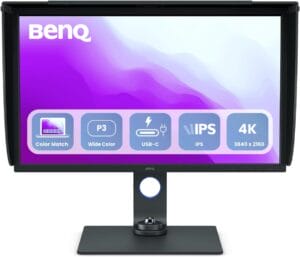
BenQ SW321C
- Large 32-inch 4K IPS UHD display for detailed visuals.
- Factory calibrated for color accuracy, with a calibration report included.
- AQCOLOR Technology ensures accurate and trustworthy color reproduction.
- Hardware calibration with a 14-bit 3D lookup table (LUT) for precise color blending.
- Excellent color coverage with 100% sRGB, 95% P3, and 99% AdobeRGB.
- USB-C connectivity for convenient data transfer and 65W power delivery.
Best Budget Monitor for Color Grading
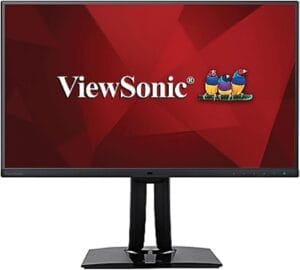
Viewsonic VP2785-2K
- 4K UHD resolution for sharp and detailed images.
- Frameless design provides an immersive viewing experience.
- Reduction of cable clutter with USB-C connectivity.
- Supports a wide range of color spaces for accurate color reproduction.
- Hardware calibration capability ensures precise color matching.
- Versatile connectivity options for various devices.
Short Buying Guide:
When in search of the best monitor for color grading, consider the following key factors:
Color Accuracy and Calibration: Look for monitors with high color accuracy, often expressed as a percentage of the sRGB, Adobe RGB, or DCI-P3 color spaces. Additionally, choose a monitor that supports hardware calibration for precise adjustments.
Resolution and Size: Opt for a monitor with a high resolution, such as 4K, to ensure clarity and detail in your work. Size matters too; larger screens provide a more immersive experience, but choose a size that fits your workspace.
Panel Type: Different panel types offer varied color reproduction and viewing angles. In-Plane Switching (IPS) panels are popular for their accurate colors and wide viewing angles, making them ideal for color grading.
Bit Depth: Monitors with a higher bit depth, such as 10-bit or 12-bit, can display a broader range of colors. This is particularly important for professionals who require nuanced color grading.
HDR Support: High Dynamic Range (HDR) support enhances contrast and color depth. Look for monitors with HDR capabilities, such as HDR10 or Dolby Vision, for a more immersive viewing experience.
Connectivity: Ensure the monitor has sufficient connectivity options, including HDMI, DisplayPort, and USB ports. This facilitates easy connection to various devices, including cameras and external storage.
Response Time: While color accuracy is crucial, a good response time is important to avoid motion blur, especially if you are also involved in video editing or gaming.
Budget: Set a realistic budget based on your requirements. High-end professional monitors can be a significant investment, but they offer unparalleled color accuracy and advanced features.
By carefully considering these factors, you can find the best monitor for color grading that aligns with your professional needs and elevates your creative output.
Here are our recommended Top 5 Best Monitor for Color Grading which you can purchase today
| Award | Design | Retailer | |
|---|---|---|---|
| Best Value Monitor for Color Grading | Best Pick | VIEW ON AMAZON | |
| Best High End Monitor for Color Grading | Staff Pick | VIEW ON AMAZON | |
| Best Budget Monitor for Color Grading | Budget Pick | VIEW ON AMAZON | |
| Best Runner Up Monitor for Color Grading | 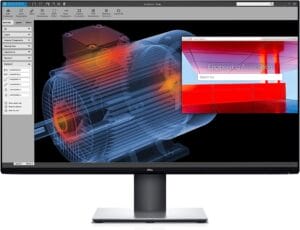 | VIEW ON AMAZON | |
| Best Cheap Monitor for Color Grading | 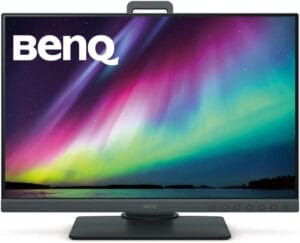 | VIEW ON AMAZON |
LG 32UL950-W 32
Best Value Monitor for Color Grading
SPECIFICATIONS
Screen Size: 32 Inches | Display Resolution Maximum: 3840 x 2160 Pixels | Brand: LG | Special Feature: Dynamic Action Sync, Nano IPS with DCI-P3 98%, HDR10, 4K Daisy Chain with Thunderbolt™ 3, RADEON FreeSync | Refresh Rate: 60 Hz
REASONS TO BUY
✓DCI-P3 98% Color Accuracy
✓4K Nano Display (3840 x 2160)
✓VESA DisplayHDR 600
✓Thunderbolt 3 Connectivity
✓Versatile Adjustability
REASONS TO AVOID
✗Standard 60Hz Refresh Rate
The LG 32UL950-W 32-inch monitor emerges as a powerful contender in the realm of color grading, offering a perfect balance between high-end features and value for money. Tailored for personal, gaming, and business use, this monitor boasts a 4K Nano display, providing a resolution of 3840 x 2160 pixels for stunningly sharp visuals.
One standout feature is its DCI-P3 98% color accuracy, making it an excellent choice for professionals engaged in color-sensitive tasks like photo and video editing. The Nano display technology ensures vibrant and lifelike colors, bringing your creative projects to life with remarkable precision.
The viewing experience is further enhanced by the VESA DisplayHDR 600, which delivers high dynamic range content with exceptional clarity and contrast. Whether you’re working on graphic design projects, editing videos, or enjoying your favorite games, the 32UL950-W excels in providing a visually immersive experience.
Connectivity is a strong suit of this monitor, particularly with its Thunderbolt 3 support. This feature allows for easy daisy-chaining of multiple devices and ensures seamless connectivity with both Windows 10 and Mac products. It’s worth noting that using a Thunderbolt 3 certified cable is essential to avoid any potential malfunctions.
The 4-side virtually borderless display not only enhances the aesthetic appeal but also provides practical benefits for multi-monitor setups. With height, pivot, and tilt adjustability, this monitor offers flexibility to match your preferred ergonomic setup.
While it operates at a standard 60Hz refresh rate, which might be a consideration for gamers seeking higher rates, it more than compensates with its focus on color accuracy and display quality.
Conclusion
In conclusion, the LG 32UL950-W 32-inch monitor is a compelling choice for those seeking a value-packed option for color grading. Its combination of 4K Nano display, DCI-P3 color accuracy, HDR support, Thunderbolt 3 connectivity, and versatile adjustability positions it as an excellent investment for professionals and enthusiasts alike.
BenQ SW321C
Best High End Monitor for Color Grading
SPECIFICATIONS
Screen Size: 32 Inches | Display Resolution Maximum: 3840 x 2160 | Brand: BenQ | Special Feature: Hardware Calibration, USB Hub | Refresh Rate: 60 Hz
REASONS TO BUY
✓Large 32-inch 4K IPS UHD display for detailed visuals.
✓Factory calibrated for color accuracy, with a calibration report included.
✓AQCOLOR Technology ensures accurate and trustworthy color reproduction.
✓Hardware calibration with a 14-bit 3D lookup table (LUT) for precise color blending.
✓Excellent color coverage with 100% sRGB, 95% P3, and 99% AdobeRGB.
✓USB-C connectivity for convenient data transfer and 65W power delivery.
REASONS TO AVOID
✗The large 32-inch size may require ample desk space.
✗Some users might find the extensive features more than necessary for basic tasks.
The BenQ SW321C is a high-end monitor designed specifically for photographers and video editors, offering a professional-grade solution for color grading and image editing. With its impressive features and cutting-edge technology, this monitor provides a superior visual experience.
One of the standout features of the SW321C is its 32-inch 4K IPS UHD resolution display. The large screen size and high resolution make it an ideal choice for photographers and video editors who require detailed and accurate visuals. Additionally, the monitor comes factory calibrated for color accuracy, and each unit includes a calibration report, assuring users of its precision.
The AQCOLOR Technology developed by BenQ is a key highlight of this monitor. This technology ensures accurate color reproduction, allowing users to work with colors they can trust. The monitor boasts excellent color coverage with 100% sRGB, 95% P3, and 99% AdobeRGB color gamut. The average Delta E of ≤2 further emphasizes the commitment to color accuracy. CalMan verification and Pantone SkinTone validation add to the monitor’s credibility in delivering true-to-life colors.
For professionals who demand precise color reproduction, the hardware calibration feature is a game-changer. The 14-bit 3D lookup table (LUT) enhances color blending, resulting in accurate and consistent color representation. The screen-to-print consistency is further improved with BenQ’s Paper Color Sync technology, allowing users to confidently edit photos with a representation that matches their intended print output.
Connectivity is seamless with USB-C, offering an all-in-one cable solution for synchronizing images, videos, data, and even charging mobile devices with 65W power delivery. The USB hub and HotKey Puck provide easy access to content and additional functionality.
The ergonomic design of the monitor adds to its appeal, allowing users to customize their workspace for optimal comfort. Tilt, pivot, swivel, and height adjustment options ensure that users can find the perfect viewing angle for their tasks.
Conclusion
In conclusion, the BenQ SW321C stands out as a top-tier monitor for color grading and professional content creation. Its combination of advanced features, accurate color reproduction, and thoughtful design make it a valuable asset for photographers and video editors aiming for excellence in their work.
Viewsonic VP2785-2K
Best Budget Monitor for Color Grading
SPECIFICATIONS
Screen Size: 27 Inches | Display Resolution Maximum: 2560 x 1440 Pixels | Brand: ViewSonic | Special Feature: Anti Glare | Refresh Rate: 60 Hz
REASONS TO BUY
✓4K UHD resolution for sharp and detailed images.
✓Frameless design provides an immersive viewing experience.
✓Reduction of cable clutter with USB-C connectivity.
✓Supports a wide range of color spaces for accurate color reproduction.
✓Hardware calibration capability ensures precise color matching.
✓Versatile connectivity options for various devices.
REASONS TO AVOID
✗Calibration kit sold separately, potentially incurring an additional cost.
The Viewsonic VP2785-2K stands out as an excellent budget-friendly option for users seeking a monitor that delivers exceptional color accuracy and clarity. Designed with precision and functionality in mind, this monitor is a versatile choice suitable for various tasks, including graphic design, photo editing, and office work.
At the heart of this monitor’s appeal is its 4K UHD (3840x2160p) resolution, providing users with a detailed and lifelike display. The IPS panel technology ensures consistent and vibrant colors, making it an ideal choice for professionals who demand accurate color reproduction.
The frameless design of the monitor adds a touch of modern elegance, with a three-sided ultra-thin bezel maximizing the screen real estate and minimizing distractions. This feature enhances the overall viewing experience, especially for users engaged in creative work that requires a focus on intricate details.
One of the standout features of the VP2785-2K is its ability to reduce cable clutter. With a single USB-C cable, users can connect video, audio, data, and power, streamlining their workspace and promoting a clean and organized setup. The additional USB hub allows users to conveniently connect peripherals like USB drives and mice directly to the monitor.
Color accuracy is a key highlight of this monitor, supporting wide color spaces such as 99% Adobe RGB, 96% DCI-P3, EBU, SMPTE-C, Rec. 709, and DICOM-SIM. With a Delta E<2 accuracy and a vast palette of 4.39 trillion colors, the VP2785-2K ensures that images are displayed with precision and lifelike vibrancy.
For users who demand precise calibration, the monitor supports hardware calibration. This feature, while enhancing color accuracy, also ensures that the displayed colors match the original file, contributing to a reliable and consistent workflow. It’s worth noting that a calibration kit is sold separately.
In terms of connectivity, the VP2785-2K offers flexibility by supporting laptops, PCs, and Apple/Mac operating systems through USB 3.1 Type C, HDMI 1.4, and DisplayPort inputs. This versatility makes it compatible with a wide range of devices, catering to various user preferences.
Conclusion
In conclusion, the Viewsonic VP2785-2K impresses with its combination of 4K UHD resolution, frameless design, reduced cable clutter, exceptional color accuracy, and flexible connectivity options. As a budget-friendly monitor, it delivers a compelling package for users who prioritize quality visuals.
Dell U-Series 32-Inch
Best Runner Up Monitor for Color Grading
SPECIFICATIONS
Screen Size: 32 Inches | Display Resolution Maximum: 4K Pixels | Brand: Dell | Special Feature: High Dynamic Range | Refresh Rate: 60 Hz
REASONS TO BUY
✓Impressive 4K Ultra HD resolution.
✓VESA certified DisplayHDR 400i for HDR content playback.
✓Factory calibrated at 99% sRGB coverage for accurate colors.
✓Responsive 5 ms fast mode for reduced motion blur.
✓Large 31.5-inch screen provides ample workspace.
REASONS TO AVOID
✗Standard 60Hz refresh rate may not cater to gamers seeking higher rates.
The Dell U-Series 32-Inch monitor stands out as a top-tier choice for professionals in the realm of color grading and content creation. Boasting a 3840×2160 Ultra HD 4K resolution, this monitor ensures a viewing experience that is four times more detailed than Full HD, allowing users to delve into their work with unparalleled clarity.
One of the standout features of this monitor is its impressive 31.5-inch screen, making it the world’s first 4K Ultra HD monitor with VESA certified DisplayHDR 400i. This certification ensures HDR content playback support, enhancing the overall visual experience. Whether you are editing photos, videos, or engaging in graphic design, the Dell U-Series provides a canvas that brings your images to life with vivid colors and striking contrasts.
Out of the box, the UltraSharp monitor is factory calibrated, offering a remarkable 99% sRGB coverage. This pre-calibration ensures that your videos and images exhibit lifelike color accuracy right from the start. The commitment to color precision is further highlighted by the monitor’s pixel pitch of 0.182 mm, contributing to sharp and finely detailed visuals.
In terms of responsiveness, the Dell U-Series offers a commendable performance with an 8 ms response time in normal mode and an even faster 5 ms response time in Fast mode (gray to gray). This ensures smooth transitions and reduces motion blur, particularly beneficial for video editing and other fast-paced content creation tasks.
While the monitor operates at a standard 60Hz refresh rate, it is important to note that for color grading and professional use, higher refresh rates may not be a critical factor. Overall, the Dell U-Series 32-Inch monitor earns its place as a runner-up, combining high-quality display technology with thoughtful features that cater to the needs of color grading professionals.
BenQ SW240
Best Cheap Monitor for Color Grading
SPECIFICATIONS
Screen Size: 24.1 Inches | Display Resolution Maximum: 1920×1200 Pixels | Brand: BenQ | Special Feature: USB Hub | Refresh Rate: 60 Hz
REASONS TO BUY
✓Excellent color coverage (99% Adobe RGB, 100% sRGB, 99% AdobeRGB color gamut).
✓Hardware calibration for precise color reproduction.
✓AQCOLOR Technology ensures accurate color representation.
✓Seamless connectivity with DVI-DL, HDMI, and USB Hub.
✓Ergonomic design for customizable workspace.
REASONS TO AVOID
✗No Speakers
The BenQ SW240 is a budget-friendly monitor that doesn’t compromise on quality, making it an ideal choice for photographers and video editors. With a 24-inch 16:10 WUXGA IPS display boasting a resolution of 1920×1200, this monitor provides a spacious canvas for your creative work. The monitor is factory calibrated for color accuracy, and it comes with a report straight from the manufacturer, ensuring that you can trust the colors you see on the screen.
One of the standout features of the BenQ SW240 is its excellent color coverage. With 99% Adobe RGB, 100% sRGB, and 99% AdobeRGB color gamut, this monitor delivers vibrant and accurate colors. The average Delta E of ≤2 further ensures precise color accuracy. The AQCOLOR Technology, developed by BenQ, plays a crucial role in reproducing true and lifelike colors on professional monitors.
Hardware calibration is a key aspect of the SW240’s color accuracy. The monitor boasts a 10-bit color depth with a 14-bit 3D lookup table (LUT), enhancing color blending for precise color reproduction. This feature is especially important for professionals who require accurate color representation in their work.
In terms of connectivity, the BenQ SW240 offers seamless options. With DVI-DL, HDMI, and a USB Hub, you can easily access your content and connect to various devices. This flexibility adds to the convenience of the monitor, allowing you to integrate it into your workflow effortlessly.
The ergonomic design of the monitor is another noteworthy feature. You can customize your workspace to suit your preferences with options to tilt, pivot, swivel, and adjust the height of the monitor. This ensures optimal comfort during long editing sessions.
Conclusion
In conclusion, the BenQ SW240 is a cost-effective choice for photographers and video editors who prioritize color accuracy. With its excellent color coverage, hardware calibration, seamless connectivity, and ergonomic design, this monitor delivers impressive performance.
Conclusion
In conclusion, the LG 32UL950-W 32-inch monitor is a compelling choice for those seeking a value-packed option for color grading. Its combination of 4K Nano display, DCI-P3 color accuracy, HDR support, Thunderbolt 3 connectivity, and versatile adjustability positions it as an excellent investment for professionals and enthusiasts alike.

CEO
Hi, My name is Bilal Ali and I am an affiliate marketer and have been involved in this field for a number of years. I have a lot of experience and knowledge in this area, which I love to share with others. I am always looking for new ways to improve my skills and learn more about affiliate marketing. I am also very active on social media, and love to connect with others in the industry.



