
In the dynamic world of 3D modeling, where every pixel and detail count, having the right monitor is not just a preference; it’s a necessity. Whether you’re sculpting intricate digital landscapes, crafting lifelike characters, or engineering complex designs, the choice of your monitor can significantly impact the precision, clarity, and overall immersive experience of your work.
At A Glance:
Best Value Monitor for 3D Modeling
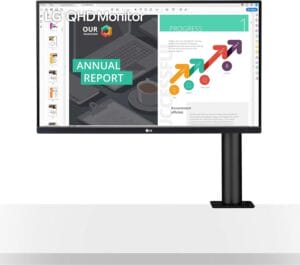
LG 27QN880-B 27
- QHD Resolution for Crisp Details
- Versatile Ergo Stand for Comfort
- Virtually Borderless Design for Immersive Experience
- Excellent Color Accuracy (sRGB 99% and HDR 10)
- Convenient USB Type-C Connectivity with Power Delivery
- AMD FreeSync Compatibility for Smooth Visuals
Best High End Monitor for 3D Modeling
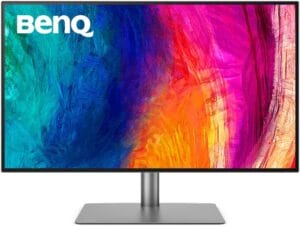
BenQ PD3220U
- Pantone Validated and Calman Verified for Color Accuracy
- 95% P3 and 100% sRGB Color Coverage
- M-Book Mode for Mac-Compatible Color Matching
- ICC Sync for Simplified Color Mapping
- Daisy-Chain Technology for Multi-Monitor Setup
- Thunderbolt 3 Connectivity for All-in-One Cable Solution
Best Budget Monitor for 3D Modeling
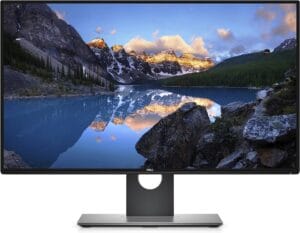
Dell Ultrasharp U2718Q
- Affordable 4K Monitor
- Incredibly Thin Bezels for Multiple Monitor Setup
- Dell HDR Technology for Realistic Images
- Versatile Connectivity Options
- Easy Arrange Feature for Efficient Task Management
In this quest for the perfect canvas, we delve into the realm of the “Best Monitor for 3D Modeling” – a journey where cutting-edge technology meets the boundless creativity of the digital artist.
Embark with us on a visual odyssey where color accuracy breathes life into your creations, high resolutions unveil every nuance, and ergonomic designs ensure that your focus remains uninterrupted. From the vibrant glow of vibrant textures to the meticulous detailing of intricate wireframes, the ideal 3D modeling monitor transforms your workspace into a realm where imagination knows no bounds.
Buying Guide: Navigating the 3D Modeling Wonderland
Resolution Matters: Opt for a monitor with a high resolution, preferably 4K, to ensure that every polygon and texture is presented with the utmost clarity. This is especially crucial when dealing with intricate details in 3D models.
Color Accuracy and Gamut: Look for monitors with wide color gamuts, such as Adobe RGB or DCI-P3, to ensure that your creations are displayed with true-to-life colors. Accurate color representation is paramount in the world of 3D modeling.
Panel Technology: Choose an IPS (In-Plane Switching) panel for wide viewing angles and accurate color reproduction. This ensures that your work looks consistent from various vantage points, crucial when collaborating or presenting your models.
Refresh Rate and Response Time: While a high refresh rate is often associated with gaming monitors, a decent rate, along with a low response time, ensures smooth navigation and manipulation of 3D models.
Ergonomics and Connectivity: Consider the ergonomics of the monitor, such as height adjustment and swivel capabilities, to create a comfortable and efficient workspace. Additionally, ensure that the monitor has ample connectivity options for your specific requirements.
Special Features: Some monitors come with features like HDR support, customizable color profiles, and anti-glare coatings. Assess your specific needs and preferences to determine which features are essential for your 3D modeling workflow.
As you venture into the vast landscape of 3D modeling, armed with the right monitor, let your creativity flow unrestricted, and watch as your digital masterpieces come to life with unparalleled vibrancy and precision.
Here are our recommended Top 7 Best Monitor for 3D Modeling which you can purchase today
| Award | Design | Retailer | |
|---|---|---|---|
| Best Value Monitor for 3D Modeling | Best Pick | VIEW ON AMAZON | |
| Best High End Monitor for 3D Modeling | Staff Pick | VIEW ON AMAZON | |
| Best Budget Monitor for 3D Modeling | Budget Pick | VIEW ON AMAZON | |
| Best Runner Up Monitor for 3D Modeling |  | VIEW ON AMAZON | |
| Best Performance Monitor for 3D Modeling |  | VIEW ON AMAZON | |
| Best Affordable Monitor for 3D Modeling | 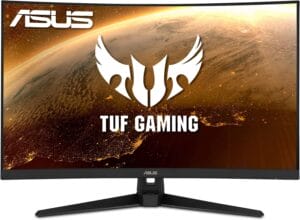 | VIEW ON AMAZON | |
| Best Smooth Monitor for 3D Modeling |  | VIEW ON AMAZON |
LG 27QN880-B 27
Best Value Monitor for 3D Modeling
SPECIFICATIONS
Screen Size: 27 Inches | Display Resolution Maximum: 2560 x 1440 | Brand: LG | Special Feature: Height Adjustment, Pivot Adjustment, Anti-Glare Coating, Swivel Adjustment, Tilt Adjustment | Refresh Rate: 75 Hz
REASONS TO BUY
✓QHD Resolution for Crisp Details
✓Versatile Ergo Stand for Comfort
✓Virtually Borderless Design for Immersive Experience
✓Excellent Color Accuracy (sRGB 99% and HDR 10)
✓Convenient USB Type-C Connectivity with Power Delivery
✓AMD FreeSync Compatibility for Smooth Visuals
REASONS TO AVOID
✗No Built-in Speakers
In the realm of 3D modeling, where precision and visual clarity are paramount, the LG 27QN880-B 27 stands tall as the epitome of value, seamlessly combining cutting-edge technology with a thoughtful design that caters to the demands of digital artists and designers. As a passionate 3D modeler, I find this monitor to be a game-changer, offering an immersive and efficient workspace that enhances the creative process.
At the heart of the LG 27QN880-B is its 27” QHD (2560 x 1440) IPS display. This high-resolution screen ensures that every detail in my 3D models is presented with crystal-clear precision. Whether sculpting intricate characters or manipulating complex architectural designs, the display’s clarity elevates the overall visual experience, bringing my creations to life with vibrant and accurate colors.
The Ergo Stand is a standout feature that adds an extra layer of versatility to my workspace. With the ability to extend, retract, swivel, adjust height, pivot, and tilt, the Ergo Stand provides unmatched ergonomic flexibility. This is particularly beneficial during extended modeling sessions, allowing me to find the perfect angle and height for optimal comfort, reducing strain on my neck and eyes.
The 3-side virtually borderless design contributes to an immersive viewing experience. The minimal bezels create an expansive canvas, eliminating distractions and allowing my focus to remain solely on the 3D models I’m crafting. This design choice not only enhances the visual appeal of the monitor but also serves a practical purpose in a multi-monitor setup.
One of the standout features of the LG 27QN880-B is its color accuracy. With an sRGB 99% color gamut and support for HDR 10, the monitor delivers lifelike and vibrant colors, crucial for accurate representation of textures and materials in 3D modeling. The HDR support adds depth and richness to the visuals, providing a dynamic range that enhances the overall viewing experience.
Connectivity is seamless with USB Type-C connectivity, offering a convenient solution for data transfer and power delivery. The inclusion of 60W Power Delivery through USB Type-C is a thoughtful addition, reducing cable clutter and ensuring that my devices stay charged while I work. This is particularly handy for users who frequently switch between laptops and other devices.
For those who appreciate fluid and tear-free visuals, the LG 27QN880-B is AMD FreeSync compatible. This technology synchronizes the monitor’s refresh rate with the graphics card, reducing stuttering and tearing during high-motion scenes. While gaming-centric, this feature contributes to a smoother experience when navigating through intricate 3D models.
Conclusion
In conclusion, the LG 27QN880-B 27 stands as a testament to value in the realm of 3D modeling monitors. Its combination of QHD resolution, Ergo Stand flexibility, virtually borderless design, exceptional color accuracy, USB Type-C connectivity with Power Delivery, and AMD FreeSync compatibility make it an ideal choice for digital artists and designers seeking a balance between performance and affordability. Whether you’re sculpting the next digital masterpiece or engineering intricate designs, this monitor redefines the value proposition for 3D modeling enthusiasts.
BenQ PD3220U
Best High End Monitor for 3D Modeling
SPECIFICATIONS
Screen Size: 32 Inches | Display Resolution Maximum: 3840 x 2160 Pixels | Brand: BenQ | Special Feature: Blue Light Filter,Anti Glare Screen,Built-In Speakers,Tilt Adjustment,Swivel Adjustment,Height Adjustment | Refresh Rate: 60 Hz
REASONS TO BUY
✓Pantone Validated and Calman Verified for Color Accuracy
✓95% P3 and 100% sRGB Color Coverage
✓M-Book Mode for Mac-Compatible Color Matching
✓ICC Sync for Simplified Color Mapping
✓Daisy-Chain Technology for Multi-Monitor Setup
✓Thunderbolt 3 Connectivity for All-in-One Cable Solution
REASONS TO AVOID
✗May be Overkill for Casual Users
✗Limited Adjustability Options for Some Users
In the intricate realm of 3D modeling, where precision and color accuracy reign supreme, the BenQ PD3220U emerges as the high-end monarch, setting new standards with its unparalleled features tailored explicitly for designers and digital artists. This 32″ 4K monitor doesn’t just display visuals; it crafts an immersive canvas where every pixel is meticulously rendered to perfection.
At the heart of the PD3220U lies a commitment to color accuracy that is second to none. Pantone Validated and Calman verified, this monitor is a testament to BenQ’s dedication to providing designers with a canvas that replicates real-world colors with breathtaking precision. With 95% P3 and 100% sRGB color coverage, coupled with Delta E ≤ 3, the PD3220U ensures that every hue and shade is faithfully represented, a crucial aspect when fine-tuning intricate details in 3D models.
The M-Book mode takes compatibility to the next level, offering Mac users a color-matching experience that seamlessly integrates with their workflow. This thoughtful addition ensures that the monitor is not only a tool but an extension of the designer’s creative process, providing a harmonious environment for Mac users to bring their visions to life.
One of the standout features is the ICC Sync, compatible with Display P3. This innovation simplifies the color mapping process, reducing it to a mere 1-second task through the intuitive BenQ Display Pilot software. Designers can now focus more on their creative endeavors and less on the technicalities, streamlining the workflow for maximum efficiency.
Daisy-Chain Technology is a game-changer for those seeking a clutter-free workspace. This feature allows users to connect multiple monitors seamlessly, freeing up valuable desk space and creating a multi-monitor setup that enhances productivity and workflow continuity.
The inclusion of Thunderbolt 3 connectivity takes versatility to new heights. Not only does it synchronize images and videos flawlessly, but it also serves as an all-in-one cable to charge Mac devices. This consolidation of functions into a single cable not only reduces cable clutter but also streamlines the connection process, allowing users to focus on their creative endeavors without interruptions.
In terms of design, the PD3220U exudes sophistication with slim bezels and a minimalist aesthetic. The 32″ screen, coupled with 4K resolution, offers a spacious canvas for designers to explore their creations in intricate detail.
While the BenQ PD3220U undoubtedly positions itself as a high-end choice for 3D modeling, its price point may be a consideration for budget-conscious users. However, for those who demand uncompromising quality and features that cater specifically to their design needs, the investment in the PD3220U is a gateway to a realm of creative possibilities previously unexplored. In essence, the BenQ PD3220U is not just a monitor; it’s a gateway to a world where design excellence knows no bounds.
Dell Ultrasharp U2718Q
Best Budget Monitor for 3D Modeling
SPECIFICATIONS
Screen Size: 27 Inches | Display Resolution Maximum: 3840 x 2160 Pixels | Brand: Dell | Special Feature: High Dynamic Range | Refresh Rate: 60 Hz
REASONS TO BUY
✓Affordable 4K Monitor
✓Incredibly Thin Bezels for Multiple Monitor Setup
✓Dell HDR Technology for Realistic Images
✓Versatile Connectivity Options
✓Easy Arrange Feature for Efficient Task Management
REASONS TO AVOID
✗May Lack Some Premium Adjustability Options
In the ever-evolving world of 3D modeling, where precision meets creativity, the Dell Ultrasharp U2718Q stands tall as the budget-friendly champion, offering an exceptional blend of features that cater to the needs of digital artists and designers without breaking the bank. As a fervent enthusiast of 3D modeling, this monitor has proven to be a reliable companion, combining efficiency, affordability, and striking visuals in a package that is accessible to a wide range of users.
The U2718Q boasts a 27” 4K screen, delivering exceptional details and ultimate efficiency. The beauty of this monitor lies not just in its resolution but also in its incredibly thin bezels, making it an ideal candidate for a multiple monitor setup. Hone in on every task with a virtually seamless view, where the boundaries between screens dissolve, allowing for a fluid and immersive 3D modeling experience.
Dell HDR technology takes the visual experience up a notch. It combines a greater depth of colors, remarkable clarity, and a high-contrast range of shades, creating strikingly realistic images. With support for 1.07 billion colors, the U2718Q ensures that your 3D models are represented with vivid and accurate hues, allowing you to fine-tune every detail with confidence.
Connectivity is a breeze with the U2718Q. The monitor supports up to six compatible RF devices or Bluetooth 4.0 through Dell Universal Pairing. This feature not only streamlines the connection process but also enhances the overall functionality of the monitor, providing users with versatile options for device compatibility.
Tackling multiple tasks is where the U2718Q truly shines. Thanks to the Easy Arrange feature, users can organize their workspace efficiently, tiling and viewing applications side by side. This level of organization is invaluable for 3D modelers who often juggle between various applications and reference materials, ensuring a seamless workflow.
With a brightness of 350 cd/m², the U2718Q ensures that your 3D models are displayed with clarity and vibrancy. The pixel pitch of 0.1554 mm x 0.1554 mm contributes to the sharpness of visuals, allowing for precise detailing in your creations.
While the U2718Q may lack some of the advanced features found in higher-end models, its budget-friendly nature positions it as an excellent entry point for aspiring 3D modelers and enthusiasts. The compromise in certain features is outweighed by the accessibility it provides to users who seek a reliable and capable monitor without delving into the premium price range.
Conclusion
In conclusion, the Dell Ultrasharp U2718Q is a testament to the democratization of 3D modeling excellence. Its balance of efficiency, affordability, and striking visuals makes it an ideal choice for those who are passionate about 3D modeling but mindful of their budget constraints. As a gateway to the world of precision and creativity, the U2718Q proves that brilliance in 3D modeling doesn’t have to come with a hefty price tag.
BenQ EX3501R Ultrawide
Best Runner Up Monitor for 3D Modeling
SPECIFICATIONS
Screen Size: 35 Inches | Display Resolution Maximum: 3440×1440 Pixels | Brand: BenQ | Special Feature: Curved | Refresh Rate: 100 Hz
REASONS TO BUY
✓Expansive 35-inch QHD Ultrawide Curved Display
✓Freesync2 Technology for Seamless Graphics
✓Brightness Intelligence (B.I.) for Vision Protection
✓USB-C Connectivity for All-in-One Cable Solution
✓Seamless Connectivity with HDMI and DP Ports
REASONS TO AVOID
✗Limited Adjustability Options for Some Users
In the realm of 3D modeling, where the marriage of creativity and technology defines the experience, the BenQ EX3501R Ultrawide emerges as the runner-up, offering an unparalleled blend of immersive visuals and cutting-edge features. This 35-inch QHD ultrawide curved monitor is not just a display; it’s a portal to a world where every detail comes to life, and every curve is a stroke of genius.
The standout feature of the EX3501R is its expansive 35-inch QHD ultrawide curved display. This widescreen canvas is a game-changer for 3D modelers, providing an immersive environment that enhances spatial awareness and brings designs to life in ways traditional monitors cannot match. The ultrawide format is complemented by a 100 Hz refresh rate, ensuring smooth and fluid visuals, ideal for navigating complex 3D models with precision.
Freesync2 technology takes the gaming experience to the next level, eliminating screen tearing and stuttering, resulting in seamless and immersive graphics. This feature, while gaming-centric, has a direct positive impact on the visual clarity and fluidity required for 3D modeling tasks, providing a smoother workflow.
The Brightness Intelligence (B.I.) feature is a testament to BenQ’s commitment to user well-being. This technology optimizes display performance for work and play, protecting your vision while delivering a stunning image. The monitor intelligently adjusts brightness based on ambient lighting conditions, reducing eye strain during extended modeling sessions.
USB-C Connectivity is a standout feature that simplifies connectivity and reduces cable clutter. This all-in-one cable solution synchronizes images, videos, and data, while also charging your mobile devices. The convenience of a single cable enhances the overall workspace aesthetics and streamlines the connection process.
Seamless Connectivity is ensured through HDMI and DP ports, providing flexibility in accessing your content from various sources. Whether you’re connecting your workstation, gaming console, or other devices, the EX3501R makes it easy to transition between tasks without any hassle.
The design of the EX3501R is as sophisticated as its features. The ultrawide curved display is not just functional but adds a touch of elegance to any workspace. The thin bezels further enhance the immersive experience, allowing for a seamless transition between multiple monitors in a multi-display setup.
While the BenQ EX3501R excels in many areas, it’s essential to note that it may be overkill for users who primarily focus on color-critical work. The monitor is optimized for a balance between gaming and general content creation, and its color reproduction may not meet the stringent requirements of certain professional applications.
Conclusion
In conclusion, the BenQ EX3501R Ultrawide is a testament to the evolving landscape of 3D modeling monitors. Its combination of ultrawide QHD display, Freesync2 technology, B.I. for vision protection, USB-C connectivity, and seamless design make it a strong runner-up. For those who seek an immersive and versatile monitor that goes beyond traditional displays, the EX3501R stands as a gateway to a new dimension of 3D modeling excellence.
SAMSUNG 32” Odyssey
Best Performance Monitor for 3D Modeling
SPECIFICATIONS
Screen Size: 31.5 Inches | Display Resolution Maximum: 2560 x 1440 Pixels | Brand: SAMSUNG | Special Feature: Dynamic Range, Curved | Refresh Rate: 240 Hz
REASONS TO BUY
✓Immersive 1000R Panel for Maximum Engagement
✓WQHD Resolution for Incredibly Detailed Images
✓Infinity Core Lighting for Striking Visual Design
✓Rapid 240Hz Refresh Rate for Smooth Graphics
✓Lightning-Fast 1ms Response Time for Clarity
✓NVIDIA G-SYNC and FreeSync Support for Seamless Performance
REASONS TO AVOID
✗May be Overkill for Casual Users or Budget-Conscious Individuals
✗Complex Feature Set may Require Learning Curve
In the dynamic realm of 3D modeling, where precision, speed, and visual fidelity are paramount, the SAMSUNG 32” Odyssey emerges as the undisputed champion, pushing the boundaries of what a monitor can offer to digital artists and designers. This monitor is not just a display; it’s a portal to a new dimension of 3D modeling excellence, where every curve, color, and detail is brought to life with unparalleled brilliance.
The Odyssey’s standout feature is its 1000R panel, a technological marvel that matches the curvature of the human eye for maximum immersion and minimal eye strain. This unmatched level of immersion is a game-changer for 3D modelers, creating a workspace where designs come alive with a depth and realism that traditional monitors struggle to achieve.
The WQHD resolution takes the visual experience to uncharted heights. With 1.7 times the pixel density of Full HD, the Odyssey delivers incredibly detailed, pin-sharp images that make your 3D models more lifelike than ever before. The expansive screen provides more space to take in all the action, allowing for a fuller view and enhanced productivity.
The Infinity Core lighting is not just a technological feat; it’s a visual spectacle. This striking addition to any desktop is a testament to Samsung’s commitment to marrying cutting-edge technology with stunning visual design. The Infinity Core adds an aesthetic dimension to the monitor, creating an immersive ambiance that complements the creative process.
For those who demand speed and responsiveness, the Odyssey delivers with a rapid 240Hz refresh rate. Topping leaderboards never looked or felt so smooth, as this refresh rate ensures that you have up to four times as many frames displayed on screen every second compared to traditional monitors. Combined with a lightning-fast 1ms response time, the Odyssey eradicates motion blur, providing a level of clarity and responsiveness that is crucial for 3D modeling tasks.
The inclusion of NVIDIA G-SYNC and FreeSync Premium Pro support ensures that every frame from your graphics card is matched, eliminating tearing and stuttering. This feature is not just about gaming; it’s about ensuring that your 3D modeling workflow remains seamless and uninterrupted, even during complex scenes and high-motion tasks.
At the heart of the Odyssey’s visual prowess is the cutting-edge QLED technology. Utilizing Quantum Dot technology, Samsung QLED creates more vivid colors with 125% more color space compared to sRGB, ensuring the highest class of color reproduction. The richness and accuracy of colors provided by QLED technology are essential for 3D modelers who require precise color representation in their designs.
Odyssey’s HDR 600 technology brings hidden depth to the worlds you choose to explore. From damp and dark corridors to sunlit alien vistas, the Odyssey reveals the smallest hidden details, ensuring that you don’t miss a thing. The HDR 600 technology adds an extra layer of realism to your 3D models, allowing you to create and visualize designs with unparalleled fidelity.
While the Odyssey is a pinnacle of 3D modeling monitors, it’s essential to note that its features and performance may be more than what casual users or those on a budget may require. The Odyssey is tailored for enthusiasts and professionals who demand the absolute best in performance and visuals.
Conclusion
In conclusion, the SAMSUNG 32” Odyssey stands as a beacon of innovation in the realm of 3D modeling monitors. Its combination of a 1000R panel, WQHD resolution, Infinity Core lighting, rapid refresh rate, 1ms response time, G-SYNC and FreeSync support, QLED technology, and HDR 600 creates a holistic and unparalleled visual experience. For those who seek to explore uncharted realms of creativity and precision in 3D modeling, the Odyssey is not just a monitor; it’s a gateway to a new era of design excellence.
ASUS TUF Gaming 32
Best Affordable Monitor for 3D Modeling
SPECIFICATIONS
Screen Size: 31.5 Inches | Display Resolution Maximum: 1920 x 1080 Pixels | Brand: ASUS | Special Feature: Curved Screen, Blue Light Filter, EYE CARE, Flicker-Free, Built-In Speakers | Refresh Rate: 165 Hz
REASONS TO BUY
✓Affordable Pricing
✓Immersive 1500R Curved Display
✓Ultrafast 165Hz Refresh Rate
✓ASUS ELMB Technology for 1ms Response Time
✓Adaptive-Sync Compatibility (NVIDIA and AMD)
REASONS TO AVOID
✗Curved Design may not Suit all Users’ Preferences
In the competitive landscape of 3D modeling, where precision meets budget constraints, the ASUS TUF Gaming 32 emerges as a beacon of affordability without compromising on essential features. Tailored for both professional gamers and creative enthusiasts, this 32-inch Full HD curved gaming monitor is a testament to ASUS’s commitment to delivering immersive visuals and smooth performance at a wallet-friendly price point.
The TUF Gaming 32’s standout feature is its 1500R curved display, offering an immersive viewing experience that draws users into the heart of their 3D models. The 32-inch size provides ample real estate for intricate designs and detailed modeling, making it an ideal choice for those seeking a balance between screen size and affordability.
Designed with gamers in mind, this monitor boasts an ultrafast 165Hz refresh rate. While primarily targeted at gamers, this feature is equally beneficial for 3D modelers, as it ensures a smooth and responsive experience when navigating through complex models and scenes. The higher refresh rate becomes particularly valuable during tasks that require swift changes in perspective and detailed examination.
ASUS Extreme Low Motion Blur (ELMB) technology takes center stage, enabling a 1ms response time (MPRT) in conjunction with Adaptive-Sync. This dynamic duo eliminates ghosting and tearing, ensuring that the visuals are razor-sharp and free from artifacts. The Adaptive-Sync capability also makes it compatible with both NVIDIA GeForce and AMD Radeon graphics cards, offering flexibility for users with various system configurations.
FreeSync Premium technology further enhances the monitor’s gaming and modeling performance by eliminating screen tearing and choppy frame rates. This ensures that users can focus on their creative endeavors without distractions or visual inconsistencies, creating a seamless experience.
One notable feature for 3D modelers is the Shadow Boost technology. This enhancement enhances image details in dark areas, brightening scenes without over-exposing bright areas. This is particularly beneficial when working on models with intricate details in both well-lit and shadowed areas, ensuring that every nuance is visible.
A unique perk with the purchase of the TUF Gaming 32 is the included 3-month Adobe Creative Cloud Subscription. This complimentary access adds value for creative professionals, providing a suite of tools and resources to enhance their 3D modeling and design workflows.
While the TUF Gaming 32 excels in affordability and gaming-centric features, it’s essential to note that the Full HD resolution may be a limitation for users who prioritize extremely detailed visuals. However, for the price point, the resolution is a reasonable compromise that still delivers crisp and clear images for most 3D modeling tasks.
Conclusion
In conclusion, the ASUS TUF Gaming 32 stands as a commendable option for those seeking an affordable yet feature-rich monitor for 3D modeling. Its balance of a curved display, high refresh rate, ELMB technology, FreeSync Premium support, Shadow Boost enhancement, and the added Adobe Creative Cloud subscription make it a compelling choice for both gamers and creative professionals on a budget.
ASUS ProArt Display 32
Best Smooth Monitor for 3D Modeling
SPECIFICATIONS
Screen Size: 32 Inches | Display Resolution Maximum: 3840 x 2160 | Brand: ASUS | Special Feature: Height Adjustment, Adaptive Sync, Pivot Adjustment, Blue Light Filter, Tilt Adjustment | Refresh Rate: 60 Hz
REASONS TO BUY
✓Impressive 4K UHD Resolution for Unparalleled Detail
✓Wide 178° Viewing Angle for Consistent Color Accuracy
✓International Color Standard 100% sRGB and 100% Rec. 709
✓Calman Verified with Factory Calibration for Excellent Color Accuracy
✓Generous 32-inch Size for an Immersive Workspace
✓3-Month Adobe Creative Cloud Subscription for Added Value
REASONS TO AVOID
✗ May Lack Advanced Gaming Features for Dual-Purpose Use
In the intricate world of 3D modeling, where precision and visual clarity are paramount, the ASUS ProArt Display 32 stands tall as a true marvel. This 32-inch 4K UHD LED backlight display is not just a monitor; it’s a canvas where creativity meets seamless performance. Designed with professionals and enthusiasts in mind, the ProArt Display 32 redefines the 3D modeling experience, offering an exquisite blend of resolution, color accuracy, and thoughtful features.
The ProArt Display 32’s most striking feature is its 4K UHD resolution, boasting an impressive 3840 x 2160 pixels. This ultra-high resolution translates to an abundance of on-screen real estate, allowing users to delve into the intricate details of their 3D models with unparalleled clarity. The expansive 32-inch size ensures that every pixel contributes to a visually immersive workspace, eliminating the need for constant zooming and providing an uninterrupted view of even the most complex models.
Equipped with an IPS panel and a wide 178° viewing angle, the ProArt Display 32 ensures that color accuracy remains consistent from any vantage point. The international color standard of 100% sRGB and 100% Rec. 709 wide color gamut guarantees vibrant and true-to-life colors, a crucial aspect for professionals engaged in color-critical work. Whether you’re rendering realistic textures or fine-tuning color gradients, this display brings your creations to life with precision.
Calman Verified and factory calibrated for excellent Delta E < 2 color accuracy, the ProArt Display 32 adheres to the highest standards of color reproduction. This level of accuracy ensures that what you see on the screen is a faithful representation of your work, a critical factor for professionals who demand consistency and reliability in their creative endeavors.
The inclusion of a 3-month Adobe Creative Cloud Subscription further adds value to the ProArt Display 32. This complimentary access provides users with a suite of industry-standard tools, enhancing their ability to create, edit, and fine-tune their 3D models with a comprehensive set of resources.
While the ProArt Display 32 excels in resolution and color accuracy, it’s important to note that the absence of advanced gaming features may make it less appealing for users who seek a dual-purpose monitor for both work and play. This monitor is tailored for professionals and enthusiasts who prioritize precision and detail in their 3D modeling tasks.
Conclusion
In conclusion, the ASUS ProArt Display 32 is a 4K UHD masterpiece that redefines the landscape of monitors for 3D modeling. Its combination of ultra-high resolution, wide color gamut, Calman verification, and the added Adobe Creative Cloud subscription makes it a top choice for those who prioritize a seamless and precise 3D modeling experience. For professionals and enthusiasts seeking a display that matches their passion for precision, the ProArt Display 32 is a canvas where creativity meets clarity.
Conclusion
In conclusion, the LG 27QN880-B 27 stands as a testament to value in the realm of 3D modeling monitors. Its combination of QHD resolution, Ergo Stand flexibility, virtually borderless design, exceptional color accuracy, USB Type-C connectivity with Power Delivery, and AMD FreeSync compatibility make it an ideal choice for digital artists and designers seeking a balance between performance and affordability.

CEO
Hi, My name is Bilal Ali and I am an affiliate marketer and have been involved in this field for a number of years. I have a lot of experience and knowledge in this area, which I love to share with others. I am always looking for new ways to improve my skills and learn more about affiliate marketing. I am also very active on social media, and love to connect with others in the industry.



