
Welcome to the world of programming, where every line of code creates the digital landscapes we interact with daily. As a programmer, your monitor is not just a window to your computer; it’s your canvas, your workspace, and your portal to endless possibilities. That’s why finding the best monitor for programming is crucial to your productivity, comfort, and overall coding experience.
Picture this: crisp, clear text, vibrant colors, and ample screen real estate to spread out your code, debug windows, and documentation side by side. Imagine a monitor that reduces eye strain during those long coding sessions, with adjustable settings to match your preferred lighting conditions. Envision seamless multitasking, with multiple windows and applications open simultaneously, all easily visible and accessible on your expansive display.
At A Glance:
Best Value Monitor for Programming

LG 40WP95C-W 40
- Expansive 40″ curved Nano IPS display.
- Thunderbolt 4 connectivity with 96W Power Delivery.
- DCI-P3 98% color gamut coverage with HDR10 support.
- Built-in 10W speakers with rich bass.
- Virtually borderless design with tilt, height, and swivel stand.
Best High End Monitor for Programming
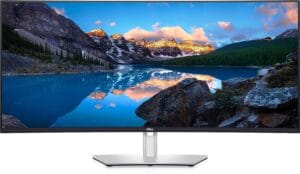
Dell U4021QW
- Expansive 40-inch curved display.
- Stunning 5120 x 2160 resolution.
- Smooth 60Hz refresh rate.
- Versatile connectivity options.
- Sleek and modern design.
Best Budget Monitor for Programming

LG 28MQ780-B 28
- Innovative DualUp stacked setup for multitasking.
- High color accuracy with DCI-P3 98% coverage and HDR10 support.
- Versatile connectivity including USB Type-C with 90W power delivery.
- Ergonomic stand with adjustable features for comfort.
- Clutter-free desk setup with compact design.
But with so many options on the market, how do you choose the perfect monitor for your programming needs? Fear not, as we’ve compiled a comprehensive buying guide to help you navigate through the maze of specifications, features, and brands. Whether you’re a seasoned developer, a student learning the ropes, or a hobbyist exploring new languages, this guide will steer you towards the best monitor to elevate your coding game.
Short Buying Guide:
Resolution: Opt for a monitor with at least Full HD (1920×1080) resolution for crisp text and graphics. Higher resolutions like QHD (2560×1440) or even 4K (3840×2160) provide more screen real estate for multitasking.
Size: Consider the physical dimensions of your workspace and how much screen space you require. While larger monitors offer more room to work, they may not fit comfortably on smaller desks. A 24 to 27-inch monitor is a popular choice for programming tasks.
Panel Type: Choose between IPS (In-Plane Switching), VA (Vertical Alignment), or TN (Twisted Nematic) panels. IPS panels offer the best color accuracy and viewing angles, ideal for tasks like graphic design and photo editing. VA panels provide high contrast ratios and deep blacks, while TN panels offer faster response times, suitable for gaming.
Refresh Rate: For programming, a standard refresh rate of 60Hz is sufficient. However, if you also use your monitor for gaming or video editing, consider higher refresh rates like 120Hz or 144Hz for smoother motion.
Connectivity: Ensure the monitor has the necessary ports to connect to your computer and any additional devices you use, such as HDMI, DisplayPort, or USB-C. Built-in USB hubs are also convenient for connecting peripherals like keyboards and mice.
Adjustability: Look for a monitor with adjustable height, tilt, and swivel options to find the most comfortable viewing position. Some monitors also offer pivot functionality for switching between landscape and portrait orientations.
By considering these factors and matching them to your specific programming needs and budget, you can confidently choose the best monitor to enhance your coding experience and productivity.
Here are our recommended Top 7 Best Monitor for Programming which you can purchase today
| Award | Design | Retailer | |
|---|---|---|---|
| Best Value Monitor for Programming | Best Pick | VIEW ON AMAZON | |
| Best High End Monitor for Programming | Staff Pick | VIEW ON AMAZON | |
| Best Budget Monitor for Programming | Budget Pick | VIEW ON AMAZON | |
| Best Runner Up Monitor for Programming |  | VIEW ON AMAZON | |
| Best Performance Monitor for Programming |  | VIEW ON AMAZON | |
| Best Affordable Monitor for Programming | 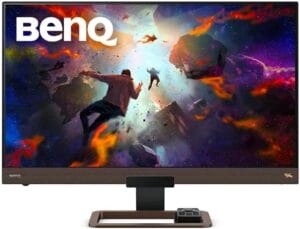 | VIEW ON AMAZON | |
| Best Cheap Monitor for Programming |  | VIEW ON AMAZON |
LG 40WP95C-W 40
Best Value Monitor for Programming
SPECIFICATIONS
Screen Size: 40 Inches | Display Resolution Maximum: 5120 x 2160 Pixels | Brand: LG Electronics | Special Feature: Black Stabilizer | Refresh Rate: 72 Hz
REASONS TO BUY
✓Expansive 40″ curved Nano IPS display.
✓Thunderbolt 4 connectivity with 96W Power Delivery.
✓DCI-P3 98% color gamut coverage with HDR10 support.
✓Built-in 10W speakers with rich bass.
✓Virtually borderless design with tilt, height, and swivel stand.
REASONS TO AVOID
✗High power consumption compared to smaller monitors.
If you’re a programmer seeking the ultimate blend of performance, immersion, and value, look no further than the LG 40WP95C-W 40″ Curved Nano IPS Monitor. With its expansive display, stunning picture quality, and versatile connectivity options, this monitor offers an unbeatable value proposition for professionals and enthusiasts alike.
Let’s start with the star of the show: the 40″ Curved WUHD Nano IPS display. With a resolution of 5120 x 2160, this monitor provides an impressive amount of screen real estate, allowing you to comfortably view multiple windows, lines of code, and debuggers simultaneously. The ultra-wide 21:9 aspect ratio enhances your productivity by providing ample space for your coding environment without the need for multiple monitors.
But it’s not just about size – the LG 40WP95C-W delivers stunning visual fidelity thanks to its DCI-P3 98% color gamut coverage and HDR10 support. Colors are vibrant, accurate, and lifelike, making it ideal for tasks like graphic design, photo editing, and video production. Whether you’re coding late into the night or enjoying a break with your favorite multimedia content, the 300cd/m² brightness ensures a comfortable viewing experience in any lighting conditions.
Connectivity is another highlight of this monitor, with Thunderbolt 4 connectivity offering blazing-fast data transfer speeds and seamless connectivity with compatible devices. The inclusion of 96W Power Delivery means you can charge your laptop or other devices directly from the monitor, reducing cable clutter and keeping your workspace organized.
In addition to its impressive visual performance and connectivity options, the LG 40WP95C-W also features built-in 10W speakers with rich bass, providing immersive sound without the need for external speakers. The virtually borderless design further enhances the immersive experience, drawing you into your work and minimizing distractions.
Finally, the tilt, height, and swivel stand offer flexibility and ergonomics, allowing you to adjust the monitor to your preferred viewing angle for maximum comfort during long coding sessions.
Conclusion
In conclusion, the LG 40WP95C-W 40″ Curved Nano IPS Monitor offers exceptional value for programmers looking for a high-performance display without breaking the bank. With its expansive screen, stunning picture quality, versatile connectivity options, and ergonomic design, it’s sure to elevate your coding experience to new heights.
Dell U4021QW
Best High End Monitor for Programming
SPECIFICATIONS
Screen Size: 40 Inches | Display Resolution Maximum: 5120 x 2160 Pixels | Brand: Dell | Special Feature: Curved | Refresh Rate: 60 Hz
REASONS TO BUY
✓Expansive 40-inch curved display.
✓Stunning 5120 x 2160 resolution.
✓Smooth 60Hz refresh rate.
✓Versatile connectivity options.
✓Sleek and modern design.
REASONS TO AVOID
✗Large size may not be suitable for all workspaces.
Introducing the Dell U4021QW, the pinnacle of high-end monitors designed specifically for programmers who demand nothing but the best. With its expansive 40-inch curved display, stunning 5120 x 2160 resolution, and a host of advanced features, this monitor sets a new standard for productivity, immersion, and performance in the world of programming.
Let’s start with the star of the show: the 40-inch curved screen. This ultra-wide display provides an unprecedented amount of screen real estate, allowing you to comfortably view and manipulate multiple windows, code editors, and debuggers simultaneously. The curved design enhances immersion, drawing you into your work and minimizing distractions for maximum focus and productivity.
But it’s not just about size – the Dell U4021QW delivers breathtaking visual fidelity thanks to its 5120 x 2160 resolution. Text is razor-sharp, lines of code are crisp and clear, and colors are vibrant and accurate, making it ideal for tasks like graphic design, photo editing, and video production. Whether you’re working on intricate algorithms or designing stunning user interfaces, every detail is rendered with precision and clarity.
The Dell U4021QW also boasts a refresh rate of 60Hz, ensuring smooth and fluid motion for a more immersive viewing experience. Whether you’re scrolling through lines of code or watching tutorial videos, everything feels responsive and natural, with no lag or stuttering.
In terms of design and build quality, the Dell U4021QW is second to none. With its sleek and modern aesthetic, slim bezels, and sturdy construction, it’s sure to complement any workspace. Plus, with its versatile connectivity options including HDMI, DisplayPort, and USB-C, you can easily connect to your laptop, desktop, or other devices without hassle.
Conclusion
In conclusion, the Dell U4021QW is the ultimate high-end monitor for programmers who demand uncompromising performance, immersion, and versatility. With its expansive curved display, stunning resolution, smooth refresh rate, and sleek design, it’s sure to elevate your coding experience to new heights. Whether you’re a professional developer, a student learning the ropes, or a hobbyist exploring new languages, this monitor is the perfect companion for all your programming needs.
LG 28MQ780-B 28
Best Budget Monitor for Programming
SPECIFICATIONS
Screen Size: 28 Inches | Display Resolution Maximum: 2560 x 2880 | Brand: LG | Special Feature: Swivel Adjustment, Tilt Adjustment, Pivot Adjustment, High Dynamic Range | Refresh Rate: 60 Hz
REASONS TO BUY
✓Innovative DualUp stacked setup for multitasking.
✓High color accuracy with DCI-P3 98% coverage and HDR10 support.
✓Versatile connectivity including USB Type-C with 90W power delivery.
✓Ergonomic stand with adjustable features for comfort.
✓Clutter-free desk setup with compact design.
REASONS TO AVOID
✗Limited resolution compared to higher-end monitors.
If you’re a programmer on a budget, you don’t have to compromise on quality or features with the LG 28MQ780-B 28″ DualUp Nano IPS Monitor. This budget-friendly monitor packs a punch with its innovative design, stunning display, and versatile features, making it the perfect choice for professionals and enthusiasts alike.
Let’s start with the star of the show: the 28″ DualUp SDQHD Nano IPS display. With a resolution of 2560 x 2880, this monitor offers crisp and clear visuals, allowing you to view your code, documentation, and applications with precision and clarity. The unique 16:18 aspect ratio stacked setup maximizes screen space while minimizing desk clutter, giving you the benefits of a dual monitor setup without the extra cost.
But it’s not just about screen size – the LG 28MQ780-B delivers stunning color accuracy and detail thanks to its DCI-P3 98% coverage and HDR10 support. Colors are vibrant and lifelike, bringing your code and multimedia content to life with unparalleled brilliance.
The ergonomic stand with C-Clamp allows you to adjust the monitor to your preferred viewing angle, tilt, and height, ensuring a comfortable and productive workspace. Plus, with USB Type-C connectivity offering up to 90W power delivery, you can seamlessly connect to external devices or charge your laptop with ease.
The ambient light sensor automatically adjusts the screen brightness based on your environment, ensuring optimal visibility in any lighting conditions. And with features like Picture-by-Picture (PBP) and Built-in Keyboard, Video Monitor, and Mouse (KVM), you can multitask more efficiently and manage content from multiple devices with ease.
In terms of design, the LG 28MQ780-B boasts a clutter-free desk setup with its compact Ergo Stand and C-Clamp & Grommet design. Installation is a breeze with the One Click Mount feature, allowing you to achieve a clean and organized workspace in no time.
Conclusion
In conclusion, the LG 28MQ780-B 28″ DualUp Nano IPS Monitor offers unbeatable value for programmers on a budget. With its innovative design, stunning display, versatile features, and ergonomic design, it’s sure to enhance your coding experience and productivity without breaking the bank. Whether you’re a professional developer, a student learning the ropes, or a hobbyist exploring new languages, this monitor is the perfect companion for all your programming needs.
SAMSUNG 49” Odyssey CRG
Best Runner Up Monitor for Programming
SPECIFICATIONS
Screen Size: 49 Inches | Display Resolution Maximum: 5120X1440 Pixels | Brand: SAMSUNG | Special Feature: Flicker-Free,Curved,High Dynamic Range,Ultrawide Screen,Adaptive Sync,Blue Light Filter,Swivel Adjustment | Refresh Rate: 120 Hz
REASONS TO BUY
✓Expansive 49-inch super ultra-wide display.
✓High dynamic range (HDR) support with 1000 nits brightness.
✓Immersive curve for enhanced viewing experience.
✓AMD Radeon FreeSync2 for smooth gameplay.
✓Picture-by-Picture support for multitasking.
REASONS TO AVOID
✗May be too large for some workspaces.
If you’re a programmer seeking a monitor that offers unparalleled immersion, stunning visual clarity, and versatile multitasking capabilities, look no further than the SAMSUNG 49” Odyssey CRG. This behemoth of a monitor boasts a super ultra-wide aspect ratio, high dynamic range (HDR) support, and advanced gaming features, making it a top contender for programmers who want to elevate their coding experience to new heights.
Let’s start with the star of the show: the 49-inch super ultra-wide display with a resolution of 5120 x 1440 pixels. This expansive screen provides an unprecedented level of screen real estate, allowing you to view multiple windows, code editors, and debuggers side by side without the need for multiple monitors. The immersive curve of the CRG9 wraps around your field of view, drawing you into your work and minimizing distractions for maximum focus and productivity.
But it’s not just about size – the SAMSUNG Odyssey CRG9 delivers stunning visual fidelity thanks to its HDR1000 support and QLED technology. With a brightness rating of 1,000 nits and DCI-P3 95% coverage, colors are pure, bright, and true to life, bringing your code and multimedia content to life with unparalleled brilliance.
The Odyssey CRG9 is also optimized for gaming, with AMD Radeon FreeSync2 support for effortlessly smooth gameplay, reduced input latency, and low framerate compensation. The 120Hz refresh rate minimizes image lag and motion blur, ensuring a responsive and fluid gaming experience. Plus, with features like Game Mode and Low Input Lag Mode, you can instantly adjust contrast, color settings, and response times to suit any game genre or programming task.
In terms of multitasking, the Odyssey CRG9 is a dream come true. With Picture-by-Picture (PBP) support, you can connect and view multiple input sources simultaneously without degrading the original image quality. Whether you’re watching a movie, doing a web search, or playing your favorite game, you can do it all without sacrificing productivity or performance.
Conclusion
In conclusion, the SAMSUNG 49” Odyssey CRG9 is the ultimate runner-up monitor for programming, offering unmatched immersion, visual clarity, and multitasking capabilities. Whether you’re a professional developer, a student learning the ropes, or a hobbyist exploring new languages, this monitor is sure to take your coding experience to the next level.
SAMSUNG 27″ ViewFinity S9
Best Performance Monitor for Programming
SPECIFICATIONS
Screen Size: 27 Inches | Display Resolution Maximum: 5120 x 2880 Pixels | Brand: SAMSUNG | Special Feature: Height Adjustment, Swivel Adjustment, USB Hub, Tilt Adjustment, High Dynamic Range | Refresh Rate: 60 Hz
REASONS TO BUY
✓Stunning 5K resolution with vibrant color accuracy.
✓Matte display reduces light reflections.
✓Thunderbolt 4 and DisplayPort connectivity.
✓Built-in 4K SlimFit camera for crystal-clear video conferencing.
✓Apple AirPlay support and Smart TV Apps for entertainment.
REASONS TO AVOID
✗Limited availability in some regions.
The SAMSUNG 27″ ViewFinity S9 sets a new standard for performance and versatility in the realm of programming monitors. With its stunning 5K resolution, vibrant color accuracy, and innovative features, it’s the perfect choice for professionals who demand nothing but the best.
Let’s start with the star of the show: the 5K resolution display. With over 218 pixels per inch (PPI), the ViewFinity S9 delivers incredible detail and clarity, allowing you to view your code, documentation, and applications with unmatched precision. The 99% DCI-P3 color gamut ensures vibrant and true-to-life colors, bringing your ideas to vibrant life with factory-calibrated color accuracy.
The matte display of the ViewFinity S9 drastically reduces light reflections without obscuring your view, ensuring a comfortable viewing experience even in brightly lit environments. Intelligent Eye Care technology automatically optimizes brightness, reduces blue light, and eliminates screen flickering, allowing you to keep your eyes on the prize without worrying about eye strain or fatigue.
Connectivity is another highlight of the ViewFinity S9, with Thunderbolt 4 and DisplayPort connectivity enabling seamless connections to your favorite Windows and Mac devices. The new Thunderbolt 4 compatibility ensures reliable data transfer and connectivity, making it easy to connect and work across multiple devices.
The built-in 4K SlimFit camera ensures crystal-clear video conferencing, allowing you to always capture your good side during meetings and collaborations. Plus, with features like slim metal design, height-adjustable screen, and VESA-compatible mounting, you can customize your setup for the best viewing angle and ergonomic comfort.
But the ViewFinity S9 isn’t just about work – it’s also about play. With Apple AirPlay support and embedded Smart TV Apps, you can seamlessly switch to entertainment mode and enjoy all of today’s hottest streaming content on one screen. Whether you’re working on a project, attending a meeting, or unwinding with your favorite shows, the ViewFinity S9 has you covered.
Conclusion
In conclusion, the SAMSUNG 27″ ViewFinity S9 is the ultimate performance monitor for programming professionals who demand uncompromising quality, versatility, and innovation. With its stunning 5K resolution, vibrant color accuracy, innovative features, and sleek design, it’s sure to elevate your coding experience to new heights.
BenQ EW3280U Premium
Best Affordable Monitor for Programming
SPECIFICATIONS
Screen Size: 32 Inch | Display Resolution Maximum: 3840 x 2160 | Brand: BenQ | Special Feature: 4K, USB-C | Refresh Rate: 60 Hz
REASONS TO BUY
✓Expansive 32-inch 4K IPS UHD display.
✓USB-C connectivity with 60W power delivery.
✓HDRi optimization for enhanced visuals.
✓Built-in speakers for premium audio.
✓Brightness Intelligence Technology for eye protection.
REASONS TO AVOID
✗Limited ergonomic adjustments compared to some competitors.
The BenQ EW3280U Premium monitor stands out as an exceptional choice for programmers seeking affordability without compromising on quality. With its expansive 32-inch 4K IPS UHD display, USB-C connectivity, HDRi optimization, built-in speakers, and advanced features, it offers a premium experience at an affordable price point.
Let’s delve into the features that make the BenQ EW3280U Premium monitor an outstanding choice for programmers on a budget.
First and foremost, the 32-inch 4K IPS UHD display delivers stunning visuals with sharp details and vibrant colors. Whether you’re writing code, debugging, or collaborating on projects, the high resolution provides ample screen real estate for multitasking and enhances the clarity of text and graphics.
The inclusion of USB-C connectivity is a game-changer, allowing you to synchronize images, videos, data, and charge all your mobile devices with a single cable. With 60W power delivery, you can keep your devices powered up while minimizing cable clutter. Additionally, the remote control makes it easy to access settings and adjust preferences without hassle.
HDRi optimization further enhances your viewing experience by improving contrast and colors, delivering a cinematic experience right at your desk. Whether you’re watching movies, playing games, or coding, HDRi ensures that the image quality is top-notch and visually engaging.
Built-in speakers free up desk space and provide premium audio quality, eliminating the need for external speakers. The immersive sound enhances your multimedia experience and adds depth to your programming sessions.
BenQ’s Brightness Intelligence Technology is another standout feature, optimizing display performance for both work and play while protecting your vision. The monitor adjusts brightness and color temperature according to ambient lighting conditions, reducing eye strain and providing a comfortable viewing experience.
Lastly, the height-adjustable stand allows you to customize your workspace for optimal comfort. Whether you prefer a standing or sitting desk setup, you can easily adjust the height of the monitor to suit your needs and reduce strain on your neck and eyes.
Conclusion
In conclusion, the BenQ EW3280U Premium monitor offers an unbeatable combination of affordability, quality, and features for programmers. With its 4K display, USB-C connectivity, HDRi optimization, built-in speakers, Brightness Intelligence Technology, and height-adjustable stand, it’s a versatile and budget-friendly option that delivers exceptional performance for work and entertainment alike.
Dell S2721QS 27
Best Cheap Monitor for Programming
SPECIFICATIONS
Screen Size: 27 Inches | Display Resolution Maximum: 3840 x 2160 | Brand: Dell | Special Feature: Curved,High Dynamic Range,Swivel Adjustment,Height Adjustment,Pivot Adjustment,Tilt Adjustment | Refresh Rate: 60 Hz
REASONS TO BUY
✓Stunning 4K UHD display with HDR support.
✓Elegant design with ultrathin bezels.
✓Height-adjustable stand and ergonomic features.
✓Dual HDMI ports for seamless device switching.
REASONS TO AVOID
✗May lack advanced features like USB-C connectivity or built-in speakers.
The Dell S2721QS 27″ monitor is a standout choice for programmers on a budget who refuse to compromise on quality. With its stunning 4K UHD display, elegant design, ergonomic features, and seamless switching capabilities, it offers exceptional value without breaking the bank.
First and foremost, the Dell S2721QS boasts an immersive 4K UHD display with a three-sided ultrathin bezel design, providing a stunning visual experience with four times the resolution of Full HD. Whether you’re writing code, debugging, or reviewing documentation, the high resolution ensures crisp details and vibrant colors, enhancing your productivity and enjoyment of multimedia content. Additionally, HDR content playback support adds depth and realism to your viewing experience, delivering lifelike visuals that draw you into your work or entertainment.
The elegant design of the Dell S2721QS sets it apart from other budget monitors. The backside features a subtle textured pattern that adds a touch of sophistication to any living space, making it a stylish addition to your home office or workspace. The harmonious blend of style and quality reflects Dell’s commitment to both aesthetics and functionality.
Comfort is paramount when spending long hours in front of a monitor, and the Dell S2721QS delivers in this regard. The height-adjustable stand, tilt, swivel, and pivot features allow you to customize your viewing experience for optimal comfort and ergonomic versatility. Whether you prefer a sitting or standing desk setup, you can easily adjust the monitor to suit your needs and reduce strain on your neck and eyes.
Seamless switching between devices is made possible by the built-in dual HDMI ports, ensuring that your devices are always plugged in and ready to go. Whether you’re streaming content from your computer or gaming on a console, you can effortlessly switch between tasks without the hassle of unplugging and re-plugging cables.
Conclusion
In conclusion, the Dell S2721QS 27″ monitor is the best cheap option for programmers who demand quality, performance, and affordability. With its stunning 4K UHD display, elegant design, ergonomic features, and seamless switching capabilities, it offers exceptional value for money and is sure to enhance your coding experience.
Overall Article Conclusion
In conclusion, the LG 40WP95C-W 40″ Curved Nano IPS Monitor offers exceptional value for programmers looking for a high-performance display.

CEO
Hi, My name is Bilal Ali and I am an affiliate marketer and have been involved in this field for a number of years. I have a lot of experience and knowledge in this area, which I love to share with others. I am always looking for new ways to improve my skills and learn more about affiliate marketing. I am also very active on social media, and love to connect with others in the industry.



