
In the dynamic realm of Computer-Aided Design (CAD), precision and visual clarity are paramount. Choosing the right monitor for CAD work involves navigating a sea of options, each claiming to be the ideal canvas for your intricate designs.
At A Glance:
Best Value Monitor for Cad
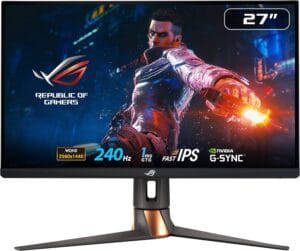
ASUS ROG Swift
- Fast IPS technology for a swift 1ms response time.
- Impressive 240Hz refresh rate for smooth visuals.
- NVIDIA G-SYNC and Reflex Latency Analyzer enhance gaming and design.
- HDR technology with DisplayHDR 400 certification for vibrant visuals.
- Comprehensive connectivity options for versatile use.
- Inclusion of NVIDIA Reflex Latency Analyzer for precise system latency measurement.
Best High End Monitor for Cad

LG 40WP95C-W 40
- Expansive 40-inch curved Nano IPS display
- Thunderbolt 4 connectivity with 96W Power Delivery
- DCI-P3 98% color accuracy with HDR10 support
- 10W x 2 built-in speakers with rich bass
- 3-side virtually borderless design
- Tilt, height, and swivel stand for ergonomic flexibility
Best Budget Friendly Monitor for Cad

Dell S2722QC 27-inch
- Crisp 27-inch display with thin bezels.
- USB-C connectivity for a single-cable solution.
- Height-adjustable stand for ergonomic customization.
- Integrated dual 3W speakers.
- Versatile tilt, swivel, and pivot features.
Whether you’re an architect, engineer, or graphic designer, the best monitor for CAD goes beyond mere display specifications; it becomes a portal to your creativity, transforming digital blueprints into tangible reality. Let’s delve into the world of CAD monitors, exploring the features that elevate your design experience to new dimensions.
Buying Guide:
Resolution Matters:
Opt for a monitor with a high resolution, preferably Quad HD (2560 x 1440) or 4K (3840 x 2160). The increased pixel density ensures fine details in your CAD models are crisp and clear.
Color Accuracy and Gamut:
CAD work demands precise color representation. Look for monitors with high color accuracy (expressed in Delta E) and a wide color gamut, typically covering 100% sRGB or Adobe RGB. This ensures your designs look as intended.
Panel Technology:
Choose an IPS (In-Plane Switching) or PLS (Plane to Line Switching) panel for accurate color reproduction and wide viewing angles. These panels provide consistent colors even when viewed off-center.
Brightness and Anti-Glare Coating:
Opt for a monitor with ample brightness to prevent eye strain during long working hours. Anti-glare coatings reduce reflections, enhancing visibility and comfort.
Response Time:
A lower response time is crucial for CAD work. Aim for monitors with response times of 5ms or lower to minimize motion blur, ensuring precision in dynamic designs.
Connectivity:
Ensure the monitor has sufficient connectivity options, including DisplayPort, HDMI, and USB ports. This facilitates easy integration with your CAD workstation and other peripherals.
Ergonomics and Adjustability:
Look for monitors with adjustable stands, allowing you to customize height, tilt, swivel, and pivot. Ergonomic features enhance comfort during prolonged design sessions.
Size and Aspect Ratio:
Consider the physical size of the monitor based on your workspace. A larger screen provides more real estate for your designs. Additionally, opt for an aspect ratio that complements your CAD software workflow.
Special Features:
Some monitors offer features like built-in KVM switches, allowing you to control multiple computers with a single set of peripherals. Consider such features based on your specific workflow needs.
Budget Considerations:
While investing in a quality CAD monitor is essential, consider your budget. There are excellent options across various price ranges, so find the right balance between features and cost.
By keeping these factors in mind, you can confidently choose the best monitor for your CAD endeavors, creating a seamless bridge between your imagination and the digital canvas.
Here are our recommended Top 8 Best Monitor for Cad which you can purchase today
| Award | Design | Retailer | |
|---|---|---|---|
| Best Value Monitor for Cad | Best Pick | View on Amazon | |
| Best High End Monitor for Cad | Staff Pick | VIEW ON AMAZON | |
| Best Budget Friendly Monitor for Cad | Budget Pick | VIEW ON AMAZON | |
| Best Runner Up Monitor for Cad | 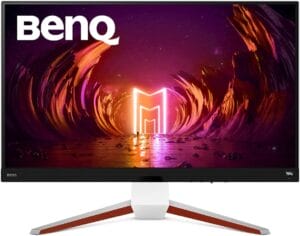 | VIEW ON AMAZON | |
| Best High Performance Monitor for Cad | 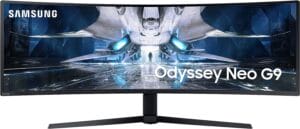 | VIEW ON AMAZON | |
| Best Affordable Monitor for Cad | 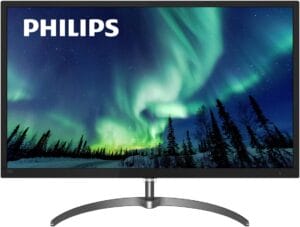 | VIEW ON AMAZON | |
| Best Mid-Level Monitor for Cad | 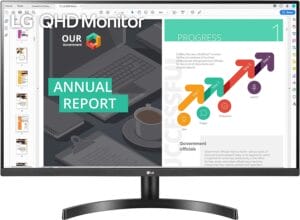 | VIEW ON AMAZON | |
| Best Cheap Monitor for Cad | 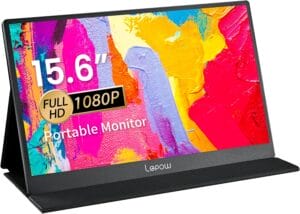 | VIEW ON AMAZON |
ASUS ROG Swift
Best Value Monitor for Cad
SPECIFICATIONS
Screen Size: 27 Inches | Display Resolution Maximum: 2560 x 1440 Pixels | Brand: ASUS | Special Feature: Height Adjustment, Pivot Adjustment, Blue Light Filter, Swivel Adjustment, Tilt Adjustment | Refresh Rate: 240 Hz
REASONS TO BUY
✓Fast IPS technology for a swift 1ms response time.
✓Impressive 240Hz refresh rate for smooth visuals.
✓NVIDIA G-SYNC and Reflex Latency Analyzer enhance gaming and design.
✓HDR technology with DisplayHDR 400 certification for vibrant visuals.
✓Comprehensive connectivity options for versatile use.
✓Inclusion of NVIDIA Reflex Latency Analyzer for precise system latency measurement.
REASONS TO AVOID
✗May be considered overkill for users not focused on gaming.
✗Premium features come with a higher price tag.
The ASUS ROG Swift emerges as a powerhouse in the realm of CAD monitors, offering an optimal blend of features that caters to both gaming enthusiasts and design professionals. This 27-inch WQHD (2560 x 1440) monitor stands out with its Fast IPS technology and a blazing 240Hz refresh rate, making it an ideal choice for those who demand speed and precision.
One of the standout features is the integration of NVIDIA G-SYNC technology, ensuring a tear-free gaming and design experience by synchronizing the monitor’s refresh rate with the graphics card. This is particularly advantageous for CAD professionals who require seamless visuals while working on intricate designs. The addition of NVIDIA Reflex Latency Analyzer sets this monitor apart by providing a precise measurement of system latency, a game-changer for competitive gamers and design professionals alike.
ASUS Fast IPS technology takes center stage, contributing to a remarkable 1ms response time (GTG). This swift response ensures that every pixel of your CAD models is rendered with utmost clarity, eliminating motion blur and enhancing the overall precision of your designs. The monitor’s 240Hz refresh rate is not just a boon for gamers; it also translates into smoother transitions and real-time rendering for CAD applications.
The inclusion of HDR technology with DisplayHDR 400 certification and DCI-P3 professional color gamut significantly elevates the visual experience. High dynamic range ensures exceptional contrast, while the wide color gamut provides accurate and vibrant color reproduction – a crucial aspect for CAD work that demands precise color representation.
Connectivity is robust, featuring USB 3.0, DisplayPort 1.4, and HDMI (v2.0) ports. This versatility allows you to seamlessly connect your monitor to various devices, creating a flexible and efficient workspace.
In the box, ASUS delivers a comprehensive package including power adapter, DisplayPort cable, HDMI cable, USB3.0 cable, and more. The inclusion of a 3-month Adobe Creative Cloud Subscription adds further value, enhancing your creative toolkit.
Conclusion
The ASUS ROG Swift stands as a testament to ASUS’s commitment to delivering top-tier monitors that cater to the diverse needs of users, be it gaming or professional design work. With its winning combination of speed, precision, and visual excellence, this monitor is undoubtedly a value-packed choice for CAD professionals seeking a versatile and high-performance display.
LG 40WP95C-W 40
Best High End Monitor for Cad
SPECIFICATIONS
Screen Size: 40 Inches | Display Resolution Maximum: 5120 x 2160 Pixels | Brand: LG | Special Feature: Dynamic Action Sync, Dual Controller, AMD FreeSync™, HDR 10, Black Stabilizer, Color Calibrated, Wide Color Gamut, On Screen Control, Smart Energy Saving | Refresh Rate: 72 Hz
REASONS TO BUY
✓Expansive 40-inch curved Nano IPS display
✓Thunderbolt 4 connectivity with 96W Power Delivery
✓DCI-P3 98% color accuracy with HDR10 support
✓10W x 2 built-in speakers with rich bass
✓3-side virtually borderless design
✓Tilt, height, and swivel stand for ergonomic flexibility
REASONS TO AVOID
✗Large size may require a spacious desk
The LG 40WP95C-W 40-inch monitor stands out as a premium option designed to elevate your CAD experience with its impressive features and expansive display. This Nano IPS monitor offers a stunning 5120 x 2160 WUHD resolution on its large 40-inch curved screen, creating a spacious and immersive workspace that is perfect for CAD professionals and content creators.
One of the standout features is the Thunderbolt 4 connectivity with 96W Power Delivery. This not only provides high-speed data transfer but also allows you to daisy chain multiple devices, simplifying cable management and enhancing overall productivity. The Thunderbolt 4 interface ensures compatibility with a wide range of devices and peripherals, making it a versatile choice for professionals with varied connectivity needs.
The DCI-P3 98% color accuracy with HDR10 support ensures that you experience true-to-life colors and detailed visuals. This is crucial for CAD work where color accuracy is paramount. The 3-side virtually borderless design enhances the viewing experience by minimizing distractions, allowing you to focus on your designs without interruptions.
The inclusion of built-in 10W x 2 speakers with rich bass adds a multimedia dimension to this monitor. Whether you’re reviewing CAD models, participating in virtual meetings, or taking a break with some entertainment, the audio quality enhances your overall experience.
The thoughtful design extends to the tilt, height, and swivel stand, offering flexibility to adjust the monitor to your preferred ergonomic position. This ensures a comfortable and personalized workspace, reducing strain during long working sessions.
While the LG 40WP95C-W is undoubtedly a high-end monitor with exceptional features, it’s important to note that its large size may require a spacious desk. Additionally, the premium features contribute to a higher price point, making it an investment for professionals who prioritize top-notch performance and features in their CAD workflow.
Conclusion
In conclusion, the LG 40WP95C-W 40-inch monitor is a standout choice for CAD professionals seeking a high-end display with Thunderbolt connectivity, stunning visuals, and thoughtful design elements that enhance both productivity and enjoyment in the workspace.
Dell S2722QC 27-inch
Best Budget Friendly Monitor for Cad
SPECIFICATIONS
Screen Size: 27 Inches | Display Resolution Maximum: 3840 x 2160 | Brand: Dell | Special Feature: Height Adjustment,Tilt Adjustment,Swivel Adjustment,Pivot Adjustment,Flicker-Free,Built-In Speakers | Refresh Rate: 60 Hz
REASONS TO BUY
✓Crisp 27-inch display with thin bezels.
✓USB-C connectivity for a single-cable solution.
✓Height-adjustable stand for ergonomic customization.
✓Integrated dual 3W speakers.
✓Versatile tilt, swivel, and pivot features.
REASONS TO AVOID
✗Audio quality may not replace dedicated speakers.
✗Limited advanced gaming features.
The Dell S2722QC 27-inch monitor stands out as a budget-friendly option that doesn’t compromise on quality and features, making it an excellent choice for CAD work. Let’s delve into the key aspects that make this monitor a noteworthy addition to any workspace.
The monitor boasts a 27-inch screen with a three-sided ultrathin bezel design, providing an immersive viewing experience. The high-resolution display with a pixel per inch (PPI) of 163 ensures crisp and detailed visuals, making it ideal for CAD applications where precision is crucial. The 4.0ms response time contributes to smooth transitions, reducing motion blur and enhancing overall image clarity.
The Dell S2722QC prioritizes user comfort with a height-adjustable stand that allows you to find the perfect ergonomic position. Whether you’re working on intricate CAD designs or enjoying a movie, the monitor’s tilt, swivel, and pivot features ensure that you can customize your viewing experience to suit your preferences.
One standout feature of this monitor is its USB-C connectivity. The single-cable solution not only minimizes desktop clutter but also serves as a power hub for your laptop, transmitting power, video, audio, and data simultaneously. This versatility is especially beneficial for CAD professionals who often work with laptops and require seamless connectivity.
Eliminating the need for external speakers, the Dell S2722QC comes equipped with built-in dual 3W integrated speakers. While not a replacement for dedicated audio systems, these speakers provide decent sound quality for general use, further decluttering your workspace.
The height-adjustable stand, in addition to its tilt, swivel, and pivot capabilities, allows you to personalize your viewing comfort. This is particularly advantageous for CAD work, where extended periods of screen time demand an ergonomic setup to reduce strain and enhance productivity.
Conclusion
In conclusion, the Dell S2722QC 27-inch monitor excels as a budget-friendly option for CAD professionals. Its combination of superior screen quality, customizable design, versatile connectivity, and integrated speakers makes it a well-rounded choice for those seeking a balance between performance and affordability.
BenQ MOBIUZ EX3210U
Best Runner Up Monitor for Cad
SPECIFICATIONS
Screen Size: 31.5 Inches | Display Resolution Maximum: 3840 x 2160 | Brand: BenQ | Special Feature: Built-In Speakers | Refresh Rate: 144 Hz
REASONS TO BUY
✓Stunning 32-inch UHD 4K IPS display for exceptional clarity.
✓Freesync Premium Pro and color optimizer settings enhance visuals.
✓Impressive 1ms MPRT response time and 144Hz refresh rate for smooth gaming.
✓Built-in noise cancellation microphone for clear communication.
✓Integrated 2.1 channel amplifier with a 5W subwoofer delivers premium audio.
REASONS TO AVOID
✗Specific microphone functionality limited to laptops and external PCs via USB-C.
The BenQ MOBIUZ EX3210U stands out as a stellar runner-up in the world of CAD monitors, delivering an impressive blend of features that cater to both professional work and immersive gaming experiences.
With its 32-inch UHD 4K IPS display, this monitor ensures stunning visuals with exceptional clarity and color accuracy. The Freesync Premium Pro technology, coupled with color optimizer settings, elevates the visual experience to a whole new level, making it an ideal choice for CAD work that demands precision.
For those seeking gaming capabilities, the EX3210U has you covered. Boasting a 1ms MPRT response rate and a swift 144Hz refresh rate, this monitor excels in delivering smooth gameplay. Gamers will appreciate the inclusion of Freesync Premium Pro, which minimizes screen tearing and stuttering, ensuring a seamless and responsive gaming experience.
The built-in speakers, including a 2.1 channel amplifier with a 5W subwoofer, provide premium audio quality without the need for external speakers. This not only enhances the gaming experience but also adds value for multimedia consumption.
BenQ goes the extra mile with innovative features like the built-in noise cancellation microphone, allowing users to eliminate background noise with a simple click. Additionally, the Light Tuner feature grants users control over contrast in both bright and dark scenes, offering a customizable visual experience.
The monitor prioritizes user well-being with features such as Brightness Intelligence and HDRi Optimization. These technologies optimize display performance for different tasks, protecting your vision during prolonged use while delivering an immersive cinematic experience.
Conclusion
In summary, the BenQ MOBIUZ EX3210U emerges as a strong contender, providing an excellent balance of high-quality visuals, gaming prowess, integrated audio capabilities, and innovative features that cater to both professional work and gaming enthusiasts. Whether you’re a CAD professional or a gamer, this monitor offers a versatile and immersive solution.
SAMSUNG 49″ Odyssey
Best High Performance Monitor for Cad
SPECIFICATIONS
Screen Size: 49 Inches | Display Resolution Maximum: 5,120 x 1,440 Pixels | Brand: SAMSUNG | Special Feature: Height Adjustment, Pivot Adjustment, Swivel Adjustment, Tilt Adjustment, Curved | Refresh Rate: 240 Hz
REASONS TO BUY
✓Immersive 49-inch curved display
✓NVIDIA G-SYNC and AMD FreeSync Premium Pro support
✓Rapid 240Hz refresh rate for smooth gameplay
✓1ms(GTG) response time for precision
✓Mini LED Quantum Matrix technology for superior visuals
✓Adjustable positioning and VESA mounting capabilities
REASONS TO AVOID
✗Large footprint may not suit smaller desks
✗Requires a powerful graphics card to fully leverage capabilities
When it comes to merging the realms of gaming excellence and cutting-edge design, the Samsung 49″ Odyssey Neo G9 stands tall, beckoning gamers and creative professionals alike into a world of unparalleled performance and aesthetics.
The monitor’s colossal 49-inch curved display matches the natural curve of the human eye, enveloping users in a gaming experience that goes beyond the boundaries of conventional screens. With the expansive screen space equivalent to dual 27-inch panels, it provides a panoramic view that gives gamers a tactical advantage on the battlefield.
Eliminate the frustration of dropped frames with the NVIDIA G-SYNC and AMD FreeSync Premium Pro support. Every frame from your graphics card is flawlessly matched, ensuring smooth gameplay and keeping you competitive at the top of the leaderboards.
Experience next-level performance with a rapid 240Hz refresh rate, delivering up to 4x as many frames per second compared to traditional screens. The 1ms(GTG) response time ensures that every piece of crucial information is relayed to you at the speed of technology, leaving no room for lag or motion blur.
The Samsung Mini LED Quantum Matrix technology elevates visual quality to new heights. With an impressive increase in screen dimming zones – from 10 to a staggering 2,048 – and up to 4x the luminance of traditional panels, this monitor achieves deeper blacks and brighter whites for pixel-perfect visuals.
Tailor your gaming setup to perfection with adjustable positioning options. Swivel, tilt, and adjust the height according to your preferences, or opt for a clean, mounted look with industry-standard VESA mounting capabilities.
Step into a new dimension of visual clarity with Quantum HDR2000, one of the highest HDR levels available. The exquisite brightness levels allow you to see even the minutest details in every scene, providing a visual feast for your eyes.
Aesthetics meet cutting-edge technology with Odyssey’s Infinity Core lighting. This unique feature adds a striking visual element to any desktop, enhancing the overall ambiance with a touch of futuristic flair.
Conclusion
In conclusion, the Samsung 49″ Odyssey Neo G9 isn’t just a gaming monitor; it’s a statement. It’s a testament to Samsung’s commitment to pushing the boundaries of what is possible, delivering a product that seamlessly blends gaming performance with awe-inspiring design. Whether you’re a dedicated gamer or a creative professional, this monitor invites you to experience a new dimension of visual excellence.
PHILIPS 325E8 32
Best Affordable Monitor for Cad
SPECIFICATIONS
Screen Size: 31.5 Inches | Display Resolution Maximum: 2560 x 1440 Pixels | Brand: PHILIPS | Special Feature: Pivot Adjustment, Adaptive Sync, Frameless, Flicker-Free | Refresh Rate: 75 Hz
REASONS TO BUY
✓Quad HD resolution (2560×1440) for sharp visuals.
✓Outstanding color depth with 1.07 billion colors.
✓IPS display technology for lifelike images and wide viewing angles.
✓AMD FreeSync technology for smooth gameplay.
✓SmartImage game mode for optimized display settings.
✓Versatile connectivity options (HDMI, DVI-D, DP, VGA, audio out).
REASONS TO AVOID
✗Specific uses not specified in detail.
✗Brightness level (250cd/㎡) could be considered moderate.
The Philips 325E8 offers an impressive blend of affordability and performance, making it an excellent choice for users seeking a budget-friendly monitor without compromising on features. With a Quad HD resolution of 2560×1440 pixels, this monitor delivers breathtaking clarity, ensuring that every frame is rendered sharply. Whether you’re engaged in graphic design, gaming, or enjoying a movie night, the Philips 325E8 provides a visual experience that exceeds expectations.
One of the standout features of this monitor is its outstanding color depth, boasting 1.07 billion colors and fine gradation. This ensures that images are reproduced with precision and vividness, enhancing the overall viewing experience. The IPS display technology further contributes to lifelike images and accurate colors, providing a 178/178-degree extra-wide viewing angle that allows for comfortable viewing from virtually any perspective.
Effortlessly smooth gameplay is achieved through the implementation of AMD FreeSync technology. This feature ensures seamless motion and ultra-fast response time, enhancing the gaming experience by reducing motion blur and screen tearing. Additionally, the SmartImage game mode automatically adjusts display settings based on different games, optimizing performance for an immersive gaming session.
User convenience is a key focus of the Philips 325E8, offering a range of connectivity options including HDMI, DVI-D, DP, VGA, and audio out. This versatility allows users to connect various devices to the monitor, enhancing its usability for different applications. The monitor is also VESA compatible, providing flexibility for mounting options.
Furthermore, Philips stands behind the quality of their product by offering a 4-Year Advance Replacement Warranty in the United States. This warranty minimizes downtime, providing users with peace of mind and ensuring long-term satisfaction with their purchase.
Conclusion
In conclusion, the Philips 325E8 is an affordable monitor that doesn’t compromise on performance. Its Quad HD resolution, impressive color depth, and gaming features make it a valuable addition to any setup, delivering a superior visual experience without breaking the bank.
LG QHD 32-Inch
Best Mid-Level Monitor for Cad
SPECIFICATIONS
Screen Size: 31.5 Inches | Display Resolution Maximum: 2560 x 1440 Pixels | Brand: LG | Special Feature: Anti-Glare Coating, Wall Mountable | Refresh Rate: 75 Hz
REASONS TO BUY
✓Vibrant Color Reproduction
✓Spacious 32-Inch Screen
✓HDR 10 Support
✓Eye Care Features
✓Versatile Connectivity
REASONS TO AVOID
✗Limited HDR Peak Brightness
The LG QHD 32-Inch Monitor stands out as an excellent mid-level display that seamlessly combines productivity, vibrant visuals, and thoughtful eye care features. Whether you’re a professional engaged in CAD work, a casual gamer, or someone who appreciates immersive multimedia experiences, this monitor caters to a diverse range of users.
The color-calibrated display of this monitor elevates productivity by delivering lifelike color reproduction and clear contrast. The impressive DCI-P3 90% color gamut ensures a wide range of colors, making it ideal for professionals who rely on accurate color representation in their work. The 32-inch size offers a spacious canvas for multitasking, allowing you to enhance your workflow and efficiency.
With HDR 10 support and 350 nits of brightness, this monitor brings your content to life with high image quality and enhanced color. The HDR capability ensures that you can enjoy a heightened viewing experience, especially when consuming HDR content, providing a more realistic and immersive visual experience.
One of the standout features of the LG QHD monitor is its commitment to user well-being. The Reader Mode, equipped with blue light reduction and Flicker Safe technology, actively reduces eye strain during extended work sessions. This thoughtful inclusion is particularly beneficial for professionals who spend prolonged hours in front of the screen.
For those who enjoy casual gaming, the monitor integrates AMD FreeSync technology to manage refresh rates, minimizing screen tearing and stuttering. The Dynamic Action Sync feature further reduces input lag, ensuring a responsive gaming experience. The Black Stabilizer brightens dark scenes, a valuable asset when trying to spot details in low-light gaming environments.
The LG QHD monitor offers versatile connectivity options, accommodating various devices. Whether you’re connecting a PC, gaming console, or other peripherals, the range of input options ensures compatibility and convenience.
Conclusion
In conclusion, the LG QHD 32-Inch Monitor strikes an impressive balance between productivity and entertainment. With its vibrant visuals, eye care features, and gaming capabilities, it caters to a diverse audience, making it an attractive choice for those seeking a mid-level monitor that excels in various scenarios.
Lepow Portable Monitor
Best Cheap Monitor for Cad
SPECIFICATIONS
Screen Size: 15.6 Inches | Display Resolution Maximum: 1920 x 1080 Pixels | Brand: Lepow | Special Feature: portable monitor for laptop with Plug & Play function, second screen for laptop portable with Full-Function Type-C port | Refresh Rate: 60 Hz
REASONS TO BUY
✓Single USB-C Connection
✓Immersive 1080P FHD Display
✓Ultra-Thin and Portable
✓Enhanced Productivity Features
✓Multi-Functional Protective Case
REASONS TO AVOID
✗Limited to USB-C:
✗Limited Adjustability
In the realm of portable monitors, the Lepow Portable Monitor stands out as a beacon of convenience and functionality. Designed with simplicity and versatility in mind, this monitor is a game-changer for professionals, coders, and anyone in need of an extended screen experience without the hassle of complex setups.
One of the standout features of the Lepow J3 is its single USB-C port, which serves both display and charging purposes. This streamlined connection method ensures a plug-and-play experience, eliminating the need for multiple cables and adapters. Compatibility is extensive, making it suitable for laptops with full-function Type-C ports.
The 1920×1080 resolution coupled with the 178° full viewing angle IPS glossy screen delivers an excellent display. Whether you’re working on intricate documents, watching videos, or engaging in your favorite games, every detail comes to life. The monitor also addresses eye comfort concerns by minimizing blue light radiation and eliminating flickering, ensuring prolonged use without strain.
Weighing a mere 1.7 pounds and boasting an incredibly slim 0.11-inch profile, the Lepow portable monitor epitomizes portability. It effortlessly slips into your bag, making it an ideal companion for those constantly on the move. Whether you’re a digital nomad or a traveling professional, this monitor ensures you can extend your workspace without compromise.
Beyond its portability, the Lepow monitor excels in enhancing productivity. The ability to arrange windows side by side facilitates multitasking, allowing for better organization and referencing of information. This is especially beneficial for professionals juggling multiple tasks simultaneously. It’s also an excellent tool for collaboration and presentations, providing a convenient solution for sharing screens during meetings.
The inclusion of a durable PU leather smart cover serves a dual purpose. It not only protects the monitor from scratches, dust, and minor impacts but also transforms into a functional stand. This innovative design offers multiple viewing angles, ensuring comfort and convenience in various usage scenarios.
Conclusion
In conclusion, the Lepow Portable Monitor stands as a testament to effective design meeting practical functionality. It simplifies the on-the-go work experience, making it an essential tool for individuals seeking a reliable and portable extended display solution. Whether you’re in a coffee shop, a co-working space, or your home office, this monitor adapts seamlessly to your dynamic lifestyle, providing a reliable and versatile screen wherever you go.
Conclusion
In conclusion, the LG 40WP95C-W 40-inch monitor is a standout choice for CAD professionals seeking a high-end display with Thunderbolt connectivity, stunning visuals, and thoughtful design elements that enhance both productivity and enjoyment in the workspace.

CEO
Hi, My name is Bilal Ali and I am an affiliate marketer and have been involved in this field for a number of years. I have a lot of experience and knowledge in this area, which I love to share with others. I am always looking for new ways to improve my skills and learn more about affiliate marketing. I am also very active on social media, and love to connect with others in the industry.



