
In today’s digital age, having a high-quality monitor is essential for both work and play. Whether you’re a gamer seeking immersive visuals, a professional needing precise color accuracy, or just someone who enjoys streaming content in stunning detail, finding the right monitor can transform your experience. But with a plethora of options on the market, it can be overwhelming to choose the best one, especially if you’re on a budget.
Enter the world of monitors under $400 – a price range that offers a sweet spot of performance, features, and value. Monitors in this category often boast impressive specs that rival more expensive counterparts, making them an excellent choice for those who want premium quality without breaking the bank.
From high refresh rates and vibrant color reproduction to sleek designs and versatile connectivity options, these monitors are designed to cater to a wide range of needs and preferences.
Whether you’re upgrading your home office setup, enhancing your gaming rig, or simply looking for a better display for everyday use, the best monitors under $400 can provide you with the performance and features you need. In this guide, we’ll explore some of the top monitors in this price range, highlighting their key features, pros and cons, and what makes them stand out. By the end, you’ll have a clear idea of which monitor is the perfect fit for your needs and budget.
Short Buying Guide
When searching for the best monitor under $400, there are several key factors to consider to ensure you get the most value for your money:
Resolution and Screen Size: Look for monitors with at least Full HD (1920×1080) resolution. If you can find a WQHD (2560×1440) or 4K (3840×2160) monitor within your budget, it will offer even better clarity and detail. Screen size is also important; a 24 to 27-inch monitor is ideal for most uses, but larger screens can provide a more immersive experience.
Refresh Rate: For gamers, a higher refresh rate (at least 75Hz, but preferably 144Hz or more) ensures smoother gameplay with less motion blur. Even for non-gamers, higher refresh rates can provide a more fluid and responsive experience.
Panel Type: IPS panels offer better color accuracy and wider viewing angles, making them ideal for creative work and general use. TN panels are typically cheaper and offer faster response times, which can be beneficial for gaming. VA panels provide good contrast ratios, making them a good middle-ground option.
Connectivity Options: Ensure the monitor has the necessary ports (HDMI, DisplayPort, USB-C) to connect to your devices. Additional USB ports can be useful for connecting peripherals directly to the monitor.
Ergonomics and Design: Consider monitors with adjustable stands for height, tilt, and swivel adjustments to ensure comfortable viewing. A sleek and modern design can also enhance the aesthetics of your workspace.
Additional Features: Features like built-in speakers, adaptive sync (such as FreeSync or G-Sync), and eye care technologies (like blue light filters and flicker-free screens) can enhance your overall experience.
By keeping these factors in mind, you can find a monitor under $400 that offers excellent performance, versatility, and value for your specific needs.
Here are our recommended Top 5 Best Monitor Under 400 Dollars Budget which you can purchase today
| Award | Design | Monitors | Retailer |
|---|---|---|---|
| Best Value Monitor Under 400 | 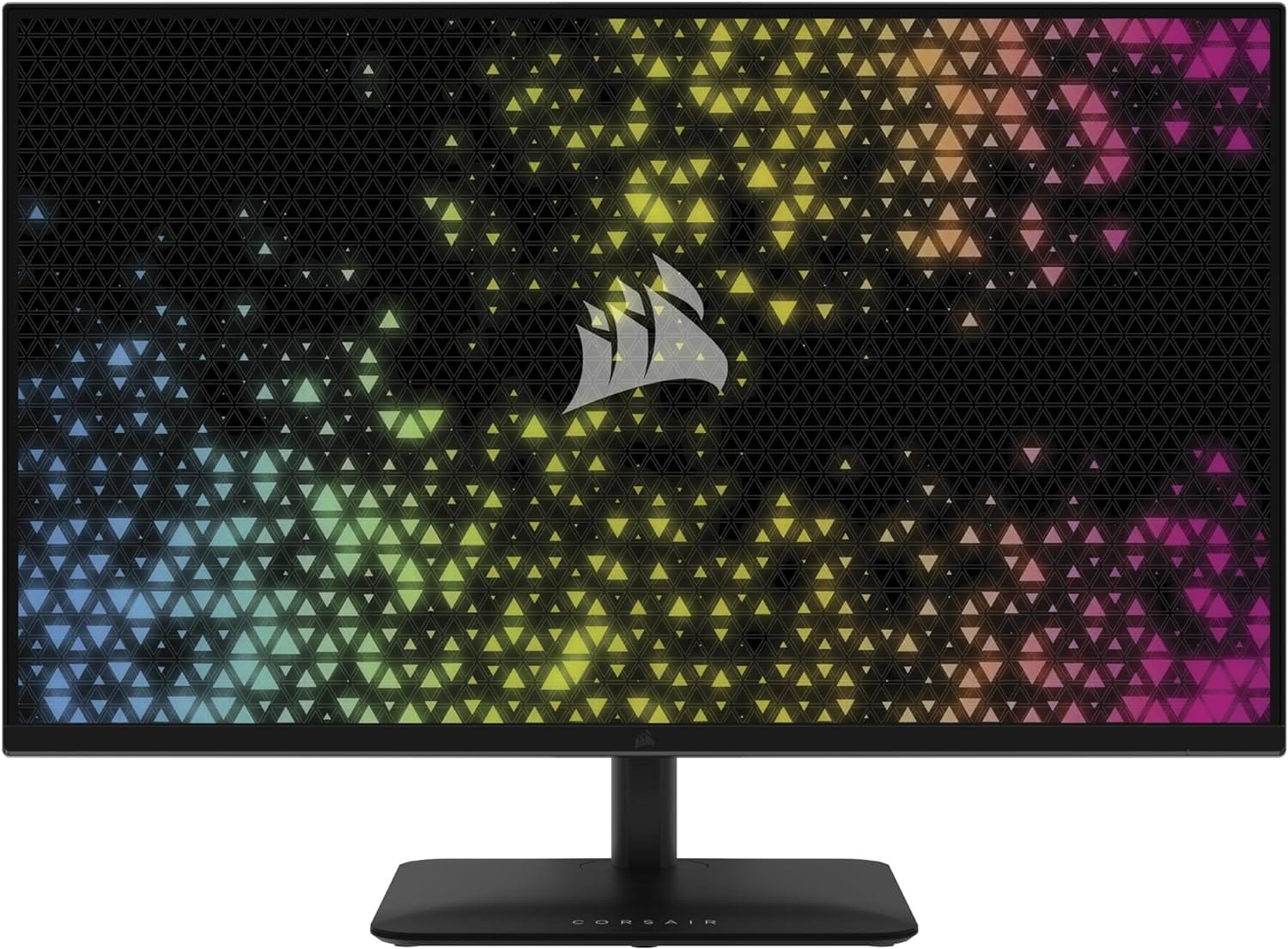 | VIEW ON AMAZON | |
| Best Runner UP Monitor Under 400 |  | VIEW ON AMAZON | |
| Best All Rounder Monitor Under 400 | 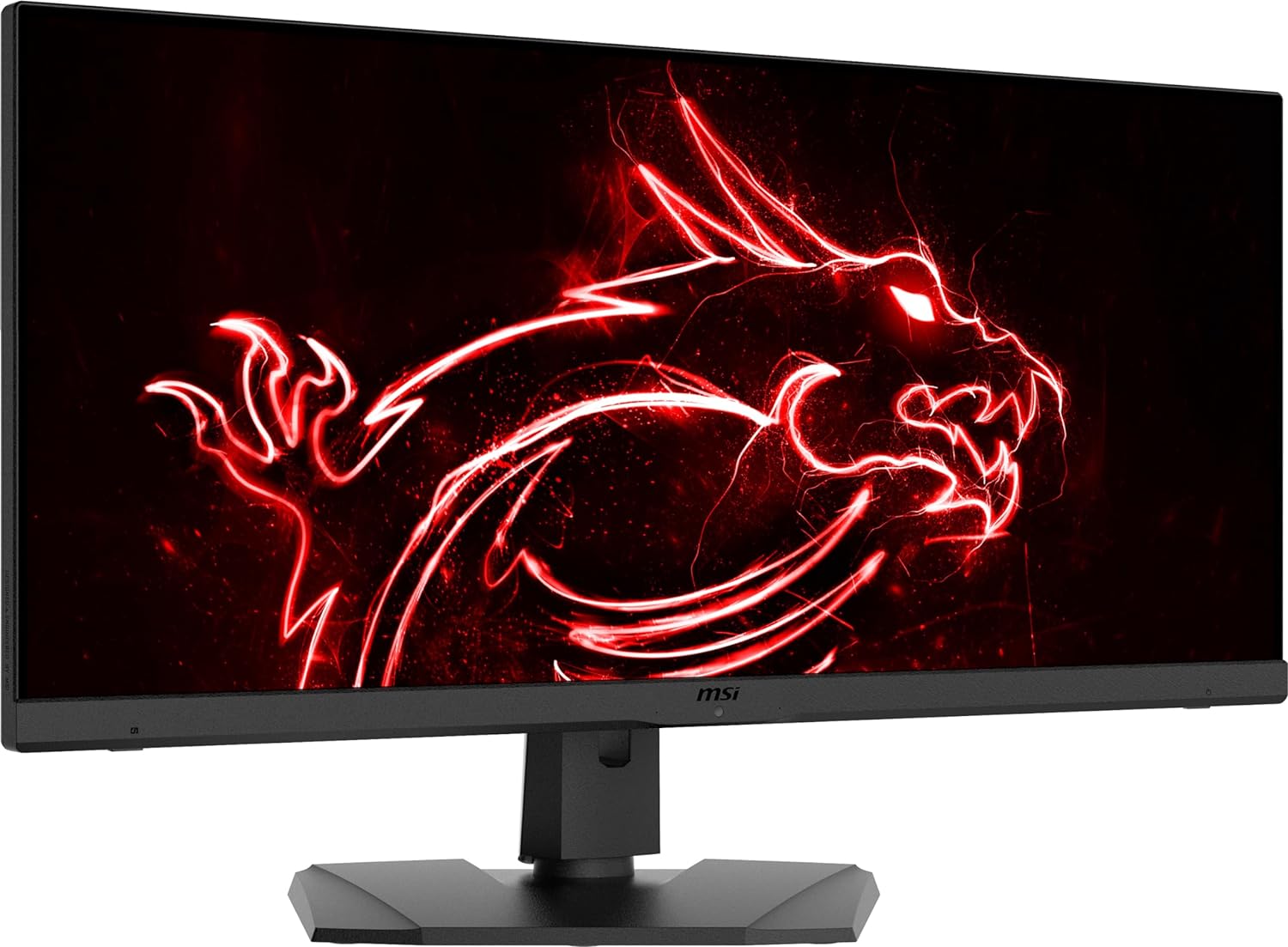 | VIEW ON AMAZON | |
| Best Budget Monitor Under 400 | 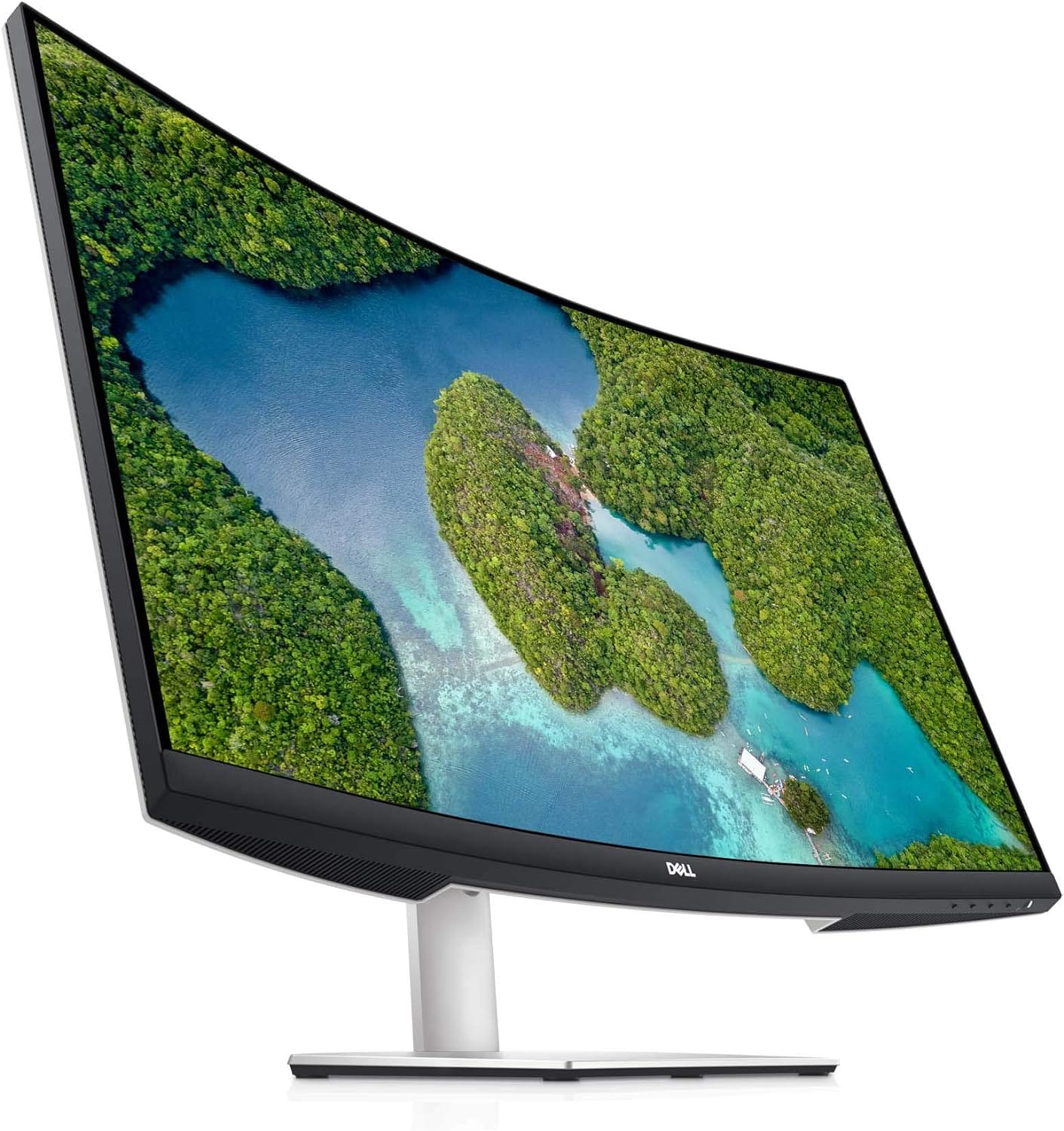 | VIEW ON AMAZON | |
| Best Smooth Monitor Under 400 |  | VIEW ON AMAZON |
Corsair XENEON 315QHD165
Best Value Monitor Under 400
SPECIFICATIONS
Brand: Corsair | Screen Size: 31.5 Inches | Resolution: 5K QHD 1440p | Aspect Ratio: 16:9 | Screen Surface Description: Glossy
REASONS TO BUY
✓Large 31.5-inch QHD display with sharp and clear visuals
✓High refresh rate of up to 165Hz for smooth gameplay
✓Fast 1ms response time minimizes lag and ghosting
✓Adaptive Sync technology for tear-free and stutter-free visuals
✓Advanced IPS panel for accurate colors and wide viewing angles
✓Sleek, ultra-slim design with thin micro-bezels
✓Ergonomic stand with adjustable height, tilt, and swivel
REASONS TO AVOID
✗Larger size may require more desk space
✗Limited to QHD resolution, may not satisfy users seeking 4K displays
The Corsair XENEON 315QHD165 is a top-tier monitor that offers exceptional value for under $400. Designed for both gamers and creators, this monitor combines a stunning design with advanced technology to deliver an unparalleled visual experience. With its large 31.5-inch QHD screen, high refresh rate, and adaptive sync technology, the XENEON 315QHD165 is a versatile and powerful display solution for any user looking to enhance their setup.
Display Quality
The Corsair XENEON features a 31.5-inch QHD (2560 x 1440) resolution display, providing a sharp and clear visual experience with a pixel density of 93PPI. The large screen size and 16:9 cinematic aspect ratio offer an immersive viewing experience, whether you’re gaming, watching movies, or working on creative projects. The ultra-slim design and thin micro-bezels add a modern and sleek touch to any setup, maximizing screen real estate and minimizing distractions.
The advanced IPS panel technology ensures exceptional color accuracy and consistency across wide viewing angles, making it perfect for professional work and entertainment alike. The IPS panel strikes an ideal balance between vibrant colors and fast response times, ensuring that every image is displayed with clarity and precision.
Performance
Performance-wise, the XENEON 315QHD165 excels with a refresh rate of up to 165Hz, providing ultra-smooth and fluid visuals. This high refresh rate is crucial for gamers, as it reduces motion blur and enhances the overall gaming experience. Coupled with a 1ms response time, this monitor minimizes ghosting and lag, allowing you to stay competitive in fast-paced games.
Adaptive Sync technology further enhances the gaming experience by synchronizing the monitor’s refresh rate with your graphics card. This eliminates screen tearing and stuttering, resulting in seamless and tear-free visuals. Whether you’re playing the latest AAA titles or engaging in fast-action multiplayer games, the XENEON 315QHD165 delivers a smooth and responsive performance.
Design and Usability
The Corsair XENEON is not just about performance; it also boasts a thoughtful and user-friendly design. The ultra-slim profile and minimalist aesthetics make it an attractive addition to any desk. The monitor’s stand is sturdy and offers a range of adjustments, allowing you to tilt, swivel, and adjust the height for optimal viewing comfort. This flexibility ensures that you can find the perfect angle for extended gaming sessions or long work hours.
The Corsair XENEON 315QHD165 is an outstanding monitor that offers incredible value for under $400. Its combination of a large 31.5-inch QHD display, high refresh rate, fast response time, and adaptive sync technology makes it a versatile and powerful option for both gamers and creators. The advanced IPS panel ensures excellent color accuracy and wide viewing angles, while the sleek and modern design adds a touch of elegance to any setup.
MSI G274QPX
Best Runner UP Monitor Under 400
SPECIFICATIONS
Brand: MSI | Screen Size: 27 Inches | Resolution: QHD Wide 1440p | Aspect Ratio: 16:9 | Screen Surface Description: Glossy
REASONS TO BUY
✓High-resolution QHD (2560 x 1440) IPS display
✓Ultra-fast 240Hz refresh rate for smooth visuals
✓Quick 1ms response time reduces screen tearing and lag
✓Wide 178° viewing angles for consistent color accuracy
✓Adaptive Sync technology for tear-free gaming
✓Sleek design with thin bezels
✓Ergonomic adjustments for comfortable viewing
REASONS TO AVOID
✗Glossy screen surface may reflect glare in brightly lit environments
✗No built-in speakers, requiring external audio solutions
Limited to QHD resolution, which may not meet the needs of users seeking 4K displays
The MSI G274QPX is a highly impressive monitor that stands as a strong runner-up in the sub-$400 category. Designed for gamers and professionals alike, this 27-inch monitor offers a blend of high-resolution visuals, ultra-fast refresh rates, and advanced technology. Its robust performance and sleek design make it a compelling choice for anyone looking to upgrade their display without breaking the bank.
Display Quality
The MSI G274QPX features a 27-inch QHD (2560 x 1440) IPS panel, delivering sharp and vibrant visuals with a resolution that provides ample screen real estate for multitasking and immersive gaming. The IPS technology ensures wide viewing angles of 178°, maintaining consistent color accuracy and image quality from virtually any angle. The glossy screen surface enhances the vibrancy and clarity of the display, making colors pop and details stand out.
Performance
Performance is where the MSI G274QPX truly shines. With a refresh rate of 240Hz, this monitor offers an incredibly smooth and fluid visual experience, crucial for fast-paced gaming. The high refresh rate eliminates afterimages and significantly reduces motion blur, allowing for more precise and responsive gameplay. Coupled with a 1ms response time, the G274QPX minimizes screen tearing and choppy frame rates, ensuring a seamless and immersive gaming experience.
Adaptive Sync technology further enhances the performance by synchronizing the monitor’s refresh rate with the graphics card, preventing screen tearing and stuttering. This results in a smoother and more enjoyable gaming experience, especially in graphically intensive games.
Design and Usability
The MSI G274QPX boasts a sleek and modern design that complements any setup. Its thin bezels provide a more immersive viewing experience and allow for easy multi-monitor setups. The ergonomic design includes adjustable features, such as tilt and height adjustment, enabling users to find the most comfortable viewing angle for extended use.
Connectivity
This monitor offers multiple connectivity options, including DisplayPort and HDMI inputs, ensuring compatibility with a wide range of devices, from gaming consoles to PCs. The versatile connectivity options make it easy to switch between different devices and optimize your workspace setup.
The MSI G274QPX is an excellent runner-up monitor under $400, offering a powerful combination of high-resolution visuals, ultra-fast refresh rates, and advanced gaming features. Its 27-inch QHD IPS panel delivers stunning clarity and color accuracy, while the 240Hz refresh rate and 1ms response time provide a smooth and responsive gaming experience. The inclusion of Adaptive Sync technology further enhances the performance, making it a reliable choice for gamers and professionals alike.
For those seeking a high-performance monitor that balances quality and affordability, the MSI G274QPX is a top contender. Its sleek design, robust features, and excellent performance make it a valuable addition to any gaming or professional setup.
MSI MPG341QR
Best All Rounder Monitor Under 400
SPECIFICATIONS
Brand: MSI | Screen Size: 34 Inches | Resolution: QHD Ultra Wide 1440p | Aspect Ratio: 21:9 | Screen Surface Description: Glossy
REASONS TO BUY
✓Ultrawide QHD (3440 x 1440) IPS display for immersive viewing
✓High brightness of 400 nits for clear visibility
✓Fast 144Hz refresh rate for smooth visuals
✓Quick 1ms response time minimizes lag and screen tearing
✓Wide 178° viewing angles for consistent color accuracy
✓Sleek design with thin bezels and ergonomic adjustments
✓Versatile connectivity options
REASONS TO AVOID
✗Ultrawide format may not be suitable for all users
✗Larger size requires more desk space
✗No built-in speakers, necessitating external audio solutions
The MSI MPG341QR is a powerhouse in the sub-$400 monitor category, offering an impressive blend of performance, visual quality, and advanced features. Designed to cater to both gamers and professionals, this 34-inch ultrawide monitor stands out with its high resolution, fast refresh rate, and superb color accuracy. Its versatile capabilities make it an exceptional all-rounder, perfect for various uses from immersive gaming to detailed content creation.
Display Quality
The MSI MPG341QR features a stunning 34-inch ultrawide QHD (3440 x 1440) IPS panel, delivering sharp and detailed visuals with an expansive aspect ratio of 21:9. This ultrawide format provides a more immersive experience, whether you’re gaming, watching movies, or multitasking with multiple windows. The IPS technology ensures vibrant colors and consistent image quality across wide viewing angles of 178° horizontally and vertically, making it suitable for collaborative work and shared viewing.
With a typical brightness of 400 nits, the MPG341QR ensures that content remains visible and clear even in well-lit environments. The high brightness level, combined with excellent color reproduction, makes for a vivid and engaging display.
Performance
The performance of the MSI MPG341QR is tailored for high-end gaming and professional use. With a refresh rate of 144Hz, this monitor delivers smooth and fluid visuals, significantly reducing motion blur and enhancing the overall gaming experience. The fast refresh rate is particularly beneficial in fast-paced games, where every millisecond counts.
Equipped with a 1ms response time, the MPG341QR effectively eliminates screen tearing and choppy frame rates, ensuring a seamless and responsive gaming experience. This quick response time is crucial for competitive gamers who require precision and minimal lag.
Design and Usability
The MSI MPG341QR boasts a sleek and modern design that enhances any workspace or gaming setup. Its ultrawide screen and thin bezels provide a more immersive viewing experience, while also allowing for easy multi-monitor configurations. The ergonomic design includes adjustable features such as tilt, swivel, and height adjustment, ensuring that users can find the most comfortable and optimal viewing angle.
Connectivity
This monitor offers a range of connectivity options, including DisplayPort and HDMI inputs, making it compatible with a variety of devices, from gaming consoles to PCs. The versatile connectivity ensures that you can easily switch between different devices and optimize your setup for various tasks.
The MSI MPG341QR is an exceptional all-rounder monitor under $400, offering a perfect blend of high-resolution visuals, fast refresh rates, and advanced gaming features. Its ultrawide QHD IPS panel delivers stunning clarity and color accuracy, while the 144Hz refresh rate and 1ms response time provide a smooth and responsive gaming experience. The versatile design and robust performance make it suitable for both gaming and professional use, ensuring that you get the best of both worlds.
For those seeking a high-performance monitor that offers excellent value and versatility, the MSI MPG341QR is a top choice. Its combination of quality, performance, and ergonomic design makes it a valuable addition to any setup, whether for gaming, work, or entertainment.
Dell S3221QS
Best Budget Monitor Under 400
SPECIFICATIONS
Brand: Dell | Screen Size: 32 Inches | Resolution: 4K UHD 2160p | Aspect Ratio: 16:9 | Screen Surface Description: Matte
REASONS TO BUY
✓Large 32-inch curved display with 4K UHD resolution
✓High contrast ratio for vibrant colors and deep blacks
✓TÜV-certified with ComfortView and flicker-free technology for eye comfort
✓Ergonomic stand with pivot, tilt, swivel, and height adjustments
✓Sleek design with ultrathin bezels
✓Versatile connectivity options
REASONS TO AVOID
✗60Hz refresh rate may not be ideal for competitive gaming
✗No built-in speakers, requiring external audio solutions
The Dell S3221QS is an outstanding budget monitor that offers impressive features and performance, making it a top choice for those looking to enhance their visual experience without spending a fortune. With its large 32-inch curved display, 4K UHD resolution, and sleek design, this monitor delivers incredible clarity and immersive viewing. Whether you are a gamer, a professional, or a movie enthusiast, the Dell S3221QS is designed to meet a wide range of needs.
Display Quality
The Dell S3221QS features a 32-inch curved screen with a 1800R curvature, which expands your field of vision and provides a wrap-around view that enhances immersion. The 4K UHD (3840 x 2160) resolution offers four times the detail of Full HD, delivering stunning clarity and fine detail. The ultrathin bezel design on three sides maximizes the screen area, giving you more screen real estate and a more immersive viewing experience.
The monitor boasts a brightness of 300 cd/m² and a contrast ratio of 3000:1, ensuring that colors are vibrant and blacks are deep, providing an excellent visual experience for movies, games, and professional work. The WLED backlight technology enhances brightness and color accuracy, making every image look more lifelike.
Performance
The Dell S3221QS is not just about great visuals; it also ensures smooth performance for various tasks. While it may not have the highest refresh rate compared to gaming monitors, its 60Hz refresh rate is adequate for general use, including gaming, watching movies, and productivity tasks. The 178-degree horizontal and vertical viewing angles ensure that the image quality remains consistent from virtually any angle, making it ideal for collaborative work and shared viewing.
Eye Comfort
One of the key features of the Dell S3221QS is its focus on eye comfort. This TÜV-certified monitor comes with ComfortView, a feature that reduces harmful blue light emissions. The flicker-free screen technology further reduces eye strain, making it comfortable to use for extended periods. Whether you’re working on projects, gaming, or binge-watching your favorite shows, the Dell S3221QS helps minimize eye fatigue.
Design and Usability
The Dell S3221QS features a sleek and modern design that fits well into any setup. The monitor’s stand is ergonomic, allowing you to pivot, tilt, swivel, and adjust the height for a comfortable viewing position throughout the day. For added flexibility, the monitor is VESA mount compatible, giving you the option to mount it on a wall or arm for a customized setup.
Connectivity
This monitor offers a variety of connectivity options, including HDMI and DisplayPort inputs, ensuring compatibility with a wide range of devices. The versatile connectivity makes it easy to connect your PC, gaming console, or other peripherals, enhancing your overall user experience.
The Dell S3221QS is an exceptional budget monitor that offers a combination of stunning 4K visuals, immersive curved design, and eye-friendly features. Its large screen, high resolution, and ergonomic design make it a versatile choice for gamers, professionals, and entertainment enthusiasts alike. While it may not have the ultra-high refresh rates of dedicated gaming monitors, its overall performance and value make it a standout option in the sub-$400 category.
For those seeking a high-quality monitor that delivers excellent value and a superb viewing experience, the Dell S3221QS is a top contender. Its blend of performance, design, and affordability makes it a great addition to any setup.
ASUS TUF Gaming 27
Best Smooth Monitor Under 400
SPECIFICATIONS
Brand: ASUS | Screen Size: 27 Inches | Resolution: 4K DCI 2160p | Aspect Ratio: 16:9 | Screen Surface Description: Glossy
REASONS TO BUY
✓High QHD resolution (2560 x 1440) with vibrant and detailed visuals
✓Overclockable refresh rate up to 260Hz for ultra-smooth gameplay
✓Rapid 1ms response time minimizes lag and ghosting
✓ELMB Sync technology eliminates ghosting and tearing
✓FreeSync Premium, G-Sync compatibility, and VESA AdaptiveSync for tear-free gaming
✓HDR support with DisplayHDR 400 compliance enhances image quality
✓Ergonomic stand with extensive adjustments
✓Comprehensive connectivity options with included cables
REASONS TO AVOID
✗Larger size requires ample desk space
✗No built-in speakers, necessitating external audio solutions
The ASUS TUF Gaming 27-inch monitor is a powerhouse designed for professional gamers and those seeking immersive gameplay experiences. This monitor packs an impressive array of features, including a high refresh rate, advanced synchronization technologies, and HDR support, all aimed at delivering smooth and stunning visuals. With its robust specs and gamer-centric design, the ASUS TUF Gaming 27 stands out as one of the best smooth monitors under $400.
Display Quality
The ASUS TUF Gaming 27 features a 27-inch QHD (2560 x 1440) display, offering a perfect balance of size and resolution for clear and detailed visuals. The QHD resolution provides more screen real estate than Full HD, making it ideal for both gaming and productivity tasks. The IPS panel ensures excellent color accuracy and wide viewing angles, so your games and multimedia look vibrant and consistent from any angle.
Performance
Performance is where the ASUS TUF Gaming 27 truly excels. With an impressive refresh rate that can be overclocked to 260Hz, this monitor delivers ultra-smooth and fluid visuals, essential for competitive gaming. The high refresh rate significantly reduces motion blur, ensuring that fast-paced action scenes remain clear and crisp. Coupled with a rapid 1ms response time, this monitor minimizes lag and ghosting, providing a seamless gaming experience.
The ASUS Extreme Low Motion Blur Sync (ELMB Sync) technology further enhances performance by allowing ELMB and variable refresh rate (VRR) technologies to work simultaneously. This combination eliminates ghosting and tearing, ensuring sharp gaming visuals even at high frame rates.
Adaptive Sync Technology
The ASUS TUF Gaming 27 is equipped with FreeSync Premium, G-Sync compatibility, and VESA AdaptiveSync technology, providing a tear-free gaming experience. These technologies synchronize the monitor’s refresh rate with your graphics card, eliminating screen tearing and stuttering. The result is smooth and fluid gameplay, making this monitor a great choice for gamers who demand the best performance.
HDR Support
High Dynamic Range (HDR) technology with DisplayHDR 400 compliance enhances both bright and dark areas of the screen, delivering a more dynamic and lifelike image. HDR-10 support ensures that HDR content is displayed with enhanced contrast and color accuracy, making your games and videos look more immersive and realistic.
Design and Usability
The ASUS TUF Gaming 27 has a sleek and functional design that fits well into any gaming setup. It comes with an ergonomic stand that offers extensive adjustments, including tilt, swivel, and height adjustments, allowing you to find the most comfortable viewing position. The monitor also features a clean and modern aesthetic with thin bezels, maximizing the screen area for a more immersive experience.
Connectivity
This monitor provides a variety of connectivity options, including DisplayPort, HDMI, and USB ports. The inclusion of these ports ensures compatibility with a wide range of devices, from gaming PCs to consoles. The package also includes necessary cables and accessories, such as a DisplayPort cable, HDMI cable, USB Type-B to A cable, power cord, and an L-shaped screwdriver for easy setup.
The ASUS TUF Gaming 27 is a stellar choice for anyone looking for a smooth and high-performance monitor under $400. Its combination of a high refresh rate, fast response time, advanced synchronization technologies, and HDR support makes it ideal for competitive gamers and those seeking an immersive gaming experience. The robust build quality, ergonomic design, and comprehensive connectivity options further enhance its appeal, making it a versatile and valuable addition to any gaming setup.
Overall Article Conclusion
For those seeking a high-performance monitor without breaking the bank, the Corsair XENEON 315QHD165 is a top choice. It delivers exceptional visual quality, smooth performance, and user-friendly features, making it an excellent investment for enhancing your gaming, work, and entertainment experience.

CEO
Hi, My name is Bilal Ali and I am an affiliate marketer and have been involved in this field for a number of years. I have a lot of experience and knowledge in this area, which I love to share with others. I am always looking for new ways to improve my skills and learn more about affiliate marketing. I am also very active on social media, and love to connect with others in the industry.



