
In the intricate world of architecture, your laptop is more than just a tool; it’s your digital drafting board, your 3D modeling studio, and your project management hub all rolled into one. The right laptop can make the difference between seamless creativity and constant frustration.
Whether you’re designing skyscrapers, residential homes, or complex urban plans, you need a machine that can handle the demanding software and extensive multitasking that your profession requires.
At A Glance:
Best Value Laptop for Architects
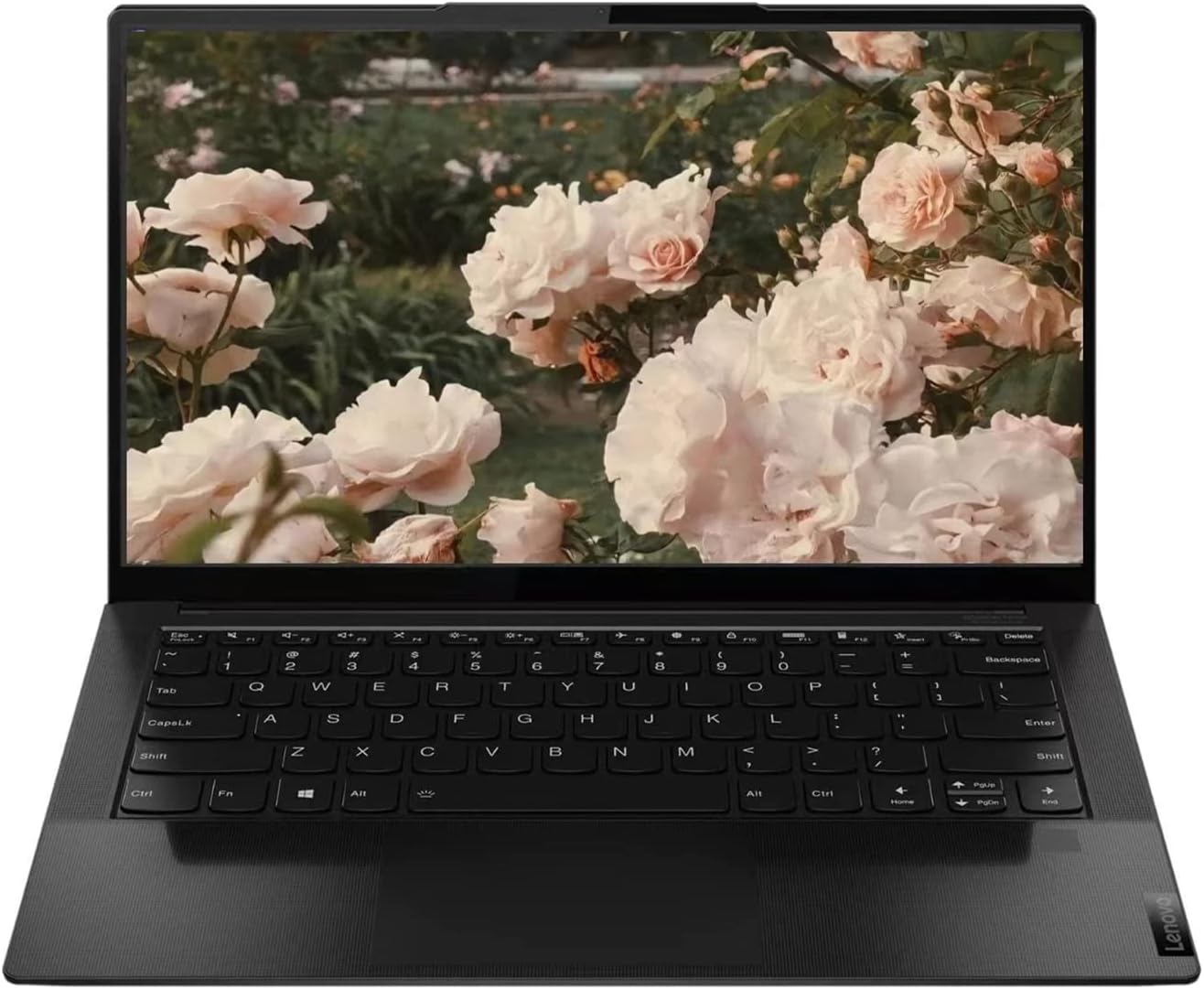
Lenovo IdeaPad Slim 9i
- High Performance: Intel EVO Core i7-1195G7 processor and Intel Iris Xe Graphics
- Stunning Display: 14.0″ 4K UHD IPS touchscreen with vibrant colors and sharp details
- Ample Memory and Storage: 16GB RAM and 512GB NVMe SSD
- Advanced Connectivity: USB-C Thunderbolt 4, USB-C 3.2 Gen 2, Wi-Fi 6, Bluetooth 5.0
- User-Friendly Features: Backlit keyboard, camera shutter switch, fingerprint reader
- Innovative OS: Windows 11 Home for enhanced efficiency
Best Powerful Laptop for Architects
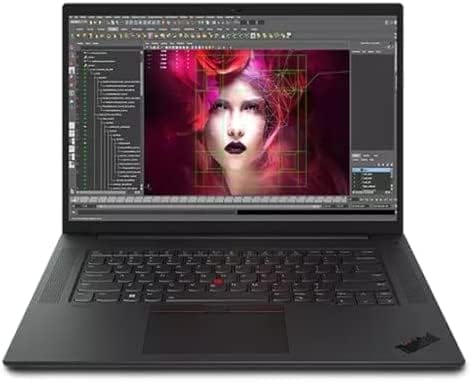
Lenovo ThinkPad P1 Gen 5
- High Performance: 12th Gen Intel Core i7-12800H with vPro for exceptional speed and efficiency
- Superior Graphics: NVIDIA GeForce RTX 3070 Ti with 8GB GDDR6 for outstanding visual performance
- Ample Memory and Storage: 32 GB DDR5 RAM and 1 TB PCIe SSD for smooth multitasking and fast access
- Stunning Display: 16.0″ WQXGA IPS display with anti-glare, 500 nits brightness, and 165Hz refresh rate
- Professional-Grade Build: Durable construction with a backlit keyboard and comprehensive connectivity options
- Advanced OS: Windows 11 Pro 64 for enhanced security and productivity
Best Budget Laptop for Architects
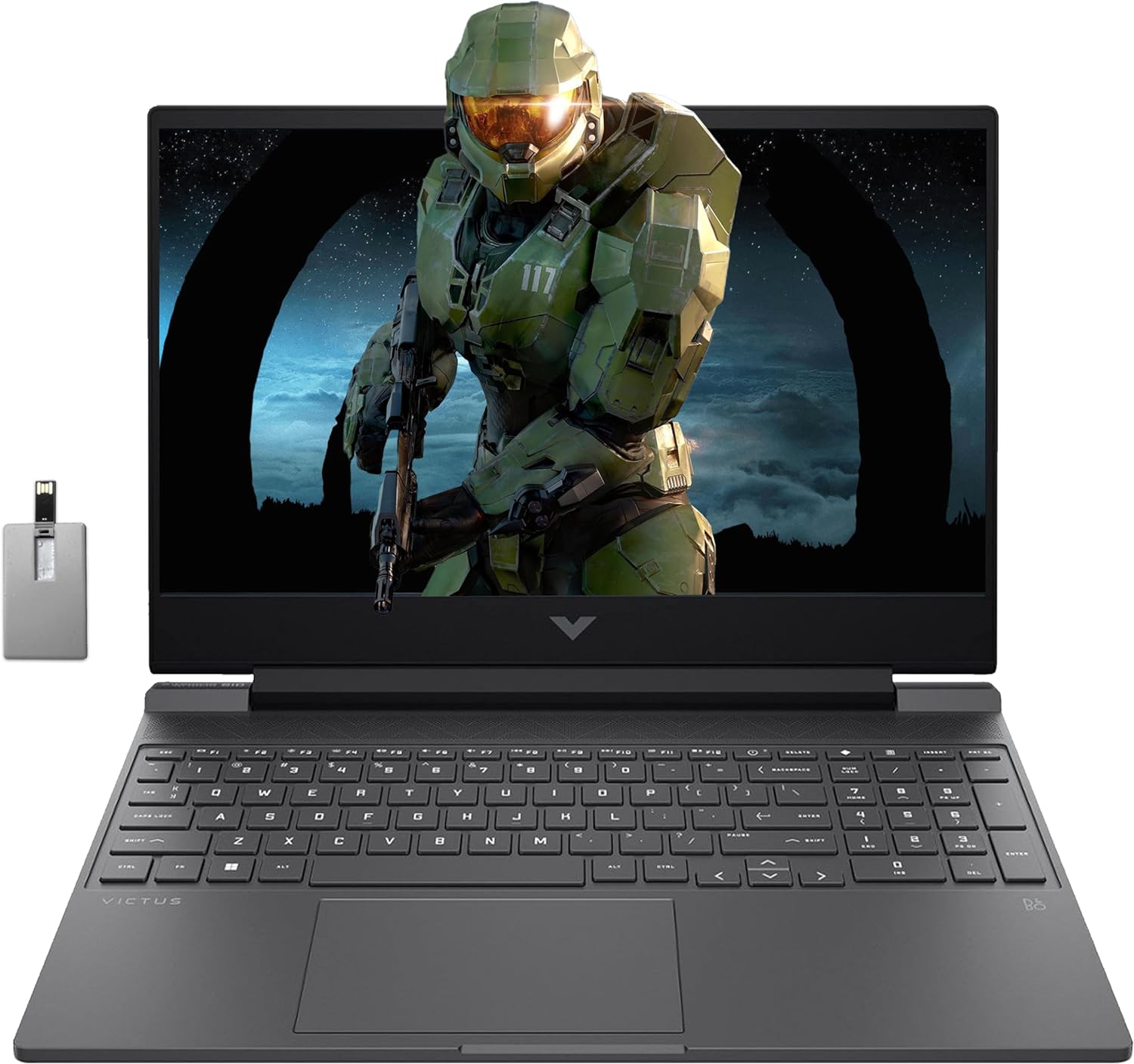
HP Victus 15.6
- Powerful Processor: AMD Ryzen 5 7535HS with 6 cores for efficient multitasking and demanding tasks
- Ample Memory and Storage: 32GB DDR5 RAM and 1TB PCIe SSD for smooth performance and ample storage
- Stunning Display: 15.6-inch FHD display with 144Hz refresh rate and anti-glare technology
- Dedicated Graphics: NVIDIA GeForce RTX 2050 for excellent visual performance
- Comprehensive Connectivity: Multiple USB ports, HDMI, RJ45, Wi-Fi 6, Bluetooth 5.3
- User-Friendly Features: Backlit keyboard, Windows 11 Pro, media card reader
Imagine a laptop that boots up in seconds, runs resource-intensive applications like AutoCAD, Revit, and SketchUp without breaking a sweat, and renders high-resolution 3D models with ease. Such a machine not only boosts your productivity but also enhances your ability to visualize and perfect every detail of your designs. Today’s top laptops for architects combine cutting-edge processors, ample RAM, powerful graphics cards, and stunning displays to provide an unparalleled user experience.
Choosing the best laptop for architecture isn’t just about picking the one with the most impressive specs. It’s about finding a device that integrates seamlessly into your workflow, offers the portability you need for on-site work, and delivers the reliability and durability you depend on for professional projects.
In this guide, we’ll explore the key features that make a laptop ideal for architectural work and highlight some of the top models that stand out in the market.
Key Features to Look for in a Laptop for Architects
Powerful Processor (CPU): Architectural software requires substantial processing power. Look for laptops with at least an Intel Core i7 or AMD Ryzen 7 processor. These CPUs provide the speed and efficiency needed for complex calculations and rendering tasks.
Ample RAM: Multitasking with large files and multiple applications is common in architecture. A minimum of 16GB of RAM is recommended, but 32GB or more is ideal for handling the most demanding tasks without slowdown.
Dedicated Graphics Card (GPU): A powerful GPU is essential for rendering 3D models and running graphics-intensive software. NVIDIA GeForce RTX series or AMD Radeon Pro series cards are excellent choices for architects.
High-Resolution Display: Clarity and color accuracy are crucial when working on detailed designs. A 15-inch or larger display with at least Full HD (1920×1080) resolution is recommended. For even better detail and color fidelity, consider 4K displays.
Fast Storage: Solid State Drives (SSDs) are a must for quick boot times, fast file access, and overall system responsiveness. Aim for at least 512GB of SSD storage, with additional external storage options if needed.
Portability and Build Quality: Architects often need to work on-site or travel between meetings. A lightweight, durable laptop with good battery life is essential. Aluminum or magnesium alloy bodies provide durability without adding excessive weight.
Connectivity: Ensure the laptop has multiple USB ports, an HDMI port, and a Thunderbolt 3 or USB-C port for fast data transfer and connectivity with other devices like external monitors and drawing tablets.
Operating System Compatibility: Ensure that the laptop’s operating system is compatible with your preferred architectural software. Both Windows and macOS have their advantages, depending on the specific applications you use.
Buying Guide: How to Choose the Best Laptop for Architects
Determine Your Budget: High-performance laptops can be expensive, but they are an investment in your productivity. Identify your budget and look for the best specifications within that range. Remember, a higher initial cost can save you from frequent upgrades in the future.
Check Software Requirements: Ensure the laptop meets or exceeds the recommended specifications for the software you use, such as AutoCAD, Revit, SketchUp, and Adobe Creative Suite. This will ensure smooth operation and reduce compatibility issues.
Assess Your Needs: Consider the complexity of your projects. If you work with large, complex models or render high-resolution images, you’ll need a more powerful laptop. For less intensive tasks, a mid-range laptop may suffice.
Read Reviews and Benchmarks: Research reviews and benchmarks specific to architectural work. This can provide insights into real-world performance and help you make an informed decision.
Future-Proofing: Investing in a laptop with slightly better specs than you currently need can save you from having to upgrade too soon. Look for models with upgradeable RAM and storage.
Test for Comfort and Usability: If possible, test the laptop in person to ensure it meets your ergonomic needs. Comfortable typing, a responsive touchpad, and a clear display can make a big difference in your daily use.
Consider Additional Accessories: Depending on your workflow, you may need additional accessories like a drawing tablet, external monitor, or a docking station. Ensure the laptop you choose is compatible with these accessories.
By considering these factors, you can find a laptop that not only meets your current architectural needs but also grows with you as your projects become more complex. The right laptop can significantly enhance your workflow, allowing you to focus on what truly matters—bringing your architectural visions to life.
Here are our recommended Top 8 Best Laptops for Architects which you can purchase today
| Award | Design | Laptops | Retailer |
|---|---|---|---|
| Best Value Laptop for Architects | Best Pick | VIEW ON AMAZON | |
| Best Runner Up Laptop for Architects | 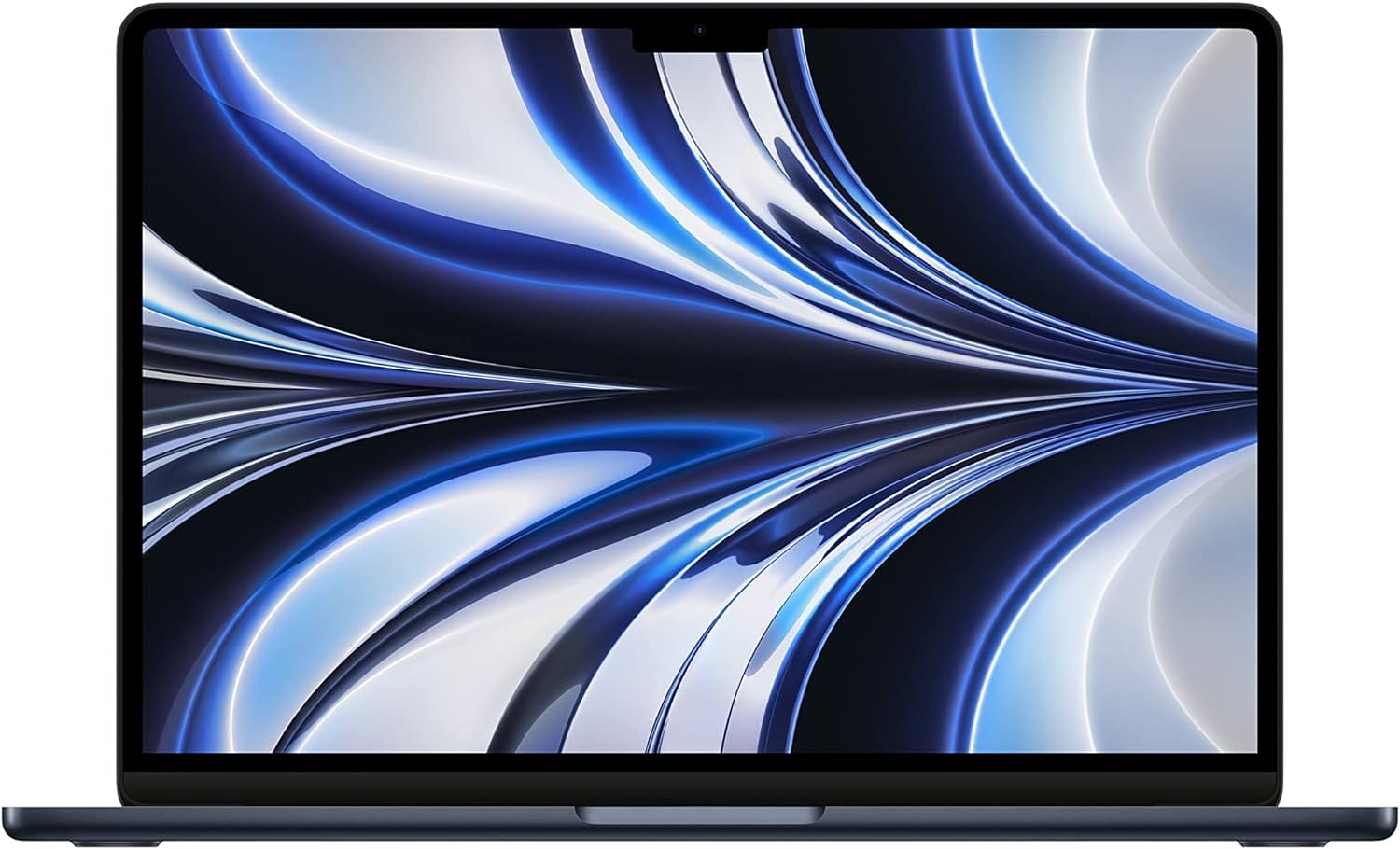 | VIEW ON AMAZON | |
| Best Performance Laptop for Architects | 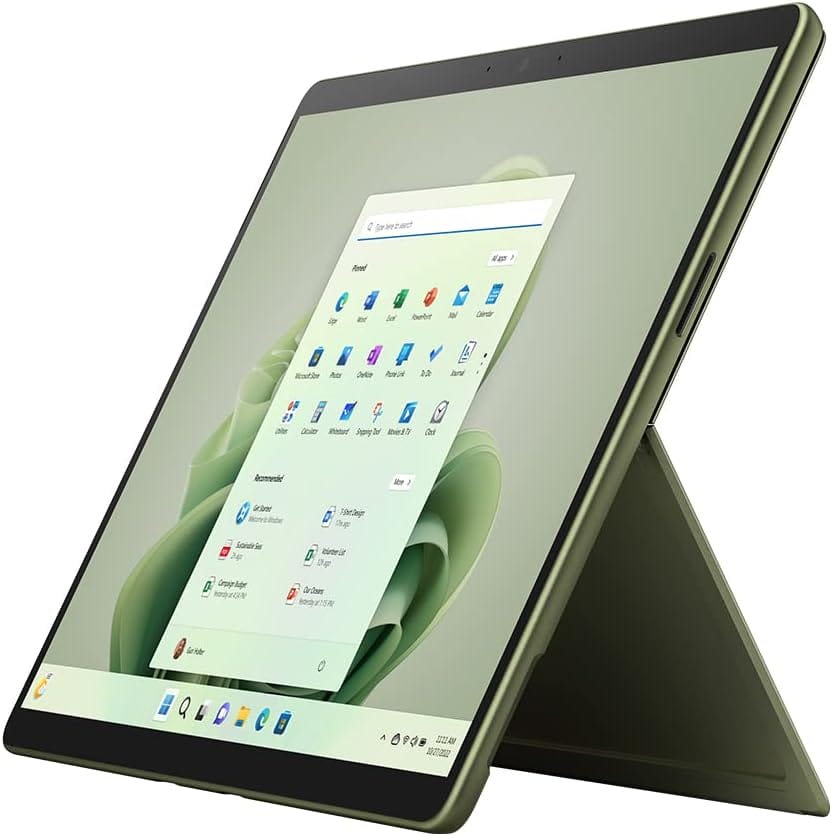 | VIEW ON AMAZON | |
| Best Powerful Laptop for Architects | Staff Pick | VIEW ON AMAZON | |
| Best Performance Laptop for Architects | 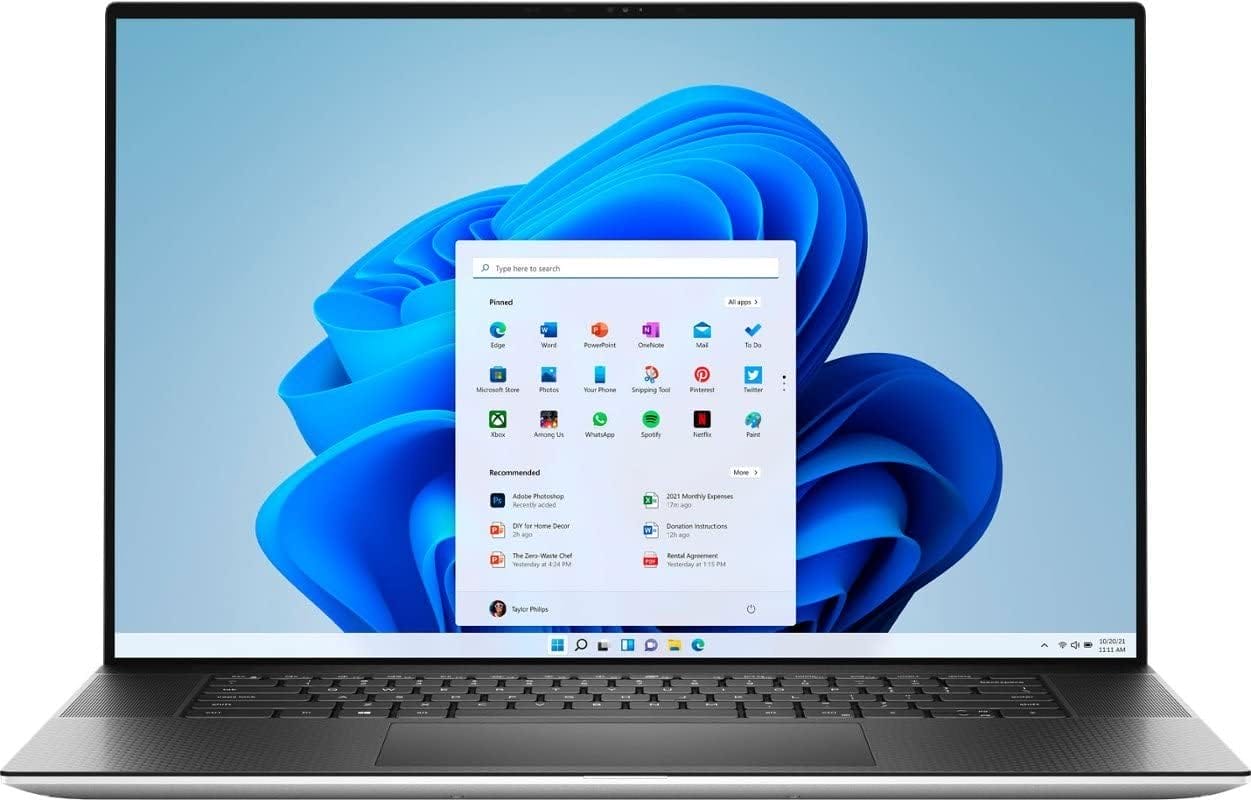 | VIEW ON AMAZON | |
| Best Smooth Laptop for Architects | 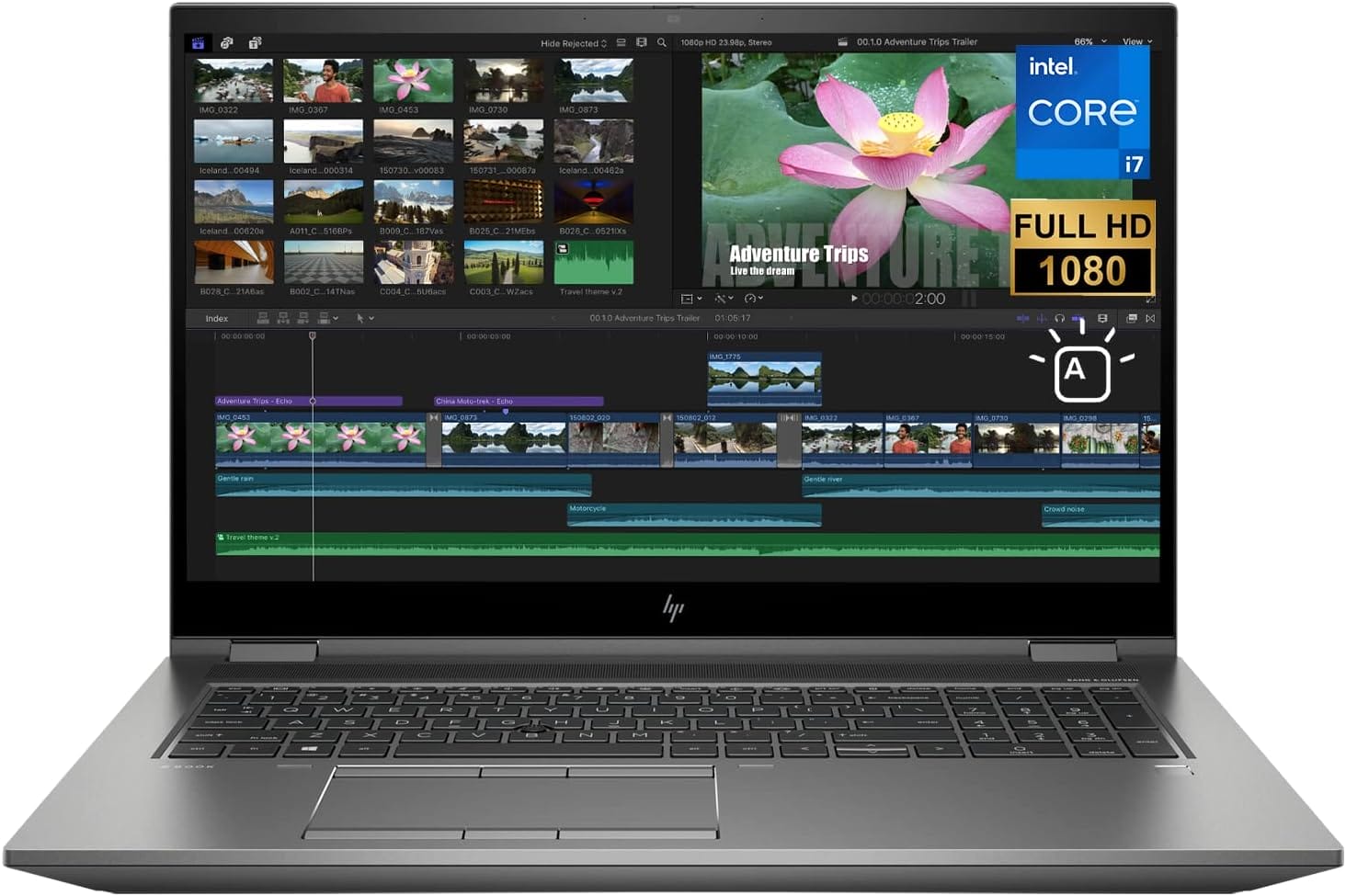 | VIEW ON AMAZON | |
| Best All Rounder Laptop for Architects | 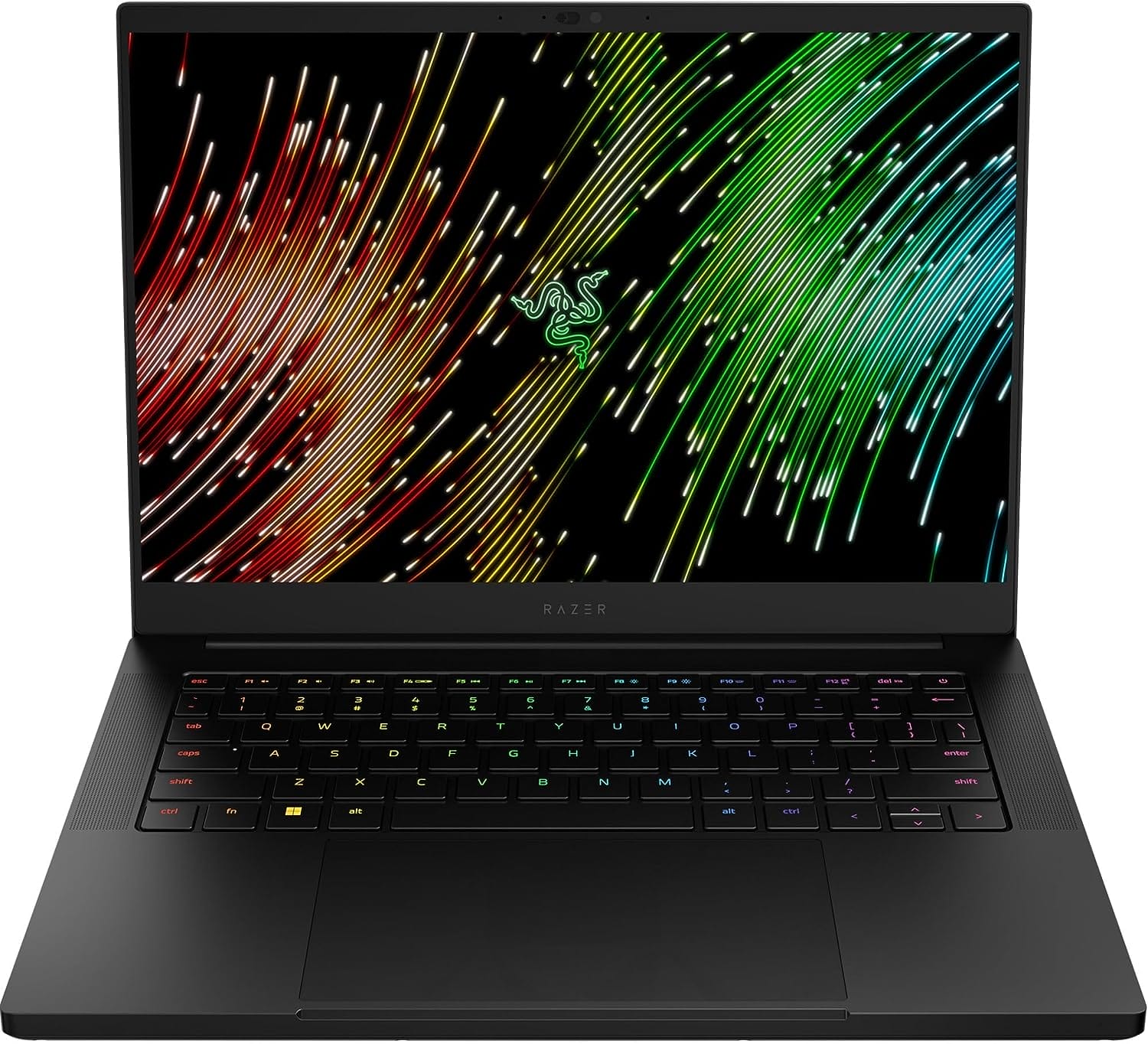 | VIEW ON AMAZON | |
| Best Budget Laptop for Architects | Budget Pick | VIEW ON AMAZON |
Lenovo IdeaPad Slim 9i
Best Value Laptop for Architects
SPECIFICATIONS
Brand: Lenovo | Screen Size: 14 | Special Feature: Fingerprint Reader, Backlit Keyboard | Graphics Coprocessor: Intel Iris | CPU Speed: 2.9 GHz5q5r | Resolution: 720p, 4K | Item Weight: 2.6 Pounds | Connectivity Technology: Bluetooth, Wi-Fi, USB | Human Interface Input: Microphone, Mouse, Keyboard | Software Included: Webcam
REASONS TO BUY
✓High Performance: Intel EVO Core i7-1195G7 processor and Intel Iris Xe Graphics
✓Stunning Display: 14.0″ 4K UHD IPS touchscreen with vibrant colors and sharp details
✓Ample Memory and Storage: 16GB RAM and 512GB NVMe SSD
✓Advanced Connectivity: USB-C Thunderbolt 4, USB-C 3.2 Gen 2, Wi-Fi 6, Bluetooth 5.0
✓User-Friendly Features: Backlit keyboard, camera shutter switch, fingerprint reader
✓Innovative OS: Windows 11 Home for enhanced efficiency
REASONS TO AVOID
✗Moderate Battery Life: High-resolution display and powerful specs may lead to shorter battery life
✗Limited Upgradability: RAM is not upgradable
✗Price: Slightly higher price point for budget-conscious buyers
For architects seeking a balance between high performance and value, the Lenovo IdeaPad Slim 9i stands out as an excellent choice. Combining powerful specifications, a stunning display, and sleek design, this laptop is designed to meet the demanding needs of architecture professionals. Here’s why the Lenovo IdeaPad Slim 9i is the best value laptop for architects.
Powerful Performance
The Lenovo IdeaPad Slim 9i is powered by the Intel EVO Core i7-1195G7 processor, which boasts speeds from 2.90 GHz up to 5.00 GHz. This processor is designed to deliver immersive, lightning-fast performance, making it ideal for productivity, creation, and collaboration. Coupled with Intel Iris Xe Graphics, the laptop ensures smooth and efficient handling of architectural software such as AutoCAD, Revit, and SketchUp, allowing you to create and visualize complex designs without lag.
Stunning 4K UHD Display
One of the standout features of the IdeaPad Slim 9i is its 14.0″ 4K UHD IPS touchscreen display with a resolution of 3840 x 2160. This high-resolution screen provides a sublimely immersive media experience, offering vibrant colors and sharp details that are crucial for architectural work. The touchscreen capability adds an extra layer of functionality, allowing for intuitive interaction with design software. The backlit keyboard and camera shutter switch enhance usability and privacy, while the fingerprint reader adds an extra layer of security.
Ample Memory and Fast Storage
The laptop comes with 16GB of LPDDR4x RAM running at 4266 MHz, ensuring smooth multitasking and efficient handling of large files. The 512GB NVMe SSD offers fast storage, providing quick boot times, rapid file access, and ample space for your projects. This combination of memory and storage ensures that the laptop can handle the demands of architectural work, from running multiple applications to storing extensive design files.
Advanced Connectivity
Connectivity is crucial for architects, and the IdeaPad Slim 9i excels in this area. It features 2 USB-C Thunderbolt 4 ports, 1 USB-C 3.2 Gen 2 port (with DisplayPort and Power Delivery), and a headphone/microphone combo jack. These ports offer versatile connectivity options for external monitors, drawing tablets, and other peripherals. The laptop is also equipped with 2×2 802.11AX Wi-Fi and Bluetooth 5.0, ensuring fast and stable wireless connections.
Innovative Operating System
The Lenovo IdeaPad Slim 9i comes with Windows 11 Home, introducing a fresh new feel and tools that make it easier to be efficient. This operating system enhances the overall user experience, providing a seamless environment for managing your architectural projects.
The Lenovo IdeaPad Slim 9i offers exceptional value for architects, combining powerful performance, a stunning display, and advanced connectivity in a sleek, portable design. Its Intel EVO Core i7 processor and Intel Iris Xe Graphics ensure smooth operation of architectural software, while the 4K UHD touchscreen display provides the clarity and color accuracy needed for detailed design work. The ample memory and fast storage enable efficient multitasking and quick access to files, making it an ideal choice for professionals.
Apple MacBook Air 2022
Best Runner Up Laptop for Architects
SPECIFICATIONS
Brand: Apple | Model Name: MacBook Air | Screen Size: 13 Inches | Color: Midnight | Hard Disk Size: 256 GB | CPU Model: Unknown | Ram Memory Installed Size: 8 GB | Operating System: Mac OS | Special Feature: Anti Glare Coating | Graphics Card Description: Integrated
REASONS TO BUY
✓Highly Portable: Lightweight and thin design, perfect for on-the-go professionals
✓Powerful Performance: Supercharged by the M2 chip with up to 24GB of unified memory
✓Stunning Display: 13.6-inch Liquid Retina with P3 wide color and 1 billion colors
✓Advanced Camera and Audio: 1080p FaceTime HD camera, three-mic array, and four-speaker system
✓Versatile Connectivity: MagSafe, Thunderbolt ports, and headphone jack
✓Durable Build: All-aluminium unibody enclosure
✓Seamless Integration: Compatible with Microsoft 365, Zoom, and many Apple apps
REASONS TO AVOID
✗Higher Cost: Premium price for advanced features
✗Limited Ports: Fewer ports compared to some other laptops, requiring adapters for additional connectivity
The 2022 Apple MacBook Air, powered by the next-generation M2 chip, is a formidable contender for architects seeking a high-performance, portable laptop. This redesigned MacBook Air offers a perfect blend of power, design, and usability, making it an excellent choice for professionals in the architecture field. Here’s why the 2022 Apple MacBook Air is the best runner-up laptop for architects.
Strikingly Thin Design
One of the standout features of the 2022 MacBook Air is its strikingly thin design. Weighing just 2.7 pounds, this laptop is incredibly portable, allowing architects to easily carry it to client meetings, construction sites, and design studios. Despite its lightweight and slim profile, the MacBook Air remains highly capable, enabling you to work, play, or create just about anything from anywhere.
Supercharged by M2
The new MacBook Air is supercharged by the M2 chip, featuring an 8-core CPU and up to a 10-core GPU. This next-generation processor delivers faster performance, allowing architects to handle demanding tasks such as 3D modeling, rendering, and running complex design software with ease. The M2 chip also supports up to 24GB of unified memory, ensuring smooth multitasking and efficient handling of large architectural projects.
Big, Beautiful Display
Architects need a high-quality display to work on detailed designs, and the MacBook Air does not disappoint. It boasts a 13.6-inch Liquid Retina display with over 500 nits of brightness, P3 wide color, and support for 1 billion colors. This ensures vibrant images and incredible detail, making it easier to visualize and perfect your architectural designs. The display’s high resolution and color accuracy are ideal for reviewing blueprints, editing photos, and creating presentations.
Advanced Camera and Audio
The MacBook Air is equipped with a 1080p FaceTime HD camera, a three-mic array, and a four-speaker sound system with Spatial Audio. These features ensure that you look and sound great during virtual meetings and presentations. The advanced camera and audio capabilities are particularly beneficial for architects who frequently collaborate with clients and colleagues remotely.
Versatile Connectivity
The MacBook Air features versatile connectivity options, including a MagSafe charging port, two Thunderbolt ports, and a headphone jack. These ports provide the flexibility to connect external monitors, drawing tablets, and other peripherals essential for architectural work. The Thunderbolt ports support fast data transfer and high-resolution displays, enhancing your overall productivity.
Built to Last
With an all-aluminium unibody enclosure, the MacBook Air is exceptionally durable, making it a reliable choice for architects who need a laptop that can withstand the rigors of daily use. Additionally, Apple’s commitment to providing free software updates ensures that your laptop remains secure and up-to-date for years to come.
Simply Compatible
The MacBook Air runs all your go-to apps lightning-fast, including Microsoft 365, Zoom, and many popular iPhone and iPad apps. This compatibility ensures that you can seamlessly integrate the MacBook Air into your existing workflow and use it alongside your other Apple devices.
The 2022 Apple MacBook Air is a standout choice for architects seeking a powerful, portable, and reliable laptop. Its next-generation M2 chip delivers exceptional performance, while the stunning Liquid Retina display provides the clarity and color accuracy needed for detailed design work.
The advanced camera and audio features, versatile connectivity options, and durable build quality make it an ideal tool for professional architects. Whether you’re working in the studio, on-site, or remotely, the MacBook Air offers the performance and flexibility you need to excel in your architectural projects.
Microsoft Surface Pro 9
Best Performance Laptop for Architects
SPECIFICATIONS
Brand: Microsoft | Model Name: Surface Pro | Memory Storage Capacity: 256 GB | Screen Size: 13 Inches | Display Resolution Maximum: 2880 x 1920 Pixels
REASONS TO BUY
✓High Performance: Built on the Intel Evo platform with Intel Core processors
✓Immersive Display: 13-inch touchscreen with adaptive color balance and Dolby Vision IQ
✓Versatile Design: Adjustable Kickstand and compatibility with Surface Pro Signature Keyboard
✓Enhanced Pen Experience: Natural writing and sketching with Surface Slim Pen 2
✓Superior Camera: 1080p HD camera for high-quality video calls
✓User-Friendly Features: Copilot on Windows 11 for simplified task management
REASONS TO AVOID
✗Premium Price: Higher cost due to advanced features and specifications
✗Accessories Sold Separately: Surface Pro Signature Keyboard and Surface Slim Pen 2 are additional purchases
✗Limited Storage Options: May require external storage for large projects
The Microsoft Surface Pro 9 is an exceptional laptop that seamlessly blends performance, versatility, and innovation, making it the best performance laptop for architects. With its powerful Intel Evo platform, immersive display, and user-friendly features, this laptop is designed to meet the rigorous demands of professional architectural work. Here’s an in-depth look at why the Microsoft Surface Pro 9 stands out as the ultimate tool for architects.
Introducing Copilot on Windows 11
The Microsoft Surface Pro 9 introduces Copilot on Windows 11, an AI companion that helps you create faster, complete tasks with ease, and reduces cognitive load. This feature simplifies complex tasks, making it easier for architects to manage their workflow, optimize their design processes, and focus on creativity.
Immersive 13″ Touchscreen
The Surface Pro 9 features an immersive 13-inch touchscreen that adapts to your surroundings by adjusting the color balance to best suit your environment. This high-resolution display offers remarkable clarity and color accuracy, essential for detailed architectural design work. The touchscreen functionality allows for intuitive interaction with design software, enhancing productivity and creativity.
Versatile and Adaptable Design
With its built-in Kickstand, the Surface Pro 9 can be adjusted to various angles, providing the perfect setup for different tasks. Whether you’re sketching ideas, taking notes, or working on detailed blueprints, the adjustable angle enhances comfort and usability. Adding the Surface Pro Signature Keyboard transforms it into a laptop, offering instant productivity for professional use.
Enhanced Pen Experience
The Surface Pro 9 pairs seamlessly with the Surface Slim Pen 2, providing a natural writing and sketching experience. The pen’s responsiveness and precision make it ideal for architects who need to take detailed notes, draw diagrams, or annotate designs. This feature enhances the digital drawing experience, making it feel like pen on paper, only better.
Superior Camera for Video Calls
The 1080p HD camera on the Surface Pro 9 is designed for high-quality video calls, featuring an updated angle that places you squarely in the frame. This is particularly beneficial for architects who frequently engage in virtual meetings and presentations, ensuring they always look professional.
Remarkable Picture Quality
With Dolby Vision IQ, the Surface Pro 9 offers stunning visuals, providing a stronger connection to the characters and worlds crafted by filmmakers, game designers, and creatives. This remarkable picture quality is also beneficial for architects when presenting designs to clients or collaborating on visual projects.
Blazing-Fast Pro Performance
Built on the Intel Evo platform, the Surface Pro 9 features Intel Core processors that deliver blazing-fast performance. This powerful hardware allows architects to run professional software, creative apps, and local games smoothly. The robust performance ensures that even the most demanding architectural tasks, such as 3D modeling, rendering, and simulations, are handled with ease.
The Microsoft Surface Pro 9 is the best performance laptop for architects, offering a perfect blend of power, versatility, and innovation. Its Intel Evo platform ensures blazing-fast performance, while the immersive 13-inch touchscreen and enhanced pen experience provide the tools needed for detailed design work. The versatile design, superior camera, and remarkable picture quality further enhance its appeal, making it an ideal choice for professional architects.
Lenovo ThinkPad P1 Gen 5
Best Powerful Laptop for Architects
SPECIFICATIONS
Brand: Lenovo | Model Name: ThinkPad P1 Gen 5 | Screen Size: 16 Inches | Color: Black | Hard Disk Size: 1 TB | CPU Model: Core i7 | Ram Memory Installed Size: 32 GB | Operating System: Windows 11 Pro | Graphics Card Description: Dedicated | Graphics Coprocessor: NVIDIA GeForce RTX 3070 Ti
REASONS TO BUY
✓High Performance: 12th Gen Intel Core i7-12800H with vPro for exceptional speed and efficiency
✓Superior Graphics: NVIDIA GeForce RTX 3070 Ti with 8GB GDDR6 for outstanding visual performance
✓Ample Memory and Storage: 32 GB DDR5 RAM and 1 TB PCIe SSD for smooth multitasking and fast access
✓Stunning Display: 16.0″ WQXGA IPS display with anti-glare, 500 nits brightness, and 165Hz refresh rate
✓Professional-Grade Build: Durable construction with a backlit keyboard and comprehensive connectivity options
✓Advanced OS: Windows 11 Pro 64 for enhanced security and productivity
REASONS TO AVOID
✗Premium Price: Higher cost due to advanced features and high-end specifications
✗Weight: Heavier than some ultra-portable options, but justified by its performance and build quality
For architects who demand exceptional performance and reliability, the Lenovo ThinkPad P1 Gen 5 is an unbeatable choice. Combining a high-powered processor, superior graphics, ample memory, and a stunning display, this laptop is engineered to handle the most demanding architectural tasks with ease. Here’s why the Lenovo ThinkPad P1 Gen 5 stands out as the best powerful laptop for architects.
Unmatched Processing Power
The Lenovo ThinkPad P1 Gen 5 is equipped with the 12th Generation Intel Core i7-12800H Processor with vPro. This powerful processor features a combination of E-Cores and P-Cores, reaching speeds up to 4.80 GHz with Turbo Boost. With 14 cores, 20 threads, and 24 MB Cache, it delivers unparalleled performance, making it ideal for running complex architectural software, performing 3D modeling, and rendering high-resolution images. The vPro technology ensures enhanced security and manageability, crucial for professional architects handling sensitive projects.
Exceptional Graphics Performance
For architects, having a robust graphics card is essential, and the ThinkPad P1 Gen 5 does not disappoint. It is powered by the NVIDIA GeForce RTX 3070 Ti with 8GB of GDDR6 memory. This advanced GPU provides outstanding visual performance, enabling smooth and efficient handling of graphic-intensive applications such as AutoCAD, Revit, and Rhino. The RTX 3070 Ti supports real-time ray tracing and AI-enhanced graphics, ensuring that every detail of your design is rendered with precision and clarity.
Ample Memory and Storage
The ThinkPad P1 Gen 5 comes with 32 GB of DDR5 4800MHz memory, offering substantial bandwidth for multitasking and running multiple applications simultaneously. This ensures smooth operation even when handling large architectural projects. The 1 TB PCIe SSD provides fast storage, significantly reducing load times and enabling quick access to files and applications. This combination of memory and storage enhances overall productivity, allowing architects to work efficiently without interruptions.
Stunning Display
A high-quality display is crucial for architects, and the ThinkPad P1 Gen 5 delivers with its 16.0″ WQXGA (2560 x 1600) IPS display. The anti-glare screen offers 500 nits of brightness and a 165Hz refresh rate, providing vibrant colors and sharp details. This high-resolution display ensures that architectural drawings, 3D models, and renderings are displayed with utmost clarity, allowing for precise and accurate work.
Professional-Grade Build Quality
The ThinkPad P1 Gen 5 is built to withstand the rigors of professional use. Its robust construction ensures durability, making it a reliable companion for architects who are always on the go. The laptop also features a backlit keyboard for comfortable typing in any lighting condition and a comprehensive suite of ports for versatile connectivity, including Thunderbolt 4, USB-C, HDMI, and more.
Advanced Operating System
Running on Windows 11 Pro 64, the ThinkPad P1 Gen 5 offers a modern and user-friendly interface with enhanced security features and productivity tools. Windows 11 Pro is optimized for professional use, providing seamless integration with architectural software and other professional applications.
The Lenovo ThinkPad P1 Gen 5 is the ultimate powerhouse for architects, offering unmatched performance, exceptional graphics, ample memory, and a stunning display. Its robust build quality, advanced security features, and professional-grade specifications make it the perfect choice for handling the most demanding architectural tasks. Whether you’re designing complex structures, rendering detailed models, or managing large projects, the ThinkPad P1 Gen 5 provides the performance and reliability you need to excel.
Dell 2023 XPS 17
Best Performance Laptop for Architects
SPECIFICATIONS
Brand: Dell | Model Name: XPS 17 9720 | Screen Size: 17 Inches | Color: Platinum Silver | Hard Disk Size: 4 TB | CPU Model: Core i7 Family | Ram Memory Installed Size: 64 GB | Operating System: Windows 11 Pro | Special Feature: Fingerprint Reader, HD Audio, Backlit Keyboard, Anti Glare Coating, Memory Card Slot | Graphics Card Description: Dedicated
REASONS TO BUY
✓Exceptional Performance: 12th Gen Intel Core i7-12700H processor with 14 cores and 20 threads
✓Superior Graphics: NVIDIA GeForce RTX 3060 with 6GB GDDR6 VRAM
✓Ample Memory and Storage: 64GB DDR5 RAM and 4TB NVMe SSD
✓Stunning Display: 17-inch UHD+ touchscreen with anti-glare and 500 nits brightness
✓Advanced Connectivity: Thunderbolt 4 ports, Wi-Fi 6, Bluetooth 5.2, and SD-Card Reader
✓Premium Build Quality: CNC machined aluminum with carbon fiber or woven glass fiber composite palm rest
✓Enhanced Audio: High-quality stereo woofer and tweeter system
REASONS TO AVOID
✗Premium Price: Higher cost due to advanced features and specifications
✗Weight: Heavier than some ultra-portable options, but justified by its performance and build quality
The Dell 2023 XPS 17 stands out as the best performance laptop for architects, combining cutting-edge technology, superior build quality, and exceptional power to handle the most demanding architectural tasks. Here’s why the Dell XPS 17 is a top choice for professionals in the architecture field.
Unmatched Processing Power
The Dell XPS 17 is powered by the 12th Generation Intel Core i7-12700H processor, featuring 14 cores and 20 threads, including 6 Performance-cores (P-cores) and 8 Efficient-cores (E-cores). With a maximum speed of up to 4.7 GHz using Intel Turbo Boost Technology and 24 MB of Smart Cache, this powerhouse processor ensures unmatched performance, allowing architects to run complex software, multitask efficiently, and handle resource-intensive tasks such as 3D modeling, rendering, and simulations with ease.
Impressive Graphics
The laptop features the latest generation NVIDIA GeForce RTX 3060 graphics card with 6GB of dedicated GDDR6 VRAM. This advanced GPU provides exceptional visual performance, supporting real-time ray tracing and AI-enhanced graphics. Architects can enjoy smooth and detailed visuals, whether they are designing intricate models, rendering high-resolution images, or working on VR projects. The graphics card ensures that every detail of your design is rendered with precision and clarity.
Ample Memory and Storage
With 64GB of DDR5 4800 MHz SDRAM, the Dell XPS 17 offers ample memory to handle large files and run multiple applications simultaneously without slowing down. The massive 4TB NVMe M.2 Solid State Drive provides fast storage, ensuring quick boot times, rapid file access, and ample space for all your architectural projects. This combination of memory and storage enhances productivity, allowing architects to work seamlessly without any interruptions.
Stunning Display
The 17-inch diagonal UHD+ (3840 x 2400) touchscreen display is one of the standout features of the XPS 17. With a 60Hz refresh rate, anti-glare coating, and 500 nits of brightness, this InfinityEdge display offers an immersive viewing experience with vibrant colors and sharp details. The 16:10 aspect ratio provides more vertical screen space, ideal for viewing and editing architectural drawings, blueprints, and 3D models. The touchscreen capability adds an extra layer of functionality, making it easier to interact with design software.
Advanced Connectivity
The Dell XPS 17 is equipped with advanced connectivity options, including Intel Killer Wi-Fi 6 1675 (AX211) for gigabit file transfer speeds and Bluetooth 5.2 for seamless wireless connections. It features four Thunderbolt 4 ports through USB Type-C (with DisplayPort and PowerDelivery), an SD-Card Reader, and a headphone & microphone audio jack. These connectivity options ensure that architects can connect all necessary peripherals, such as external monitors, drawing tablets, and storage devices, with ease.
Premium Build Quality
Constructed with CNC machined aluminum and a carbon fiber or woven glass fiber composite palm rest, the Dell XPS 17 combines durability with a sleek design. The laptop’s platinum silver exterior and black interior provide a professional and stylish look. Despite its powerful hardware, the XPS 17 remains relatively portable, measuring 14.74 x 9.76 x 0.77 inches and weighing 5.34 pounds. The full-size island-style backlit keyboard with a fingerprint reader enhances usability and security.
Enhanced Audio and Battery Life
The Dell XPS 17 features a stereo woofer and tweeter system, delivering a total peak output of 8W for an exceptional audio experience. This is particularly useful for architects during presentations and video conferences. The laptop also comes with a 6-cell 86 WHr battery and a 130W AC-Adapter, ensuring long battery life and quick charging capabilities.
The Dell 2023 XPS 17 is an outstanding choice for architects seeking a powerful, reliable, and versatile laptop. Its combination of a high-performance Intel Core i7 processor, advanced NVIDIA GeForce RTX 3060 graphics, ample memory and storage, and a stunning UHD+ touchscreen display make it ideal for handling the most demanding architectural tasks. The advanced connectivity options, premium build quality, and enhanced audio features further enhance its appeal, making it the best performance laptop for architects.
HP ZBook Fury G8
Best Smooth Laptop for Architects
SPECIFICATIONS
Brand: HP | Model Name: ZBook | Screen Size: 17.3 Inches | Color: Gray | Hard Disk Size: 512 GB | CPU Model: Core i7 Family | Ram Memory Installed Size: 16 GB | Operating System: Windows 10 Pro | Special Feature: Backlit Kb | Graphics Card Description: Integrated
REASONS TO BUY
✓High Performance: Intel Core i7-11800H processor with 8 cores and 16 threads
✓Ample Memory and Storage: 16GB RAM and 512GB PCIe NVMe SSD
✓Stunning Display: 17.3-inch FHD IPS display with anti-glare and 300 nits brightness
✓Advanced Connectivity: Thunderbolt 4, USB Type-A, HDMI, Mini DisplayPort, Wi-Fi 6, and Bluetooth 5
✓User-Friendly Features: Backlit keyboard, fingerprint reader, Windows 10 Pro (upgradeable to Windows 11 Pro)
REASONS TO AVOID
✗Moderate Weight: Heavier than some ultra-portable options due to its large screen and robust build
✗Battery Life: High performance and large display may lead to shorter battery life under intensive use
✗Price: Higher cost compared to budget options, but justified by its advanced features and performance
The HP ZBook Fury G8 is an exceptional laptop that seamlessly combines high performance, robust build quality, and advanced features, making it the best smooth laptop for architects. Whether you’re working on complex 3D models, running intensive simulations, or handling large architectural projects, this laptop is designed to deliver a smooth and efficient experience. Here’s why the HP ZBook Fury G8 stands out as a top choice for architectural professionals.
High-Speed RAM and Enormous Storage
The HP ZBook Fury G8 comes equipped with 16GB of high-bandwidth RAM, enabling smooth multitasking and the ability to run multiple applications and browser tabs simultaneously without any lag. This is crucial for architects who often need to switch between design software, project management tools, and reference materials. The 512GB PCIe NVMe M.2 Solid State Drive provides ample storage space and ensures fast bootup times and data transfer speeds. This combination of high-speed RAM and fast storage enhances productivity and ensures a seamless workflow.
Powerful Processor
Under the hood, the HP ZBook Fury G8 is powered by the Intel Core i7-11800H processor, featuring 8 cores and 16 threads, with a base frequency of 2.3GHz and a maximum turbo frequency of up to 4.6GHz. This powerful processor, combined with Intel UHD Graphics, delivers excellent performance, enabling architects to handle complex architectural software and large datasets efficiently. Whether you’re rendering high-resolution images or running simulations, the ZBook Fury G8 ensures smooth and responsive performance.
Stunning Display
The laptop boasts a 17.3-inch diagonal FHD (1920 x 1080) IPS display with anti-glare technology. The screen offers 300 nits of brightness and 72% NTSC color gamut, providing vibrant colors and sharp details. This high-quality display is essential for architects who need to visualize and work on intricate designs with precision and clarity. The large screen size also provides ample space for multitasking and viewing detailed blueprints and 3D models.
Advanced Connectivity
The HP ZBook Fury G8 offers a comprehensive range of connectivity options, including 2 Thunderbolt 4 ports with USB4 Type-C, 3 SuperSpeed USB Type-A ports, an HDMI 2.0b port, a Mini DisplayPort, and a headphone/microphone combo jack. Additionally, it features an RJ45 port, a Smart Card Reader, and a Nano Security Lock Slot, ensuring secure and versatile connections. The laptop also supports Intel Wi-Fi 6 AX201 (2×2) and Bluetooth 5, providing fast and reliable wireless connectivity. These advanced connectivity options make it easy for architects to connect external monitors, drawing tablets, and other peripherals.
User-Friendly Features
The HP ZBook Fury G8 includes several user-friendly features that enhance its usability for architects. The backlit keyboard allows for comfortable typing in low-light conditions, while the fingerprint reader provides secure and easy access to the laptop. The laptop runs on Windows 10 Pro, which can be upgraded to Windows 11 Pro for free, offering a modern and efficient operating system with all the necessary business tools.
The HP ZBook Fury G8 is an outstanding laptop for architects, offering a perfect blend of performance, smooth operation, and advanced features. Its powerful Intel Core i7 processor, high-speed RAM, and fast storage ensure that you can handle even the most demanding architectural tasks with ease. The stunning 17.3-inch display, advanced connectivity options, and user-friendly features further enhance its appeal, making it the best smooth laptop for architects.
Razer Blade 14
Best All Rounder Laptop for Architects
SPECIFICATIONS
Brand: Razer | Model Name: Razer Blade 14 | Screen Size: 14 Inches | Color: Black | Hard Disk Size: 1 TB | CPU Model: Ryzen 9 7900X | Ram Memory Installed Size: 16 GB | Operating System: Windows 11 Home | Special Feature: 240Hz 16:10 Display, Optimized Vapor Chamber Cooling, Thin and light-weight, AMD Ryzen 9 7940HS CPU – NVIDIA GeForce RTX 4060 GPU – 14″ QHD+ 240Hz – 16GB DDR5 5600MHz RAM – 1TB SSD, Windows 11240Hz 16:10 Display, Optimized Vapor Chamber Cooling, Thin and light-weight, AMD Ryzen 9 7940HS CPU – NVIDIA GeForce RTX 4060 GPU – 14″ QHD+ 240Hz – 16GB DDR5 5600MHz RAM – 1TB SSD, Windows 11 | Graphics Card Description: RTX 4060
REASONS TO BUY
✓High Performance: AMD Ryzen 9 7940HS processor and NVIDIA GeForce RTX 40-Series graphics
✓Stunning Display: 14-inch QHD+ display with 240Hz refresh rate and 16:10 aspect ratio
✓Portability: Lightweight, thin design with a durable, scratch-resistant finish
✓Expandable Memory: Dual memory slots supporting up to 64GB of DDR5 RAM
✓Long Battery Life: Up to 10 hours with fast charging capabilities
✓Advanced Cooling: Optimized vapor chamber cooling system
REASONS TO AVOID
✗Premium Price: Higher cost due to advanced features and specifications
✗Limited Storage: Base model may require additional storage solutions for large projects
The Razer Blade 14 is an exceptional all-rounder laptop that perfectly blends power, portability, and premium build quality, making it an ideal choice for architects. Combining high-end graphics, a robust processor, and a stunning display, this laptop is engineered to handle the multifaceted demands of architectural work. Here’s why the Razer Blade 14 stands out as the best all-rounder laptop for architects.
Portable, Thin, and Lightweight Design
The Razer Blade 14 is precision-milled from a single aluminum block, resulting in a chassis that is both strong and lightweight. Its anodized, scratch-resistant finish protects against the hazards of traveling, making it a durable companion for architects who need to work on the go. Weighing just 3.92 pounds, this laptop is incredibly portable, allowing you to carry it effortlessly between meetings, construction sites, and the office.
Powerful NVIDIA GeForce RTX 40-Series Graphics
Equipped with the latest NVIDIA GeForce RTX 40-Series graphics, the Razer Blade 14 delivers 33% more graphics power than its previous generation. This advanced GPU ensures exceptional visual performance, supporting real-time ray tracing and AI-enhanced graphics. For architects, this means smoother rendering of high-resolution images, intricate 3D models, and immersive VR environments, enhancing the overall design and visualization process.
High-Performance AMD Ryzen 9 7940HS CPU
The laptop is powered by the AMD Ryzen 9 7940HS processor, featuring the latest Zen4 architecture and AI enhancements. This powerful CPU allows you to handle dense workloads, run demanding software, and multitask with ease. Whether you’re working on complex architectural designs, simulations, or day-to-day tasks, the Razer Blade 14 delivers unmatched performance and efficiency.
Stunning 14” QHD+ Display
The Razer Blade 14 boasts a 14-inch QHD+ display with a 240Hz refresh rate and a 16:10 aspect ratio. This high-resolution screen offers a higher pixel density, faster refresh rate, and lower response time, providing a smooth and immersive visual experience. For architects, the vibrant colors and sharp details are crucial for accurate design work and detailed project presentations.
Expandable DDR5 Memory
Operating at 16% higher frequency speeds, the Razer Blade 14 comes with dual memory slots that support up to 64GB of DDR5 memory. This expandable memory ensures that you can run multiple applications simultaneously and handle large datasets without any slowdown, making it perfect for intensive architectural software.
Long Battery Life and Fast Charging
The Razer Blade 14 features a larger 68.1 Wh battery, providing up to 10 hours of battery life. This extended battery life ensures that you can work throughout the day without constantly searching for a power outlet. Additionally, the laptop supports fast charging, allowing you to charge up to 80% in just one hour via 100W USB Type-C charging, minimizing downtime.
Optimized Vapor Chamber Cooling
The laptop’s advanced vapor chamber cooling system covers 59% of the surface, including the CPU and GPU. With dual fans and thinner 0.05mm exhaust fins, this enhanced cooling solution ensures that the Razer Blade 14 runs smoothly and comfortably, even during intensive tasks. This cooling efficiency is particularly important for architects who run resource-heavy applications that generate significant heat.
The Razer Blade 14 is an outstanding all-rounder laptop that combines power, portability, and premium features, making it the best choice for architects. Its high-performance AMD Ryzen 9 processor, NVIDIA GeForce RTX 40-Series graphics, and stunning QHD+ display provide the tools needed to handle demanding architectural tasks with ease. The expandable memory, long battery life, and advanced cooling system further enhance its appeal, ensuring a smooth and efficient workflow for professionals.
HP Victus 15.6
Best Budget Laptop for Architects
SPECIFICATIONS
Brand: HP | Model Name: HP Victus | Screen Size: 15.6 Inches | Color: Gray | Hard Disk Size: 1 TB | CPU Model: Ryzen 5 | Ram Memory Installed Size: 32 GB | Operating System: Windows 11 Pro | Special Feature: Backlit Keyboard | Graphics Card Description: Dedicated
REASONS TO BUY
✓Powerful Processor: AMD Ryzen 5 7535HS with 6 cores for efficient multitasking and demanding tasks
✓Ample Memory and Storage: 32GB DDR5 RAM and 1TB PCIe SSD for smooth performance and ample storage
✓Stunning Display: 15.6-inch FHD display with 144Hz refresh rate and anti-glare technology
✓Dedicated Graphics: NVIDIA GeForce RTX 2050 for excellent visual performance
✓Comprehensive Connectivity: Multiple USB ports, HDMI, RJ45, Wi-Fi 6, Bluetooth 5.3
✓User-Friendly Features: Backlit keyboard, Windows 11 Pro, media card reader
REASONS TO AVOID
✗Moderate Battery Life: High performance may lead to shorter battery life under intensive use
✗Build Quality: As a budget laptop, it may not have the premium build quality of higher-end models
The HP Victus 15.6 stands out as an excellent budget laptop for architects, combining powerful performance, ample storage, and a vibrant display. This laptop offers a perfect balance of affordability and high-end features, making it ideal for architecture students and professionals who need a reliable machine without breaking the bank. Here’s why the HP Victus 15.6 is a top choice for architects on a budget.
Upgraded Specifications for Enhanced Performance
The HP Victus 15.6 has been upgraded to deliver superior performance with 32GB of DDR5 RAM and a 1TB PCIe SSD. This combination ensures smooth multitasking, fast data access, and ample storage space for all your architectural projects, software, and multimedia content. The upgraded components come with a 1-year warranty from SnowBell, in addition to the original 1-year manufacturer warranty on the remaining components.
Powerful AMD Ryzen 5 7535HS Processor
At the heart of the HP Victus 15.6 is the AMD Ryzen 5 7535HS processor, featuring a powerful 6-core architecture. This processor provides impressive power efficiency and effortlessly handles demanding tasks, such as 3D modeling, rendering, and running complex architectural software. With advanced processing capabilities, the Ryzen 5 7535HS ensures that your workflow remains smooth and uninterrupted.
Stunning 15.6″ FHD Display
The laptop features a 15.6-inch Full HD (1920 x 1080) display with a 144Hz refresh rate. This high refresh rate delivers seamless and fluid visuals, minimizing motion blur and ensuring precise responsiveness, which is crucial for detailed architectural work. The anti-glare screen enhances the viewing experience by reducing reflections, making it comfortable to work in various lighting conditions.
Dedicated NVIDIA GeForce RTX 2050 Graphics
Equipped with the NVIDIA GeForce RTX 2050 graphics card, the HP Victus 15.6 provides excellent visual performance. This GPU supports ray-traced graphics, realistic lighting, and smooth frame rates, bringing your architectural designs to life with stunning detail and clarity. The RTX 2050 ensures that you can handle graphic-intensive tasks and enjoy immersive visual experiences.
Connectivity and Usability
The HP Victus 15.6 offers a comprehensive range of connectivity options, including two USB Type-A ports, one USB Type-C port, an HDMI port, an RJ45 Ethernet port, and a headset jack. It also features a media card reader, Wi-Fi 6, and Bluetooth 5.3, providing fast and reliable wireless connections. The backlit keyboard enhances usability, allowing for comfortable and accurate typing in dim lighting conditions.
Windows 11 Pro
The laptop comes pre-installed with Windows 11 Pro, providing a seamless and secure environment tailored to meet professional demands. This operating system enhances productivity, streamlines workflows, and delivers essential tools for business success. The intuitive interface and advanced features of Windows 11 Pro make it an excellent choice for architectural professionals.
The HP Victus 15.6 is a superb budget laptop for architects, offering a powerful AMD Ryzen 5 processor, ample RAM and storage, and a high-refresh-rate display. Its dedicated NVIDIA GeForce RTX 2050 graphics card ensures excellent visual performance, while the comprehensive connectivity options and user-friendly features enhance its overall usability. With the added benefits of Windows 11 Pro and a backlit keyboard, this laptop is well-equipped to handle the demands of architectural work, making it the best budget option for architects.

CEO
Hi, My name is Bilal Ali and I am an affiliate marketer and have been involved in this field for a number of years. I have a lot of experience and knowledge in this area, which I love to share with others. I am always looking for new ways to improve my skills and learn more about affiliate marketing. I am also very active on social media, and love to connect with others in the industry.