
In today’s digital age, the importance of having a reliable and multifunctional monitor cannot be overstated. With the increasing trend of remote work, online education, and virtual meetings, a monitor with a built-in webcam has become an essential tool for productivity and connectivity. Gone are the days when a separate webcam and microphone setup cluttered your desk. Now, sleek and sophisticated monitors with integrated webcams offer a seamless and efficient solution for all your video conferencing and streaming needs.
Imagine a monitor that not only delivers stunning visuals but also ensures you are always ready for a spontaneous video call. Whether you’re a professional working from home, a student attending online classes, or a content creator streaming live to your audience, a monitor with a built-in webcam offers unparalleled convenience and functionality.
These monitors are designed to provide crystal clear images and exceptional video quality, making you look your best in every virtual interaction.
But the benefits of these monitors extend beyond just video calls. Integrated webcams often come with advanced features such as facial recognition for added security, noise-canceling microphones for clearer audio, and adjustable angles to ensure you’re always framed perfectly. This integration means fewer cables, a cleaner workspace, and a more streamlined setup.
Short Buying Guide
Resolution and Display Quality:
Look for monitors with at least Full HD (1920×1080) resolution for clear and sharp visuals. Higher resolutions like 4K (3840×2160) offer even better detail and clarity.
Webcam Quality:
Ensure the built-in webcam has at least 1080p resolution for clear video calls. Features like adjustable angles, facial recognition, and built-in privacy shutters are added bonuses.
Microphone and Audio:
A monitor with a noise-canceling microphone and quality speakers will enhance your video conferencing experience by providing clear audio.
Connectivity:
Check for multiple connectivity options such as HDMI, DisplayPort, and USB-C. Built-in USB hubs can be very useful for connecting peripherals.
Ergonomics:
Look for monitors with adjustable stands that offer height, tilt, swivel, and pivot adjustments to ensure comfortable viewing angles.
Additional Features:
Consider monitors with extra features like blue light filters, flicker-free technology, and integrated speakers for an all-in-one solution.
Budget:
Determine your budget and look for a monitor that offers the best combination of features within your price range. There are excellent options available for every budget.
By considering these factors, you can find a monitor with a webcam that meets your specific needs, enhancing your productivity, connectivity, and overall experience.
Here are our recommended Top 6 Best Monitors with Webcam which you can purchase today
| Award | Design | Monitors | Retailer |
|---|---|---|---|
| Best Value Monitor with Webcam |  | VIEW ON AMAZON | |
| Best Runner Up Monitor with Webcam |  | VIEW ON AMAZON | |
| Best Budget Monitor with Webcam |  | VIEW ON AMAZON | |
| Best All Rounder Monitor with Webcam |  | VIEW ON AMAZON | |
| Best Affordable Monitor with Webcam |  | VIEW ON AMAZON | |
| Best Cheap Monitor with Webcam | 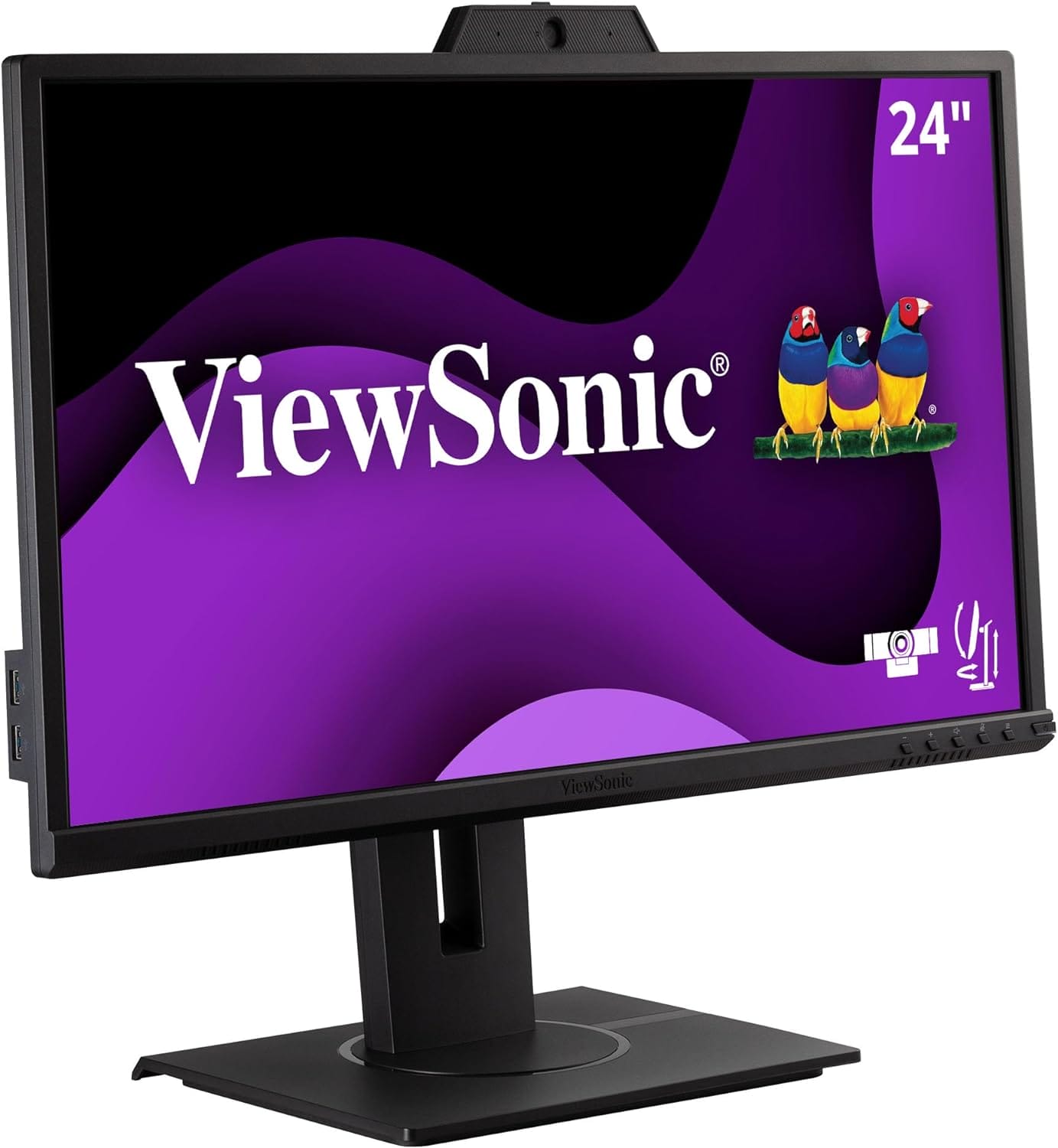 | VIEW ON AMAZON |
Dell S2722DZ 27
Best Value Monitor with Webcam
SPECIFICATIONS
Brand: Dell | Screen Size: 27 Inches | Resolution: QHD Ultra Wide 1440p | Aspect Ratio: 16:9 | Screen Surface Description: Dual
REASONS TO BUY
✓5MP IR Pop-up Camera: High-quality video and privacy assurance.
✓Noise-Canceling Microphones: Clear audio during calls.
✓Dual 5W Speakers: Integrated sound system for convenience.
✓USB-C Connectivity: Versatile port with power delivery.
✓Ergonomic Adjustments: Height, tilt, swivel, and pivot options.
✓High-Resolution Display: Sharp and vibrant 1440p visuals.
REASONS TO AVOID
✗Speaker Quality: Adequate but may not satisfy audiophiles.
✗Limited Ports: Might lack some additional connectivity options.
✗Price: Higher than basic monitors, but justified by features.
The Dell S2722DZ 27-inch monitor is a game-changer for anyone seeking a high-quality, value-packed monitor with an integrated webcam. Designed to cater to the needs of professionals, remote workers, and casual users alike, this monitor combines impressive display features with advanced video conferencing capabilities to offer an all-in-one solution for both work and entertainment.
Superior Video Conferencing
One of the standout features of the Dell S2722DZ is its built-in 5MP IR pop-up camera. This camera not only provides crystal-clear video for virtual meetings but also supports facial recognition through Windows Hello. This feature allows for quick and secure sign-ins to your Windows account, enhancing both convenience and security. The camera’s pop-up mechanism ensures privacy, as it remains hidden until needed, giving users peace of mind when not in use.
The monitor also includes noise-canceling microphones and dual 5W speakers, ensuring that your voice is heard clearly and audio playback is of high quality. Whether you’re on a conference call, streaming a movie, or listening to music, the integrated audio system provides a rich and immersive experience.
Versatile Connectivity
The Dell S2722DZ excels in connectivity with its versatile USB-C port, which delivers video, audio, and data while also charging your laptop with up to 65 watts of power. The Always On Power Delivery feature ensures that your laptop stays charged even when the monitor is off, making it an ideal choice for maintaining a clutter-free desk space with minimal cables.
Ergonomic Design
Comfort and ergonomics are at the forefront of the Dell S2722DZ’s design. The monitor comes with a height-adjustable stand that allows you to tilt, swivel, and pivot the screen to find the perfect viewing angle. This flexibility helps reduce neck and eye strain during long hours of use, making it an excellent choice for both work and play.
Display Quality
The 27-inch screen offers a stunning 2560×1440 resolution, delivering sharp and vibrant images. The IPS panel ensures wide viewing angles and consistent color accuracy, making it suitable for various tasks ranging from detailed graphic work to casual web browsing. The monitor’s sleek design, with thin bezels, provides an expansive viewing experience and is aesthetically pleasing.
Entertainment Center
Transforming the monitor into an entertainment center is easy with its built-in dual 5W speakers. These speakers deliver robust sound quality, enhancing your multimedia experience without the need for external speakers. Whether you’re watching movies, playing games, or video chatting, the integrated speakers provide clear and powerful audio.
Conclusion
The Dell S2722DZ 27-inch monitor is an exceptional value for anyone looking to upgrade their video conferencing and computing experience. Its combination of a high-quality webcam, superior audio features, versatile USB-C connectivity, and ergonomic design make it a standout choice in the market. The added convenience of a pop-up camera with facial recognition, noise-canceling microphones, and integrated speakers further enhances its appeal.
SAMSUNG M8 Series
Best Runner Up Monitor with Webcam
SPECIFICATIONS
Screen Size: 32 Inches | Brand: SAMSUNG | Resolution: 4K UHD 2160p | Special Feature: Built-In Webcam, Height Adjustment, USB Hub, High Dynamic Range, Built-In Speakers | Included Components: Stand, USB-C Cable, Remote Control, Power Cable, Batteries | Connectivity Technology: Bluetooth, Wi-Fi, USB, HDMI | Aspect Ratio: 16:9 | Product Dimensions: 8″D x 28.1″W x 22.6″H
REASONS TO BUY
✓Smart TV Functionality: Access to streaming services and personalized content recommendations.
✓Vibrant Color Options: Available in multiple colors to match your decor.
✓SlimFit Camera: Adjustable and detachable for privacy and convenience.
✓PC-less Productivity: Workmode and Samsung DeX support for seamless productivity.
✓IoT Hub: Manage smart home devices directly from the monitor.
✓Voice Assistants: Far Field Voice feature supports Bixby and Amazon Alexa.
REASONS TO AVOID
✗Speaker Quality: May not satisfy audiophiles seeking high-end audio performance.
The SAMSUNG M8 Series monitor stands out as an exceptional runner-up in the category of monitors with built-in webcams, offering a unique blend of smart TV functionality, vibrant color options, and sleek design. This monitor is designed to cater to modern users who require a versatile and stylish display that can handle both work and entertainment seamlessly.
Smart TV Experience
The SAMSUNG M8 Series monitor goes beyond the traditional role of a monitor by incorporating smart TV features. With built-in access to streaming services like Netflix, YouTube, and Samsung TV Plus, users can enjoy a wide range of on-demand content without the need for additional devices. The Universal Guide provides personalized content recommendations, enhancing the viewing experience by suggesting shows and movies tailored to your preferences. This smart TV functionality makes the M8 Series an excellent choice for users who want an all-in-one entertainment hub.
Vibrant Color Options and Slim Design
One of the most appealing aspects of the SAMSUNG M8 Series is its variety of color options. Available in white, pink, blue, and green, this monitor allows you to choose a color that best fits your personal style and room decor. The ultra-slim flat back and neat camera design contribute to a minimalist aesthetic that enhances any setup. The iconic slim design not only looks modern and stylish but also saves space, making it ideal for both home offices and living rooms.
PC-less Productivity and IoT Hub
The M8 Series monitor is designed to maximize productivity without the need for a separate PC. With its new Workmode, users can browse the web, edit documents, and work on projects directly from the monitor. Additionally, the monitor supports remote access to another PC and Microsoft 365 programs, making it a powerful tool for remote work. The integration with Samsung DeX allows seamless connectivity with Samsung mobile devices, further enhancing its versatility.
The SmartThings IoT Hub feature transforms the M8 Series into a control center for your smart home devices. Users can manage their smart home products, such as lights, blinds, and thermostats, directly from the monitor, adding convenience and efficiency to daily routines.
SlimFit Camera and Voice Assistants
The SlimFit camera included with the SAMSUNG M8 Series is designed with tilt functionality, allowing users to create the perfect angle for video calls. Compatible with popular apps like Google Duo, the camera provides high-quality video for professional and personal use. The detachable camera and built-in cover ensure privacy when the camera is not in use.
The Far Field Voice feature allows users to activate voice assistants like Bixby and Amazon Alexa by speaking commands from a distance. This hands-free functionality adds a layer of convenience, making it easy to control the monitor and access information without lifting a finger.
Conclusion
The SAMSUNG M8 Series monitor is a feature-rich and stylish choice for those seeking a monitor with built-in webcam capabilities. Its smart TV experience, vibrant color options, and sleek design make it a standout in both form and function. The PC-less productivity features, combined with the IoT hub and multiple voice assistants, provide a versatile and efficient solution for modern users.
Whether you need a monitor for work, entertainment, or smart home management, the SAMSUNG M8 Series delivers on all fronts. Its combination of cutting-edge technology, user-friendly features, and aesthetic appeal make it a top contender in the market.
Acer B248Y bemiqprcuzx
Best Budget Monitor with Webcam
SPECIFICATIONS
Brand: acer | Screen Size: 23.8 Inches | Resolution: FHD 1080p | Aspect Ratio: 16:9 | Screen Surface Description: Glossy
REASONS TO BUY
✓Full HD IPS Display: Clear and vibrant visuals with wide viewing angles.
✓Built-In Webcam: Adjustable Full HD webcam with microphone for video conferencing.
✓Color Accuracy: Minimal color difference with Delta E<2.
✓USB Type-C Connectivity: Supports data, power delivery (100W), and DisplayPort.
✓Extensive Ports: Multiple video and USB ports for versatile connectivity.
✓Ergonomic Design: Adjustable stand for optimal comfort.
✓Environmental Certifications: EPEAT Bronze and TUV/Eyesafe certified.
REASONS TO AVOID
✗Speaker Quality: Basic audio performance, not suited for high-end sound.
✗Refresh Rate: 75Hz may not be ideal for competitive gaming.
✗Design: Functional but lacks the aesthetic appeal of higher-end models.
The Acer B248Y bemiqprcuzx is a highly versatile and affordable monitor that combines essential features with excellent performance, making it a standout choice for users seeking a budget-friendly display with a built-in webcam. Designed to cater to the needs of professionals, remote workers, and students, this monitor offers a comprehensive suite of features that enhance both productivity and connectivity.
Superior Display and Color Accuracy
The Acer B248Y features a 23.8-inch Full HD (1920 x 1080) IPS display, which ensures vibrant colors and wide viewing angles. The IPS technology allows for consistent color accuracy and clarity from virtually any angle, making it ideal for tasks that require precise color representation, such as graphic design and video editing. The monitor boasts a color accuracy with Delta E<2, ensuring minimal color difference and delivering true-to-life visuals that enhance the overall viewing experience.
Built-In Webcam and Microphone
A standout feature of the Acer B248Y is its built-in Full HD adjustable webcam with a microphone. This integration simplifies video conferencing and online communication, providing clear and sharp video quality for virtual meetings, online classes, and video calls. The adjustable webcam allows users to find the perfect angle, ensuring they look their best during video interactions.
Smooth Performance
With a refresh rate of 75Hz and a response time of 4ms (G to G), the Acer B248Y delivers smooth and responsive performance. While it may not be the fastest monitor available, these specifications are more than adequate for everyday tasks, including browsing, office work, and casual gaming. The Adaptive-Sync support further enhances the visual experience by reducing screen tearing and stuttering, ensuring a smooth and seamless display.
Robust Connectivity
The Acer B248Y excels in connectivity, offering a range of ports to accommodate various devices and peripherals. The monitor includes a USB Type-C port that supports data transfer, power delivery (up to 100W), and DisplayPort over USB-C, providing a versatile and clutter-free setup. Additionally, the monitor features one DisplayPort 1.4, one DisplayPort Out, one HDMI 2.0, and an Ethernet (RJ-45) port. The extensive array of USB ports includes four USB 3.0 downstream ports and six USB-B 3.0 ports (two up and four down), making it easy to connect multiple devices simultaneously.
Audio and Ergonomics
The Acer B248Y is equipped with two 2-watt speakers, offering basic audio functionality for everyday use. While the speakers may not provide high-end audio quality, they are sufficient for video calls, casual listening, and basic multimedia needs. The monitor also prioritizes user comfort with its ergonomic design, featuring a stand that allows for height adjustment, tilt, swivel, and pivot. This flexibility ensures that users can find the most comfortable viewing position, reducing strain during extended use.
Certifications and Environmental Considerations
The Acer B248Y is EPEAT Bronze certified and holds TUV/Eyesafe certification, underscoring its commitment to sustainability and eye health. These certifications ensure that the monitor meets specific environmental standards and reduces blue light emissions, protecting users’ eyes during long hours of use.
Conclusion
The Acer B248Y bemiqprcuzx is an excellent choice for those seeking a budget-friendly monitor with a built-in webcam. Its Full HD IPS display, superior color accuracy, and smooth performance make it ideal for a wide range of tasks, from professional work to casual gaming. The integrated webcam and microphone provide a convenient solution for video conferencing, while the robust connectivity options ensure compatibility with a variety of devices.
Although the built-in speakers may not satisfy audiophiles, they offer adequate sound quality for everyday use. The ergonomic design and environmental certifications further enhance the monitor’s appeal, making it a reliable and versatile addition to any workspace.
Dell S2422HZ
Best All Rounder Monitor with Webcam
REASONS TO BUY
✓Full HD IPS Display: Clear and vibrant visuals with wide viewing angles.
✓Integrated Webcam: Pop-up Full HD camera for privacy and video conferencing.
✓Noise-Cancelling Microphones: Clear audio for calls.
✓Dual 5W Speakers: Robust built-in sound system.
✓AMD FreeSync Technology: Smooth and stutter-free visuals.
✓USB-C Connectivity: Simplified connection and charging.
✓Ergonomic Design: Adjustable stand for optimal comfort.
REASONS TO AVOID
✗No VESA Mount: Limited mounting options.
The Dell S2422HZ is a versatile and efficient monitor designed to cater to a variety of needs, making it an excellent all-rounder choice for both professional and personal use. This 24-inch Full HD monitor comes equipped with a range of features aimed at enhancing productivity, connectivity, and entertainment, all wrapped up in a sleek and modern design.
Display and Performance
The Dell S2422HZ boasts a 24-inch Full HD (1920 x 1080) IPS panel, which delivers clear and vibrant visuals with accurate color reproduction. The IPS technology ensures wide viewing angles, allowing you to view the screen comfortably from almost any position. With a refresh rate of 75Hz and a response time of 4ms, this monitor provides smooth and responsive performance for everyday tasks, multimedia consumption, and casual gaming. The inclusion of AMD FreeSync technology further enhances the visual experience by reducing screen tearing and stuttering during fast-paced actions, ensuring a seamless and enjoyable viewing experience.
Integrated Webcam and Audio
A standout feature of the Dell S2422HZ is its built-in pop-up webcam. This Full HD camera provides crisp and clear video quality for video conferencing, online meetings, and virtual classes. The pop-up mechanism ensures privacy by allowing you to retract the camera when not in use, protecting you from unwanted intrusions. Complementing the webcam are the dual noise-cancelling microphones, which filter out background noise to ensure your voice is heard clearly during calls.
Additionally, the monitor features dual 5W speakers that deliver robust and clear audio, eliminating the need for external speakers. This integrated sound system is perfect for video calls, watching videos, and listening to music, providing a complete multimedia experience right out of the box.
Connectivity and Ergonomics
The Dell S2422HZ offers versatile connectivity options, including DisplayPort 1.4, HDMI 1.4, and USB-C. The USB-C port supports data transfer, video output, and power delivery, allowing you to connect and charge your laptop with a single cable. This reduces desk clutter and simplifies your workspace setup.
Ergonomically, the monitor excels with its adjustable stand that offers height, tilt, swivel, and pivot adjustments. This flexibility ensures that you can position the monitor to achieve the most comfortable viewing angle, reducing strain during long periods of use.
Design and Color Accuracy
The monitor’s sleek silver finish and modern design add a touch of elegance to any workspace. With support for 16.7 million colors, the Dell S2422HZ provides vibrant and lifelike visuals, making it suitable for both professional tasks that require color accuracy and for enjoying high-quality multimedia content.
Limitations
One drawback of the Dell S2422HZ is the lack of VESA mount compatibility. This limits the ability to mount the monitor on a wall or an adjustable arm, which could be a consideration for users with specific mounting needs.
Conclusion
The Dell S2422HZ is an outstanding all-rounder monitor that combines excellent display quality, versatile connectivity, and robust built-in features to enhance both work and entertainment experiences. Its Full HD IPS panel with AMD FreeSync technology ensures smooth and vibrant visuals, while the integrated webcam, noise-cancelling microphones, and dual speakers provide a comprehensive solution for video conferencing and multimedia use.
The ergonomic design and USB-C connectivity further add to its appeal, making it a highly convenient and user-friendly monitor. Despite the lack of VESA mount compatibility, the Dell S2422HZ stands out as a top choice for those seeking a reliable and feature-rich monitor that caters to a wide range of needs.
ASUS 27” 1080P
Best Affordable Monitor with Webcam
SPECIFICATIONS
Brand: ASUS | Screen Size: 27 Inches | Resolution: FHD 1080p | Aspect Ratio: 16:9 | Screen Surface Description: Glossy
REASONS TO BUY
✓Full HD IPS Display: Clear and vibrant visuals with wide viewing angles.
✓Integrated Webcam: Adjustable Full HD camera for video conferencing.
✓Built-in Microphone and Speakers: Clear audio for calls and media.
✓Extensive Connectivity: Multiple ports for flexible connections.
✓Ergonomic Design: Adjustable stand for optimal comfort.
✓Eye Care Technologies: Reduces eye strain and fatigue.
✓Value-Added Features: Free 3-month Adobe Creative Cloud subscription.
REASONS TO AVOID
✗Speaker Quality: Adequate for basic use but may not satisfy audiophiles.
✗No VESA Mount: Limited mounting options.
The ASUS 27-inch 1080P monitor is an excellent choice for those seeking an affordable, high-quality monitor with integrated webcam capabilities. Designed to meet the needs of business professionals, remote workers, and online learners, this monitor combines a spacious display, versatile connectivity options, and ergonomic design, making it a comprehensive solution for various applications.
Display and Visual Performance
The ASUS 27-inch monitor features a Full HD (1920 x 1080) IPS panel, providing sharp and clear visuals with accurate color reproduction. The frameless design enhances the viewing experience by offering more screen real estate and a sleek, modern look. The IPS technology ensures wide viewing angles, allowing you to see consistent colors and clarity from almost any position. This makes it ideal for collaborative work and presentations where multiple viewers are involved.
Integrated Webcam and Audio
A key feature of this monitor is its integrated Full HD adjustable webcam, which is perfect for video conferencing and online learning. The webcam is complemented by a built-in microphone array and stereo speakers, delivering clear audio for virtual meetings and classes. The adjustable webcam allows you to find the perfect angle, ensuring that you always look your best during video calls.
Extensive Connectivity
The ASUS 27-inch monitor excels in connectivity, offering a range of ports to accommodate various devices. It includes DisplayPort, HDMI, D-sub, USB (upstream for the webcam), Audio in, and an earphone jack. This extensive connectivity ensures that you can easily connect the monitor to your computer, laptop, or other peripherals, providing flexibility and convenience. The inclusion of HDMI, DisplayPort, and USB cables in the box adds to the value, making setup straightforward and hassle-free.
Ergonomic Design
User comfort is a priority with the ASUS 27-inch monitor. The ergonomic design allows for extensive adjustments, including +35° to -5° tilt, ±180° swivel, ±90° pivot, and 150mm height adjustments. This flexibility ensures that you can position the monitor for optimal comfort, reducing strain during long hours of use. The monitor’s adjustable stand makes it suitable for a variety of workspace configurations, enhancing overall productivity and comfort.
Eye Care Technologies
ASUS Eye Care technologies are another standout feature of this monitor. TÜV Rheinland-certified Flicker-Free and Low Blue Light technologies help reduce eye strain and fatigue, making it easier to work for extended periods. These features are particularly beneficial for users who spend long hours in front of the screen, ensuring a more comfortable viewing experience.
Additional Features
The monitor comes with a complimentary 3-month Adobe Creative Cloud subscription, adding value for creative professionals and students. This offer provides access to powerful creative tools, enhancing the monitor’s appeal for those involved in design and multimedia projects.
Conclusion
The ASUS 27-inch 1080P monitor is a fantastic option for those seeking an affordable, feature-rich monitor with integrated webcam capabilities. Its Full HD IPS panel delivers sharp and vibrant visuals, while the built-in webcam, microphone, and speakers provide a comprehensive solution for video conferencing and online learning. The extensive connectivity options, ergonomic design, and ASUS Eye Care technologies further enhance its value, making it a versatile and user-friendly choice for various applications.
Whether you’re a business professional, remote worker, or student, this monitor offers the performance and features needed to enhance your productivity and overall experience. With its combination of quality, functionality, and affordability, the ASUS 27-inch 1080P monitor stands out as a top choice in its category.
ViewSonic VG2440V
Best Cheap Monitor with Webcam
SPECIFICATIONS
Brand: ViewSonic | Screen Size: 24 Inches | Resolution: FHD 1080p | Aspect Ratio: 16:9 | Screen Surface Description: Glossy
REASONS TO BUY
✓Full HD IPS Display: Sharp and vibrant visuals with wide viewing angles.
✓Integrated Webcam: 2MP camera with privacy shutter for video conferencing.
✓Built-in Microphone and Speakers: Clear audio for calls and media.
✓Ergonomic Design: Adjustable stand for optimal comfort.
✓Enhanced Viewing Comfort: Flicker-Free technology and Blue Light Filter.
✓Flexible Connectivity: Multiple input options for versatile connections.
REASONS TO AVOID
✗Speaker Quality: Basic audio performance, not suited for high-end sound.
✗Refresh Rate: 60Hz may not be ideal for high-intensity gaming.
The ViewSonic VG2440V stands out as an excellent choice for those seeking a budget-friendly monitor with integrated webcam capabilities. Designed for both professional and personal use, this monitor combines essential features, ergonomic design, and versatile connectivity to deliver a comprehensive solution for video conferencing, remote work, and everyday computing.
Display and Performance
The ViewSonic VG2440V features a 24-inch Full HD (1920×1080) IPS display that delivers sharp and clear visuals with vibrant colors and wide viewing angles. The IPS technology ensures consistent color accuracy and clarity from virtually any angle, making it ideal for collaborative work and presentations. With a 60Hz refresh rate, the monitor provides smooth performance for everyday tasks, such as web browsing, document editing, and multimedia consumption.
Integrated Webcam and Audio
A key feature of the VG2440V is its integrated 2MP webcam, which is perfect for video conferencing and virtual meetings. The built-in microphone and speakers provide clear audio, ensuring that you are seen and heard clearly during video calls. The webcam includes a privacy shutter, which can be closed when the camera is not in use, protecting your privacy and providing peace of mind. This feature is particularly useful for professionals and remote workers who frequently participate in virtual meetings.
Ergonomic Design
User comfort is a priority with the ViewSonic VG2440V, thanks to its advanced ergonomic stand. The monitor offers extensive adjustments, including tilt, swivel, rotate, and height adjustments. This flexibility allows you to find the most comfortable viewing position, reducing strain on your neck and eyes during long hours of use. The ergonomic design makes it suitable for a variety of workspace configurations, enhancing overall productivity and comfort.
Enhanced Viewing Comfort
The VG2440V is equipped with Flicker-Free technology and a Blue Light Filter, which help reduce eye fatigue and strain. These features are particularly beneficial for users who spend extended periods in front of the screen, ensuring a more comfortable viewing experience. By minimizing flicker and harmful blue light emissions, the monitor helps protect your eyes and promotes better overall health.
Flexible Connectivity
The ViewSonic VG2440V excels in connectivity, offering a range of input options to accommodate various devices. The monitor includes HDMI, USB, DisplayPort, and VGA inputs, providing flexibility and convenience when connecting to laptops, PCs, Macs, and other peripherals. This extensive connectivity ensures compatibility with a wide range of devices, making it easy to integrate the monitor into your existing setup.
Conclusion
The ViewSonic VG2440V is a standout choice for those seeking a cheap monitor with a built-in webcam. Its 24-inch Full HD IPS display delivers vibrant and clear visuals, while the integrated webcam, microphone, and speakers provide a comprehensive solution for video conferencing and virtual meetings. The advanced ergonomic design ensures user comfort, and the enhanced viewing comfort features help reduce eye strain during extended use.
With its versatile connectivity options and budget-friendly price, the ViewSonic VG2440V offers exceptional value for a wide range of users, from professionals and remote workers to students and casual users. Whether you need a reliable monitor for work, study, or entertainment, the VG2440V delivers the performance and features you need without breaking the bank.
Overall Article Conclusion
Whether you’re a professional needing a reliable monitor for virtual meetings, a student attending online classes, or someone who enjoys high-quality multimedia experiences, the Dell S2722DZ delivers on all fronts. Its balance of performance, functionality, and value makes it one of the best monitors with a webcam available today.

CEO
Hi, My name is Bilal Ali and I am an affiliate marketer and have been involved in this field for a number of years. I have a lot of experience and knowledge in this area, which I love to share with others. I am always looking for new ways to improve my skills and learn more about affiliate marketing. I am also very active on social media, and love to connect with others in the industry.



