Embarking on creative journeys with your Cricut machine opens a world of possibilities, and choosing the right printer is a crucial step in bringing your designs to life. The synergy between your Cricut and the perfect printer is the key to turning visions into tangible creations.
Whether you’re crafting personalized stickers, vibrant decals, or intricate heat transfer designs, the best printer for Cricut becomes your artistic accomplice. In this guide, we delve into the realm of printers that seamlessly complement the precision and versatility of your Cricut, unlocking a spectrum of creative potential.
AT A GLANCE:
Best Value Printer for Cricut
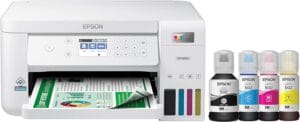
Epson EcoTank ET-3830
- Auto 2-Sided Printing for Efficiency
- High Resolution (4800 x 1200) for Detailed Prints
- Mobile Printing Options for Convenience
- Easy-to-View 2.4″ Color Display
- Swift Printing Speeds (15 ppm in black, 8 ppm in color)
- Cartridge-Free Supertank System
Best High End Printer for Cricut
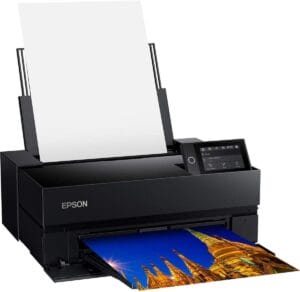
Epson SureColor P700
- Outstanding Image Quality with UltraChrome PRO10 Ink
- No Photo and Matte Black Ink Switching for Seamless Workflow
- Advanced 10-channel MicroPiezo AMC Printhead for Precision
- Easy Printing from iOS Devices with a User-Friendly Interface
- Carbon Black Driver Technology for Best-in-Class Black Density
- Professional Media Handling for Versatility
Best Budget Printer for Cricut

Canon G3260
- Remarkable Ink Savings
- High Yields for Both Black and Color Pages
- Hybrid Ink System for Versatile Printing
- Fast Print Speeds and Flatbed Scanner
- Wireless Connectivity for Mobile Printing
- Bonus Black Ink Bottles Included
Buying Guide:
Compatibility with Cricut: Ensure that the printer you choose is compatible with Cricut Design Space. Look for printers that integrate seamlessly with your Cricut machine to simplify the printing process.
Print Quality: Opt for a printer that delivers high print quality to showcase the intricate details of your Cricut designs. Look for features like vibrant color reproduction and sharp resolution for stunning results.
Wireless Connectivity: Choose a printer with wireless connectivity options, such as Wi-Fi or Bluetooth. This allows for convenient printing from your Cricut machine without the hassle of cables.
Versatility in Media Handling: A printer that accommodates various media types, including specialty papers and sticker sheets, provides flexibility for different Cricut projects. Look for printers with adjustable paper trays and versatile media handling capabilities.
Ink Type: Consider the type of ink the printer uses. For Cricut projects, printers with pigment-based inks are often preferred for their durability and fade resistance, ensuring longevity for your creations.
Size and Compactness: Depending on your workspace, choose a printer that fits seamlessly into your crafting area. Compact printers with efficient designs are ideal for crafting corners and ensure easy integration with your Cricut setup.
Budget Consideration: Determine your budget and find a printer that strikes a balance between features and affordability. There are excellent options available at various price points to suit different crafting needs.
Brand Reputation: Opt for reputable printer brands known for their quality and reliability. Research customer reviews and ratings to gauge the real-world performance of the printer with Cricut machines.
By considering these factors, you can find the best printer for Cricut that aligns with your creative aspirations and enhances the output of your crafting endeavors. Whether you’re a seasoned crafter or just starting, the right printer adds a layer of precision and vibrancy to your Cricut projects, making each creation a masterpiece.
Here are our recommended Top 10 Best Printer for Cricut which you can purchase today
| Award | Design | Retailer | |
|---|---|---|---|
| Best Value Printer for Cricut | Best Pick | VIEW ON AMAZON | |
| Best High End Printer for Cricut | Staff Pick | VIEW ON AMAZON | |
| Best Budget Printer for Cricut | Budget Pick | VIEW ON AMAZON | |
| Best Runner Up Printer for Cricut | 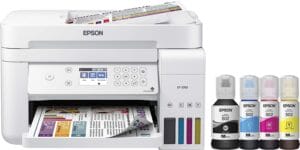 | VIEW ON AMAZON | |
| Best Performance Printer for Cricut | 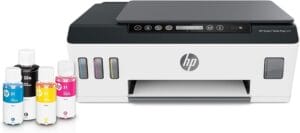 | VIEW ON AMAZON | |
| Best Affordable Printer for Cricut | 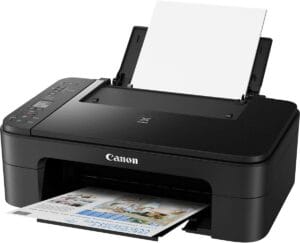 | VIEW ON AMAZON | |
| Best All Rounder Printer for Cricut |  | VIEW ON AMAZON | |
| Best Smooth Printer for Cricut | 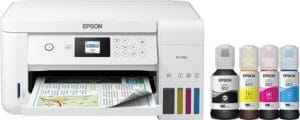 | VIEW ON AMAZON | |
| Best Pocket Friendly Printer for Cricut |  | VIEW ON AMAZON | |
| Best Cheap Printer for Cricut | 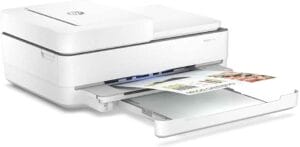 | VIEW ON AMAZON |
Epson EcoTank ET-3830
Best Value Printer for Cricut
SPECIFICATIONS
Brand: Epson | Connectivity Technology: Wi-Fi, Ethernet | Printing Technology: Inkjet | Special Feature: Network-Ready, Display Screen, Refillable Ink Tank | Color: White | Model Name: ET-3830 White
REASONS TO BUY
✓Auto 2-Sided Printing for Efficiency
✓High Resolution (4800 x 1200) for Detailed Prints
✓Mobile Printing Options for Convenience
✓Easy-to-View 2.4″ Color Display
✓Swift Printing Speeds (15 ppm in black, 8 ppm in color)
✓Cartridge-Free Supertank System
REASONS TO AVOID
✗Entry-Level Price with Basic Features
✗Limited Information on Specialty Paper Handling
The Epson EcoTank ET-3830 emerges as the Best Value Printer for Cricut, seamlessly blending efficiency, affordability, and versatility to elevate your crafting experience. Crafters and creators alike will appreciate the thoughtful features of this Supertank printer, making it an ideal companion for Cricut projects of all kinds.
Designed to streamline your workflow, the ET-3830 offers auto 2-sided printing, borderless copying, and more. This thoughtful design caters to the demands of modern crafting, where efficiency and precision go hand in hand. The easy-to-view 2.4″ color display adds a user-friendly touch, ensuring that navigating through the printer’s functions is a breeze.
Printing at a remarkable resolution of 4800 x 1200, the ET-3830 produces prints with outstanding text and image detail. This level of precision is crucial for Cricut projects, ensuring that every intricate design and vibrant color is faithfully reproduced. Whether you’re creating stickers, decals, or personalized artwork, the ET-3830 brings your visions to life with clarity.
Speed is another highlight of the ET-3830, delivering up to 15 pages per minute (ppm) in black and 8 ppm in color. This swift printing capability ensures that your Cricut projects come to fruition without unnecessary delays, keeping up with the pace of your creativity.
The auto 2-sided printing feature not only enhances efficiency but also contributes to cost savings. This eco-friendly approach aligns with the principles of sustainable crafting, allowing you to create while minimizing environmental impact.
Mobile printing options further enhance the ET-3830’s appeal. Compatibility with the Epson Smart Panel App, Epson Email Print, Epson Remote Print, Epson Scan to Cloud, Epson Print and Scan App, Apple AirPrint, Android Printing, Fire OS Printing, and Mopria Print Service offers a range of convenient choices to suit your preferred devices and platforms.
Conclusion
In conclusion, the Epson EcoTank ET-3830 stands out as the Best Value Printer for Cricut, delivering a harmonious blend of features tailored to the needs of crafters. Its efficient design, high-resolution printing, and versatile mobile printing options make it a valuable asset for anyone passionate about bringing their Cricut creations to life. The ET-3830 adds a layer of convenience and precision to your crafting endeavors, ensuring that each project is a masterpiece in the making.
Epson SureColor P700
Best High End Printer for Cricut
SPECIFICATIONS
Brand: Epson | Connectivity Technology: Wi-Fi | Printing Technology: Inkjet | Special Feature: Network-Ready, Touch Screen | Color: Black | Model Name: P700
REASONS TO BUY
✓Outstanding Image Quality with UltraChrome PRO10 Ink
✓No Photo and Matte Black Ink Switching for Seamless Workflow
✓Advanced 10-channel MicroPiezo AMC Printhead for Precision
✓Easy Printing from iOS Devices with a User-Friendly Interface
✓Carbon Black Driver Technology for Best-in-Class Black Density
✓Professional Media Handling for Versatility
REASONS TO AVOID
✗Limited Information on Specialty Paper Compatibility
The Epson SureColor P700 stands as the epitome of excellence, earning its title as the Best High-End Printer for Cricut. Crafted with precision and equipped with cutting-edge technologies, this printer redefines image quality, color accuracy, and professional-grade printing for the discerning crafter and artist.
At the heart of its prowess lies the UltraChrome PRO10 Ink with Violet, unleashing a wide color gamut that breathes life into your designs with vibrant and rich colors. The absence of Photo and Matte Black ink switching is a game-changer, boasting dedicated nozzles for both black ink types. This eliminates the need for tedious switching, ensuring seamless workflow and consistent results.
The 10-channel MicroPiezo AMC printhead is a marvel, consistently delivering prints with outstanding speed, precision, and accuracy. This advanced technology ensures that every detail of your Cricut projects is reproduced with unparalleled clarity, making the SureColor P700 a true artist’s tool.
Printing directly from your iOS device becomes a seamless experience, thanks to the easy-to-use interface. The inclusion of the Carbon Black Driver Technology elevates black density on glossy papers to best-in-class levels. This innovation ensures that your black and white designs, especially on glossy surfaces, achieve a depth and richness that sets them apart.
Professional media handling is a standout feature, accommodating rolls and sheet media up to 1.5 mm thick of Epson Professional, Signature Worthy, and Legacy papers, as well as third-party media. This versatility empowers you to explore various mediums for your Cricut creations, expanding your creative horizons.
The user-friendly design enhances the overall experience, featuring a 4.3″ customizable touchscreen, wireless connectivity, and an interior LED light for fast and convenient operation. Epson has seamlessly blended advanced features with ease of use, ensuring that crafting with the SureColor P700 is a joyous and efficient endeavor.
Conclusion
In conclusion, the Epson SureColor P700 stands tall as the Best High-End Printer for Cricut, setting a new standard for image quality, color accuracy, and professional-grade printing. Crafters and artists seeking the pinnacle of printing technology will find their creative ally in the SureColor P700, where precision meets passion, and every print is a masterpiece in the making.
Canon G3260
Best Budget Printer for Cricut
SPECIFICATIONS
Brand: Canon | Connectivity Technology: USB | Printing Technology: Inkjet | Special Feature: magnetic_proof | Color: Black | Model Name: CNPIXG3260
REASONS TO BUY
✓Remarkable Ink Savings
✓High Yields for Both Black and Color Pages
✓Hybrid Ink System for Versatile Printing
✓Fast Print Speeds and Flatbed Scanner
✓Wireless Connectivity for Mobile Printing
✓Bonus Black Ink Bottles Included
REASONS TO AVOID
✗Potential Learning Curve for Smart Reorder Setup
The Canon G3260 emerges as the Best Budget Printer for Cricut, offering a perfect blend of affordability, efficiency, and versatility. Crafters and DIY enthusiasts will find a reliable partner in the G3260, providing cost-effective printing without compromising on quality.
One of the standout features of the G3260 is its remarkable ink savings, with an estimated 1,175 pages per set of color bottles. This translates to substantial cost savings, making it an ideal choice for budget-conscious crafters who don’t want to compromise on quantity or quality. Additionally, the printer comes with two bonus black ink bottles, ensuring that you have ample supply for your printing needs.
With high yields of up to 6,000 black and 7,700 color printed pages, the G3260 offers impressive longevity on a single set of ink bottles. This is a significant advantage for crafters engaged in regular Cricut projects, providing a consistent and reliable printing solution.
The hybrid ink system, featuring pigment black for sharp text and dye-based colors for vivid borderless photos up to 8.5” x 11”, caters to the diverse needs of crafters. Whether you’re printing detailed Cricut designs or vibrant photos, the G3260 delivers consistent and high-quality results.
The printer’s fast print speeds and flatbed scanner add to its versatility, making it a true All-In-One solution. Crafters can seamlessly handle printing, copying, and scanning tasks with ease, streamlining their creative process.
Wireless connectivity allows you to connect and print from your compatible mobile devices, adding a layer of convenience to your crafting experience. The integration with Alexa offers a smart and proactive approach to ink management. Receive notifications when ink levels are low, and with Alexa’s smart reorders, ensure you never run out of ink or toner without the hassle of subscriptions.
Enrolling in smart reorders with Alexa ensures a balanced ink supply, eliminating the worry of having too much or too little ink or toner. This intelligent feature aligns with the needs of crafters who want a hassle-free and cost-effective printing experience.
Conclusion
In conclusion, the Canon G3260 stands out as the Best Budget Printer for Cricut, offering an affordable yet feature-rich solution for crafters. With ink savings, high yields, versatile printing capabilities, and smart connectivity, the G3260 is a reliable companion for those looking to enhance their crafting.
Epson EcoTank ET-3760
Best Runner Up Printer for Cricut
SPECIFICATIONS
Brand: Epson | Connectivity Technology: Wi-Fi, Ethernet | Printing Technology: Inkjet | Special Feature: Zero Cartridge Waste, Auto Document Feeder, Voise Activated Printing | Color: White | Model Name: EcoTank ET-3760
REASONS TO BUY
✓Innovative Cartridge-Free Printing
✓Dramatic Savings on Replacement Ink
✓Stress-Free Printing with 2 Years of Ink
✓Eco-Friendly with Zero Cartridge Waste
✓Impressive Print Quality with PrecisionCore Technology
✓Robust Paper Handling Features
REASONS TO AVOID
✗Advanced Features May Require Familiarity
The Epson EcoTank ET-3760 stands as the Best Runner Up Printer for Cricut, delivering an innovative and efficient printing solution for busy offices and home-based crafters. Packed with features that enhance productivity, save costs, and prioritize convenience, the ET-3760 offers a comprehensive package for users seeking reliable and high-quality printing.
One of the standout features of the ET-3760 is its innovative cartridge-free printing system. The high-capacity ink tanks eliminate the need for traditional cartridges, providing users with an eco-friendly and cost-effective solution. The exclusive EcoFit ink bottles make refilling a breeze, ensuring a stress-free printing experience.
Cost savings are a key highlight of the ET-3760, with dramatic reductions in replacement ink expenses. Users can save up to 90% with replacement ink bottles compared to traditional cartridges, equating to printing capabilities of up to 7,500 pages in black and 6,000 color. This not only translates to significant financial savings but also contributes to a reduction in cartridge waste ending up in landfills.
The stress-free printing experience is further enhanced by the inclusion of up to 2 years of ink in the box. Crafters can embark on their projects with the assurance that they won’t run out of ink midway. The thoughtful inclusion of an Auto Document Feeder, paper-saving auto 2-sided printing, and a 250-sheet paper tray adds robustness to paper handling, catering to high productivity requirements.
Impressive print quality is achieved through the unique PrecisionCore Heat-Free Technology and Claria ET pigment black ink. This combination results in extremely sharp text and impressive color reproduction on various paper types, meeting the diverse needs of crafters and professionals alike.
The ET-3760 is designed to be a versatile and user-friendly printer, featuring a large color display for easy navigation and setup. Crafters can easily manage their printing tasks with efficiency and precision, ensuring that the printer seamlessly integrates into their creative process.
Conclusion
In conclusion, the Epson EcoTank ET-3760 emerges as the Best Runner Up Printer for Cricut, offering a well-rounded solution for both office and crafting needs. Its innovative cartridge-free system, cost savings, stress-free printing, impressive print quality, and robust paper handling make it a reliable and efficient choice for users seeking a high-performance printer with added convenience.
HP Smart -Tank Plus 551
Best Performance Printer for Cricut
SPECIFICATIONS
Brand: HP | Connectivity Technology: Bluetooth, Wi-Fi, USB | Printing Technology: Inkjet | Special Feature: Wireless, Dual band wi-fi, ENERGY STAR Certified, Network-Ready, Flatbed scanner, Cloud print enabled | Color: White | Model Name: 6HF11A#B1H
REASONS TO BUY
✓Easy mobile printing with HP Smart app
✓2 years of ink in bottles included
✓Simple, spill-free refill system
✓Reliable dual-band Wi-Fi connectivity
✓Fast print speeds and efficient task handling
✓Wide range of supported paper sizes
✓One-year limited hardware warranty with 24/7 web support
REASONS TO AVOID
✗May not have advanced color management features
✗Limited information on specialty paper compatibility
The HP Smart Tank Plus 551 stands out as the Best Performance Printer for Cricut, combining exceptional print quality, cost savings, and convenient features for both home and office use. Designed with efficiency and user-friendliness in mind, this ink tank printer offers a robust solution for those seeking high-performance printing.
One of the key highlights of the Smart Tank Plus 551 is its ink tank system, providing the best ink tank print quality in its class. Users can rely on this printer to consistently deliver dark, crisp text and vibrant color graphics for all their printing needs. The affordability of the ink tank printer makes it an ideal choice for those looking for a budget-friendly yet high-quality printing solution.
Managing print and scan projects is made effortless with the HP Smart app, allowing users to set up the printer and control tasks on the go using their smartphones or tablets. This seamless mobile printing experience enhances convenience and flexibility for users who value mobility and ease of use.
The Smart Tank Plus 551 takes cost savings to the next level by including 2 years of ink in bottles. With the ability to produce up to 8,000 color pages or 6,000 black pages, users can enjoy low-cost, high-volume printing without the worry of running out of ink. The integrated ink tank design and automatic ink sensor ensure a simple, spill-free refill process with convenient resealable bottles.
Connectivity is reliable and efficient with dual-band Wi-Fi, ensuring faster and more stable connections whether linking the printer to the network or enabling mobile printing from devices. Speed is not compromised, with the printer boasting print speeds of up to 11ppm and fast first-page printing to keep up with the demands of various printing tasks.
The Smart Tank Plus 551 accommodates a wide range of paper sizes, making it versatile for different printing needs. From standard letter and legal sizes to smaller formats like 3 x 5 inches and 4 x 6 inches, users have flexibility in choosing the appropriate paper size for their projects.
HP stands behind the Smart Tank Plus 551 with a one-year limited hardware warranty, providing users with confidence and peace of mind. Additionally, 24-hour, 7 days a week web support ensures that assistance is readily available whenever needed.
Conclusion
In conclusion, the HP Smart Tank Plus 551 earns its title as the Best Performance Printer for Cricut by delivering exceptional print quality, cost-effective printing, convenient features, and reliable connectivity. Whether used for crafting or office tasks, this printer offers a comprehensive solution that meets the demands of performance-oriented users.
Canon Pixma TS3320
Best Affordable Printer for Cricut
SPECIFICATIONS
Brand: Canon | Connectivity Technology: Wi-Fi, USB | Printing Technology: Inkjet | Special Feature: magnetic_proof | Color: Black | Model Name: Canon PIXMA TS3320 BK
REASONS TO BUY
✓Affordable and cost-effective photo printing
✓Wireless printing with AirPrint and Wireless Direct
✓Dual-band Wi-Fi and Bluetooth Smart for reliable connectivity
✓SD card slot for direct printing
✓HP Smart app for easy setup and cloud printing
✓Compact design with a color touchscreen interface
REASONS TO AVOID
✗Not explicitly designed for high-volume or professional use
The Canon Pixma TS3320 is a versatile and affordable all-in-one printer designed to meet the printing needs of both households and creative enthusiasts. With its compact design and impressive features, it offers a cost-effective solution for users seeking a reliable printer for Cricut projects and everyday printing tasks.
One of the standout features of the Pixma TS3320 is its ability to produce stunning photos at an incredibly low cost—less than 5 cents per photo. This makes it an attractive option for users who prioritize high-quality photo prints without breaking the bank. The printer supports essential functions such as printing, scanning, and copying, making it a versatile addition to any creative space.
Wireless printing is made seamless with the Pixma TS3320, allowing users to print directly from their mobile devices using AirPrint or Wireless Direct printing. The inclusion of dual-band Wi-Fi and Bluetooth Smart ensures reliable connectivity, making it easy to set up and start printing wirelessly.
For added convenience, the printer is equipped with an SD card slot, enabling users to print directly from their SD cards. The color touchscreen interface further simplifies the printing process, providing easy navigation and adjustment of print settings. The dedicated paper trays automatically adjust to match print settings and paper type, enhancing user convenience.
To enhance the overall printing experience, the Canon Pixma TS3320 is compatible with the HP Smart app—a powerful tool that enables users to set up the printer effortlessly, scan documents using their device’s camera, and print directly from popular cloud services like iCloud, Google Drive, and Dropbox.
For users concerned about running out of ink, the printer offers the option to enroll in HP Instant Ink during the setup process. This subscription service delivers ink to your doorstep, with the first two months free, ensuring you never run out of ink at a crucial moment.
While the Pixma TS3320 may not have advanced features tailored specifically for Cricut projects, its affordability, versatility, and user-friendly design make it a great budget-friendly option for those seeking a reliable printer for various creative endeavors and everyday printing needs.
HP ENVY Photo 7155
Best All Rounder Printer for Cricut
SPECIFICATIONS
Brand: HP | Connectivity Technology: Bluetooth, Wi-Fi | Printing Technology: Inkjet | Special Feature: Auto-Duplex, Scan to Email, Optional High-Yield Cartridges, Network-Ready, Color Touchscreen etc | Color: Black | Model Name: HP ENVY Photo 7155
REASONS TO BUY
✓Wireless Connectivity: Effortless setup and printing from smartphones, laptops, and tablets.
✓AirPrint Compatibility: Seamless printing from iPhone, iPad, and Mac without additional apps.
✓User-Friendly Design: Simple cartridge replacement for great print quality.
✓Versatility: Ideal for Cricut projects and general printing needs.
✓Excellent Print Quality: Sharp and vibrant results for both Cricut designs and photos.
REASONS TO AVOID
✗Ink Replacement Cost: Cartridges may be relatively expensive to replace.
If you’re in the market for a reliable and versatile printer that seamlessly integrates with your Cricut machine, look no further than the HP ENVY Photo 7155. As a proud owner, I can confidently say that this printer stands out as the best all-rounder for Cricut enthusiasts, offering a perfect blend of convenience, wireless connectivity, and impressive print quality.
One of the standout features of the ENVY Photo 7155 is its wireless connectivity, providing a hassle-free setup process that takes mere minutes directly from your smartphone. Gone are the days of struggling with complicated installations or the need for a computer—this printer streamlines the entire setup, ensuring you can start printing your Cricut projects with ease.
The simplicity and user-friendly design of the ENVY Photo 7155 are evident in its compatibility with smartphones, laptops, tablets, and other devices, thanks to the built-in Wi-Fi capability. This means you can print from any room in your home, offering unparalleled flexibility and convenience. No longer will you be tied to a specific location; instead, you can let your creativity flow from wherever inspiration strikes.
For Apple users, the AirPrint feature is a game-changer. Effortlessly print directly from your iPhone, iPad, or Mac without the need for additional apps. The seamless integration with Apple devices ensures a smooth and efficient printing experience, saving you time and effort in the process.
In terms of print quality, the ENVY Photo 7155 truly shines. The two fine cartridges are designed for easy replacement, ensuring that you can maintain excellent print quality without any complicated procedures. Whether you’re working on intricate Cricut designs or vibrant photo prints, this printer delivers sharp and vivid results that will undoubtedly exceed your expectations.
Conclusion
In conclusion, the HP ENVY Photo 7155 emerges as the top choice for a Cricut-compatible printer, offering a perfect balance of user-friendly features, wireless connectivity, and exceptional print quality. Make your Cricut projects come to life effortlessly with this reliable and versatile printer. Highly recommended for both beginners and experienced crafters alike!
Epson EcoTank ET-2760
Best Smooth Printer for Cricut
SPECIFICATIONS
Brand: Epson | Connectivity Technology: Wi-Fi | Printing Technology: Inkjet | Special Feature: Display Screen, Voice-activated printing, Double Sided Scanning | Color: White | Model Name: ET-2760
REASONS TO BUY
✓Cost-Efficient Printing: Save up to 90% on printing costs with low-cost replacement ink bottles.
✓Extended Ink Life: Up to 2 years of ink included, reducing the frequency of replacements.
✓Eco-Friendly: Set of replacement bottles equivalent to about 80 individual cartridges, minimizing environmental impact.
✓Auto 2-Sided Printing: Enhances efficiency and reduces paper usage.
✓Wireless and Voice-Activated Printing: Easy connectivity and modern convenience.
REASONS TO AVOID
✗Initial Setup Complexity: Some users may find the setup process to be a bit detailed.
In the realm of Cricut crafting, finding a printer that not only meets your creative needs but also delivers a smooth and efficient printing experience is crucial. Enter the Epson EcoTank ET-2760, a printer that stands out as the best choice for those seeking a seamless and cost-effective solution for their Cricut projects.
One of the standout features of the EcoTank ET-2760 is its revolutionary ink system, which allows you to save up to 90% on printing costs with low-cost replacement ink bottles. This is a game-changer for avid crafters who go through a considerable amount of ink for their Cricut designs. The inclusion of up to 2 years’ worth of ink with each set ensures that you can focus on your creative endeavors without constantly worrying about running out of ink.
The replacement ink bottles are equally impressive, offering a page yield of up to 7,500 pages in black and 6,000 pages in color. This not only translates to significant cost savings but also minimizes the frequency of replacements, allowing you to stay focused on your crafting projects without interruptions.
The EcoTank ET-2760 goes above and beyond with its set of replacement bottles, equivalent to about 80 individual cartridges. This not only streamlines the replacement process but also contributes to a more eco-friendly and sustainable printing experience. Additionally, the auto 2-sided printing feature adds an extra layer of efficiency, reducing paper usage and environmental impact.
Wireless networking is made easy with this printer, providing a hassle-free connection to your devices. The convenience of voice-activated printing adds a touch of modernity, allowing you to command your printer with ease.
While the maximum print speeds of 5 ppm (color) and 10.5 ppm (monochrome) may not be the fastest on the market, the EcoTank ET-2760 compensates with its exceptional cost efficiency and reliability, making it the best smooth printer for Cricut projects.
Conclusion
In conclusion, the Epson EcoTank ET-2760 earns its title as the best smooth printer for Cricut enthusiasts by offering a perfect blend of cost savings, longevity, and eco-friendly features. Say goodbye to frequent ink replacements and hello to a seamless printing experience that enhances your creative journey. Highly recommended for crafters who value efficiency and quality in their Cricut projects!
Canon TS6420
Best Pocket Friendly Printer for Cricut
SPECIFICATIONS
Brand: Canon | Connectivity Technology: Bluetooth, Wi-Fi, USB | Printing Technology: Inkjet | Special Feature: Compact | Color: White | Model Name: TS6420 WH
REASONS TO BUY
✓Budget-Friendly: Affordable for Cricut enthusiasts on a budget.
✓Easy Setup: Quick and straightforward setup for both smartphones and computers.
✓Versatile Connectivity: Built-in Wi-Fi, Canon PRINT app, Apple AirPrint, and Mopria compatibility.
✓Creative Printing Options: Explore creative possibilities with Easy-PhotoPrint Editor and Canon Creative Park App.
✓Square Photo Printing: Print square photos directly from your smartphone or social media on Canon photo paper.
REASONS TO AVOID
✗Basic Features: May lack advanced features compared to higher-end models.
If you’re a Cricut enthusiast on a budget, the Canon TS6420 is the pocket-friendly printer that will exceed your expectations. This compact and versatile printer combines affordability with functionality, making it the ideal choice for those who want a reliable companion for their Cricut projects.
Setting up the Canon TS6420 is a breeze, whether you’re using a smartphone or a computer. The easy setup process ensures that you can get to work faster, wasting no time in bringing your creative ideas to life. The printer’s user-friendly interface, featuring a clear and brightly-lit 1.44″ OLED screen, allows you to effortlessly navigate through the various features, making your printing tasks a seamless experience.
One of the standout features of the TS6420 is its built-in Wi-Fi, enabling you to print from any room in your home. Whether you’re working on your laptop, tablet, or smartphone, the wireless connectivity ensures flexibility and convenience in your creative space. The compatibility with the Canon PRINT app, Apple AirPrint, and Mopria expands your options, providing multiple avenues for printing from your favorite mobile devices.
For those who love creative printing options, the TS6420 has you covered. With the Easy-PhotoPrint Editor app and Canon Creative Park App, you can explore a variety of creative printing options that add a unique touch to your Cricut projects. The printer also excels in printing square photos directly from your smartphone or social media, offering sizes of either 5″ x 5″ or 3.5″ x 3.5″ on Canon photo paper.
The versatility of the TS6420 extends to its paper size compatibility, supporting various sizes from 3.5″ x 3.5″ to 8.5″ x 14″. This ensures that you have the flexibility to choose the perfect canvas for your Cricut designs, whether you’re working on standard prints or experimenting with unconventional sizes.
Conclusion
In conclusion, the Canon TS6420 emerges as the best pocket-friendly printer for Cricut enthusiasts, delivering a perfect balance of affordability, ease of use, and creative printing options. Bring your Cricut projects to life without breaking the bank, and enjoy the convenience of a compact printer that punches above its weight. Highly recommended for budget-conscious crafters who refuse to compromise on quality!
HP ENVY 6455e
Best Cheap Printer for Cricut
SPECIFICATIONS
Brand: HP | Connectivity Technology: USB | Printing Technology: Inkjet | Special Feature: Auto-Duplex, Network-Ready, Energy Star Certified, Decal-Printing, Cloud Print Enabled | Color: White | Model Name: New
REASONS TO BUY
✓Affordable: Best cheap printer for budget-conscious users.
✓Versatile: Handles a variety of printing tasks, including Cricut projects, photos, and documents.
✓All-in-One Functionality: Print, copy, and scan in color for comprehensive creative capabilities.
✓Auto 2-Sided Printing: Adds convenience and reduces paper usage for eco-friendly printing.
✓HP+ Subscription: 6 free months of ink via Instant Ink and an extra year of warranty coverage.
REASONS TO AVOID
✗Basic Features: May lack advanced features found in higher-end models.
For busy families and budget-conscious crafters, the HP ENVY 6455e emerges as the best cheap printer for Cricut projects, delivering a perfect blend of affordability, functionality, and convenience. As a proud owner of this printer, I can confidently attest to its value for money and its ability to handle a variety of printing tasks with ease.
Designed with busy families in mind, the HP ENVY 6455e is a versatile all-in-one printer that excels in printing documents, borderless photos, homework assignments, and creative projects. Its ability to handle diverse printing needs makes it an ideal choice for households where versatility is key. Whether you’re working on Cricut designs or printing out family photos, this printer has you covered.
The key features of the ENVY 6455e further enhance its appeal. With color printing, copying, and scanning capabilities, you have a comprehensive tool for your creative endeavors. The auto 2-sided printing feature not only contributes to eco-friendly practices by reducing paper usage but also adds a layer of convenience to your printing tasks.
Mobile and wireless printing are seamless with the ENVY 6455e, allowing you to print from various devices with ease. The inclusion of mobile fax for 24 months adds an extra layer of functionality, catering to both traditional and modern communication needs.
One of the standout aspects of the HP ENVY 6455e is the HP+ subscription, which provides 6 free months of ink via Instant Ink and extends the warranty coverage by an additional year. This not only enhances the cost-effectiveness of the printer but also provides peace of mind with extended warranty protection. The 6 months of free ink through Instant Ink, allowing you to print up to 700 pages a month, ensures that you won’t be constantly worrying about running out of ink and can focus on your creative projects.
Conclusion
In conclusion, the HP ENVY 6455e stands out as the best cheap printer for Cricut enthusiasts, offering a winning combination of affordability, versatility, and additional perks with the HP+ subscription. Perfect for busy families and budget-conscious crafters, this printer delivers reliable performance. Highly recommended for those who prioritize cost-effective yet capable printing solutions!
Conclusion
In conclusion, the Epson EcoTank ET-3830 stands out as the Best Value Printer for Cricut, delivering a harmonious blend of features tailored to the needs of crafters.

CEO
Hi, My name is Bilal Ali and I am an affiliate marketer and have been involved in this field for a number of years. I have a lot of experience and knowledge in this area, which I love to share with others. I am always looking for new ways to improve my skills and learn more about affiliate marketing. I am also very active on social media, and love to connect with others in the industry.