
In the vibrant world of digital art, the right tools can make a world of difference. Whether you’re an aspiring artist looking to create stunning illustrations, a professional graphic designer aiming to elevate your portfolio, or an animator bringing characters to life, having the best laptop for digital art is crucial. The perfect laptop isn’t just a tool; it’s your digital canvas, your portable studio, and your creative partner.
Imagine a laptop that effortlessly handles high-resolution graphics, complex software, and demanding multitasking without breaking a sweat. One that offers a vibrant, color-accurate display to bring your visions to life in the truest shades.
At A Glance:
Best Premium Laptop for Digital Art
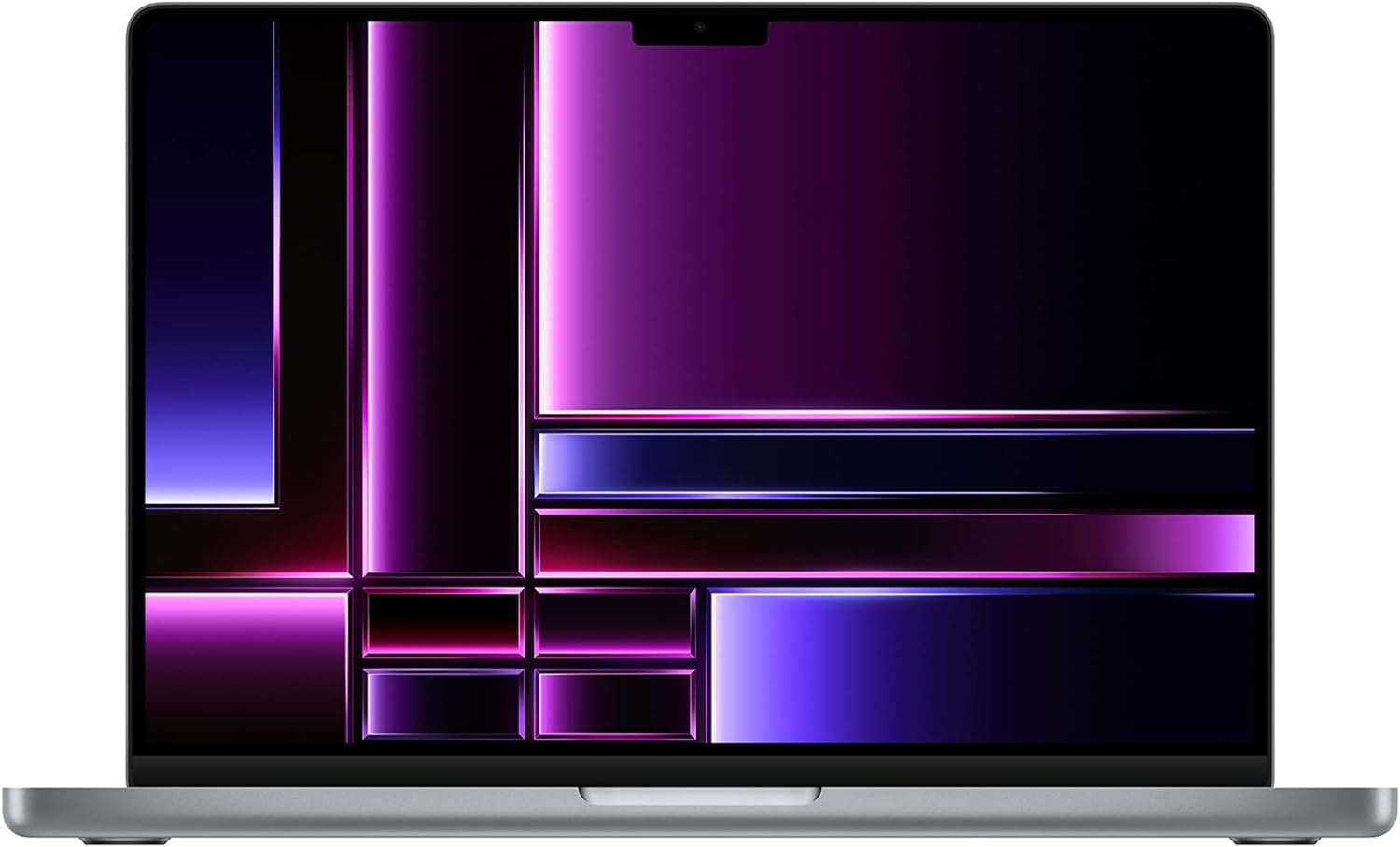
Apple 2023 MacBook Pro
- Powerful M2 Pro/Max Chip: Exceptional performance
- Stunning Display: 14.2-inch Liquid Retina XDR
- Long Battery Life: Up to 18 hours
- Full Compatibility: Runs all major pro apps smoothly
- Excellent Build Quality: Premium design and materials
- Advanced Connectivity: Multiple ports including Thunderbolt 4, SDXC, HDMI
Best Powerful Laptop for Digital Art
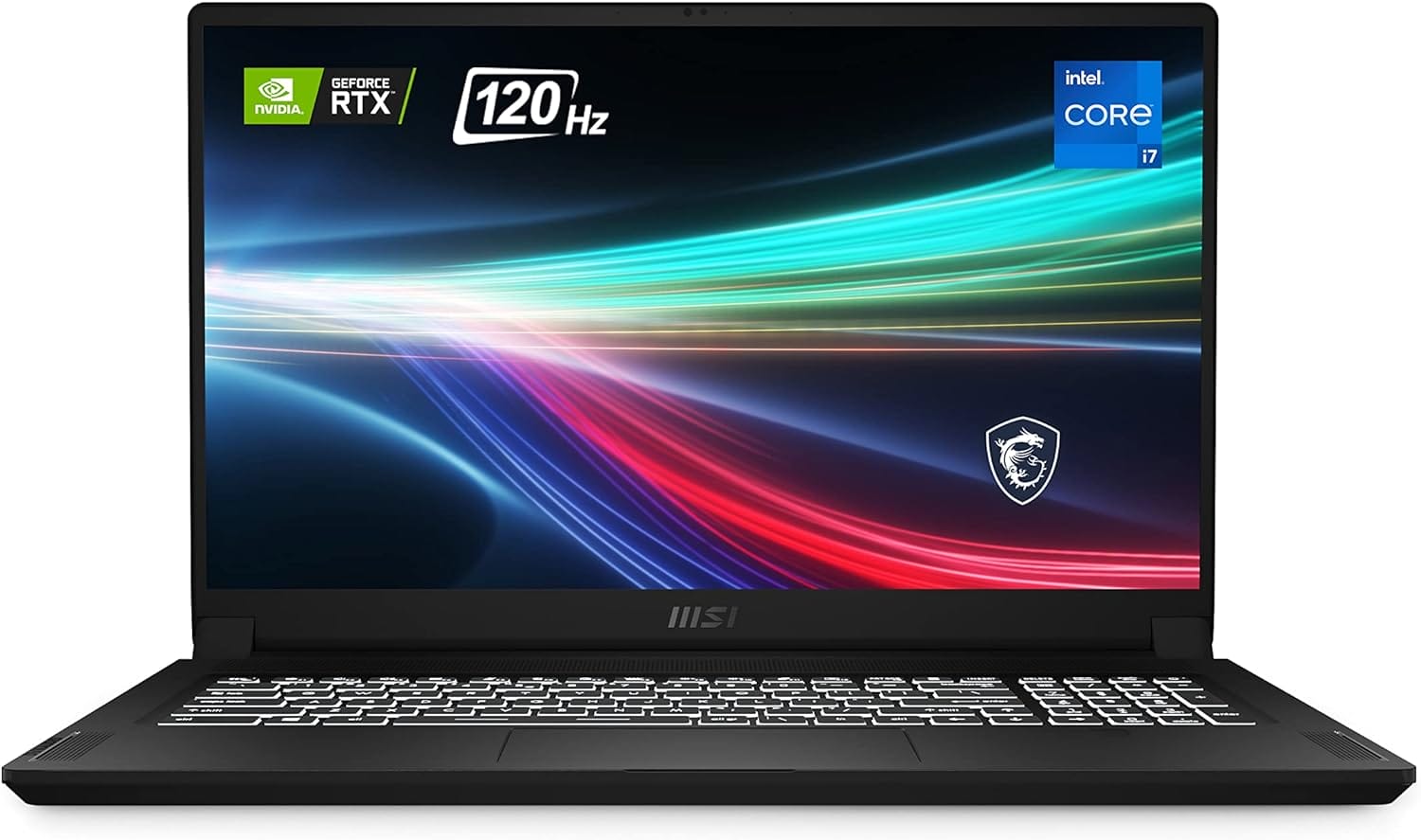
MSI Creator 17
- Stunning Display: 17.3″ UHD with 100% DCI-P3 color accuracy
- High Performance: 11th Gen Intel Core i7, NVIDIA GeForce RTX 3060
- Portability: Lightweight with 99Whr battery
- Advanced Cooling: Cooler Boost Trinity+ technology
- Versatile Connectivity: Thunderbolt 4 and multiple I/O ports
Best Budget Laptop for Digital Art
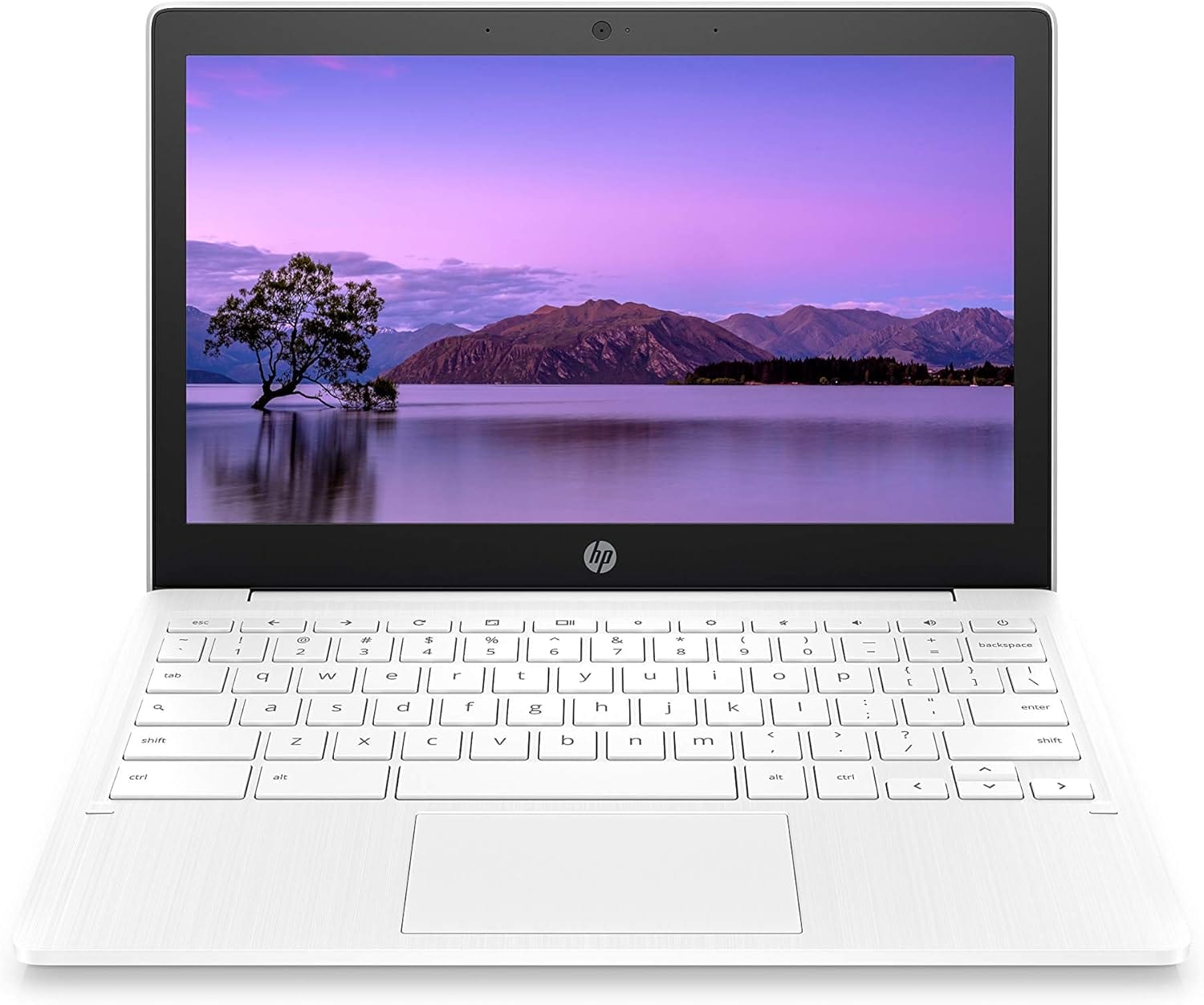
HP Chromebook 11-inch
- Portability: Lightweight and easy to carry
- Long Battery Life: Up to 15 hours and 45 minutes
- Affordable: Budget-friendly price
- Google Integration: Seamless Chrome OS and Android apps
- Good Connectivity: Latest Wi-Fi 5, Bluetooth 4.2, USB Type-A and Type-C ports
A machine with the processing power to manage large files, intricate details, and layers upon layers of creativity. This is what the best laptops for digital art are all about—unleashing your potential and ensuring your artistic expressions are captured just as you envisioned them.
In today’s market, the variety of laptops available can be overwhelming. From high-end models boasting cutting-edge technology to budget-friendly options that still pack a punch, there’s something for every artist. But how do you choose the right one? What features should you prioritize? This comprehensive guide will walk you through everything you need to know to find the perfect laptop for your digital art needs.
We’ll delve into essential features like display quality, processing power, RAM, storage options, and portability. We’ll also explore some of the best models currently available, comparing their strengths and highlighting what makes each one stand out. Whether you’re looking for a powerhouse that can handle the most demanding tasks or a sleek, portable option for on-the-go creativity, we’ve got you covered.
So, grab your stylus, and let’s dive into the world of digital artistry. Together, we’ll find the ideal laptop that will transform your creative workflow and bring your artistic dreams to life.
Short Buying Guide: Best Laptop for Digital Art
When choosing the best laptop for digital art, consider the following key features to ensure you get a device that meets your creative needs:
Display Quality: Look for a high-resolution screen (preferably 4K) with excellent color accuracy (covering close to 100% of the Adobe RGB or sRGB spectrum) to ensure your artwork looks its best.
Processing Power: Opt for a laptop with a powerful CPU (Intel i7 or higher, or AMD Ryzen 7 or higher) to handle complex design software smoothly.
Graphics Card: A dedicated GPU (like NVIDIA GeForce GTX/RTX or AMD Radeon) is crucial for rendering graphics-intensive projects and running 3D modeling software.
RAM: At least 16GB of RAM is recommended for efficient multitasking and handling large files without lag.
Storage: SSD storage is a must for fast boot times and quick access to your files. A minimum of 512GB SSD is recommended, with additional external storage options if needed.
Portability: If you’re often on the go, consider the laptop’s weight and battery life. A lighter laptop with long battery life will be more convenient for traveling artists.
Stylus Support: For illustrators and graphic designers, a laptop with stylus support and a responsive touch screen can significantly enhance the creative process.
By focusing on these features, you’ll be well-equipped to find a laptop that will help you create your best work, no matter where your artistic journey takes you.
Here are our recommended Top 7 Best Laptop for Digital Art which you can purchase today
| Award | Design | Laptops | Retailer |
|---|---|---|---|
| Best Premium Laptop for Digital Art | Best Pick | VIEW ON AMAZON | |
| Best Budget Laptop for Digital Art | Budget Pick | VIEW ON AMAZON | |
| Best Powerful Laptop for Digital Art | Staff Pick | VIEW ON AMAZON | |
| Best Runner Up Laptop for Digital Art | 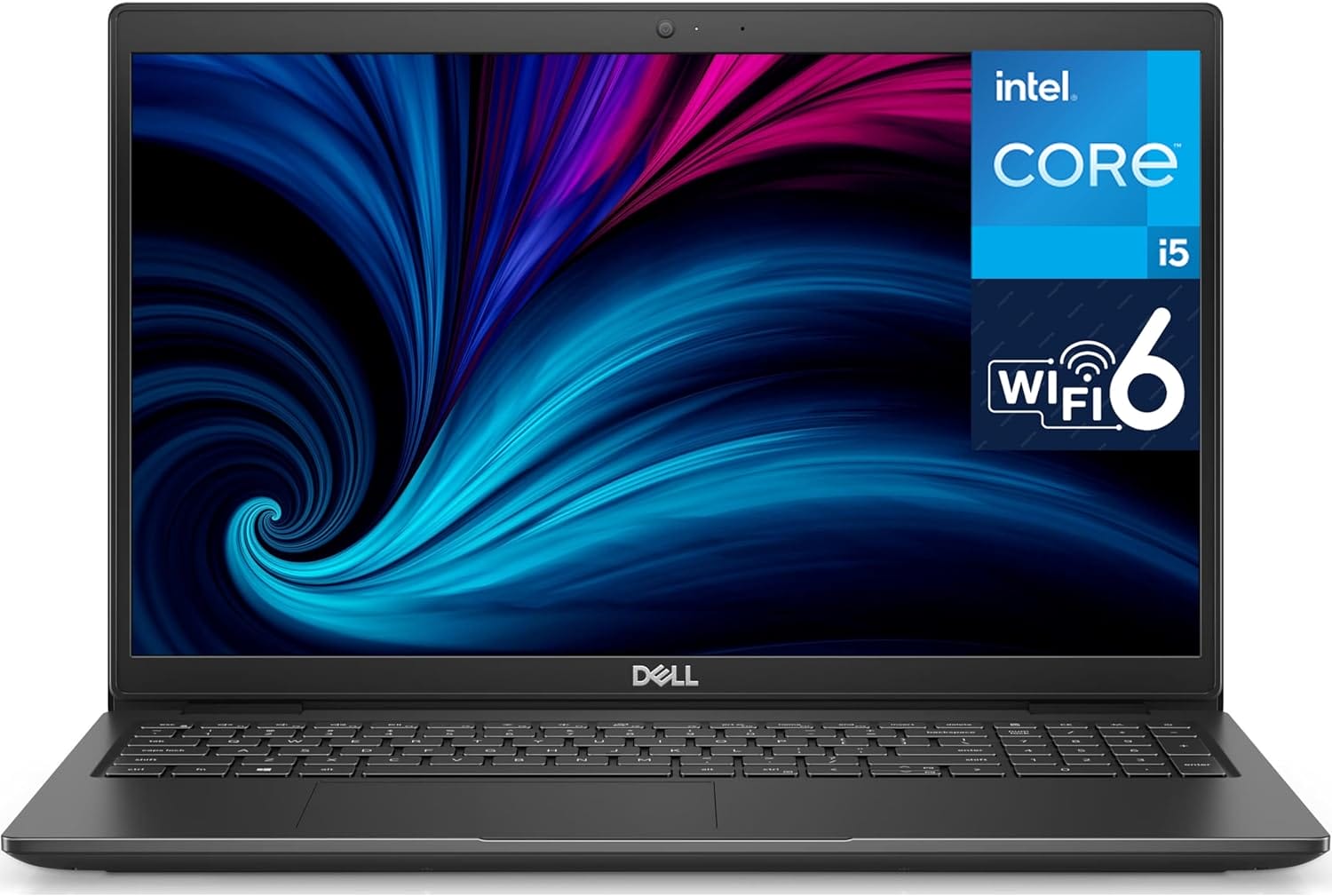 | VIEW ON AMAZON | |
| Best Performance Laptop for Digital Art | 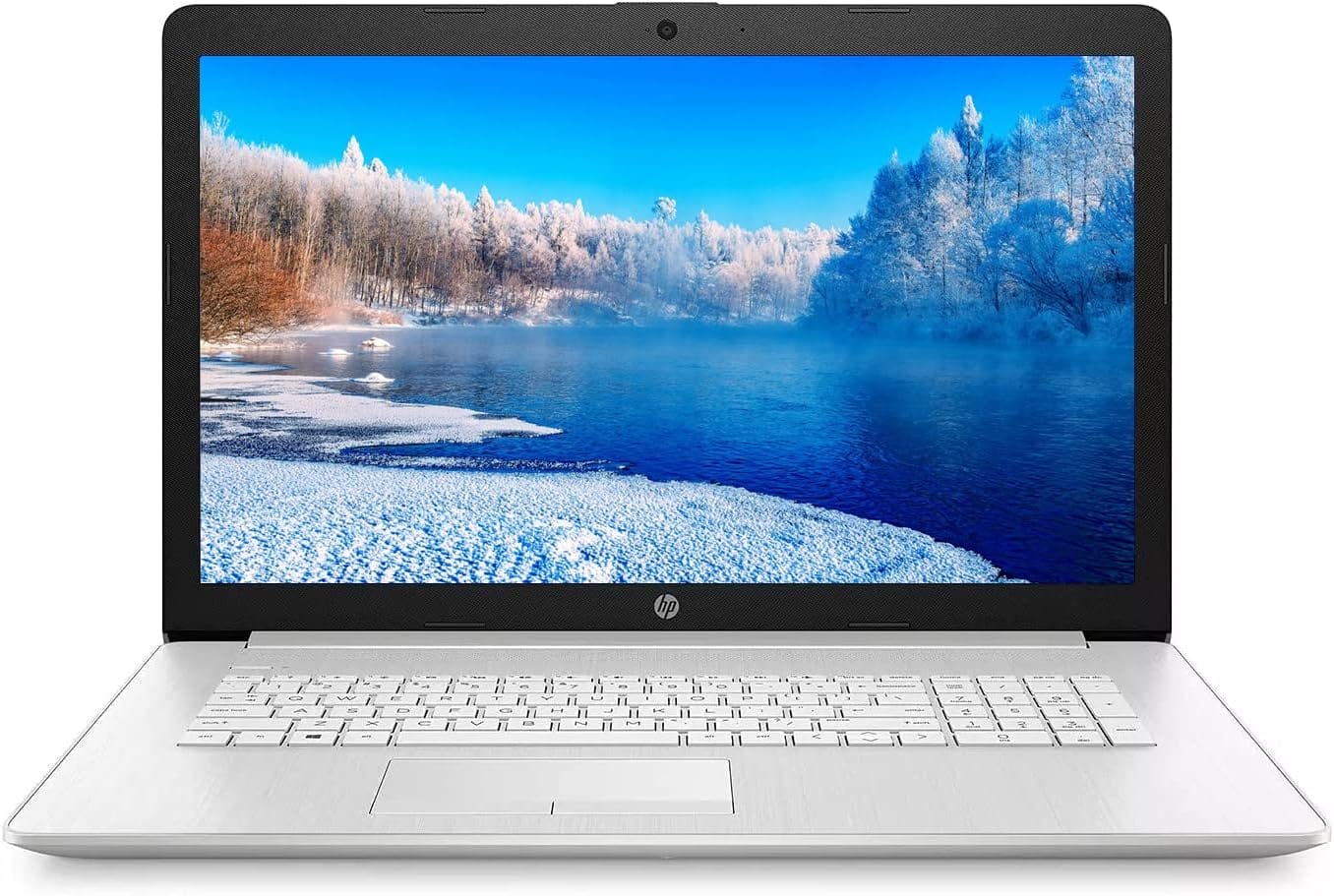 | VIEW ON AMAZON | |
| Best All Rounder Laptop for Digital Art | 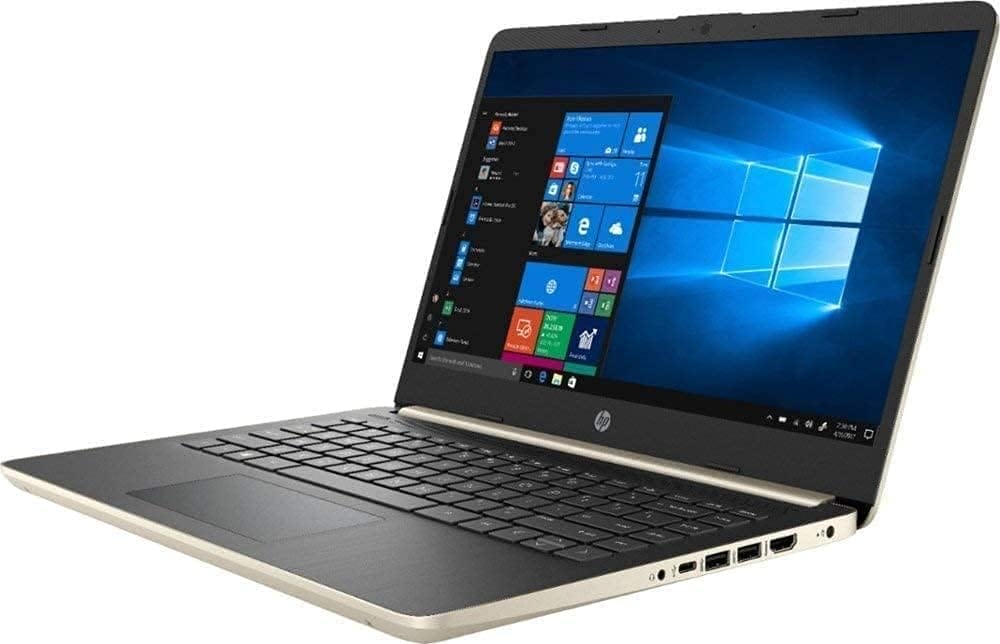 | VIEW ON AMAZON | |
| Best Affordable Laptop for Digital Art |  | VIEW ON AMAZON |
Apple 2023 MacBook Pro
Best Premium Laptop for Digital Art
SPECIFICATIONS
Brand: Apple | Model Name: MacBook Pro | Screen Size: 14.2 Inches | Color: Space Gray | Hard Disk Size: 512 GB | CPU Model: Unknown | Ram Memory Installed Size: 16 GB | Operating System: Mac OS | Special Feature: Anti Glare Coating | Graphics Card Description: Integrated
REASONS TO BUY
✓Powerful M2 Pro/Max Chip: Exceptional performance
✓Stunning Display: 14.2-inch Liquid Retina XDR
✓Long Battery Life: Up to 18 hours
✓Full Compatibility: Runs all major pro apps smoothly
✓Excellent Build Quality: Premium design and materials
✓Advanced Connectivity: Multiple ports including Thunderbolt 4, SDXC, HDMI
REASONS TO AVOID
✗High Price: Expensive compared to other laptops
✗Limited Upgradeability: Non-upgradable RAM and storage
✗Port Selection: No USB-A ports
✗Weight: Slightly heavier for a 14-inch laptop
When it comes to digital art, the 2023 Apple MacBook Pro with the M2 chip is a game-changer. This laptop is designed to cater to the needs of the most demanding creative professionals, offering unparalleled performance, stunning visuals, and a range of features that make it a top contender for the best premium laptop for digital art.
Performance
The M2 chip, available in both the Pro and Max variants, is a powerhouse. The M2 Pro boasts up to 12 CPU cores and 19 GPU cores, along with up to 32GB of unified memory. This ensures that even the most intensive projects are handled with ease. For those requiring even more power, the M2 Max steps it up with 12 CPU cores, up to 38 GPU cores, and a staggering 96GB of unified memory. This kind of performance means that whether you’re working with high-resolution images, complex 3D models, or multi-layered illustrations, the MacBook Pro can handle it all without breaking a sweat.
Battery Life
With up to 18 hours of battery life, the MacBook Pro offers incredible longevity. This is particularly beneficial for artists on the go, ensuring you can work on your projects throughout the day without needing to constantly search for a power outlet. The power-efficient design of the M2 chip means you get consistent performance whether plugged in or on battery.
Display
The 14.2-inch Liquid Retina XDR display is simply breathtaking. It features Extreme Dynamic Range and over 1000 nits of brightness, making it perfect for viewing and creating HDR content. The pro reference modes ensure color accuracy, which is crucial for digital art. The display’s clarity and vibrancy allow for precise color grading and detail work, making your digital creations come to life with exceptional realism.
Compatibility and Connectivity
One of the standout features of the MacBook Pro is its full compatibility with a wide range of professional apps. Whether you’re using Adobe Creative Cloud, Xcode, Affinity Designer, or even your favorite iPhone and iPad apps, the MacBook Pro runs them all seamlessly. The laptop also includes a versatile array of ports, including three Thunderbolt 4 ports, an SDXC card slot, an HDMI port, and a headphone jack. Wireless connectivity is top-notch with Wi-Fi 6E and Bluetooth 5.3.
Camera and Audio
The 1080p FaceTime HD camera delivers sharp and clear video, which is great for video calls and streaming. The studio-quality three-mic array and six-speaker sound system with Spatial Audio ensure that you look and sound your best, whether you’re recording a podcast, editing audio, or just enjoying some downtime with your favorite music.
Magic Keyboard with Touch ID
The Magic Keyboard is a delight to use, featuring a full-height function key row and Touch ID for fast, easy, and secure access. This enhances productivity and convenience, allowing you to unlock your laptop and authenticate applications quickly.
The 2023 Apple MacBook Pro with the M2 chip is a stellar choice for digital artists seeking a premium, high-performance laptop. Its powerful hardware, exceptional display, long battery life, and robust connectivity options make it a versatile and reliable tool for any creative professional. Whether you’re a graphic designer, illustrator, animator, or any other kind of digital artist, the MacBook Pro has everything you need to bring your artistic visions to life.
HP Chromebook 11-inch
Best Budget Laptop for Digital Art
SPECIFICATIONS
Brand: HP | Model Name: Chromebook 11a | Screen Size: 11.6 Inches | Color: Snow White | Hard Disk Size: 32 GB | CPU Model: MediaTek MT8183 | Ram Memory Installed Size: 4 GB | Operating System: Chrome OS | Special Feature: Anti Glare Coating | Graphics Card Description: Integrated
REASONS TO BUY
✓Portability: Lightweight and easy to carry
✓Long Battery Life: Up to 15 hours and 45 minutes
✓Affordable: Budget-friendly price
✓Google Integration: Seamless Chrome OS and Android apps
✓Good Connectivity: Latest Wi-Fi 5, Bluetooth 4.2, USB Type-A and Type-C ports
REASONS TO AVOID
✗Limited Performance: Not suitable for heavy graphic tasks
✗Small Display: 11-inch screen size
✗Basic Graphics: Integrated MediaTek graphics
✗No High-End Features: Lacks premium build quality and advanced specs
For digital artists seeking a budget-friendly yet capable laptop, the HP Chromebook 11-inch stands out as an excellent choice. This compact and durable laptop offers a blend of portability, performance, and functionality that makes it a strong contender in the realm of affordable digital art tools.
Portability and Battery Life
One of the most striking features of the HP Chromebook 11-inch is its portability. Weighing just a few pounds, it’s incredibly light and easy to carry, making it perfect for artists who are always on the go. Whether you’re sketching in a café, traveling between meetings, or working on projects during a commute, this Chromebook is designed to be by your side. The impressive battery life of up to 15 hours and 45 minutes ensures that you can stay productive and connected throughout the day without constantly searching for an outlet.
Performance
Under the hood, the HP Chromebook 11-inch is powered by a MediaTek mobile processor, which, while not as powerful as high-end CPUs, is more than capable of handling everyday tasks. This includes switching between different activities such as gaming, connecting with friends, and completing schoolwork. The integrated MediaTek graphics card, featuring an Octa-core CPU and GPU graphics processors, provides efficient performance for light graphic design and digital art tasks without compromising battery life.
Display and Graphics
The 11-inch display offers high-definition quality with an anti-glare feature, ensuring that you can work comfortably even in bright environments. With a resolution of 1 million pixels, the screen provides clear and crisp visuals, making it suitable for streaming movies, viewing photos, and, of course, working on digital art. While it may not compare to the color accuracy and resolution of premium laptops, it delivers a satisfactory experience for its price range.
Google Experience
Running on Google Chrome OS, the HP Chromebook 11-inch provides a seamless and secure user experience. The integration with Android apps means you have access to a wide range of applications that can support your creative work, from sketching and drawing apps to productivity tools. The simplicity and speed of Chrome OS also contribute to a hassle-free user experience, making it an ideal choice for users who prefer straightforward and reliable performance.
Connectivity and Audio
Connectivity options are robust, with the latest Wi-Fi 5 WLAN adapter and Bluetooth 4.2, ensuring stable and fast connections. The laptop also includes USB 2.0 Type-A and Type-C ports, as well as a headphone/microphone combo port. This versatility allows you to connect various peripherals and accessories to enhance your digital art workflow. Additionally, the HP True Vision camera, dual array digital microphones, and custom-tuned dual speakers make it suitable for remote work and virtual meetings, ensuring clear communication with colleagues or clients.
The HP Chromebook 11-inch is a fantastic budget laptop for digital artists who need a portable, efficient, and affordable device. While it may not have the high-end specs of more expensive models, it offers a great balance of performance, battery life, and usability. Whether you’re a student, a hobbyist, or a professional looking for a secondary device, this Chromebook provides excellent value for your money, making it an ideal choice for digital art on a budget.
MSI Creator 17
Best Powerful Laptop for Digital Art
SPECIFICATIONS
Brand: MSI | Model Name: Creator 17 B11UE-471 | Screen Size: 17.3 Inches | Color: Core Black | Hard Disk Size: 512 GB | CPU Model: Core i7 Family | Ram Memory Installed Size: 16 GB | Operating System: Windows 10 Home | Special Feature: Backlit | Graphics Card Description: RTX 3060
REASONS TO BUY
✓Stunning Display: 17.3″ UHD with 100% DCI-P3 color accuracy
✓High Performance: 11th Gen Intel Core i7, NVIDIA GeForce RTX 3060
✓Portability: Lightweight with 99Whr battery
✓Advanced Cooling: Cooler Boost Trinity+ technology
✓Versatile Connectivity: Thunderbolt 4 and multiple I/O ports
REASONS TO AVOID
✗Price: Expensive compared to other options
✗Size: Larger footprint may be less convenient for some users
The MSI Creator 17 is a powerhouse designed for digital artists who demand top-tier performance, vibrant visuals, and portability. It combines cutting-edge technology with thoughtful design to provide an exceptional experience for creative professionals.
Display Quality
One of the standout features of the MSI Creator 17 is its stunning 17.3″ UHD display. With a 120Hz refresh rate and 100% DCI-P3 color accuracy, this display is perfect for digital artists who require precise and vibrant colors. Whether you’re working on detailed illustrations, high-resolution photo editing, or 3D modeling, the clarity and color fidelity of the screen will elevate your work. The fast response time also ensures smooth and lag-free performance, which is beneficial for both creative tasks and gaming.
Performance
Under the hood, the MSI Creator 17 is powered by the 11th Gen Intel Core i7 processor. This high-performance CPU, with 8 cores and a boost clock of up to 4.9 GHz, handles demanding tasks with ease. Whether you’re multitasking with various design software or rendering complex 3D scenes, the Creator 17 ensures seamless performance. The inclusion of the NVIDIA GeForce RTX 3060 graphics card further enhances its capabilities, providing the necessary power to breeze through today’s most demanding creative workflows. From real-time ray tracing to AI-enhanced graphics, the RTX 3060 elevates your digital art projects to new heights.
Portability and Build
Despite its immense power, the MSI Creator 17 is crafted to be portable. It features a lightweight chassis and a 99Whr battery, making it an ideal companion for artists on the go. You can work on your projects from anywhere without worrying about running out of battery life. This portability does not come at the expense of durability; the build quality is robust, ensuring the laptop can withstand the rigors of travel and daily use.
Thermal Management
MSI’s exclusive Cooler Boost Technology is another highlight. Featuring three fans and advanced thermal solutions, the Cooler Boost Trinity+ system ensures optimal thermal dissipation. This advanced cooling setup provides up to 15% increased airflow, keeping the laptop cool even under heavy workloads. As a result, you can work on intensive tasks without worrying about overheating or throttling.
Connectivity
Versatile connectivity options are crucial for a seamless workflow, and the MSI Creator 17 excels in this area. It includes a wide range of I/O ports, including Thunderbolt 4, which supports power delivery and up to 40Gbps data transfer. This allows you to connect multiple devices and peripherals, ensuring that you have all the tools you need to bring your creative visions to life.
The MSI Creator 17 is the best powerful laptop for digital art, offering an unmatched combination of performance, display quality, portability, and thermal management. Its vibrant UHD display and powerful internals make it ideal for professional artists, designers, and creators who need a reliable and high-performing device. Whether you’re at home, in the studio, or on the go, the MSI Creator 17 provides the tools and performance you need to create your best work.
Dell Latitude 3000
Best Runner Up Laptop for Digital Art
SPECIFICATIONS
Brand: Dell | Model Name: Latitude 3000 | Screen Size: 15.6 Inches | Hard Disk Size: 512 GB | CPU Model: Core i5 | Ram Memory Installed Size: 32 GB | Operating System: Windows 10 Pro | Graphics Card Description: Integrated | Graphics Coprocessor: Intel Iris Xe Graphics | CPU Speed: 2.4 GHz
REASONS TO BUY
✓Strong Performance: 11th Gen Intel Core i5, Intel Iris Xe graphics
✓High RAM Capacity: 32GB DDR4 for smooth multitasking
✓Ample Storage: 512GB PCIe NVMe SSD
✓Versatile Connectivity: Multiple ports including USB-C, HDMI, Ethernet
✓Affordable: Great value for the specs
REASONS TO AVOID
✗Display Quality: HD resolution and TN panel may not meet high-end color accuracy needs
✗Integrated Graphics: Limited compared to dedicated GPUs
✗No Optical Drive: Missing for those who still use CDs/DVDs
For digital artists looking for a balance between performance and affordability, the Dell Latitude 3000 stands out as a compelling runner-up option. Combining robust hardware, ample memory, and extensive connectivity, this laptop offers reliable performance for a variety of creative tasks without breaking the bank.
Display Quality
The Dell Latitude 3000 features a 15.6″ HD display with a resolution of 1366×768. While this TN display may not offer the high resolution or superior color accuracy found in premium models, it provides sufficient clarity for general digital art tasks and everyday use. The 60Hz refresh rate ensures smooth visuals, making it suitable for light graphic design and photo editing work. Artists requiring precise color representation may need to consider using an external monitor for more detailed work.
Performance
At the heart of the Dell Latitude 3000 is the 11th Gen Intel Core i5-1135G7 processor. With a base clock speed of 2.40GHz and the ability to boost up to 4.2GHz, this quad-core CPU offers strong performance for a range of creative applications. The integrated Intel Iris Xe graphics enhance its capabilities, allowing for decent handling of graphic-intensive tasks and moderate 3D rendering. While it may not match the power of dedicated GPUs, it delivers reliable performance for most digital art needs.
Memory and Storage
One of the standout features of the Dell Latitude 3000 is its generous 32GB DDR4 RAM. This high-speed memory ensures smooth multitasking, enabling you to run multiple applications and large files without lag. Whether you’re working on complex illustrations or editing high-resolution images, the ample RAM capacity supports an efficient workflow. Additionally, the 512GB PCIe NVMe SSD provides fast storage, ensuring quick boot times and rapid access to your files and applications.
Connectivity and Build
The Dell Latitude 3000 offers a range of connectivity options to accommodate various peripherals and accessories. It includes USB 2.0, USB 3.2 Type-C Gen2, HDMI, and a Micro SD reader, providing versatility for different connections. The inclusion of Wi-Fi 6 and Bluetooth 5.2 ensures stable and fast wireless connectivity, while the Ethernet LAN port caters to those who require wired internet access. The integrated webcam and trackpad add to its utility, making it suitable for remote work and virtual meetings.
Battery Life and Portability
With a 3-cell 54 WHr battery, the Dell Latitude 3000 offers decent battery life, supporting extended periods of use without frequent charging. This makes it a practical option for artists who need a portable device for on-the-go productivity. The laptop’s build quality is robust, and its black color gives it a professional appearance, suitable for various work environments.
The Dell Latitude 3000 is a well-rounded runner-up laptop for digital art, offering a compelling mix of performance, memory, and connectivity at an affordable price point. While its display may not cater to those needing top-tier color accuracy, it delivers reliable performance for most digital art tasks. With its powerful Intel Core i5 processor, ample RAM, and fast SSD storage, the Latitude 3000 ensures smooth and efficient creative workflows, making it an excellent choice for digital artists seeking value and functionality.
HP Pavilion 17.3
Best Performance Laptop for Digital Art
SPECIFICATIONS
Brand: HP | Model Name: HP Pavilion | Screen Size: 17.3 Inches | Color: Silver | Hard Disk Size: 1 TB | CPU Model: Intel Core i5-1135G7 | Ram Memory Installed Size: 16 GB | Operating System: Windows 11 | Special Feature: Portable, HD Graphics | Graphics Card Description: Integrated
REASONS TO BUY
✓Powerful Performance: 11th Gen Intel Core i5 processor with Turbo Boost
✓Vibrant Display: 17.3″ FHD, IPS, anti-glare, 100% sRGB color accuracy
✓Ample Memory and Storage: 16GB DDR4 RAM, 1TB PCIe NVMe SSD
✓Enhanced Graphics: Intel Iris Xe integrated graphics
✓Flexible OS: Option to switch from Windows 11 S mode to Windows 11 Home
REASONS TO AVOID
✗Large Size: Less portable due to 17.3-inch screen
✗Integrated Graphics: May not match the performance of dedicated GPUs
✗S Mode Limitation: Requires switching out of S mode for full app compatibility
When it comes to digital art, having a powerful and reliable laptop can make all the difference. The HP Pavilion 17.3 is designed to meet the demanding needs of digital artists, offering a blend of robust performance, expansive storage, and a vibrant display. This laptop is well-suited for those who require a high-performance machine to handle intricate designs, large files, and multitasking without compromise.
Performance
The HP Pavilion 17.3 is powered by the 11th Gen Intel Core i5-1135G7 processor. With a base frequency of 2.4 GHz and the ability to boost up to 4.2 GHz with Intel Turbo Boost Technology, this quad-core processor delivers impressive performance. It ensures smooth operation whether you’re working on complex illustrations, editing high-resolution images, or running multiple creative applications simultaneously. The responsive performance boosts productivity, allowing you to create content, game, and stream with ease.
Display and Graphics
The 17.3-inch Full HD display is one of the standout features of this laptop. With a resolution of 1920 x 1080, IPS technology, anti-glare coating, and 300 nits brightness, the screen offers clear, vibrant, and color-accurate visuals. The 100% sRGB color gamut ensures that your artwork is displayed in true-to-life colors, making it ideal for digital artists who require precise color accuracy. The integrated Intel Iris Xe Graphics further enhances the visual experience, delivering rich graphics and the ability to handle graphic-intensive tasks smoothly.
Memory and Storage
The HP Pavilion 17.3 comes equipped with 16GB DDR4 RAM, providing ample high-bandwidth memory to run graphics-heavy applications and multitask efficiently. Whether you’re working on large files or running multiple programs and browser tabs simultaneously, this laptop handles it all without lag. The 1TB PCIe NVMe M.2 SSD offers enormous storage capacity and fast data access, ensuring quick boot times and rapid loading of your applications and files.
Graphics and Gaming
The Intel Iris Xe Graphics integrated into the HP Pavilion 17.3 brings a new level of performance to integrated graphics. It supports richer gaming experiences and greater speed for designers and creators. The low-power architecture of the Iris Xe Graphics ensures that you can design and multitask efficiently without draining the battery quickly.
Operating System
The laptop comes with Windows 11 Home in S mode, which is designed for security and performance. S mode only allows apps from the Microsoft Store, providing a safer environment. However, if you need to install apps outside the Microsoft Store, you can switch out of S mode to Windows 11 Home. This switch is one-way, and once made, you cannot revert back to S mode. This flexibility allows you to customize your software environment to better suit your needs.
The HP Pavilion 17.3 stands out as the best performance laptop for digital art, offering a powerful combination of processing power, graphics capability, and vibrant display. Its large screen and color accuracy make it an excellent choice for artists who need detailed and true-to-life visuals. The ample memory and storage ensure that you can work on large projects and multitask without slowing down. Whether you’re a professional digital artist or an enthusiast, the HP Pavilion 17.3 provides the tools and performance needed to bring your creative visions to life.
HP Stream 14-inch
Best All Rounder Laptop for Digital Art
SPECIFICATIONS
Brand: HP | Model Name: Stream Laptop | Screen Size: 14 Inches | Color: Royal Blue | Hard Disk Size: 64 GB | CPU Model: Celeron N4000 | Ram Memory Installed Size: 4 GB | Operating System: Windows 10 Home | Graphics Card Description: Integrated | Graphics Coprocessor: Intel HD Graphics 602
REASONS TO BUY
✓Portable: Lightweight and compact design
✓Affordable: Budget-friendly price
✓Stylish Design: Attractive Royal Blue color
✓User-Friendly OS: Windows 10 Home for wide app compatibility
✓Basic Performance: Adequate for light digital art tasks
REASONS TO AVOID
✗Limited Storage: Only 64GB hard disk
✗Low RAM: 4GB may limit multitasking capabilities
✗Entry-Level Processor: Intel Celeron N4000 might struggle with heavy applications
✗Basic Graphics: Integrated Intel HD Graphics 602 not suitable for high-end graphic tasks
The HP Stream 14-inch laptop stands out as a versatile and budget-friendly option for digital artists seeking an all-rounder device. With its vibrant design, adequate performance for basic digital art tasks, and portability, it’s a great choice for students, hobbyists, and those on a tight budget.
Design and Build Quality
The HP Stream 14-inch comes in a striking Royal Blue color, making it a visually appealing choice for those who want their laptop to stand out. Its compact size and lightweight design (only 4.44 pounds) make it incredibly portable, perfect for artists who are always on the move. The dimensions of 17.67L x 12.08W x 2.67H inches ensure it fits easily into most backpacks or bags, adding to its convenience.
Performance
Powered by the Intel Celeron N4000 processor, the HP Stream 14-inch provides adequate performance for basic digital art tasks. With a base clock speed sufficient for general use, it can handle light graphic design work, photo editing, and running creative software like GIMP or Krita. However, it’s important to note that this CPU is entry-level, meaning it might struggle with more demanding applications or multitasking with heavy software.
Memory and Storage
The laptop is equipped with 4GB of RAM, which is adequate for basic multitasking and running simpler digital art applications. While this amount of memory is on the lower side, it is sufficient for those who do not require intensive multitasking or heavy software use. The 64GB hard disk provides limited storage space, but it is manageable if you use cloud storage solutions or external drives to store larger files and projects.
Display and Graphics
The 14-inch screen size offers a good balance between portability and usability. With integrated Intel HD Graphics 602, the display supports basic graphics tasks, providing clear and vibrant visuals suitable for light digital art. While it may not have the high resolution or color accuracy of more expensive models, it is more than capable of handling everyday creative tasks and viewing media.
Operating System and Software
The HP Stream 14-inch comes with Windows 10 Home, providing a familiar and user-friendly environment. This operating system supports a wide range of applications, allowing digital artists to use various creative software. Additionally, the inclusion of Windows 10 Home ensures compatibility with popular art programs and tools, enhancing the laptop’s versatility.
Portability and Battery Life
Thanks to its lightweight design and compact size, the HP Stream 14-inch is perfect for artists who need to work on the go. Whether you’re sketching at a café, attending a workshop, or traveling, this laptop is easy to carry around. The battery life is reasonable, allowing for extended use without the need for frequent charging, which is ideal for mobile artists.
The HP Stream 14-inch is a great all-rounder laptop for digital art, especially for those on a budget. It offers a good mix of portability, basic performance, and functionality, making it suitable for students, beginners, and casual digital artists. While it may not have the high-end specs required for professional-level work, it provides sufficient power for everyday creative tasks. Its stylish design, lightweight build, and user-friendly operating system make it a solid choice for those looking to dive into the world of digital art without a hefty investment.
ASUS Vivobook Laptop L210
Best Affordable Laptop for Digital Art
SPECIFICATIONS
Brand: ASUS | Model Name: ASUS L210 | Screen Size: 11.6 Inches | Color: Black | Hard Disk Size: 64 GB | CPU Model: Celeron N4020 | Ram Memory Installed Size: 4 GB | Operating System: Windows 10 S | Special Feature: Anti Glare Coating | Graphics Card Description: Integrated
REASONS TO BUY
✓Highly Portable: Slim design and lightweight build
✓Affordable: Budget-friendly price
✓Efficient Performance: Intel Celeron N4020 processor suitable for basic tasks
✓Included Software: One year of Microsoft 365 Personal
✓User-Friendly OS: Windows 10 in S Mode for security and performance
REASONS TO AVOID
✗Limited Storage: 64GB eMMC may require additional storage solutions
✗Small Display: 11.6-inch screen might be restrictive for detailed work
✗Basic Graphics: Not suitable for intensive graphic design or 3D rendering
✗RAM Limitations: 4GB RAM may limit multitasking capabilities
For digital artists seeking an affordable yet capable laptop, the ASUS Vivobook L210 presents an excellent choice. This compact and lightweight device offers a combination of efficiency, portability, and essential features that make it suitable for entry-level digital art tasks.
Design and Build Quality
The ASUS Vivobook L210 boasts a slim and portable design, measuring just 0.7 inches in thickness and weighing a mere 2.2 pounds. This lightweight build makes it incredibly easy to carry around, whether you’re moving between classes, working in a café, or traveling. Its sleek and modern aesthetic is appealing, making it not just a functional device but also a stylish one.
Performance
At the heart of the Vivobook L210 is the Intel Celeron N4020 processor. With a base frequency of up to 2.8 GHz, this efficient dual-core processor can handle basic digital art applications and general multitasking. While it may not be suitable for intensive graphic design or 3D rendering, it is perfectly adequate for tasks such as sketching, light photo editing, and running simpler creative software. The 4M cache helps in speeding up frequently accessed data, enhancing overall performance for routine tasks.
Display and Graphics
The 11.6-inch HD display with a resolution of 1366 x 768 provides clear and crisp visuals, which are essential for digital art. While the display size is smaller compared to other laptops, it is sufficient for basic creative work and offers the benefit of enhanced portability. The aspect ratio of 16:9 is standard, ensuring a familiar viewing experience. The integrated graphics are capable of supporting basic graphic design tasks and streaming high-definition content smoothly.
Memory and Storage
Equipped with 4GB of DDR4 RAM, the Vivobook L210 offers enough memory to manage everyday tasks and run lightweight digital art applications. The 64GB eMMC flash storage provides quick boot times and fast access to your files and applications. Though the storage capacity is limited, the inclusion of cloud storage solutions such as Microsoft OneDrive, accessible through the included one-year subscription to Microsoft 365 Personal, mitigates this limitation by allowing for additional storage and easy access to files from anywhere.
Operating System and Software
The ASUS Vivobook L210 comes with Windows 10 in S Mode, which is designed for security and performance, running only apps from the Microsoft Store. This ensures a safer computing environment, especially for users who are new to digital art. However, you have the option to switch out of S Mode to a full version of Windows 10 if you need to install software from outside the Microsoft Store. The included one-year subscription to Microsoft 365 Personal adds value, providing access to essential productivity tools that can support your creative projects.
Portability and Battery Life
Portability is a significant strength of the Vivobook L210. Its lightweight and slim design make it easy to carry, and the battery life is sufficient to support extended periods of use without frequent recharging. This makes it an ideal companion for digital artists who need to work on the go.
The ASUS Vivobook L210 is a fantastic affordable laptop for digital art, especially for beginners and students. It offers a good balance of performance, portability, and essential features at a budget-friendly price. While it may not handle heavy graphic tasks or large-scale projects, it provides more than enough capability for light digital art tasks, basic photo editing, and general productivity. Its sleek design, lightweight build, and included software make it a practical choice for those looking to explore digital art without a significant investment.
Overall Article Conclusion
The 2023 Apple MacBook Pro with the M2 chip is a stellar choice for digital artists seeking a premium, high-performance laptop. Its powerful hardware, exceptional display, long battery life, and robust connectivity options make it a versatile and reliable tool for any creative professional.

CEO
Hi, My name is Bilal Ali and I am an affiliate marketer and have been involved in this field for a number of years. I have a lot of experience and knowledge in this area, which I love to share with others. I am always looking for new ways to improve my skills and learn more about affiliate marketing. I am also very active on social media, and love to connect with others in the industry.