
In the world of cinematic experiences, where every frame and hue tell a story, the quest for the best monitor for watching movies becomes a pursuit of visual perfection.
Whether you’re an avid cinephile or simply seeking to immerse yourself in the magic of films, the right monitor can transform your viewing into a captivating journey.
From vivid colors that bring scenes to life to crisp details that reveal nuances, the best movie-watching monitor elevates the art of storytelling to new heights.
At A Glance:
Best Runner Up Monitor for Watching Movies
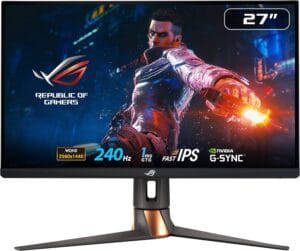
ASUS ROG Swift
- Stunning OLED display with deep blacks.
- High 240 Hz refresh rate for smooth visuals.
- Exceptional 0.03 ms response time.
- Intelligent heat management for OLED longevity.
- G-Sync compatibility for tear-free gaming and movie playback.
Best High End Monitor for Watching Movies

Alienware AW3423DW
- Impeccable QD-OLED curved design.
- Stutter-free gaming with NVIDIA G-SYNC ULTIMATE.
- Quantum Dot Display Technology for vibrant colors.
- Creator Mode for color-critical work.
- Comfort adjustments with swivel, tilt, and height options.
Best Budget Friendly Monitor for Watching Movies
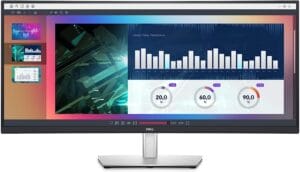
Dell 34 Inch
- Ultrawide Immersion
- Ergonomic Design
- Multitasking Features
- Eye Comfort
- Budget-Friendly
Imagine a monitor that transports you to the director’s vision, where every shadow, every shade, and every movement unfolds with cinematic brilliance. As technology advances, so does our ability to recreate the cinematic experience within the confines of our living spaces. This journey through the best monitors for watching movies is a glimpse into a world where visuals are not just seen but felt, and every frame becomes a portal to another reality.
Short Buying Guide:
Resolution Matters: Opt for monitors with at least Full HD (1080p) resolution or higher for sharp and detailed images. Higher resolutions like 4K add an extra layer of clarity, making your movie-watching experience more immersive.
Color Accuracy and Vibrancy: Look for monitors with high color accuracy and wide color gamuts, such as sRGB or DCI-P3. This ensures that the colors you see are true to the filmmaker’s intention, enhancing the visual richness of the movies.
Contrast Ratio: A high contrast ratio contributes to deep blacks and bright whites, providing better image depth. Look for monitors with good static or dynamic contrast ratios to enhance the visual quality of dark and bright scenes.
Refresh Rate: While a high refresh rate is crucial for gaming, for movies, a standard 60Hz refresh rate is generally sufficient. However, if you plan to use the monitor for gaming as well, consider higher refresh rates for smoother motion.
Screen Size and Aspect Ratio: Choose a screen size that suits your viewing distance and room setup. Additionally, widescreen monitors with a 16:9 or 21:9 aspect ratio provide a more cinematic experience.
HDR Support: High Dynamic Range (HDR) technology enhances the range of colors and brightness levels, allowing you to see movies in more vivid detail. Look for monitors with HDR support for an enhanced visual experience.
Audio Features: While external speakers or sound systems are often preferred, monitors with built-in speakers can be convenient. Check for monitors that offer decent audio quality to complement the visuals.
Connectivity Options: Ensure the monitor has sufficient and versatile ports to connect to your preferred devices, such as HDMI, DisplayPort, or USB-C.
Remember that the best monitor for watching movies is one that aligns with your preferences and viewing environment, providing a cinematic escape within the comfort of your home.
Here are our recommended Top 8 Best Monitor for Watching Movies which you can purchase today
| Award | Design | Retailer | |
|---|---|---|---|
| Best Runner Up Monitor for Watching Movies | Best Pick | VIEW ON AMAZON | |
| Best High End Monitor for Watching Movies | Staff Pick | VIEW ON AMAZON | |
| Best Budget Friendly Monitor for Watching Movies | Budget Pick | VIEW ON AMAZON | |
| Best All Rounder Monitor for Watching Movies | 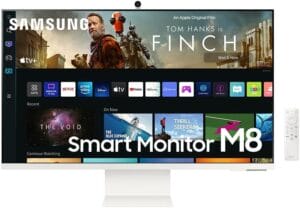 | VIEW ON AMAZON | |
| Best Affordable Monitor for Watching Movies |  | VIEW ON AMAZON | |
| Best Performance Monitor for Watching Movies |  | VIEW ON AMAZON | |
| Best Cheap Monitor for Watching Movies | 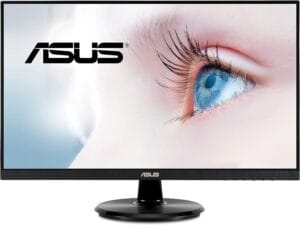 | VIEW ON AMAZON | |
| Best Smooth Monitor for Watching Movies |  | VIEW ON AMAZON |
ASUS ROG Swift
Best Runner Up Monitor for Watching Movies
SPECIFICATIONS
Screen Size: 27 Inches | Display Resolution Maximum: 2560 x 1440 Pixels | Brand: ASUS | Special Feature: G-Sync Compatible, Blue Light Filter, Tilt, Swivel, Pitvot and Hight adjustable, Ultra fast 0.03 ms Response time, Anti-Glare Micro-Texture Coating | Refresh Rate: 240 Hz
REASONS TO BUY
✓Stunning OLED display with deep blacks.
✓High 240 Hz refresh rate for smooth visuals.
✓Exceptional 0.03 ms response time.
✓Intelligent heat management for OLED longevity.
✓G-Sync compatibility for tear-free gaming and movie playback.
REASONS TO AVOID
✗Limited screen size for some users.
✗Overkill for users primarily focused on movie watching.
The ASUS ROG Swift, a 26.5-inch QHD OLED gaming monitor, emerges as a remarkable choice for those seeking an immersive cinematic experience. Designed with gaming excellence in mind, this monitor doesn’t just stop at high refresh rates – it transcends into the realm of stunning movie watching.
With a 240 Hz refresh rate, this monitor ensures not just smooth gaming but also unrivaled clarity when you settle in for a movie night. The 2560 x 1440 resolution on an OLED display delivers vibrant colors and deep blacks, creating a canvas where every frame is a work of art.
The ASUS ROG Swift stands out with its OLED technology, offering a 0.03 ms response time that ensures each pixel transitions seamlessly. The 1000 nits peak brightness, combined with a 99% DCI-P3 gamut, and Delta E < 2 color difference, brings HDR content to life with astonishing precision. The OLED brilliance isn’t just about visuals; it’s also about intelligent heat management, mitigating the risk of burn-in and ensuring long-term durability.
Anti-glare micro-texture coating and a 3% screen HDR peak brightness deliver cinema-grade visuals without distracting reflections. The display is finely tuned for accurate colors, making it an ideal canvas for the cinematic visions of filmmakers.
Being G-Sync compatible means not just tear-free gaming but also smooth, artifact-free movie playback. The optional uniform brightness setting ensures consistency, whether you’re diving into a high-action game or a visually rich movie.
ASUS doesn’t just stop at delivering a premium visual experience. The inclusion of DisplayWidget Center makes adjustments a breeze, enhancing the user experience. The thoughtful packaging, including cables, VESA mount kit, and even a ROG pouch, adds to the overall value.
To sweeten the deal, ASUS provides a 3-month Adobe Creative Cloud Subscription, acknowledging the creative potential of this monitor beyond gaming.
Conclusion
In conclusion, the ASUS ROG Swift is not just a gaming monitor; it’s a visual powerhouse that elevates movie watching to a cinematic extravaganza. From stunning visuals to intelligent features, this monitor is a testament to ASUS’s commitment to delivering excellence across various entertainment realms. Immerse yourself in a world where every frame tells a story, and every detail comes to life – the ASUS ROG Swift way.
Alienware AW3423DW
Best High End Monitor for Watching Movies
SPECIFICATIONS
Screen Size: 34 Inches | Display Resolution Maximum: 175 Hz | Brand: Alienware | Special Feature: Height Adjustment, Anti Glare Screen, Swivel Adjustment, Tilt Adjustment, Curved | Refresh Rate: 175 Hz
REASONS TO BUY
✓Impeccable QD-OLED curved design.
✓Stutter-free gaming with NVIDIA G-SYNC ULTIMATE.
✓Quantum Dot Display Technology for vibrant colors.
✓Creator Mode for color-critical work.
✓Comfort adjustments with swivel, tilt, and height options.
REASONS TO AVOID
✗Limited availability of OLED technology may pose a challenge for some users.
The Alienware AW3423DW stands as a testament to technological prowess and a dedicated focus on providing an unparalleled visual experience, earning its place as the best high-end monitor for watching movies. With its impeccable design, this monitor introduces the Legend 2.0 ID featuring a sleek QD-OLED curved 1800R panel. The customizable stadium loop OLED AlienFX lighting adds a touch of personalization, creating an immersive environment that complements your viewing experience.
One of the standout features of the AW3423DW is its commitment to delivering stutter-free speed. Gamers and movie enthusiasts alike will appreciate the ultra-low latency gameplay, HDR capabilities, cinematic color reproduction, and the industry-leading 0.1 ms GtG response time. The 175 Hz high refresh rate ensures that fast-paced action sequences and dynamic visuals are displayed seamlessly, contributing to an engaging and immersive experience.
The integration of Quantum Dot Display Technology takes color performance to new heights, offering a higher peak luminance and greater color gamut range compared to traditional displays. This ensures that the AW3423DW produces vibrant and true-to-life colors, enhancing the visual quality of movies and content.
For content creators, the monitor’s Creator Mode is a valuable addition, allowing precise color-critical work by offering a choice between native DCI-P3 and sRGB color spaces. The ability to adjust gamma settings further supports a creative workflow, making this monitor versatile for both entertainment and professional use.
Comfort is a top priority with the AW3423DW. The monitor offers a range of adjustments, including height adjustment, anti-glare screen, swivel, and tilt options. The curved display adds to the immersive quality of the viewing experience, providing an extra layer of engagement.
Conclusion
In summary, the Alienware AW3423DW is a high-end monitor that excels in delivering stunning visuals, cutting-edge technology, and an ergonomic design. While it comes at a premium price, the features and performance it offers make it a worthwhile investment for those seeking the best in movie-watching experiences.
Dell 34 Inch
Best Budget Friendly Monitor for Watching Movies
SPECIFICATIONS
Screen Size: 34 Inches | Display Resolution Maximum: QHD wide 3440 x 1440 Pixels | Brand: Dell | Special Feature: Height Adjustment, Curved Screen, Ultrawide Screen, Anti-Glare Coating, Swivel Adjustment, Tilt Adjustment | Refresh Rate: 60 Hz
REASONS TO BUY
✓Ultrawide Immersion
✓Ergonomic Design
✓Multitasking Features
✓Eye Comfort
✓Budget-Friendly
REASONS TO AVOID
✗Specific Use Case
The Dell 34 Inch monitor strikes an excellent balance between immersive productivity and budget-friendly features, making it an ideal choice for users seeking an expansive display without breaking the bank.
One of the standout features of this monitor is its ultrawide 34-inch screen, providing users with a spacious canvas for work and entertainment. Whether you’re working on complex projects, multitasking between applications, or enjoying your favorite movies, the expansive display ensures a more immersive experience.
To enhance user comfort, Dell has incorporated ergonomic design elements. The monitor allows you to tilt, swivel, and adjust its height, empowering you to find the most comfortable viewing position. This flexibility is particularly valuable for long work sessions or extended movie marathons, ensuring you can enjoy content without straining your neck or eyes.
Multitasking is a breeze with the built-in Picture-by-Picture and Keyboard, Video, and Mouse (KVM) features. These functionalities enable efficient multitasking by allowing you to view content from two different PC sources simultaneously. Whether you’re comparing documents, monitoring live data feeds, or simply managing multiple applications, the Dell 34 Inch monitor supports your productivity needs.
The monitor is also designed with user well-being in mind. Its flicker-free screen and Comfort View feature help optimize eye comfort during prolonged use. Comfort View minimizes harmful blue light emissions, reducing eye strain and fatigue, making it a thoughtful inclusion for users who spend extended hours in front of the screen.
Conclusion
While it may not boast some of the high-end features found in premium monitors, the Dell 34 Inch monitor offers a compelling package for users on a budget. Its combination of a large ultrawide display, ergonomic adjustments, multitasking features, and eye comfort enhancements make it a practical and cost-effective choice for various computing needs. If you’re looking for a budget-friendly monitor that doesn’t compromise on essential features, the Dell 34 Inch monitor is certainly worth considering.
SAMSUNG 32″ M80C
Best All Rounder Monitor for Watching Movies
SPECIFICATIONS
Screen Size: 32 Inches | Display Resolution Maximum: 4K UHD 2160p | Brand: SAMSUNG | Special Feature: NA | Refresh Rate: NA
REASONS TO BUY
✓Seamless Smart TV Features
✓Stylish Ultra-Slim Design
✓PC-Less Productivity Features
✓IoT Hub Functionality
REASONS TO AVOID
✗Unclear Connectivity Options
The SAMSUNG 32″ M80C Smart Monitor redefines the viewing experience by seamlessly blending a monitor with smart TV features. Boasting a 32-inch display, this all-rounder monitor is designed to deliver a Smart TV experience, making it a versatile addition to any home or office setup.
One of the standout features of the M80C is its integration with popular streaming services like Netflix and YouTube. With built-in WiFi connectivity, you can enjoy your favorite content without the need for additional devices. Samsung TV Plus expands entertainment options with free live and on-demand content, providing a cable-free experience. The inclusion of the Universal Guide further enhances user convenience by offering personalized content recommendations.
The monitor’s design is a visual delight, featuring an ultra-slim flat back and a neat camera design. The beautiful colors and minimalist look of the M80C complement any environment, elevating the aesthetics of your workspace or entertainment setup. The sleek design adds a touch of sophistication to your surroundings.
In a nod to modern productivity needs, the Smart Monitor supports PC-less tasks. Users can browse the web, edit documents, and work on projects without the necessity of a separate PC. The introduction of Workmode enables remote access to another PC and seamless integration with Microsoft Office 365 programs. Additionally, Samsung DeX allows users to connect to Samsung mobile devices, facilitating a smooth transition between devices for enhanced workflow.
The M80C takes a step further by becoming an IoT Hub, turning your Smart Monitor into a central control center for connected home devices through Samsung’s SmartThings platform. This feature enables users to manage various IoT devices, such as lights, blinds, and thermostats, directly from the monitor. The convenience of creating a smart home ecosystem adds to the monitor’s appeal, enhancing both entertainment and daily living experiences.
Conclusion
In conclusion, the SAMSUNG 32″ M80C Smart Monitor stands out as an all-rounder, seamlessly combining the functionality of a monitor with the smart features of a TV. Its Smart TV experience, iconic slim design, PC-less productivity features, and IoT Hub capabilities make it a compelling choice for users seeking a versatile and stylish display solution.
ASUS ProArt Display
Best Affordable Monitor for Watching Movies
SPECIFICATIONS
Screen Size: 27 Inches | Display Resolution Maximum: 2560 x 1440 Pixels | Brand: ASUS | Special Feature: Height Adjustment, Mac Compatible Monitor, USB-C Monitor, Pivot Adjustment, Tilt Adjustment | Refresh Rate: 75 Hz
REASONS TO BUY
✓WQHD Resolution (2560 x 1440)
✓IPS Panel for Accurate Colors and Wide Viewing Angles
✓High Color Fidelity (100% sRGB, 100% Rec. 709)
✓All-in-One USB-C Port for Versatile Connectivity
REASONS TO AVOID
✗Limited Information on Refresh Rate and Response Time
The ASUS ProArt Display stands out as the best affordable monitor for watching movies, offering a perfect blend of high-quality visuals, color accuracy, and versatile connectivity. With a WQHD resolution of 2560 x 1440 pixels, this monitor ensures a crisp and detailed display that enhances the overall viewing experience.
One of the standout features of the ASUS ProArt Display is its use of IPS (In-Plane Switching) panel technology. This technology not only guarantees accurate color reproduction but also provides wide viewing angles. This means that whether you’re sitting directly in front of the monitor or viewing it from the side, you can enjoy consistent and vibrant colors. The monitor’s ability to bring out the true beauty of pictures is particularly noteworthy, with 100 percent sRGB and 100 percent Rec. 709 color accuracy. This makes it an ideal choice for photographers who require precise color representation in their work. The vivid colors and ΔE < 2 accuracy ensure that you experience images exactly as intended.
The high color fidelity of the ASUS ProArt Display adds to the allure of this monitor, allowing users to see colors as they are meant to be seen. It has been Calman Verified with 100 percent sRGB and 100 percent Rec. 709, guaranteeing perfect color accuracy and ΔE < 2. This level of accuracy is particularly beneficial for creative professionals who rely on consistent and true-to-life colors.
One of the standout features is the all-in-one USB-C port, which adds a layer of convenience and versatility to the monitor. This port supports daisy-chaining and HDMI, offering a comprehensive solution for connectivity needs. Whether you’re connecting multiple devices or simply want a hassle-free experience, the ASUS ProArt Display’s USB-C port has you covered.
Conclusion
In conclusion, the ASUS ProArt Display 27 Monitor is a top choice for those seeking an affordable yet feature-rich monitor for watching movies. Its WQHD resolution, IPS panel technology, high color accuracy, and versatile USB-C connectivity make it a well-rounded option for various use cases.
Dell UltraSharp U2723QE
Best Performance Monitor for Watching Movies
SPECIFICATIONS
Screen Size: 27 Inches | Display Resolution Maximum: 4K Pixels | Brand: Dell | Special Feature: Height Adjustment, Pivot Adjustment, Blue Light Filter, Swivel Adjustment, Tilt Adjustment | Refresh Rate: 60 Hz
REASONS TO BUY
✓Impressive 4K UHD Resolution
✓High 400 Nit Brightness
✓Versatile HDMI Connectivity
✓Swift 5 ms GTG Response Time
✓VESA Mount Compatibility
REASONS TO AVOID
✗Limited Information on Color Accuracy
The Dell UltraSharp U2723QE stands as the epitome of performance when it comes to a monitor tailored for an immersive movie-watching experience. With a 16:9 widescreen resolution, this monitor is not just limited to cinematic enjoyment but also caters to a wide range of activities, including gaming and office work. The Anti-glare, 3H Hard Coating ensures a clear view with minimal reflections, while the specific uses for the product highlight its versatility in both gaming and desktop applications.
The star feature of the Dell UltraSharp U2723QE is its impressive 4K UHD resolution. Boasting more than 8 million pixels, it delivers an ample amount of desktop space, allowing users to enjoy movies, games, and productivity tasks with unparalleled clarity. The 400 Nit brightness adds another layer to the visual experience, providing crisp content and vibrant hues that bring movies to life on the screen.
In terms of connectivity, the monitor features an HDMI input, ensuring seamless integration with top-of-the-line PCs, Blu-ray players, and cutting-edge gaming consoles. This versatility allows users to enjoy a variety of content without any compromise in quality.
The 5 ms GTG (Fast) response time is a key asset for those indulging in action films, sports, or gaming. The swift response ensures that fast-moving scenes are displayed with precision, eliminating motion blur and enhancing the overall viewing experience. This makes the Dell UltraSharp U2723QE an excellent choice for users who prioritize smooth and fluid visuals in their entertainment or gaming sessions.
The VESA mount compatibility adds a layer of flexibility to the monitor, allowing users to choose between wall mounting or using a stand based on their specific needs. This adaptability ensures that the monitor seamlessly integrates into different setups, whether it’s part of a home theater system or a dedicated gaming station.
Conclusion
In conclusion, the Dell UltraSharp U2723QE stands out as the best performance monitor for watching movies, offering a 4K UHD resolution, excellent brightness, swift response time, and versatile connectivity options. Its adaptability with VESA mounts adds the finishing touch to a monitor that excels in delivering a top-notch visual experience across various entertainment and productivity scenarios. Whether you’re a cinephile, gamer, or professional, the Dell UltraSharp U2723QE caters to your diverse needs with style and performance.
ASUS 23.8” 1080P
Best Cheap Monitor for Watching Movies
SPECIFICATIONS
Screen Size: 24 Inches | Display Resolution Maximum: 1920 x 1080 Pixels | Brand: ASUS | Special Feature: Blue Light Filter, Flicker-Free, Built-In Speakers | Refresh Rate: 75 Hz
REASONS TO BUY
✓Affordable Price Point
✓Full HD Resolution for Crisp Visuals
✓Adaptive-Sync/FreeSync Technology for Smooth Playback
✓VESA Wall-Mountable Design
✓ASUS Eye Care Plus Technology
REASONS TO AVOID
✗ Limited Refresh Rate (Up to 75Hz)
The ASUS 23.8” 1080P monitor emerges as a standout choice for those in search of an affordable yet feature-packed display dedicated to an enjoyable movie-watching experience. Packed with a 23.8-inch Full HD (1920×1080) LED backlight display utilizing an IPS panel, this monitor ensures a visually pleasing and immersive viewing experience with a wide 178° viewing angle. Let’s delve into the key features that make this monitor the best cheap option for movie enthusiasts.
The 1080P resolution provides crisp and clear visuals, making it an ideal choice for watching movies. The LED backlighting enhances brightness and color vibrancy, contributing to an enjoyable viewing experience. The IPS panel further extends the appeal with its 178° wide viewing angle, ensuring that colors remain accurate and vibrant even when viewed from different positions.
A notable feature of this ASUS monitor is its up to 75Hz refresh rate, coupled with Adaptive-Sync/FreeSync technology. This combination eliminates motion tracing, ensuring that fast-paced scenes in movies are displayed with clarity and precision. The smooth video playback enhances the overall enjoyment of movies and ensures that users experience a high-quality visual performance.
The monitor’s VESA wall-mountable design adds a layer of flexibility to your setup, allowing you to save on desktop space and customize your viewing experience. Whether you choose to mount it on the wall or keep it on a stand, the ASUS 23.8” 1080P monitor adapts to your space and preferences.
ASUS goes the extra mile in prioritizing user comfort with its Eye Care Plus technology. TÜV Rheinland-certified Flicker-free and Low Blue Light technologies ensure a comfortable viewing experience, reducing eye strain during prolonged use. Color Augmentation enhances color differentiation for better visuals, while the Rest Reminder feature helps prevent eye fatigue caused by extended screen viewing.
In terms of connectivity, the monitor offers robust options with USB-C (featuring up to 65W Power Delivery) and HDMI (v1.4) ports. This ensures compatibility with various devices, adding to the versatility of this budget-friendly monitor.
Conclusion
In conclusion, the ASUS 23.8” 1080P monitor is a stellar choice for individuals seeking an affordable yet feature-rich display primarily for watching movies. Its Full HD resolution, high refresh rate, VESA wall-mountable design, and thoughtful Eye Care Plus technology combine to deliver a compelling visual experience without breaking the bank. Whether you’re creating a home theater or upgrading your desktop setup, this ASUS monitor proves that quality entertainment doesn’t have to come with a hefty price tag.
Dell S3221QS 32
Best Smooth Monitor for Watching Movies
SPECIFICATIONS
Screen Size: 32 Inches | Display Resolution Maximum: 3840 x 2160 Pixels | Brand: Dell | Special Feature: Height Adjustment, Adaptive Sync, Anti-Glare Screen, Tilt Adjustment, Flicker-Free, Curved, Built-In Speakers | Refresh Rate: 60 Hz
REASONS TO BUY
✓Stunning 4K UHD Resolution
✓Three-Sided Ultrathin Bezel Design
✓Immersive Curved 1800R Screen
✓TÜV-Certified Flicker-Free with ComfortView
✓Adjustable for Comfort and VESA Compatibility
REASONS TO AVOID
✗Specific Refresh Rate Information Not Provided
The Dell S3221QS 32-inch monitor takes center stage as the ultimate choice for a smooth and immersive movie-watching experience. Boasting a three-sided ultrathin bezel design and a stunning 4K UHD resolution (3840 x 2160), this monitor sets the stage for unparalleled clarity and detail, delivering a visual feast with four times the resolution of Full HD. Let’s explore the key features that make this monitor the epitome of smoothness and visual excellence.
The 4K UHD resolution is a standout feature that immediately elevates the viewing experience. With 3840 x 2160 pixels, every frame is rendered with incredible clarity, bringing out the finest details in movies and providing a level of immersion that goes beyond traditional Full HD displays. The ultrathin bezel design further enhances the visual appeal, minimizing distractions and maximizing the screen real estate for an engrossing cinematic experience.
The curved 1800R screen is a game-changer when it comes to creating an immersive environment. This curvature expands your field of vision, providing a wrap-around view that draws you into the action. Whether you’re watching a blockbuster movie or a gripping series, the curved screen ensures that you are right in the middle of the on-screen excitement. The wide horizontal (178 degrees) and vertical (178 degrees) viewing angles contribute to a consistent and vibrant display from various positions.
To prioritize user comfort, the Dell S3221QS is TÜV-certified with a flicker-free screen and ComfortView technology. This feature reduces harmful blue light emissions, optimizing eye comfort during extended viewing sessions. The commitment to eye care is particularly valuable for users who spend long hours in front of the screen, ensuring a comfortable and visually pleasing experience.
The monitor’s adaptability to individual preferences is another notable feature. Users can pivot, tilt, swivel, and adjust the height to create a comfortable setup tailored to their needs. Additionally, the option to choose from a variety of mounts and stands, including VESA compatibility, adds an extra layer of flexibility for users seeking a customized and ergonomic display solution.
Conclusion
In conclusion, the Dell S3221QS 32-inch monitor stands out as the best choice for a smooth and immersive movie-watching experience. Its 4K UHD resolution, ultrathin bezel design, curved screen, and emphasis on user comfort make it a top-tier option for cinephiles and entertainment enthusiasts. Whether you’re captivated by the stunning visuals or immersed in the wrap-around view, this monitor delivers a cinematic experience that sets it apart from the rest.
Conclusion
In conclusion, the ASUS ROG Swift is not just a gaming monitor; it’s a visual powerhouse that elevates movie watching to a cinematic extravaganza. From stunning visuals to intelligent features, this monitor is a testament to ASUS’s commitment to delivering excellence across various entertainment realms.

CEO
Hi, My name is Bilal Ali and I am an affiliate marketer and have been involved in this field for a number of years. I have a lot of experience and knowledge in this area, which I love to share with others. I am always looking for new ways to improve my skills and learn more about affiliate marketing. I am also very active on social media, and love to connect with others in the industry.



