In the digital age, creating art has never been more accessible. Whether you’re a budding artist, a professional illustrator, or simply someone who loves to doodle, a drawing tablet can significantly enhance your creative process. But with so many options on the market, finding a high-quality drawing tablet that doesn’t cost a fortune can be a daunting task. That’s why we’ve done the research to help you find the best cheap drawing tablets that offer exceptional performance without emptying your wallet.
Imagine having a tool that brings your creative visions to life with precision and ease. A drawing tablet can transform your artistic experience, providing you with the ability to create detailed illustrations, vibrant digital paintings, and intricate designs with the stroke of a pen. These devices offer a range of features such as pressure sensitivity, customizable buttons, and a smooth drawing surface, making them an essential tool for any artist.
But how do you choose the right drawing tablet on a budget? With advancements in technology, affordable drawing tablets now offer many of the features found in their high-end counterparts. From responsive styluses and high-resolution screens to compatibility with popular software like Photoshop and Illustrator, cheap drawing tablets provide excellent value for money.
In this guide, we will explore some of the best affordable drawing tablets available, highlighting their key features, pros, and cons. Whether you’re a student, a hobbyist, or a professional looking for a secondary device, there’s a perfect option for you. Let’s dive in and discover the drawing tablet that will help you unleash your creativity without breaking the bank.
Short Buying Guide
When searching for a cheap drawing tablet, consider these key factors to ensure you make a well-informed decision:
Pressure Sensitivity: Look for a tablet with good pressure sensitivity levels (at least 2048 levels). This allows for more precise control over the thickness and opacity of your lines, providing a more natural drawing experience.
Active Drawing Area: The size of the active drawing area is crucial. A larger area gives you more space to work on, but it should still be compact enough to fit comfortably on your desk. Consider your workspace and how much room you need for drawing.
Stylus: A responsive and comfortable stylus is essential. Check if the stylus is battery-free or rechargeable, and whether it has customizable buttons for added convenience.
Resolution: Higher resolution means better detail and accuracy. Look for a tablet with a high resolution (measured in LPI – lines per inch) to ensure your drawings are captured accurately.
Compatibility: Ensure the drawing tablet is compatible with your computer’s operating system (Windows, macOS) and the software you plan to use (like Adobe Photoshop, Illustrator, or Corel Painter).
Express Keys: Many drawing tablets come with customizable express keys that allow you to set shortcuts for frequently used functions. This can speed up your workflow and make the drawing process more efficient.
Price and Reviews: While affordability is key, make sure to read reviews and check the reputation of the brand. Sometimes paying a bit more for a reliable and well-reviewed product can save you from potential frustrations and additional costs down the line.
By keeping these factors in mind, you’ll be well on your way to finding a cheap drawing tablet that meets your needs and enhances your creative workflow. Happy drawing!
Here are our recommended Top 5 Best Cheap Drawing Tablets which you can purchase today
| Award | Design | Tablets | Retailer |
|---|---|---|---|
| Best Value Drawing Tablet | 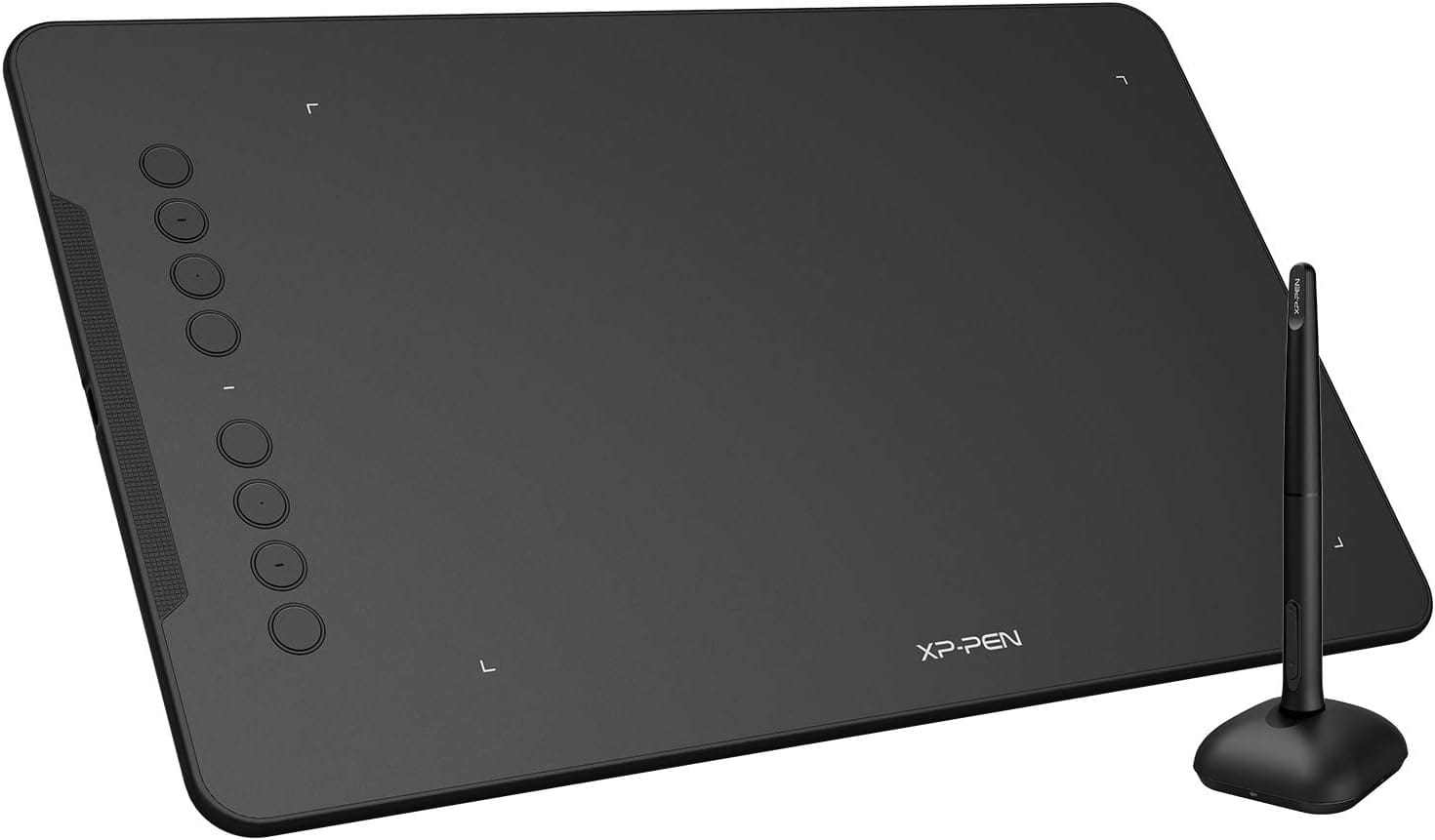 | VIEW ON AMAZON | |
| Best Premium Drawing Tablet | 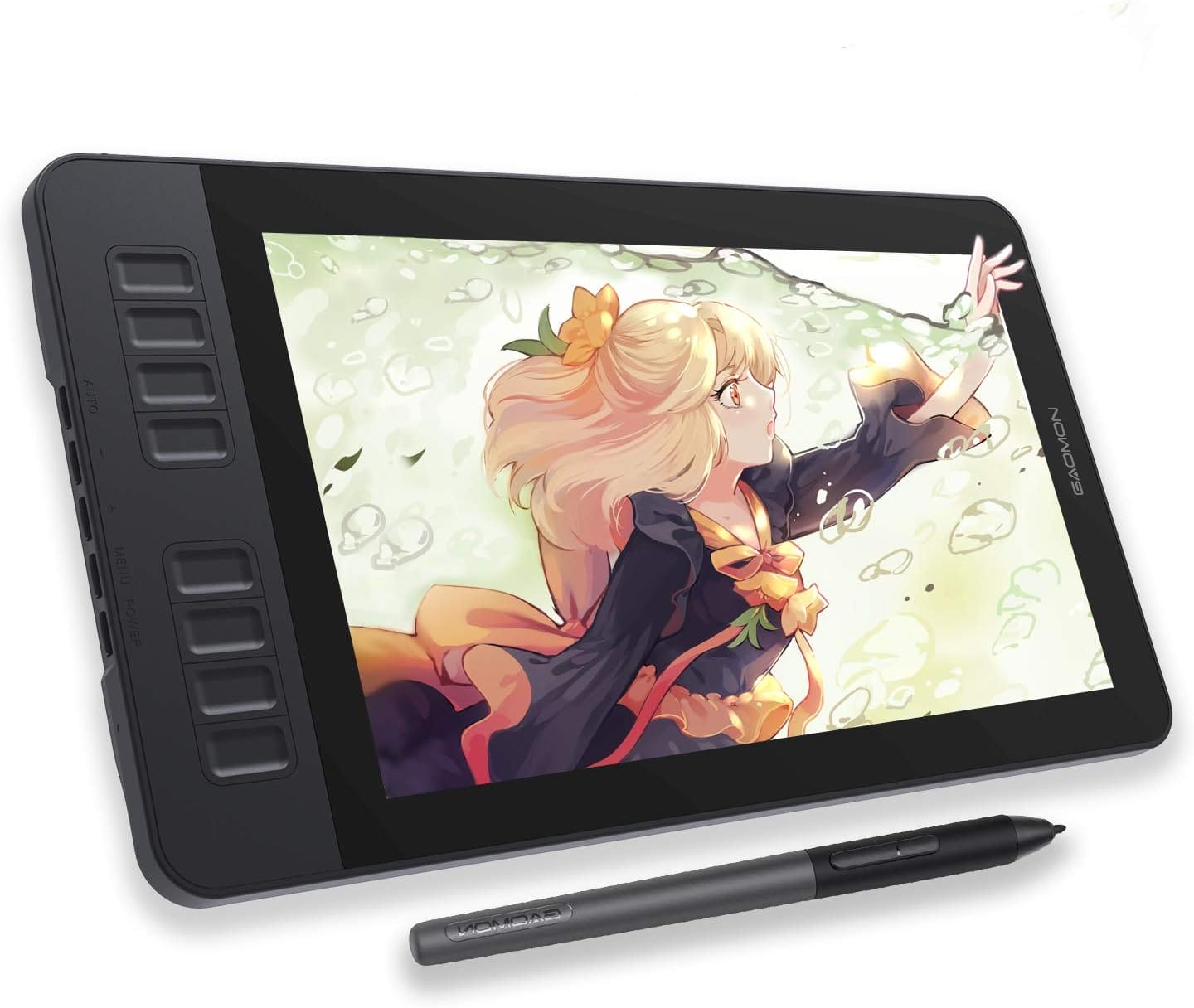 | VIEW ON AMAZON | |
| Best Budget Drawing Tablet | 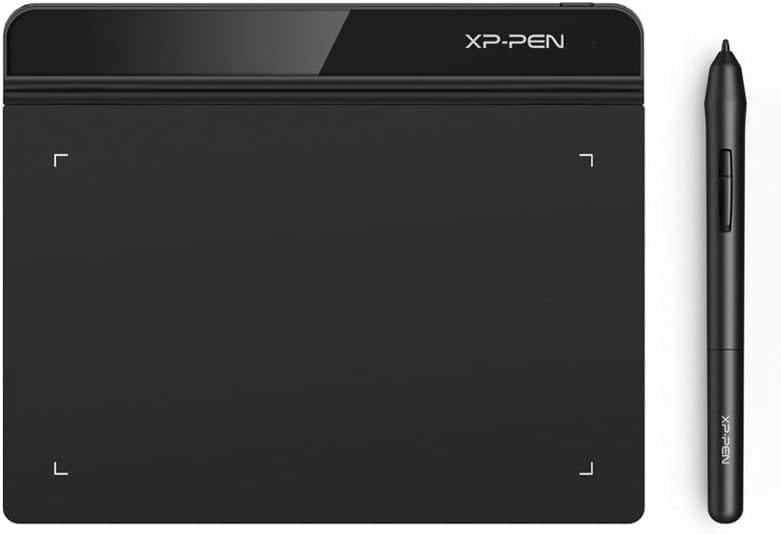 | VIEW ON AMAZON | |
| Best Runner Up Drawing Tablet | 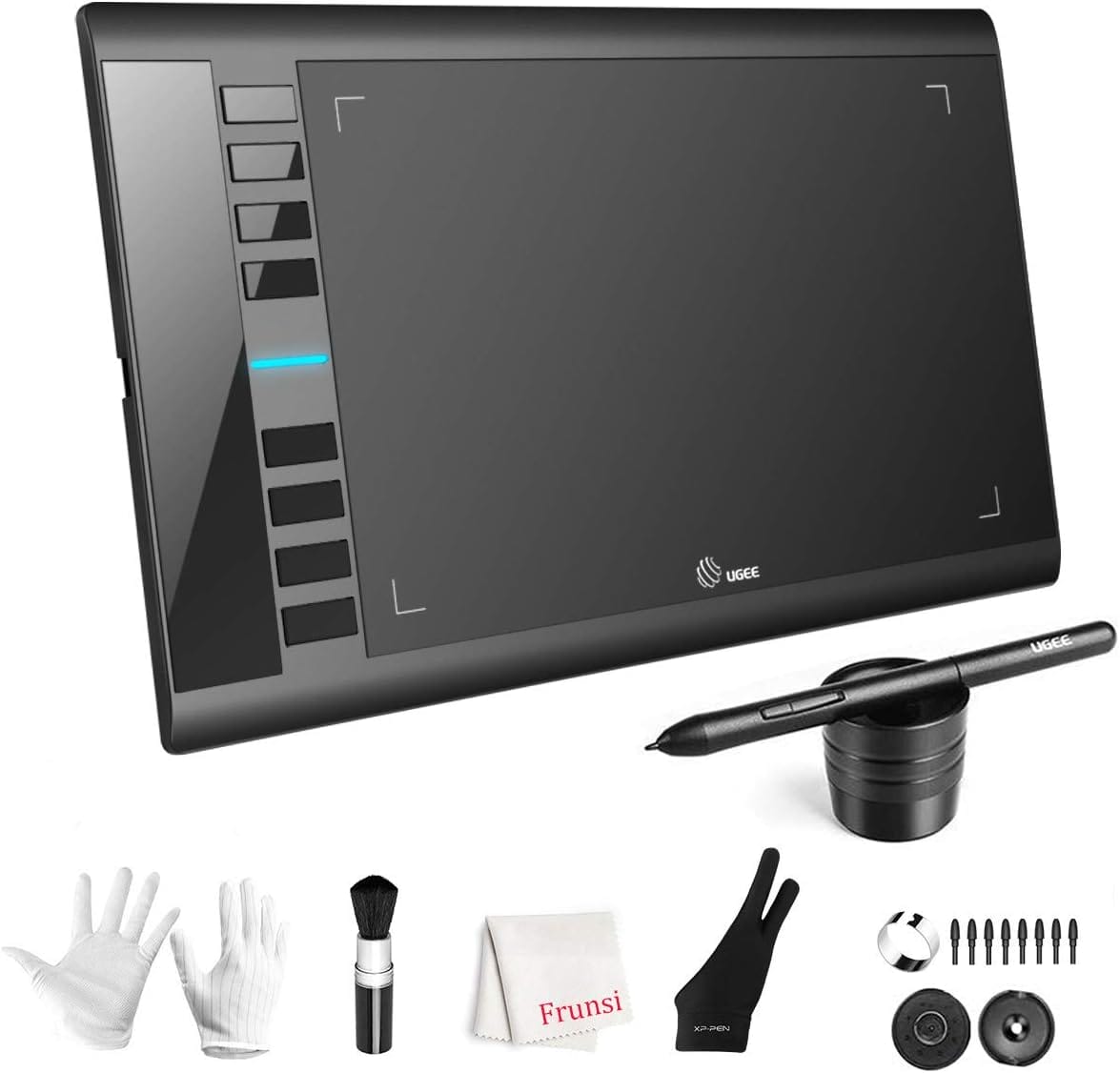 | VIEW ON AMAZON | |
| Best Cheap Drawing Tablet | 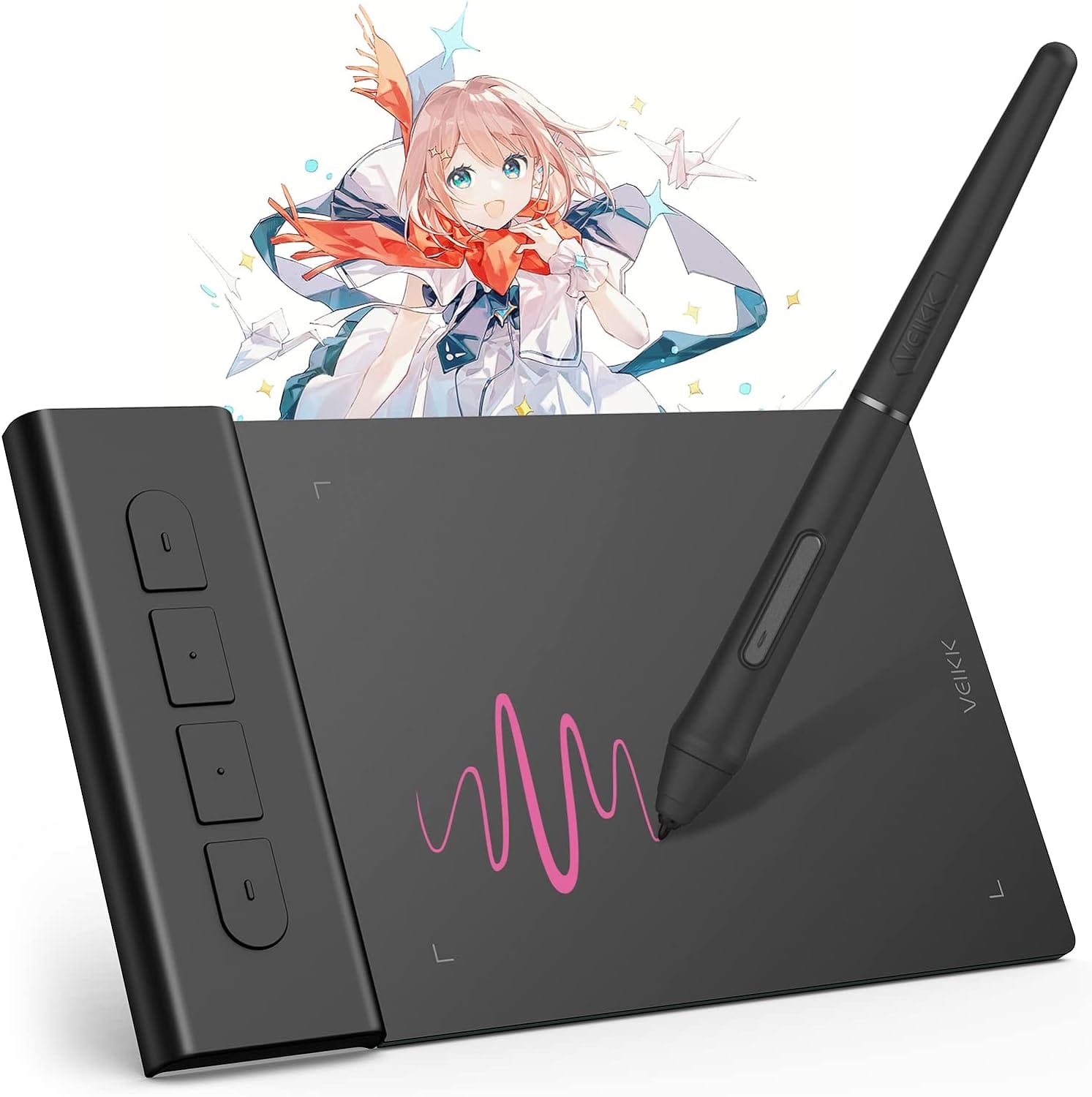 | VIEW ON AMAZON |
XPPen Deco 01 V2
Best Value Drawing Tablet
SPECIFICATIONS
Brand: XP-PEN | Connectivity Technology: USB | Operating System: Windows, Android, Linux, Chrome OS, Mac | Special Feature: Graphics Tablet-High Tech ICWe’ve adopted the newest High Tech IC | Model Name: deco
REASONS TO BUY
✓Large 10 x 6.25-inch working area
✓Tilt support for natural lines and shading
✓Wide compatibility with Windows, macOS, Android, and Chrome OS
✓Eight customizable shortcut keys for enhanced productivity
✓Compatible with popular drawing and design software
✓Affordable price point
REASONS TO AVOID
✗Some users may find the size slightly bulky for portability
✗Learning curve for configuring and optimizing shortcut keys
Finding a drawing tablet that balances performance, features, and price can be challenging, but the XPPen Deco 01 V2 stands out as a remarkable choice for artists and creatives looking for the best value. This tablet offers an array of impressive specs and functionalities, making it an excellent tool for both beginners and professionals. Here’s a detailed review of why the XPPen Deco 01 V2 is the best value drawing tablet.
Sufficient Working Area
The XPPen Deco 01 V2 boasts a generous working area of 10 x 6.25 inches. This expansive surface provides ample space for detailed and expansive artworks, allowing artists to create freely without feeling constrained. The tablet’s design cleverly separates the shortcut keys from the drawing area, ensuring a seamless and efficient workflow. This balance of size and functionality makes it an ideal choice for various creative projects, from illustrations to graphic designs.
Tilt Support
One of the standout features of the Deco 01 V2 is its support for up to 60 degrees of tilt brush effect. This functionality allows for smoother and more natural lines and strokes, closely mimicking the feel of traditional drawing tools. The tilt support enhances shading capabilities, giving artists the flexibility to add depth and dimension to their creations. This feature is particularly beneficial for those who work on intricate and detailed artworks.
Wide Compatibility
The Deco 01 V2 is compatible with a wide range of operating systems, including Windows 10/8/7, macOS X 10.10 and above, Android 6.0 and above, and Chrome OS 88.0.4324.109 or above. This broad compatibility ensures that the tablet can be used with various devices, including computers and Android smartphones or tablets. This versatility makes it an excellent choice for artists who need a reliable drawing tool across multiple platforms.
Customizable Shortcut Keys
To enhance productivity, the XPPen Deco 01 V2 features eight customizable shortcut keys. These round, easily accessible keys can be programmed to perform different functions across various software programs, such as Photoshop, SAI, Painter, Illustrator, and Clip Studio. This customization capability streamlines the workflow, allowing artists to quickly access their most-used tools and commands without interrupting their creative process.
Wide Software Compatibility
The Deco 01 V2’s compatibility extends to a variety of popular drawing and design software, making it a versatile tool for artists. Whether you’re working in Photoshop, SAI, Painter, Illustrator, Clip Studio, or other programs, the Deco 01 V2 ensures smooth and efficient performance. Additionally, XPPen offers programs like ArtRage Lite and Explain Everything upon request, further expanding the tablet’s utility.
In conclusion, the XPPen Deco 01 V2 is a feature-rich drawing tablet that offers exceptional value for its price. With its large working area, tilt support, wide compatibility, and customizable shortcut keys, it caters to the needs of both novice and experienced artists. The tablet’s ability to deliver smooth, natural lines and its compatibility with various operating systems and software programs make it a versatile and reliable tool for any creative endeavor. If you’re looking for a high-quality drawing tablet that doesn’t break the bank, the XPPen Deco 01 V2 is undoubtedly one of the best options available.
GAOMON PD1161
Best Premium Drawing Tablet
SPECIFICATIONS
Brand: GAOMON | Connectivity Technology: USB, HDMI | Pressure Sensitivity: 8192 Levels | Operating System: Windows 7 or later, macOS 10.12 or later | Special Feature: 60° Tilt Support, Programmable Press Key, Anti-glare protective film
REASONS TO BUY
✓11.6-inch full HD IPS screen with matte film for a natural drawing feel
✓Impressive color performance with 72% NTSC (100% sRGB) color gamut
✓Battery-free stylus with 8192 levels of pressure sensitivity and tilt function
✓Eight customizable press keys and two stylus buttons for improved workflow
✓Wide compatibility with Windows, macOS, and various creative software
✓Comprehensive accessory package included
REASONS TO AVOID
✗Not a standalone device; requires connection to a computer
✗Smaller screen size may not be suitable for those who prefer larger workspaces
The GAOMON PD1161 is a premium drawing tablet that offers exceptional performance and features for artists and creative professionals. With its full HD display, advanced stylus, and customizable workflow options, this tablet stands out as the best premium drawing tablet in its class. Here’s an in-depth look at why the GAOMON PD1161 is a top choice for serious artists.
Create Right On Screen
The GAOMON PD1161 features an 11.6-inch full HD IPS screen, allowing you to sketch, draw, and paint directly on the display. The screen delivers a resolution of 1920 x 1080, ensuring sharp and detailed visuals. The pre-installed matte film on the display reduces glare and reflection, making it feel like you’re sketching on paper. This feature enhances the drawing experience by providing a more natural and comfortable feel.
Vivid Color Performance
One of the standout features of the GAOMON PD1161 is its impressive color performance. The tablet supports 72% NTSC (100% sRGB) color gamut and can display 16.7 million colors. This ensures that your drawings are presented in a lifelike way, with smooth color gradation and vibrant hues. Whether you’re creating digital art, editing images, or designing graphics, the color accuracy and richness enhance the quality of your work.
Battery-Free Stylus AP50
The GAOMON PD1161 comes with a battery-free stylus, the AP50, which features 8192 levels of pressure sensitivity and tilt function. This stylus provides a familiar feel similar to a standard pencil, allowing for precise control and natural strokes. The absence of batteries means you don’t have to worry about charging the pen, making it more convenient and reliable for long drawing sessions.
Customize Your Workflow
To improve productivity, the GAOMON PD1161 offers eight customizable press keys on the side of the display and two buttons on the stylus. These programmable buttons allow you to set shortcuts for frequently used functions, streamlining your workflow and making the creative process more efficient. This customization capability is particularly useful for professional artists who require quick access to specific tools and commands.
Versatile Compatibility
The GAOMON PD1161 is compatible with both Windows (7 or later) and macOS (10.12 or later). It works seamlessly with a wide range of creative software, including Krita, Medibang, Blender, Photoshop, and Sai. Additionally, the tablet can be used for online education and remote work platforms like OneNote, Microsoft Whiteboard, and Zoom, making it a versatile tool for various applications.
What’s in the Box
The GAOMON PD1161 package includes everything you need to get started: a battery-free stylus, pen holder, eight replacement nibs, drawing glove, 3-in-2 USB cable, AC adapter, and a quick guide. This comprehensive set of accessories ensures that you have all the necessary tools to begin your creative journey right away.
In conclusion, the GAOMON PD1161 is an outstanding premium drawing tablet that offers a rich array of features and exceptional performance. With its full HD display, vivid color reproduction, advanced stylus, and customizable workflow options, it provides an excellent platform for digital artists, graphic designers, and creative professionals. The tablet’s versatile compatibility and included accessories make it a great investment for anyone looking to elevate their digital art and design capabilities.
Drawing Tablet XPPen StarG640
Best Budget Drawing Tablet
SPECIFICATIONS
Brand: XP-PEN | Connectivity Technology: USB | Operating System: Windows 7 and above, Mac OS X version 10.10 or later | Special Feature: Stylus Pen | Model Name: Star G640
REASONS TO BUY
✓Battery-free stylus for uninterrupted drawing sessions
✓Compact and portable design
✓Ideal for online education and remote work
✓Chromebook compatibility for enhanced versatility
✓Multipurpose functionality for various applications
✓Affordable price point
REASONS TO AVOID
✗Limited active drawing area compared to larger tablets
Finding a high-quality drawing tablet at an affordable price can be challenging, but the XPPen StarG640 manages to deliver excellent performance and features without breaking the bank. This tablet is perfect for beginners, students, and even professionals looking for a reliable secondary device. Here’s why the XPPen StarG640 stands out as the best budget drawing tablet.
Battery-Free Pen for Uninterrupted Creativity
One of the standout features of the XPPen StarG640 is its battery-free PN01 stylus. This advanced pen does not require charging, allowing for constant and uninterrupted drawing sessions. The pen’s design enhances overall performance by making lines flow quicker and smoother, providing a more natural and responsive drawing experience. Whether you’re sketching, painting, or playing OSU!, the stylus ensures you can work continuously without any downtime.
Ideal for Online Education and Remote Work
The XPPen StarG640 is not just a drawing tablet; it’s a versatile tool designed for various applications. It is compatible with Microsoft Office apps like Word, PowerPoint, and OneNote, making it ideal for online teaching, remote work, and digital signatures. This tablet is perfect for visually presenting handwritten notes and signatures, providing a precise and efficient alternative to a traditional mouse. Its compatibility with Zoom and Xsplit also makes it an excellent choice for virtual meetings and online presentations.
Compact and Portable Design
Weighing in at just 2mm thick, the XPPen StarG640 is incredibly slim and lightweight, making it one of the most portable graphic tablets available. Its compact size allows you to carry it with you wherever you go, ensuring that you have a reliable drawing and writing tool on hand at all times. Despite its slim profile, the tablet offers a comfortable working area, making it suitable for both small and large projects.
Chromebook Compatibility
The XPPen StarG640 is now compatible with Chromebook devices, making it an excellent choice for students and educators who use Google’s ecosystem. You can create information-rich content, collaborate with teachers and classmates on Google Jamboard’s whiteboard, take notes quickly with Google Keep, and effortlessly sketch diagrams with Google Canvas. This compatibility enhances the tablet’s versatility, making it a valuable tool for education and creativity.
Multipurpose Use
Designed for a variety of applications, the XPPen StarG640 excels in digital drawing, painting, sketching, and even playing the OSU! game. It is also compatible with Microsoft Office programs, allowing you to create mind maps, draw diagrams, or take notes as a replacement for a mouse. This multipurpose functionality makes it a valuable addition to any digital artist’s toolkit.
In conclusion, the XPPen StarG640 is an exceptional budget drawing tablet that offers a wealth of features and excellent performance. With its battery-free pen, compact design, wide compatibility, and versatile use cases, it is perfect for beginners, students, and professionals alike. Whether you are looking to enhance your digital art skills, improve your online teaching, or streamline your remote work, the XPPen StarG640 provides outstanding value for money.
Graphics Drawing Tablet, UGEE M708
Best Runner Up Drawing Tablet
SPECIFICATIONS
Brand: UGEE | Connectivity Technology: USB | Pressure Sensitivity: 8192 Levels | Operating System: Windows 7 & above, MAC OS 10.10 or above | Special Feature: 8092 Level Pressure Sensitivity, 60° Tilt Support, Programmable Press Key, Extra-Slim
REASONS TO BUY
✓Versatile for various applications including digital art, e-signatures, and e-learning
✓Ultra-thin and lightweight design for portability
✓Customizable express keys for improved efficiency
✓High report rate and pressure sensitivity for precise control
✓Battery-free pen for uninterrupted use
✓Wide compatibility with multiple operating systems
REASONS TO AVOID
✗Smaller active area compared to larger, professional tablets
✗Learning curve for optimizing and customizing express keys
When looking for a drawing tablet that offers a balance of performance, features, and affordability, the UGEE M708 Graphics Drawing Tablet is an exceptional choice. Positioned as the best runner-up drawing tablet, it provides a host of features that cater to both beginners and professional artists alike. Here’s why the UGEE M708 stands out in the competitive world of digital art tools.
Multi-Function Digital Tablet
The UGEE M708 is designed for versatility, making it an excellent tool for digital drawing, painting, sketching, e-signatures, online teaching, remote work, and photo editing. It is compatible with a wide range of operating systems, including Chrome OS 88 or later, Windows 7 or later, macOS 10.12 or later, Android 6.0 or later, and Linux. This broad compatibility ensures that users can seamlessly integrate the tablet into their existing workflows, whether they’re using it for creative projects or professional tasks.
Ultra Thin and Lightweight
Weighing just 82.5 grams and with a surface thickness of only 2mm, the UGEE M708 is both ultra-thin and lightweight. Its compact design allows it to fit easily into a laptop case or schoolbag, making it incredibly convenient to carry around. This portability ensures that artists and professionals can take their work with them wherever they go, without the hassle of bulky equipment.
Efficient and User-Friendly
The UGEE M708 features four customizable express keys that provide quick access to frequently used functions such as undo, zoom in/out, or switching between programs. These express keys enhance efficiency and streamline the creative process, allowing artists to focus more on their work. The tablet supports both right and left-handed users, ensuring a comfortable experience for everyone. Additionally, the USB-C port design allows for convenient and stable plug-in and out in either direction, adding to the tablet’s user-friendly nature.
High Performance and Precision
Performance is a critical aspect of any drawing tablet, and the UGEE M708 excels in this area. With a report rate of 290 PPS (points per second), the tablet offers quicker and smoother line control, making it ideal for detailed artwork and rapid sketching. The P05 battery-free pen ensures uninterrupted use, eliminating the need for frequent charging. With 8192 levels of pressure sensitivity, the pen accurately identifies subtle strokes and pressure variations, allowing for precise and nuanced artwork.
Ideal Tool for Signatures and E-Learning
Beyond its capabilities as a drawing tool, the UGEE M708 also excels in applications such as e-signatures and e-learning. The tablet offers a more accurate and natural way to present handwritten notes and signatures, outperforming traditional mice. This makes it a valuable tool for online education and remote work environments. VEIKK provides a one-year warranty for all their computer graphics tablets, ensuring that users have reliable support and peace of mind.
In conclusion, the UGEE M708 Graphics Drawing Tablet is an outstanding runner-up drawing tablet that offers a comprehensive set of features and high performance at an affordable price. Its versatility, ultra-thin design, user-friendly features, and precision make it an excellent choice for digital artists, educators, and professionals. Whether you’re creating detailed digital art, teaching online, or signing documents, the UGEE M708 delivers exceptional value and functionality.
VEIKK VK430 Drawing Tablet
Best Cheap Drawing Tablet
SPECIFICATIONS
Brand: VEIKK | Connectivity Technology: USB | Pressure Sensitivity: 8192 Levels | Operating System: Chrome OS 88 or later, Windows 7 or later , Mac OS 10.12 or later, Android 6.0 or later and Linux | Special Feature: Drawing, Remote Work, OSU Tablet, E-signatures, Online Teaching
REASONS TO BUY
✓Large 10 x 6-inch active drawing area with papery texture
✓8192 levels of pressure sensitivity for precise control
✓Broad compatibility with multiple operating systems and software
✓Eight customizable express keys for improved efficiency
✓Easy setup and suitable for both right and left-handed users
✓Affordable price point with excellent customer service
REASONS TO AVOID
✗Lacks some advanced features found in higher-end models
✗Active area may be too large for artists who prefer compact tablets
Finding a high-quality drawing tablet at an affordable price can be challenging, but the VEIKK VK430 stands out as an excellent choice for budget-conscious artists. Combining a large active drawing area, advanced stylus technology, and broad compatibility, this tablet offers exceptional value without compromising on performance. Here’s why the VEIKK VK430 is the best cheap drawing tablet available.
Large Active Drawing Space
The VEIKK VK430 features a generous 10 x 6-inch active drawing area, providing ample space for your creative endeavors. The surface has a papery texture, which offers a natural and smooth drawing experience that mimics traditional sketching on paper. This large, responsive area ensures that you can create detailed and expansive artworks with ease, making it ideal for both beginners and professionals.
8192 Passive Stylus Technology
One of the standout features of the VEIKK VK430 is its passive stylus, which offers 8192 levels of pressure sensitivity. This high level of sensitivity allows for precise control over line weight and opacity, enabling you to create sharper lines with light pressure and thicker lines with harder pressure. The passive stylus technology eliminates the need for batteries or charging, providing an uninterrupted and hassle-free drawing experience. This feature is particularly beneficial for digital artists who require precision and versatility in their work.
Compatible with Multiple Systems and Software
The VEIKK VK430 boasts broad compatibility, performing well with Windows 11/10/8/7 and macOS X 10.10 or above. The driver program works seamlessly with popular creative software such as Photoshop, Illustrator, Macromedia Flash, Comic Studio, SAI, Infinite Stratos, 3D MAX, Autodesk MAYA, Pixologic ZBrush, and more. This extensive compatibility ensures that you can integrate the tablet into your existing workflow without any issues, regardless of the software you use.
Ergonomically Designed Shortcuts
To enhance productivity and efficiency, the VEIKK VK430 is equipped with eight customizable express keys. These keys can be programmed for various shortcuts like eraser, zoom in and out, scrolling, and undo. This ergonomic design allows for quick and easy access to frequently used functions, streamlining your creative process and improving your overall workflow.
Easy to Set Up and Excellent Customer Service
The VEIKK VK430 is designed for both right and left-handed users, making it versatile and accessible for all artists. The package includes a pen holder and extra pen tips, ensuring you have everything you need to get started. Setting up the tablet is straightforward, and VEIKK provides a 12-month hassle-free warranty service along with excellent customer support. This commitment to customer satisfaction ensures that any issues or concerns are promptly addressed, giving you peace of mind with your purchase.
In conclusion, the VEIKK VK430 Drawing Tablet is an outstanding budget-friendly option that offers a comprehensive set of features and excellent performance. With its large active drawing area, advanced passive stylus technology, broad compatibility, and customizable shortcuts, it provides a smooth and efficient drawing experience for both novice and experienced artists. Whether you are creating digital art, designing graphics, or editing photos, the VEIKK VK430 delivers exceptional value and reliability.
Overall Article Conclusion
In conclusion, the XPPen Deco 01 V2 is a feature-rich drawing tablet that offers exceptional value for its price. With its large working area, tilt support, wide compatibility, and customizable shortcut keys, it caters to the needs of both novice and experienced artists.

CEO
Hi, My name is Bilal Ali and I am an affiliate marketer and have been involved in this field for a number of years. I have a lot of experience and knowledge in this area, which I love to share with others. I am always looking for new ways to improve my skills and learn more about affiliate marketing. I am also very active on social media, and love to connect with others in the industry.