
In today’s fast-paced and technology-driven world, having the right tools can make a significant difference in productivity and comfort. One of the most essential components of a modern office setup is the monitor.
Whether you’re a professional working from home, a student tackling assignments, or a business executive managing multiple tasks, the right monitor can elevate your workspace, enhance your efficiency, and reduce strain on your eyes and body.
Choosing the best monitor for office work is more than just finding a screen to display your documents. It’s about investing in a device that complements your workflow, reduces eye fatigue, and fits seamlessly into your workspace.
Monitors designed for office work come with features that cater to extended use, such as flicker-free screens, blue light filters, and adjustable stands. These features not only protect your eyes but also ensure a comfortable viewing experience throughout the day.
AT A GLANCE:
Best Value Monitor for Office Work
Dell S2721QS
- Stunning 4K UHD resolution with HDR support
- Elegant and modern design with a textured pattern
- Height-adjustable stand with tilt, swivel, and pivot features
- Dual HDMI ports for seamless device switching
- High brightness and excellent color accuracy
Best High End Monitor for Office Work

HP E27m G4
- High-resolution QHD display with stunning clarity
- Wide viewing angles and consistent image quality
- Ergonomic stand with full adjustability
- Advanced connectivity options including USB-C
- Fast response time for smooth performance
Best Budget Monitor for Office Work
PHILIPS 22 inch
- Crisp Full HD resolution for clear and detailed visuals
- VA panel with excellent contrast and 16.7 million colors
- Wide 178/178 degree viewing angles for consistent colors
- Virtually bezel-free design for seamless multi-monitor setups
- EasyRead mode for a more comfortable reading experience
- Affordable price point
Modern office monitors also offer a range of connectivity options, making it easy to connect multiple devices and streamline your workflow. Whether you need USB-C ports for quick data transfer and charging, HDMI ports for high-definition video, or DisplayPort for superior audio and video quality, the best monitors for office work have you covered. Additionally, many of these monitors come with built-in speakers and integrated cable management systems, keeping your desk clutter-free and organized.
In this guide, we’ll explore some of the top monitors for office work, highlighting their key features and benefits. From high-resolution displays that make text sharp and clear to ergonomic designs that promote better posture, we’ll help you find the perfect monitor to boost your productivity and create a comfortable, efficient workspace.
Short Buying Guide
When selecting the best monitor for office work, consider the following key factors to ensure you get the most out of your investment:
Screen Size and Resolution: Aim for a monitor with at least a 24-inch screen and Full HD (1920×1080) resolution for clear and sharp text. Larger screens and higher resolutions (like 4K) provide more screen real estate and crisper images, beneficial for multitasking and detailed work.
Ergonomics: Choose a monitor with an adjustable stand that allows you to tilt, swivel, pivot, and adjust the height. This flexibility helps you maintain an ergonomic posture, reducing the risk of neck and back strain.
Eye Care Technology: Look for monitors with flicker-free technology and blue light filters. These features reduce eye strain and fatigue, making it easier to work for extended periods.
Connectivity Options: Ensure the monitor has a variety of ports, including HDMI, DisplayPort, and USB-C. This versatility allows you to connect multiple devices and streamline your workspace.
Color Accuracy: For tasks that require precise color representation, such as graphic design or video editing, choose a monitor with high color accuracy and coverage of color gamuts like sRGB or Adobe RGB.
Built-in Features: Consider additional features like built-in speakers, integrated cable management, and USB hubs. These can enhance your productivity and keep your workspace tidy.
By keeping these factors in mind, you can find a monitor that not only enhances your office work but also contributes to a healthier and more comfortable working environment.
Here are our recommended Top 8 Best Monitors for Office Work which you can purchase today
| Award | Design | Monitors | Retailer |
|---|---|---|---|
| Best Value Monitor for Office Work | Best Pick | VIEW ON AMAZON | |
| Best High End Monitor for Office Work | Staff Pick | VIEW ON AMAZON | |
| Best Budget Monitor for Office Work | Budget Pick | VIEW ON AMAZON | |
| Best Runner Up Monitor for Office Work | 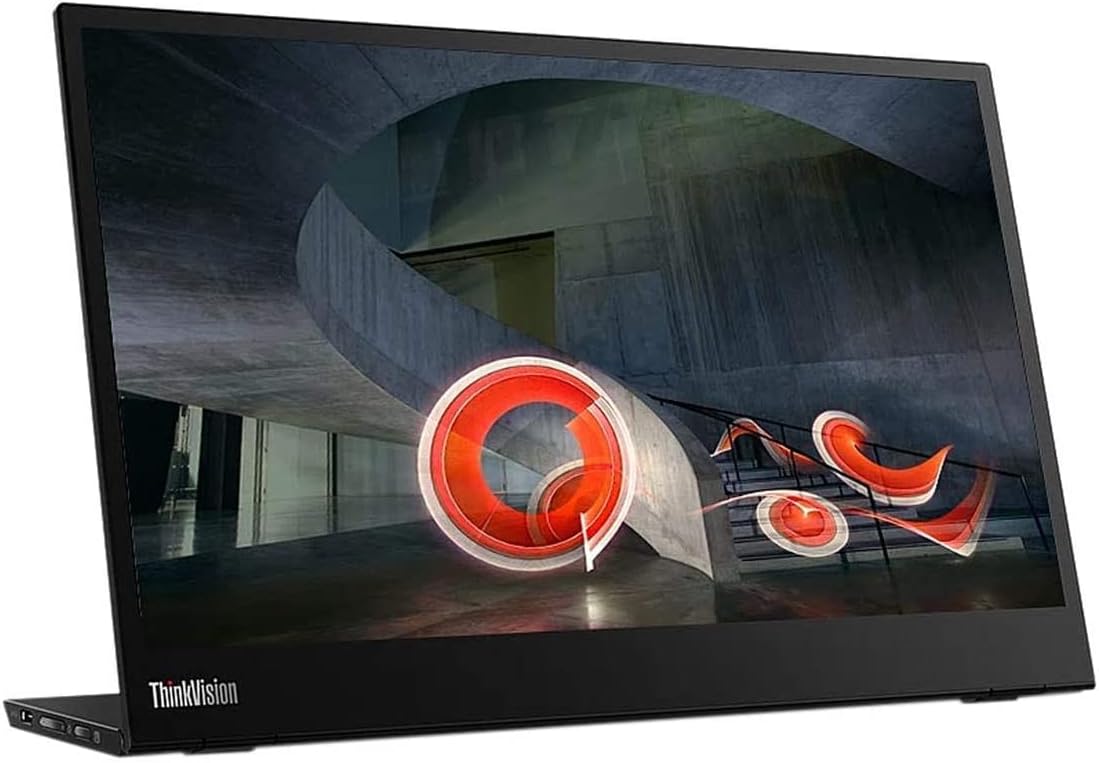 | VIEW ON AMAZON | |
| Best Affordable Monitor for Office Work |  | VIEW ON AMAZON | |
| Best Performance Monitor for Office Work |  | VIEW ON AMAZON | |
| Best All Rounder Monitor for Office Work | 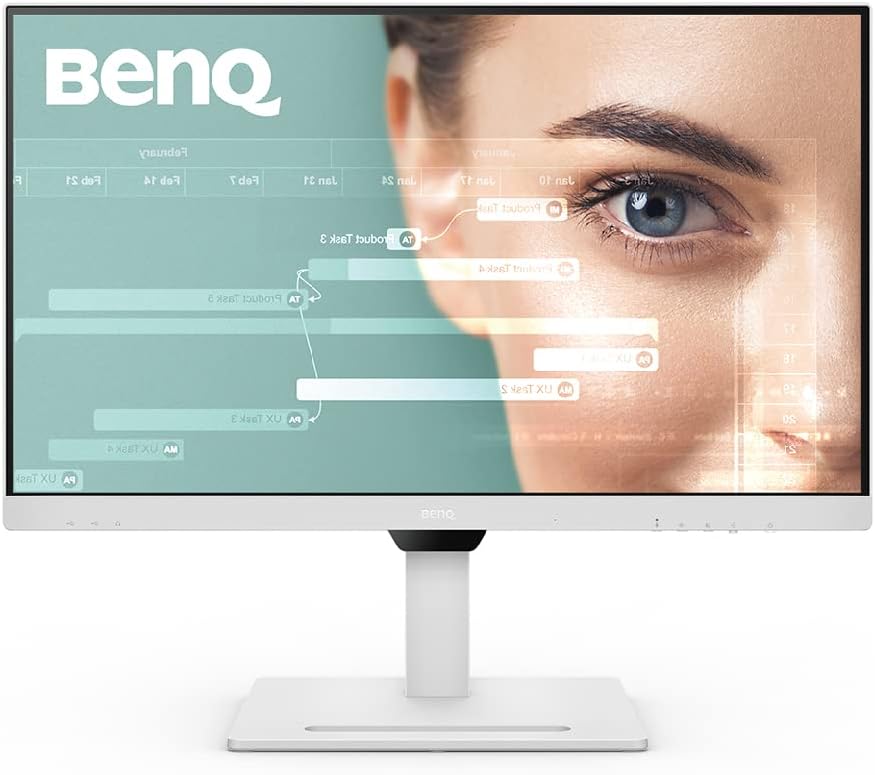 | VIEW ON AMAZON | |
| Best Smooth Monitor for Office Work | 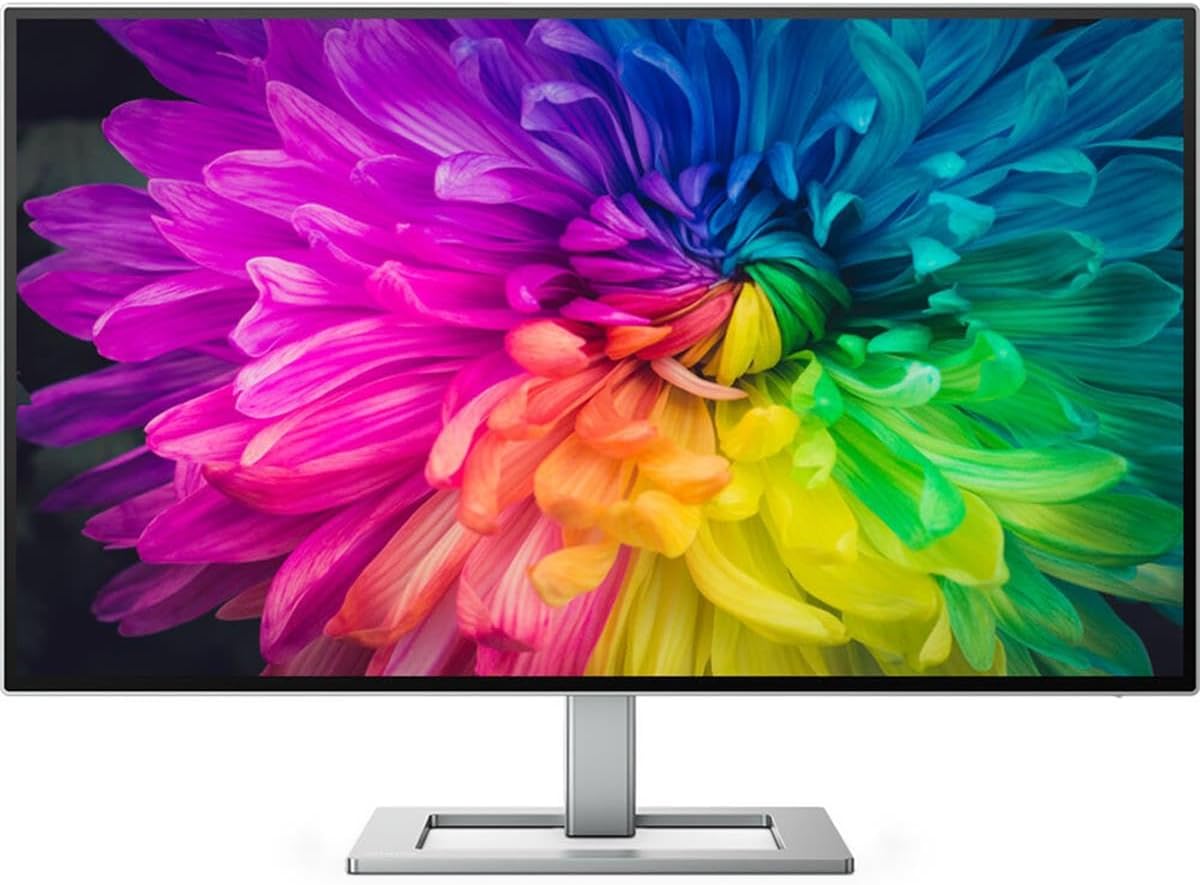 | VIEW ON AMAZON |
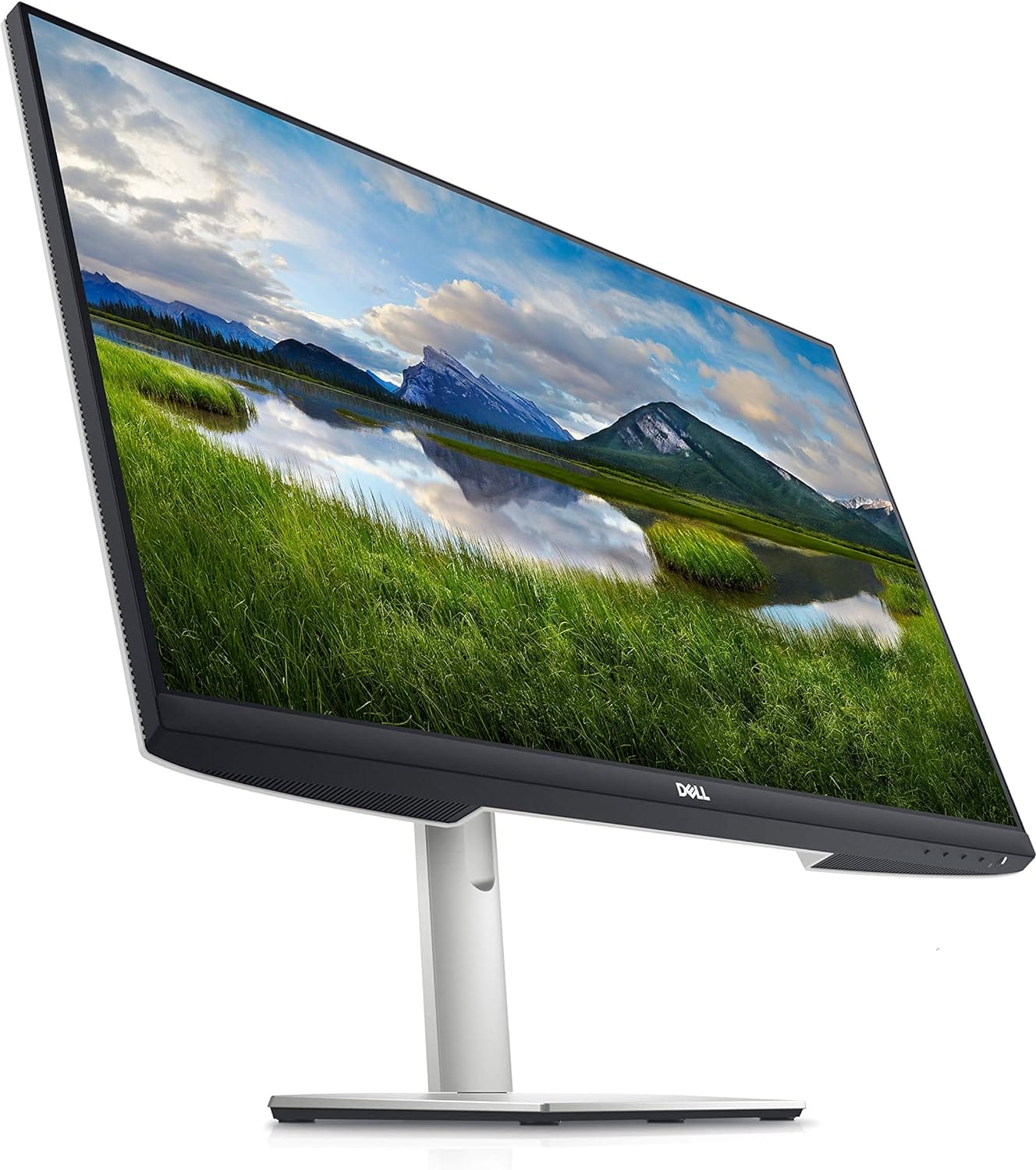
Dell S2721QS
Best Value Monitor for Office Work
SPECIFICATIONS
Brand: Dell | Screen Size: 27 Inches | Resolution: 4K UHD 2160p | Aspect Ratio: 16:9 | Screen Surface Description: Matte
REASONS TO BUY
✓Stunning 4K UHD resolution with HDR support
✓Elegant and modern design with a textured pattern
✓Height-adjustable stand with tilt, swivel, and pivot features
✓Dual HDMI ports for seamless device switching
✓High brightness and excellent color accuracy
REASONS TO AVOID
✗Might be overkill for users who do not require 4K resolution
✗Integrated speakers could be better
When it comes to finding the perfect balance between performance, design, and value, the Dell S2721QS stands out as an exceptional choice for office work. This monitor offers an array of features designed to enhance productivity, comfort, and visual experience, making it a top contender for anyone looking to upgrade their workspace.
Immersive 4K UHD Display
The Dell S2721QS features a stunning 27-inch 4K UHD display with a resolution of 3840 x 2160 pixels, providing four times the resolution of Full HD. This ensures that text is sharp, and images are incredibly detailed, which is essential for tasks that require precision, such as graphic design, data analysis, and document editing. The monitor also supports HDR content playback, delivering lifelike visuals with enhanced contrast and color accuracy. With a brightness of 350 cd/m² and a pixel density of 163 PPI, every detail is brought to life, making it a pleasure to work on.
Elegant and Practical Design
The Dell S2721QS is not only about performance; it also boasts an elegant design that complements any workspace. The three-sided ultrathin bezel design provides a sleek and modern look while maximizing screen space, making it ideal for multi-monitor setups. The back of the monitor features a subtle textured pattern, adding a touch of sophistication to its overall aesthetic. This blend of style and quality ensures that the monitor enhances the visual appeal of your office environment.
Ergonomic Comfort
Comfort is crucial when spending long hours in front of a screen, and the Dell S2721QS excels in this area. It comes with a height-adjustable stand that allows you to customize your viewing position. You can tilt, swivel, and pivot the monitor to find the most comfortable and ergonomic setup, reducing the risk of neck and back strain. This versatility ensures that you can maintain a healthy posture throughout the workday.
Seamless Connectivity
The Dell S2721QS features built-in dual HDMI ports, enabling seamless switching between devices. This is particularly useful for those who need to multitask between different inputs, such as streaming, console gaming, or connecting multiple computers. The convenience of having multiple devices always plugged in and ready to use can significantly enhance productivity and streamline your workflow.
In summary, the Dell S2721QS is an outstanding monitor that offers exceptional value for office work. Its immersive 4K UHD display, elegant design, ergonomic versatility, and seamless connectivity make it a top choice for professionals seeking to enhance their productivity and comfort. Whether you are a designer, analyst, or business professional, this monitor provides the performance and features needed to excel in your tasks.
HP E27m G4
Best High End Monitor for Office Work
SPECIFICATIONS
Brand: HP | Screen Size: 27 Inches | Resolution: QHD Wide 1440p | Aspect Ratio: 16:9 | Screen Surface Description: Glossy
REASONS TO BUY
✓High-resolution QHD display with stunning clarity
✓Wide viewing angles and consistent image quality
✓Ergonomic stand with full adjustability
✓Advanced connectivity options including USB-C
✓Fast response time for smooth performance
REASONS TO AVOID
✗Glossy screen may reflect light in bright environments
✗Higher price point compared to standard office monitors
For professionals seeking an unparalleled office work experience, the HP E27m G4 monitor stands out as the ultimate high-end option. This 27-inch monitor is designed to deliver exceptional performance, ergonomic comfort, and advanced features that cater to the needs of modern work environments.
Impressive QHD Display
The HP E27m G4 boasts a 27-inch IPS QHD display with a resolution of 2560×1440 pixels, providing stunning clarity and detail. This higher resolution offers more screen real estate compared to standard Full HD monitors, allowing users to multitask efficiently and view more content without the need for excessive scrolling or switching between windows. The 16:9 aspect ratio ensures a widescreen viewing experience, ideal for spreadsheets, design work, and multiple document viewing.
Superior Visual Quality
With a 1000:1 contrast ratio and 300 nits brightness, the HP E27m G4 delivers vivid and lifelike colors, making it perfect for tasks that require color accuracy and sharp visuals. The IPS technology ensures wide viewing angles of 178 degrees both horizontally and vertically, maintaining consistent image quality from any angle. This is particularly beneficial for collaborative work where multiple people need to view the screen simultaneously.
Ergonomic Design
The HP E27m G4 is designed with user comfort in mind. The monitor features an adjustable stand that allows users to customize the height, tilt, swivel, and pivot to find the most ergonomic position. This flexibility helps reduce neck and eye strain during prolonged use, promoting a healthier and more comfortable work environment. The glossy screen surface adds a touch of elegance while enhancing the vibrancy of the display.
Advanced Connectivity
This monitor is equipped with a range of connectivity options to support a modern workspace. It includes HDMI and USB-C ports, making it easy to connect to various devices. The USB-C port is particularly useful, providing a single cable solution for video, data transfer, and power delivery, reducing cable clutter and simplifying your desk setup. This is ideal for users with laptops, as it allows for quick and efficient docking.
Fast Response Time
With a response time of 5ms, the HP E27m G4 ensures smooth and responsive performance, minimizing motion blur and ghosting. This feature is crucial for tasks that involve rapid screen updates, such as video editing, gaming, or interactive presentations. The fast response time enhances the overall user experience, making it a versatile choice for both work and leisure.
In summary, the HP E27m G4 is a top-tier high-end monitor that offers exceptional quality and performance for office work. Its QHD resolution, superior visual quality, ergonomic design, and advanced connectivity options make it a standout choice for professionals who demand the best from their equipment. Whether you are involved in detailed design work, data analysis, or extensive multitasking, this monitor provides the features and flexibility needed to excel in a modern work environment.
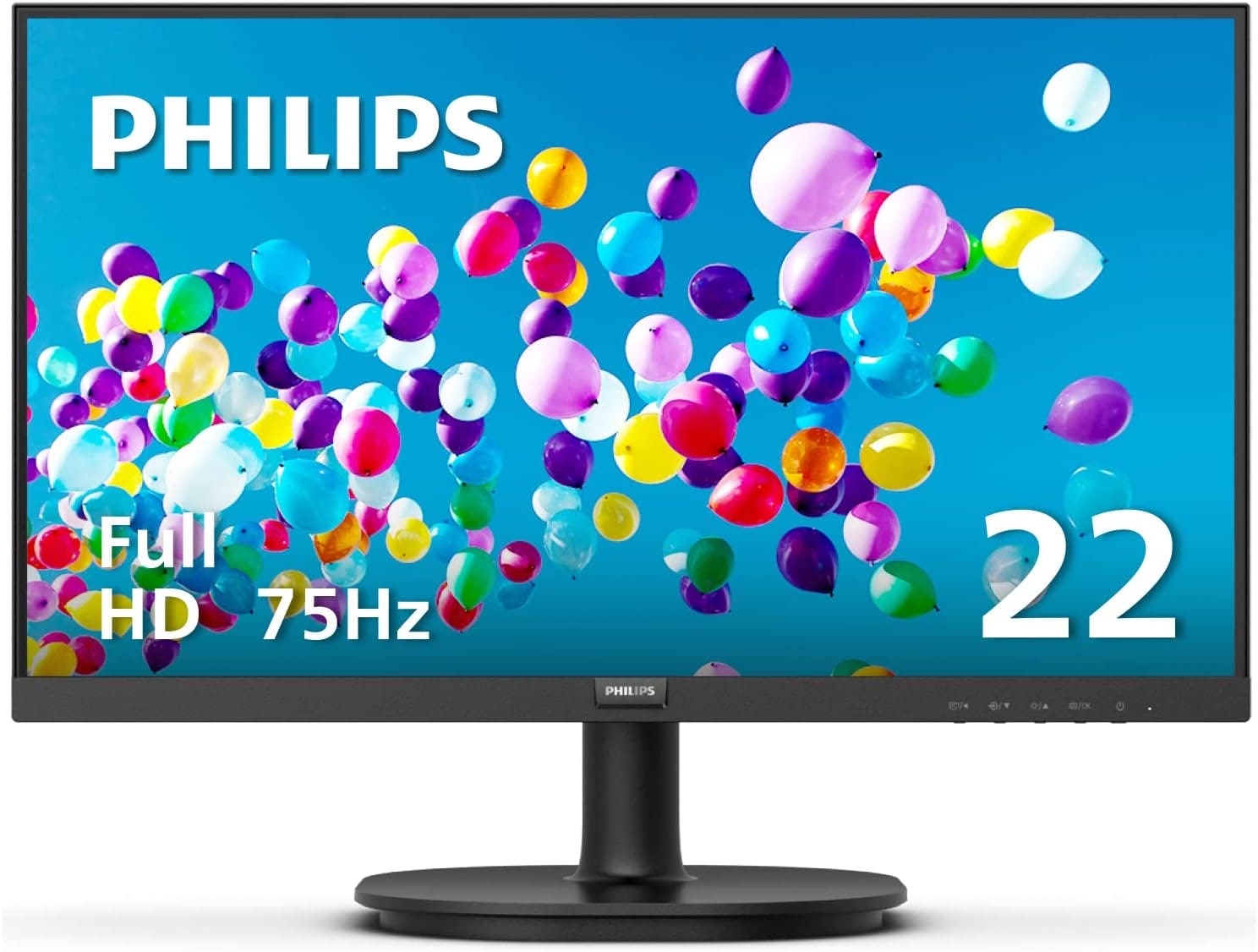
PHILIPS 22 inch
Best Budget Monitor for Office Work
SPECIFICATIONS
Brand: Philips Computer Monitors | Screen Size: 21.5 Inches | Resolution: FHD 1080p | Aspect Ratio: 16:9 | Screen Surface Description: Glossy
REASONS TO BUY
✓Crisp Full HD resolution for clear and detailed visuals
✓VA panel with excellent contrast and 16.7 million colors
✓Wide 178/178 degree viewing angles for consistent colors
✓Virtually bezel-free design for seamless multi-monitor setups
✓EasyRead mode for a more comfortable reading experience
✓Affordable price point
REASONS TO AVOID
✗Limited to a 22-inch screen size, which may be small for some users
✗Basic stand with limited ergonomic adjustments
Finding an affordable yet high-quality monitor for office work can be challenging, but the PHILIPS 22-inch monitor offers exceptional value with its impressive features and performance. Designed to meet the needs of professionals who require a reliable and clear display, this monitor stands out as the best budget option for office work.
Crisp Clarity
The PHILIPS 22-inch monitor delivers crisp and clear visuals with its Full HD (1920×1080) resolution. The 21.45-inch viewable screen ensures that movies, shows, and videos are displayed with remarkable detail and clarity, making it ideal for both work and entertainment. The Full HD resolution is perfect for tasks that require precise detail, such as document editing, web browsing, and multimedia presentations.
Incredible Contrast
Equipped with a VA panel, this monitor produces brighter whites and deeper blacks, enhancing the overall visual experience. The VA technology ensures true-to-life images with more gradients and 16.7 million colors. This incredible contrast makes it easier to distinguish between different shades and details, which is particularly beneficial for graphic design, data analysis, and other detailed work.
Wide Viewing Angle
The PHILIPS 22-inch monitor offers a 178/178 degree extra wide viewing angle, ensuring consistent colors and clarity from any viewing position. This wide angle prevents color shifting when viewed from different angles, making it suitable for collaborative work environments where multiple people need to view the screen simultaneously. The consistent color performance ensures that everyone sees the same high-quality image, enhancing productivity and collaboration.
Seamless Multi-Monitor Setup
This sleek monitor features a virtually bezel-free design on three sides, giving it a modern and minimalistic appearance. The slim bezels make the screen look even bigger and allow for seamless multi-monitor setups. This design enhances your workflow and boosts productivity by providing a larger, uninterrupted viewing area. Whether you’re working on complex projects or multitasking, the PHILIPS 22-inch monitor makes it easier to manage multiple windows and applications.
Better Reading Experience
For busy office workers, the EasyRead mode provides a more comfortable and paper-like reading experience. This mode reduces eye strain during extended periods of reading and reviewing lengthy documents. By mimicking the appearance of printed paper, EasyRead mode makes it easier to focus on text and improves overall reading comfort.
In summary, the PHILIPS 22-inch monitor is an outstanding choice for those seeking an affordable yet high-performing monitor for office work. Its crisp Full HD resolution, incredible contrast, wide viewing angles, and seamless multi-monitor setup make it a versatile and reliable addition to any workspace. The EasyRead mode further enhances its suitability for office tasks, ensuring a comfortable and efficient work experience.
Lenovo ThinkVision M14
Best Runner Up Monitor for Office Work
SPECIFICATIONS
Brand: Lenovo | Screen Size: 14 Inches | Resolution: FHD 1080p | Aspect Ratio: 16:9 | Screen Surface Description: Glossy
REASONS TO BUY
✓Compact and lightweight design for easy portability
✓High-quality FHD IPS display with vibrant colors
✓Dual USB Type-C ports with DisplayPort 1.2 Alt Mode and PD 2.0
✓Low Blue Light technology to reduce eye strain
✓Tilt-adjustable stand for ergonomic comfort
✓Kensington lock slot for added security
REASONS TO AVOID
✗Smaller 14-inch size may not be suitable for all tasks
✗Limited to USB Type-C connectivity, which may require adapters for some devices
For professionals who need a versatile and portable monitor that doesn’t compromise on quality, the Lenovo ThinkVision M14 is a stellar choice. As the best runner-up monitor for office work, this 14-inch monitor offers impressive features that make it ideal for enhancing productivity on the go.
Compact and Portable Design
The Lenovo ThinkVision M14 features a sleek and lightweight design, making it incredibly portable. Weighing just 1.26 pounds, it’s easy to carry along with your laptop, allowing you to set up a dual-screen workspace wherever you are. Its compact 14-inch size is perfect for those who frequently travel or work in different locations but still require a high-quality secondary display.
High-Quality FHD Display
Despite its smaller size, the ThinkVision M14 doesn’t compromise on display quality. It boasts a Full HD (1920 x 1080) IPS screen that delivers sharp and vibrant visuals. With 16.7 million colors and a brightness of 300 nits, the display ensures clear and vivid images, making it suitable for tasks such as document editing, presentations, and multimedia viewing. The 6ms response time and 60 Hz refresh rate provide smooth performance, reducing motion blur and ensuring a pleasant viewing experience.
Enhanced Connectivity
The monitor is equipped with two USB Type-C ports that support DisplayPort 1.2 Alt Mode and Power Delivery 2.0 (PD 2.0). This dual connectivity allows you to easily connect the monitor to various devices while also providing power, reducing the need for additional cables and chargers. The versatile connectivity options make it easy to integrate the ThinkVision M14 into your existing setup, enhancing your workflow and productivity.
Eye Comfort and Ergonomics
Lenovo has included Low Blue Light technology in the ThinkVision M14, which reduces the emission of harmful blue light to protect your eyes during extended use. This feature is crucial for office workers who spend long hours in front of the screen. Additionally, the monitor’s tilt-adjustable stand allows you to find the most comfortable viewing angle, further enhancing ergonomic comfort. The monitor also features a Kensington lock slot for added security.
In summary, the Lenovo ThinkVision M14 is an exceptional runner-up choice for office work, offering a perfect blend of portability, display quality, and advanced features. Its compact and lightweight design makes it ideal for on-the-go professionals, while the Full HD IPS display ensures clear and vibrant visuals. The enhanced connectivity options and eye comfort features make it a practical and versatile addition to any mobile workstation.
PHILIPS Brilliance 279P1
Best Affordable Monitor for Office Work
SPECIFICATIONS
Brand: Philips Computer Monitors | Screen Size: 27 Inches | Resolution: 4K UHD 2160p | Aspect Ratio: 16:9 | Screen Surface Description: Glossy
REASONS TO BUY
✓UltraClear 4K UHD resolution for stunning clarity and detail
✓Wide viewing angles with IPS panel technology
✓USB-C docking with Power Delivery up to 65 Watts
✓Built-in stereo speakers for convenient audio output
✓Ergonomic SmartErgoBase with height, tilt, swivel, and pivot adjustments
✓VESA compatibility for wall mounting
REASONS TO AVOID
✗Built-in speakers may not satisfy audiophiles
✗Limited to a maximum of 65 Watts for Power Delivery, which may not be sufficient for some high-power laptops
The PHILIPS Brilliance 279P1 monitor is an outstanding choice for anyone seeking a high-quality, feature-rich monitor for office work at an affordable price. With its impressive 4K UHD resolution, versatile connectivity options, and ergonomic design, this monitor provides exceptional value and performance, making it the best affordable monitor for office work.
UltraClear 4K UHD Display
The PHILIPS Brilliance 279P1 boasts a 27-inch LCD display with UltraClear 4K UHD (3840×2160) resolution. This high resolution ensures stunning clarity and detail, making it perfect for tasks that require precise visual accuracy, such as graphic design, data analysis, and document editing. The IPS panel technology provides wide viewing angles of 178 degrees horizontally and vertically, ensuring consistent color and image quality from any angle. With a brightness of 350 cd/㎡, the monitor delivers vibrant and lifelike colors, enhancing your overall viewing experience.
USB-C Docking
One of the standout features of the PHILIPS Brilliance 279P1 is its USB-C docking capability. The monitor supports Power Delivery up to 65 Watts, allowing you to charge your laptop or phone while receiving video and data signals through a single USB-C 3.2 gen2 cable. This feature simplifies your workspace by reducing cable clutter and providing a seamless connection between your devices. The USB-C docking capability makes this monitor an excellent choice for modern office setups where efficiency and connectivity are paramount.
Built-In Speakers
The monitor comes equipped with duo built-in 3W stereo speakers, providing convenient audio output for multimedia purposes. While the speakers may not replace a high-end external sound system, they are more than adequate for everyday office use, such as video conferencing, watching tutorials, or listening to music while you work.
SmartErgoBase
The PHILIPS Brilliance 279P1 features the SmartErgoBase, which allows for a range of ergonomic adjustments to ensure a comfortable viewing experience. The base enables height adjustment, tilt, swivel, and pivot, allowing you to position the monitor at the most comfortable angle and height. This flexibility helps reduce the risk of neck and back strain during prolonged use. Additionally, the monitor is VESA compatible, making it easy to mount on a wall or a monitor arm if desired.
In summary, the PHILIPS Brilliance 279P1 is an exceptional monitor that offers a combination of high resolution, versatile connectivity, and ergonomic design at an affordable price. Its UltraClear 4K UHD display provides stunning visuals, while the USB-C docking capability simplifies connectivity and reduces cable clutter. The built-in speakers and SmartErgoBase further enhance its functionality and user comfort, making it an ideal choice for office work.
LG 24MD4KL-B
Best Performance Monitor for Office Work
SPECIFICATIONS
Brand: LG | Screen Size: 24 Inches | Resolution: 4K UHD 2160p | Aspect Ratio: 16:9 | Screen Surface Description: Glossy
REASONS TO BUY
✓UltraFine 4K UHD resolution with Nano IPS display for stunning clarity and color accuracy
✓P3 wide color gamut for accurate color representation
✓High brightness of 500 nits for vivid and bright visuals
✓Advanced connectivity with two Thunderbolt 3 ports supporting 85W power delivery
✓Sleek and modern design with a glossy screen surface
REASONS TO AVOID
✗Stand is not highly adjustable, may require a monitor arm for ergonomic positioning
✗Glossy screen surface may reflect light in brightly lit environments
When it comes to high-performance monitors for office work, the LG 24MD4KL-B stands out as a top-tier option. This 24-inch UltraFine 4K UHD IPS monitor offers exceptional display quality, advanced connectivity options, and impressive brightness, making it an ideal choice for professionals who demand the best in their workspace.
UltraClear 4K UHD Display
The LG 24MD4KL-B features a 24-inch UltraFine 4K UHD (3840 x 2160) Nano IPS display that delivers stunning clarity and detail. The 4K resolution ensures that every image and text is sharp and clear, making it perfect for tasks that require precision, such as graphic design, video editing, and data analysis. The Nano IPS technology enhances color accuracy and consistency, providing vibrant and lifelike colors. This monitor covers the P3 wide color gamut, which is essential for professionals who need accurate color representation for their work.
Impressive Brightness
With a brightness of 500 nits, the LG 24MD4KL-B provides a bright and vivid display that enhances the viewing experience. This high brightness level ensures that the monitor performs well in various lighting conditions, including bright office environments. The glossy screen surface further enhances the vibrancy of the colors, making images and videos look more immersive and engaging.
Advanced Connectivity
The LG 24MD4KL-B is equipped with two Thunderbolt 3 ports, offering advanced connectivity options for modern workstations. The Thunderbolt 3 ports support power delivery of up to 85W, allowing you to charge your laptop or other devices while receiving video and data signals through a single cable. This reduces cable clutter and simplifies your workspace setup. The monitor also includes a USB Type-C cable and power cable, providing everything you need for seamless connectivity.
Ergonomic and Stylish Design
In addition to its impressive technical specifications, the LG 24MD4KL-B boasts a sleek and modern design that complements any professional workspace. The monitor’s minimalist aesthetic, combined with its glossy screen surface, adds a touch of elegance to your desk. While the stand is not highly adjustable, the monitor’s compact size and lightweight design make it easy to pair with a monitor arm or mount, allowing for greater flexibility in positioning.
In summary, the LG 24MD4KL-B is an exceptional monitor that offers top-notch performance for office work. Its UltraFine 4K UHD display with Nano IPS technology provides stunning clarity and color accuracy, making it perfect for professionals who require precise and vibrant visuals. The advanced connectivity options with Thunderbolt 3 ports ensure a seamless and efficient workspace, while the impressive brightness and sleek design enhance the overall user experience.
BenQ GW2790QT
Best All Rounder Monitor for Office Work
SPECIFICATIONS
Brand: BenQ | Screen Size: 27 Inches | Resolution: QHD Wide 1440p | Aspect Ratio: 16:9 | Screen Surface Description: Anti-glare
REASONS TO BUY
✓Advanced USB-C connectivity with 65W quick charging
✓Noise filter speakers and noise-canceling microphone for clear audio
✓Ergonomic design with height adjustment for optimal comfort
✓Chic design with an optional base cover for organization
✓Versatile connectivity options including HDMI, DisplayPort, USB-A, and USB-C
REASONS TO AVOID
✗May require additional setup to fully utilize all connectivity features
✗Built-in speakers, while good, may not match the quality of dedicated external speakers for audiophiles
The BenQ GW2790QT is a versatile and feature-rich monitor that excels in various aspects, making it the best all-rounder monitor for office work. From its advanced connectivity options to its ergonomic design and integrated audio features, this monitor is designed to enhance productivity and provide a comfortable, efficient workspace.
Advanced USB-C Connectivity
One of the standout features of the BenQ GW2790QT is its USB-C connectivity. With a single USB-C cable, users can enjoy fast audio and video transmission, as well as 65W quick charging for laptops and peripherals. This simplifies your desk setup by reducing the need for multiple cables and allows for a cleaner, more organized workspace. The USB-C connection is particularly beneficial for those using modern laptops that support this versatile interface.
Superior Audio Quality
The BenQ GW2790QT is equipped with noise filter speakers and a noise-canceling microphone, providing clear audio for all your communication needs. The built-in microphone and speakers filter out ambient noise, ensuring that important vocal cues are heard clearly during video conferences or calls. This feature is especially useful for remote workers and those who frequently participate in online meetings, as it enhances the clarity and quality of communication.
Ergonomic Design
Ergonomics play a crucial role in maintaining comfort and productivity during long hours of work, and the BenQ GW2790QT excels in this area. The monitor allows for easy height adjustment, enabling users to customize the screen position for optimal viewing comfort. This flexibility helps reduce neck and eye strain, promoting better posture and overall well-being. Additionally, the monitor’s design supports seamless multi-monitor setups with daisy chaining, making it ideal for professionals who need extended screen real estate.
Chic and Functional Design
The BenQ GW2790QT not only performs well but also looks great on any desk. The chic design features an optional base cover with built-in functions for organizing cables, stationery, and personal decorations. This thoughtful addition helps keep your workspace tidy and aesthetically pleasing, enhancing both functionality and style.
Versatile Connectivity
This monitor is equipped with a variety of connection ports, including HDMI, DisplayPort, USB-A, and USB-C. These thoughtfully placed ports provide the convenience of connecting multiple devices simultaneously, enhancing your productivity and workflow. Whether you need to connect a laptop, desktop, or other peripherals, the BenQ GW2790QT has you covered.
In summary, the BenQ GW2790QT is an exceptional all-rounder monitor that offers a perfect blend of performance, design, and convenience. Its advanced USB-C connectivity, superior audio features, ergonomic design, and versatile connectivity options make it an ideal choice for office work. The monitor’s chic design and functional base cover further enhance its appeal, making it a valuable addition to any professional workspace.
PHILIPS Creator Monitor
Best Smooth Monitor for Office Work
SPECIFICATIONS
Brand: Philips Computer Monitors | Screen Size: 27 Inches | Resolution: 4K UHD 2160p | Aspect Ratio: 16:9 | Screen Surface Description: Glossy
REASONS TO BUY
✓Seamless USB-C connectivity with up to 96W power delivery
✓Customizable color spaces ideal for creative professionals
✓Extensive color gamut coverage and DisplayHDR 400 certification
✓Cutting-edge IPS Black display technology for superior contrast and color accuracy
✓Sleek edge-to-edge frameless design
REASONS TO AVOID
✗Premium features may come at a higher price point
✗Requires USB-C DP Alt mode support for full functionality
In the realm of professional office work, having a monitor that delivers smooth, accurate, and vibrant visuals can significantly enhance productivity and creativity. The PHILIPS Creator Monitor stands out as the best smooth monitor for office work, offering top-notch performance, advanced connectivity, and stunning color accuracy tailored for creative professionals.
Seamless USB-C Connectivity
The PHILIPS Creator Monitor is designed with convenience and efficiency in mind. It features USB-C docking, which allows for high-speed data transfer, high-resolution video signal, and power delivery up to 96W, all through a single USB-C cable. This simplifies your workspace by reducing cable clutter and providing a streamlined connection between your laptop and the monitor. This is particularly beneficial for users with USB-C enabled devices, such as the MacBook Pro, enabling a seamless and efficient workflow.
Perfect Match for MacBook
For MacBook users, this monitor is a perfect match. It introduces customizable color spaces ideal for photography, videography, and graphics applications, including Display-P3, which mirrors the colors and details you see on your MacBook Pro screen. This feature ensures color consistency and accuracy across devices, making it an excellent choice for creative professionals who rely on precise color representation.
Hollywood-Grade Colors
The PHILIPS Creator Monitor offers stunning color details with an extensive color gamut coverage, including 100% sRGB, 98% Display/DCI-P3, 100% REC 709, 110.5% NTSC, and 108.6% Adobe RGB. Additionally, it is VESA-certified DisplayHDR 400, providing a superior dynamic range with brighter whites and deeper blacks. This level of color accuracy and detail is essential for tasks that require high visual fidelity, such as video editing, graphic design, and digital art.
Cutting-Edge IPS Black Display
The monitor features a cutting-edge IPS Black display, a newly developed technology that delivers exceptional color expression and a superior contrast ratio. This technology ensures that your visual content is displayed with impeccable accuracy and depth, making it ideal for multi-monitor setups where consistent image quality is crucial. The IPS Black technology enhances the overall visual experience, providing richer and more vibrant images.
Sleek and Frameless Design
Beyond its impressive technical specifications, the PHILIPS Creator Monitor boasts outstanding aesthetics. Its sleek edge-to-edge frameless design makes it a striking centerpiece in any home or office. This elegant design not only enhances the visual appeal of your workspace but also maximizes screen real estate, allowing for a more immersive viewing experience.
In summary, the PHILIPS Creator Monitor is an exceptional choice for professionals seeking a smooth and high-performance monitor for office work. Its seamless USB-C connectivity, perfect compatibility with MacBook, Hollywood-grade color accuracy, and cutting-edge IPS Black display technology make it a top-tier option. Additionally, its sleek and frameless design adds a touch of elegance to any workspace.
Overall Article Conclusion
In summary, the Dell S2721QS is an outstanding monitor that offers exceptional value for office work. Its immersive 4K UHD display, elegant design, ergonomic versatility, and seamless connectivity make it a top choice for professionals seeking to enhance their productivity and comfort.

CEO
Hi, My name is Bilal Ali and I am an affiliate marketer and have been involved in this field for a number of years. I have a lot of experience and knowledge in this area, which I love to share with others. I am always looking for new ways to improve my skills and learn more about affiliate marketing. I am also very active on social media, and love to connect with others in the industry.



