
In the dynamic realm of technology, where innovation is the driving force, finding the perfect companion for your MacBook Pro can be both thrilling and daunting. Your MacBook Pro deserves a display that not only complements its sleek design but enhances your overall computing experience.
Enter the realm of monitors tailored specifically for the discerning MacBook Pro user – a fusion of style, performance, and seamless integration. As we embark on this journey to discover the best monitor for your MacBook Pro, get ready to immerse yourself in a world where stunning visuals, cutting-edge features, and intuitive design converge.
AT A GLANCE:
Best Performance Monitor for Macbook Pro
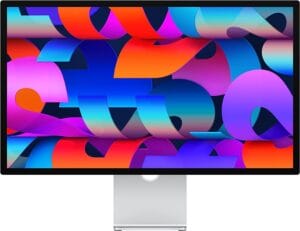
Apple Studio Display – Standard Glass
- Striking 27-inch 5K Retina display.
- Advanced 12MP Ultra Wide camera with Center Stage.
- Crystal-clear audio with a three-mic array and six-speaker system.
- Versatile connectivity with Thunderbolt 3 and USB-C ports.
- Robust 96W power delivery for efficient MacBook Pro charging.
Best Value Monitor for Macbook Pro

BenQ PD3420Q
- Exceptional color accuracy with Pantone Validation and Calman verification.
- Swift and efficient color calibration with ICC Sync compatibility.
- Versatile connectivity through USB-C, HDMI, DisplayPort, and a 4-port USB hub.
- Ergonomic design for optimal comfort with customizable tilt, pivot, swivel, and height adjustments.
- Mac-compatible color matching with M-Book mode for seamless integration.
Best Budget Monitor for Macbook Pro

GIGABYTE M27Q 27
- Affordable with impressive features.
- Crisp visuals on a 27″ 2560×1440 IPS display.
- Gaming-friendly with a 170Hz refresh rate and 0.5ms response time.
- Accurate colors with VESA Display HDR400 and 92% DCI-P3.
- Versatile connectivity including KVM functionality.
- Convenient features like OSD Sidekick and Auto-Update.
Short Buying Guide:
Choosing the ideal monitor for your MacBook Pro involves considering various factors to ensure a seamless and productive computing experience. Here’s a concise buying guide to help you navigate through the options:
Resolution and Size: Opt for a monitor with a high resolution, such as 4K, to fully capitalize on your MacBook Pro’s display capabilities. Consider the size that suits your workspace without compromising clarity.
Connectivity: Ensure the monitor has the necessary ports, especially Thunderbolt or USB-C, for a hassle-free connection to your MacBook Pro. This ensures high-speed data transfer and power delivery over a single cable.
Color Accuracy and Display Technology: Look for monitors with accurate color reproduction, as creative professionals often rely on precise color representation. IPS or OLED display technologies provide vibrant and true-to-life colors.
Design and Build Quality: Aesthetics matter. Choose a monitor that complements the sleek design of your MacBook Pro. Pay attention to build quality, slim profiles, and bezel-less designs for a visually pleasing setup.
Adjustability and Ergonomics: Opt for a monitor with adjustable height, tilt, and swivel options to customize your viewing experience. Ergonomic features contribute to long-term comfort during extended work sessions.
Additional Features: Consider features like HDR support, high refresh rates for gaming, and built-in speakers for enhanced functionality. Adaptive sync technologies can also be valuable for a smoother visual experience.
Brand Reputation and Reviews: Research and read reviews from reputable sources to gauge the performance and reliability of the monitor. Trusted brands often provide better customer support and warranty options.
Armed with this buying guide, you’re now equipped to explore the realm of monitors and find the perfect match for your MacBook Pro, elevating your computing experience to new heights.
Here are our recommended Top 7 Best Monitor for Macbook Pro which you can purchase today
| Award | Design | Retailer | |
|---|---|---|---|
| Best Performance Monitor for Macbook Pro | Best Pick | VIEW ON AMAZON | |
| Best Value Monitor for Macbook Pro | Staff Pick | VIEW ON AMAZON | |
| Best Budget Monitor for Macbook Pro | Budget Pick | VIEW ON AMAZON | |
| Best Runner Up Monitor for Macbook Pro | 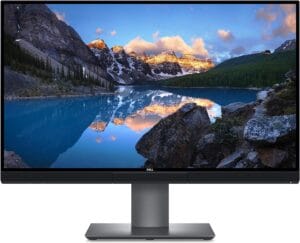 | VIEW ON AMAZON | |
| Best Smooth Monitor for Macbook Pro |  | VIEW ON AMAZON | |
| Best High Refresh Monitor for Macbook Pro | 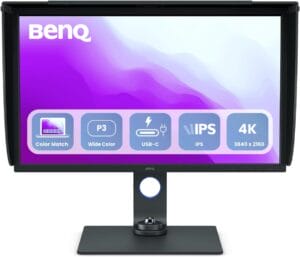 | VIEW ON AMAZON | |
| Best Cheap Monitor for Macbook Pro | 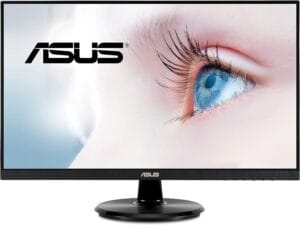 | VIEW ON AMAZON |
Apple Studio Display – Standard Glass
Best Performance Monitor for Macbook Pro
SPECIFICATIONS
Screen Size: 27 Inches | Display Resolution Maximum: 5120 x 2880 Pixels | Brand: Apple | Special Feature: Adaptive Sync, Tilt Adjustment, USB Hub, Built-In Speakers | Refresh Rate: 60 Hz
REASONS TO BUY
✓Striking 27-inch 5K Retina display.
✓Advanced 12MP Ultra Wide camera with Center Stage.
✓Crystal-clear audio with a three-mic array and six-speaker system.
✓Versatile connectivity with Thunderbolt 3 and USB-C ports.
✓Robust 96W power delivery for efficient MacBook Pro charging.
REASONS TO AVOID
✗Limited port selection for specific setups.
In the ever-evolving landscape of technology, the Apple Studio Display stands as a beacon of innovation, redefining the standard for performance monitors tailored specifically for the MacBook Pro. From its immersive 27-inch 5K Retina display to its studio-quality audio features, this monitor encapsulates the essence of excellence. Let’s delve into the features that make it the best performance monitor for your MacBook Pro.
The centerpiece of the Apple Studio Display is undoubtedly its 27-inch 5K Retina display, boasting a staggering 600 nits of brightness, support for one billion colors, and P3 wide color gamut. The result? A visual feast that brings your content to life with unparalleled clarity, vibrancy, and detail. Whether you’re editing high-resolution images or immersing yourself in 4K videos, the display’s prowess is nothing short of mesmerizing.
Enhancing the monitor’s versatility is the inclusion of a 12MP Ultra Wide camera with Center Stage technology, making video calls more engaging than ever. The camera dynamically adjusts to keep you in the frame, ensuring a seamless and natural video conferencing experience. Paired with the studio-quality three-mic array, your calls and voice recordings are crystal clear, eliminating background noise and capturing your voice with pristine accuracy.
Audio enthusiasts will appreciate the six-speaker sound system with Spatial Audio, delivering an auditory experience that transcends expectations. Whether you’re indulging in music, movies, or gaming, the immersive soundstage created by the Apple Studio Display adds a new dimension to your multimedia adventures.
Connectivity is seamless with one Thunderbolt 3 port and three USB-C ports, offering high-speed data transfer and versatile connectivity options. The monitor also provides a substantial 96W of power delivery, ensuring that your MacBook Pro stays charged even during demanding tasks.
For those who value a customizable setup, the Apple Studio Display offers a configurable stand option and compatibility with the VESA Mount Adapter. Tailor the monitor to your ergonomic preferences, whether you prefer a sleek desktop setup or a mounted display to maximize your workspace.
Conclusion
In conclusion, the Apple Studio Display stands as the epitome of performance and innovation for MacBook Pro users. From its breathtaking display to its advanced audio and video features, this monitor transforms your workspace into a hub of creativity and productivity. Elevate your Mac experience with the Apple Studio Display – where form meets function in perfect harmony.
BenQ PD3420Q
Best Value Monitor for Macbook Pro
SPECIFICATIONS
Screen Size: 34 Inches | Display Resolution Maximum: 3440 x 1440 Pixels | Brand: BenQ | Special Feature: DeltaE ≤3, 100% Rec.709 & sRGB, 98% P3, Creator Monitor for Macbook, Calman Verified, Pantone Validated | Refresh Rate: 60 Hz
REASONS TO BUY
✓Exceptional color accuracy with Pantone Validation and Calman verification.
✓Swift and efficient color calibration with ICC Sync compatibility.
✓Versatile connectivity through USB-C, HDMI, DisplayPort, and a 4-port USB hub.
✓Ergonomic design for optimal comfort with customizable tilt, pivot, swivel, and height adjustments.
✓Mac-compatible color matching with M-Book mode for seamless integration.
REASONS TO AVOID
✗Limited size options, available only as a 34″ ultrawide monitor.
In the realm of monitors designed to cater to the discerning needs of MacBook Pro users, the BenQ PD3420Q stands out as an exemplar of value and functionality. Tailored for designers and content creators, this 34″ LED ultrawide monitor goes beyond expectations, delivering an impressive array of features that make it the best value monitor for your MacBook Pro.
At the heart of the BenQ PD3420Q lies a commitment to color accuracy, a crucial aspect for designers. The monitor is Pantone Validated and Calman verified, ensuring meticulous color reproduction. With 98% P3 and 100% sRGB color coverage and Delta E ≤ 3, the PD3420Q enables users to work with confidence, knowing that the colors on the screen faithfully represent their intended hues. The M-Book mode further enhances the user experience by featuring Mac-compatible color matching, seamlessly integrating with your MacBook Pro.
The ICC Sync compatibility with Display P3 simplifies the color mapping process, streamlining it to just one second through the intuitive BenQ Display Pilot software. This ensures that color calibration is swift, efficient, and hassle-free, allowing you to focus on your creative endeavors.
The inclusion of USB-C connectivity adds to the monitor’s versatility, allowing you to synchronize images, videos, data, and charge your mobile devices – all through a single cable. This all-in-one solution not only reduces cable clutter but also enhances the efficiency of your workspace.
Seamless connectivity is a hallmark of the BenQ PD3420Q, offering 1 USB-C port, 2 HDMI ports, 1 DisplayPort, and a 4-port USB hub. The monitor also features a KVM switch, Hotkey Puck G2, a headphone jack, and more, providing a comprehensive array of options to expand and customize your workspace according to your needs.
The ergonomic design of the PD3420Q is another standout feature, allowing users to tilt, pivot, swivel, and adjust the height of the monitor for optimal comfort. This adaptability ensures that your workspace is not only visually pleasing but also conducive to long hours of creative productivity.
Powered by AQCOLOR Technology developed by BenQ, the PD3420Q reproduces accurate colors on professional monitors, providing users with a reliable and trustworthy platform to bring their creative visions to life.
Conclusion
In conclusion, the BenQ PD3420Q stands as a beacon of value and precision in the world of monitors for MacBook Pro users. With its commitment to color accuracy, seamless connectivity, and ergonomic design, this monitor is a worthy companion for designers and content creators seeking a blend of functionality and affordability. Elevate your creative workspace with the BenQ PD3420Q – where precision meets value.
GIGABYTE M27Q 27
Best Budget Monitor for Macbook Pro
SPECIFICATIONS
Screen Size: 27 Inches | Display Resolution Maximum: 2560 x 1440 Pixels | Brand: GIGABYTE | Special Feature: Height Adjustment, Blue Light Filter, Tilt Adjustment, Flicker-Free | Refresh Rate: 170 Hz
REASONS TO BUY
✓Affordable with impressive features.
✓Crisp visuals on a 27″ 2560×1440 IPS display.
✓Gaming-friendly with a 170Hz refresh rate and 0.5ms response time.
✓Accurate colors with VESA Display HDR400 and 92% DCI-P3.
✓Versatile connectivity including KVM functionality.
✓Convenient features like OSD Sidekick and Auto-Update.
REASONS TO AVOID
✗Primarily designed for business use.
In the quest for an ideal budget monitor to complement your MacBook Pro, the GIGABYTE M27Q 27 emerges as a beacon of affordability without compromising on performance. Designed with business users in mind, this 27″ 2560×1440 SS IPS display introduces an array of features that make it the best budget-friendly choice for MacBook Pro enthusiasts.
At the heart of the M27Q’s appeal is its 27-inch 2560×1440 SuperSpeed IPS display, delivering crisp visuals that go beyond the expectations set by its budget-friendly price tag. The wide 178º viewing angle (both horizontally and vertically) ensures that your content is vivid and clear, whether you’re working on spreadsheets or enjoying multimedia content.
Gamers and creative professionals alike will appreciate the M27Q’s impressive specs, boasting a 170Hz refresh rate and a lightning-fast 0.5ms (MPRT) response time. AMD FreeSync Premium technology ensures smooth gameplay, eliminating screen tearing and stuttering for an immersive experience.
From a creative standpoint, the M27Q excels with its Studio Grade VESA Display HDR400 and an impressive 92% DCI-P3 color gamut (equivalent to 140% sRGB). This ensures that your visual projects are presented with accuracy and vibrancy, making it a reliable choice for content creation and design tasks.
The monitor’s versatility extends beyond its visual capabilities. The inclusion of KVM (Keyboard, Video, Mouse) functionality allows you to control multiple devices seamlessly, streamlining your workflow. The GIGABYTE Classic Tactical Features, OSD Sidekick, and Auto-Update functionalities enhance user convenience, providing easy access to essential settings and ensuring your monitor stays up-to-date with the latest firmware.
Ergonomic design is a focal point of the M27Q, featuring tilt and height adjustments to adapt to your preferred viewing angle and posture. The monitor is also equipped with Low Blue Light and Flicker-Free technologies, safeguarding your eyes during extended usage.
For those seeking a clutter-free workspace, the VESA wall mount compatibility (100x100mm) provides an option to elevate your monitor and create a more organized setup.
Conclusion
In conclusion, the GIGABYTE M27Q 27 stands as a testament to the notion that affordability doesn’t mean compromising on quality. With its impressive display, gaming-friendly features, and thoughtful design, this budget monitor is a worthy companion for MacBook Pro users looking to optimize their workspace without breaking the bank. Elevate your computing experience without the hefty price tag with the GIGABYTE M27Q 27.
UltraSharp 27 4K
Best Runner Up Monitor for Macbook Pro
SPECIFICATIONS
Screen Size: 27 Inches | Display Resolution Maximum: 3840×2160 | Brand: Dell | Special Feature: Flicker-Free | Refresh Rate: 60 Hz
REASONS TO BUY
✓Stunning 27-inch 4K PremierColor IPS LED LCD display.
✓Customizable calibration options for precise color accuracy.
✓Seamless Thunderbolt 3 connectivity with MacBook Pro.
✓Comprehensive connectivity with HDMI, DisplayPort, and USB Type-C to Type A cables.
✓Efficient and convenient CalMAN Ready calibration process.
REASONS TO AVOID
✗Higher price point compared to some competitors.
For MacBook Pro users seeking an exemplary monitor that seamlessly blends precision, performance, and aesthetic appeal, the Dell UltraSharp UP2720Q 27 4K stands tall as the best runner-up choice. Tailored to meet the demands of creative professionals, this 27″ 16:9 4K PremierColor IPS LED LCD Monitor embodies Dell’s commitment to excellence, offering a sophisticated package that elevates your visual experience.
The UP2720Q’s visual prowess is evident from the moment you power it on. The 27-inch 4K display, with its PremierColor IPS LED LCD technology, produces stunning visuals with vibrant colors and impeccable detail. Whether you’re editing high-resolution images, watching 4K videos, or engaging in graphic design, the monitor’s calibrated color accuracy ensures that your creative work is represented with precision.
One notable feature of the UP2720Q is its comprehensive calibration options. The monitor is not just calibrated out of the box; it allows users to tailor the settings to their specific criteria. This level of customization is especially valuable for professionals who require accurate color representation in their work, ensuring that what they see on the screen aligns with their creative vision.
Equipped with Thunderbolt 3 (USB-C) connectivity, the UP2720Q seamlessly integrates with your MacBook Pro. The inclusion of various cables, including HDMI, DisplayPort, and USB Type-C to Type A, provides versatility in connection options. Despite the product note indicating a damaged box, the contents inside remain intact, allowing for a hassle-free setup.
The UP2720Q is not just a monitor; it’s a tool that works with your schedule. The CalMAN Ready feature enhances the calibration process, making it efficient and convenient. This ensures that your monitor stays aligned with your evolving creative needs without compromising on color accuracy.
Convenience is a key theme with the UP2720Q. The monitor’s thoughtful design includes an array of ports and connectivity options, ensuring that you have the convenience you need at your disposal. This makes it easy to connect multiple devices, creating a seamless and efficient workflow.
While the product note mentions a damaged box, it’s crucial to note that the monitor itself remains unscathed, preserving the integrity of the product. Dell’s commitment to delivering a quality product shines through, demonstrating that even in less than perfect packaging, the UP2720Q remains a top-tier monitor.
Conclusion
In conclusion, the Dell UltraSharp UP2720Q 27 4K emerges as a worthy runner-up in the realm of monitors for MacBook Pro users. With its calibrated color accuracy, customization options, and convenient features, it stands as a testament to Dell’s commitment to delivering excellence in the visual realm. Elevate your creative workspace with the UP2720Q – where precision meets performance with style.
LG 40WP95C-W 40
Best Smooth Monitor for Macbook Pro
SPECIFICATIONS
Screen Size: 40 Inches | Display Resolution Maximum: 5120 x 2160 Pixels | Brand: LG Electronics | Special Feature: Black Stabilizer | Refresh Rate: 72 Hz
REASONS TO BUY
✓Expansive 40-inch Curved WUHD Nano IPS display.
✓Thunderbolt 4 connectivity with 96W power delivery.
✓DCI-P3 98% (Typ.) color accuracy with HDR10 support.
✓Integrated 10W x 2 speakers with rich bass.
✓Sleek 3-side virtually borderless design.
✓Versatile tilt, height, and swivel stand.
REASONS TO AVOID
✗High maximum power consumption of 70W.
In the realm of monitors designed to elevate your MacBook Pro experience, the LG 40WP95C-W 40 emerges as a visual symphony, offering a perfect blend of size, performance, and connectivity. This 40″ Curved WUHD Nano IPS display stands as the epitome of smoothness, providing a captivating visual journey for creative professionals and enthusiasts alike.
The centerpiece of the LG 40WP95C-W is its expansive 40-inch Curved WUHD Nano IPS display, boasting a resolution of 5120 x 2160. The aspect ratio of 21:9 ensures an immersive widescreen experience, making it an ideal canvas for creative work, multitasking, or immersive entertainment. The Nano IPS technology enhances color accuracy and provides stunning visuals with a wide viewing angle of 178 degrees.
One standout feature of this monitor is its Thunderbolt 4 connectivity with 96W power delivery. This not only ensures a high-speed data transfer but also conveniently charges your MacBook Pro, eliminating the need for additional power cables. The seamless integration through Thunderbolt 4 establishes a clutter-free workspace, allowing you to focus on your creative endeavors without the hassle of tangled cables.
The LG 40WP95C-W boasts impressive color reproduction, with DCI-P3 98% (Typ.) and HDR10 support. This ensures that your visual projects are displayed with precision and vibrant realism. Whether you’re editing photos, working on graphic design, or enjoying high-definition content, the monitor’s color accuracy and HDR capabilities contribute to a visually immersive experience.
Audio is not an afterthought with the LG 40WP95C-W. The built-in 10W x 2 speakers deliver rich bass, complementing the stunning visuals with an equally impressive audio experience. This integrated audio solution eliminates the need for external speakers, simplifying your setup while providing an immersive multimedia experience.
The monitor’s design is as impressive as its performance. The 3-side virtually borderless design enhances the viewing experience, minimizing distractions and maximizing the visual real estate. The tilt, height, and swivel stand add to the monitor’s versatility, allowing users to customize their viewing experience for optimal comfort.
In terms of power efficiency, the LG 40WP95C-W operates with a maximum power consumption of 70W and a typical consumption of 60W. The temperature operating range from 0°C to 40°C ensures reliable performance under various conditions.
Conclusion
In conclusion, the LG 40WP95C-W 40 emerges as the go-to choice for MacBook Pro users seeking a seamless and smooth visual experience. With its expansive curved display, Thunderbolt 4 connectivity, HDR support, and immersive audio, this monitor transforms your workspace into a creative haven. Elevate your MacBook Pro experience with the LG 40WP95C-W – where size meets performance in perfect harmony.
BenQ SW321C
Best High Refresh Monitor for Macbook Pro
SPECIFICATIONS
Screen Size: 32 Inches | Display Resolution Maximum: 3840 x 2160 | Brand: BenQ | Special Feature: Hardware Calibration, USB Hub | Refresh Rate: 60 Hz
REASONS TO BUY
✓Factory-calibrated for precision out of the box.
✓AQCOLOR Technology ensures accurate color reproduction.
✓Impressive color coverage with 100% sRGB, 95% P3, 99% AdobeRGB.
✓Hardware calibration for precise color blending.
✓Paper Color Sync ensures screen-to-print consistency.
REASONS TO AVOID
✗Specialized for photography and video editing, may have features not fully utilized by general users.
For photographers and video editing enthusiasts in search of the perfect monitor to complement their MacBook Pro, the BenQ SW321C emerges as a powerhouse, delivering not only an immersive visual experience but also unparalleled color precision. This 32-inch 4K IPS UHD Resolution monitor is not just a display; it’s a canvas where creativity meets accuracy.
Designed with photographers and video editors in mind, the SW321C comes factory calibrated for color accuracy, accompanied by a detailed report straight from the manufacturer. This meticulous calibration is a testament to BenQ’s commitment to providing users with a monitor that reproduces colors with unmatched fidelity.
At the heart of the SW321C is BenQ’s proprietary AQCOLOR Technology, a system developed to reproduce accurate colors on professional monitors. This ensures that users can work with colors they can trust, making it an ideal choice for color-sensitive tasks such as photo and video editing.
The monitor boasts an impressive color coverage, featuring 100% sRGB, 95% P3, and 99% AdobeRGB color gamut. With an average Delta E ≤2 for color accuracy, CalMan verification, and Pantone SkinTone validation, the SW321C stands as a reliable tool for professionals who demand precise color reproduction in their work.
Hardware calibration further enhances color accuracy with a 14-bit 3D lookup table (LUT), ensuring that color blending is precise and reproduction is true to the original source. This attention to detail sets the SW321C apart, providing users with the confidence that what they see on the screen mirrors the intended colors of their projects.
One unique feature that caters to photographers is BenQ’s Paper Color Sync technology, ensuring screen-to-print consistency. By allowing users to select the color gamut, printer model, and paper type, the SW321C assists in achieving an accurate representation of the final printed image.
The SW321C doesn’t compromise on connectivity either. With USB-C connectivity, users can synchronize images, videos, data, and charge their mobile devices, all through a single cable with 65W power delivery. The USB hub and HotKey Puck provide convenient access to content and settings, streamlining the creative workflow.
Ergonomics is a key consideration in the design of the SW321C. The monitor offers customizable options, including tilt, pivot, swivel, and height adjustments, allowing users to create an optimal and comfortable workspace.
Conclusion
In conclusion, the BenQ SW321C stands as the epitome of color precision and high refresh rates for MacBook Pro users engaged in photography and video editing. From its factory calibration to the hardware-level color accuracy enhancements, this monitor is a testament to BenQ’s dedication to delivering a tool that empowers creative professionals to bring their visions to life with unparalleled accuracy and vibrancy. Elevate your creative workflow with the BenQ SW321C – where precision meets performance in every pixel.
ASUS 23.8
Best Cheap Monitor for Macbook Pro
SPECIFICATIONS
Screen Size: 24 Inches | Display Resolution Maximum: 1920 x 1080 Pixels | Brand: ASUS | Special Feature: Security Lock, Anti-glare, Extreme Low Motion Blur (ELMB), Ergonomic Design | Refresh Rate: 165 Hz
REASONS TO BUY
✓Budget-friendly with solid performance.
✓75Hz refresh rate and ASUS ELMB for smooth gaming.
✓FreeSync for low latency, tearing-free gameplay.
✓Versatile design with VESA compatibility and ergonomic stand.
✓Exclusive GamePlus function enhances gaming experience.
✓Bonus 3-month Adobe Creative Cloud subscription.
REASONS TO AVOID
✗Limited to Full HD resolution.
In the world of budget-friendly monitors, the ASUS 23.8 emerges as a hidden gem, offering an enticing blend of affordability and performance tailored to MacBook Pro users. Boasting a 23.8-inch Full HD IPS display, a 75Hz refresh rate, and gaming-centric features, this monitor is not just a budget option; it’s a gateway to immersive visuals and efficient productivity.
Designed with gamers in mind, the ASUS 23.8 packs a Full HD (1920 x 1080) IPS display, providing vibrant colors and crisp details across its 23.8-inch screen. The 75Hz refresh rate ensures smooth visuals, catering to both gamers and general users seeking an engaging display experience.
One notable gaming-centric feature is the ASUS Extreme Low Motion Blur (ELMB) technology, enabling an impressive 1ms response time (MPRT). This eliminates ghosting, ensuring sharp and clear visuals during fast-paced gaming sessions. The inclusion of FreeSync technology further enhances the gaming experience by providing variable refresh rates, minimizing latency, stuttering, and tearing for seamless gameplay.
ASUS doesn’t just stop at gaming features; the monitor includes the exclusive GamePlus function, delicately designed to cater to various gaming needs. Whether it’s enhancing aiming accuracy, providing on-screen timers, or aiding in aligning multiple displays, GamePlus adds a layer of functionality for gaming enthusiasts.
The monitor’s versatility extends to its design, offering VESA wall-mount compatibility to save desktop space. The ergonomically-designed stand provides full tilt, swivel, pivot, and height adjustment options, ensuring users can customize their workspace for optimal comfort.
In terms of connectivity, the ASUS 23.8 comes with an HDMI port, ensuring compatibility with various devices, and a power cord for easy setup. The inclusion of a warranty card and a quick start guide adds to the user-friendly experience out of the box.
One surprising bonus that adds significant value to this budget-friendly monitor is the inclusion of a free 3-month Adobe Creative Cloud subscription. This offer, valid from 9/15/2021 to 08/31/2024, opens the door for users to explore and leverage Adobe’s creative suite, making it an excellent addition for users engaged in content creation or design tasks.
Conclusion
In conclusion, the ASUS 23.8 stands as a testament to the notion that budget-friendly doesn’t mean compromising on essential features. Whether you’re a gamer seeking immersive visuals or a MacBook Pro user on a budget, this monitor delivers a compelling package of performance, versatility, and a few surprises along the way. Unveil affordability without sacrificing performance with the ASUS 23.8 – where budget meets brilliance.
Conclusion
In conclusion, the Apple Studio Display stands as the epitome of performance and innovation for MacBook Pro users.

CEO
Hi, My name is Bilal Ali and I am an affiliate marketer and have been involved in this field for a number of years. I have a lot of experience and knowledge in this area, which I love to share with others. I am always looking for new ways to improve my skills and learn more about affiliate marketing. I am also very active on social media, and love to connect with others in the industry.



